Keyboard Support in Windows Forms Menu (Menus)
8 Jul 20261 minute to read
The menu control supports keyboard functionality for navigation and selection of menu items. This topic discusses such keyboard support.
Displaying shortcut text in menu item
The menu items can be selected and the respective action can be performed by specifying the shortcuts via the Shortcut property of the menu item. The following code snippet shows a shortcut being assigned to the menu item.
this.barItem1.Shortcut = Shortcut.AltDownArrow;Me.barItem1.Shortcut = Shortcut.AltDownArrow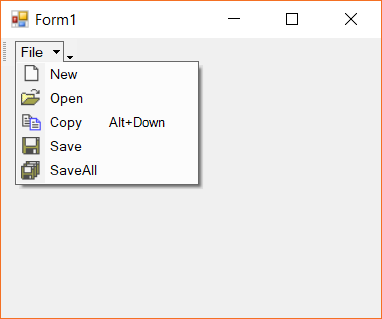
Displaying Mnemonic in menu items
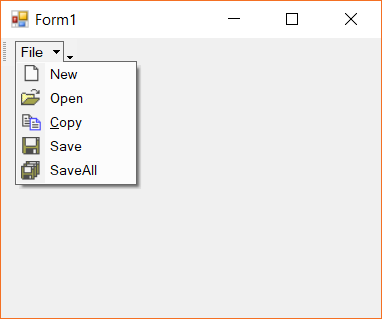
The menu items support mnemonic text. As usual, the required mnemonic character is prefixed with the & symbol in the Text property of the menu item. This character can be made visible all the time using the ShowMnemonicUnderlinesAlways property of the menu item.
The following snippet shows the drop-down item being applied with mnemonics.
this.barItem3.Text = "&Copy";
this.barItem3.ShowMnemonicUnderlinesAlways = true;Me.dropDownItem.Text = "Drop do&wn item"
Me.dropDownItem.ShowMnemonicUnderlinesAlways = true