About Flutter Range Slider Control (SfRangeSlider)
18 Nov 20181 minute to read
Syncfusion® Flutter Range Slider is a highly interactive UI widget that allows users to select a smaller range from a larger data set. It provides rich features such as numeric and date values, labels, ticks, dividers, and tooltips.
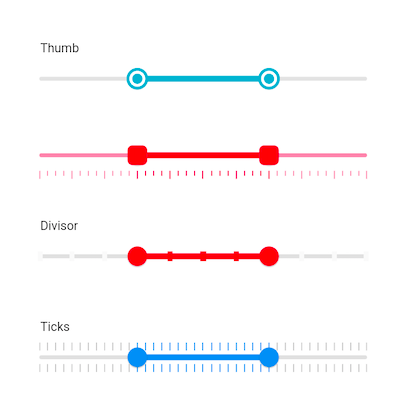
Features
- Numeric and date support - Provides functionality for selecting numeric and date ranges. For date ranges, support is provided up to the seconds interval. For more details, refer to the Set numeric range and Set date range sections.
- Labels - Renders labels for date and numeric ranges with options to customize their format based on your requirements. For more details, refer to the Labels documentation.
- Ticks and dividers - Provides options to show ticks and dividers based on intervals. Also enables minor ticks to indicate values between each interval. These features present the selected range in a more intuitive way for end users. For more details, refer to the Ticks and dividers documentation.
- Highly customizable - In addition to the rich set of built-in features, the control is fully customizable through its wide range of options.
- Tooltips - Renders tooltips to clearly show the selected range. It is also possible to customize the format of text shown in tooltips. For more details, refer to the Tooltips documentation.
- Orientation - Supports both horizontal and vertical orientations. For more details, refer to the Horizontal and Vertical sections.
- Thumb icon support - Accepts custom widgets like icons or text inside the thumbs. For more details, refer to the Thumb icon support documentation.