Alignment Settings in Windows Forms RadioButtonAdv
18 Nov 20181 minute to read
This section discusses the alignment settings of the RadioButtonAdv.
Text alignment
Text in the RadioButtonAdv can be aligned to the desired location as given below.
| RadioButtonAdv Properties | Description |
|---|---|
| TextContentAlignment |
Indicates the alignment of the text. The default value is set to 'MiddleLeft'.The options included are as follows. TopLeft, TopCenter, TopRight, MiddleLeft, MiddleCenter, MiddleRight, BottomLeft, BottomCenter and BottomRight. WrapText property must be set to 'False'. Refer . |
this.radioButtonAdv1.TextContentAlignment = System.Drawing.ContentAlignment.MiddleCenter;Me.radioButtonAdv1.TextContentAlignment = System.Drawing.ContentAlignment.MiddleCenter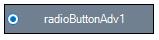
RadioButton alignment
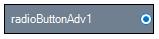
The RadioButton itself can be aligned to any desired location that can be chosen from the options given in the following property.
| RadioButtonAdv Properties | Description |
|---|---|
| CheckAlign |
Indicates the alignment of the RadioButton. The default value is set to 'MiddleLeft'.The options included are as follows. TopLeft, TopCenter, TopRight, MiddleLeft, MiddleCenter, MiddleRight, BottomLeft, BottomCenter and BottomRight. |
this.radioButtonAdv1.CheckAlign = System.Drawing.ContentAlignment.MiddleRight;Me.radioButtonAdv1.CheckAlign = System.Drawing.ContentAlignment.MiddleRight