Getting Started with WinForms Integer TextBox
18 Nov 20183 minutes to read
Assembly deployment
Refer to the control dependencies section to get the list of assemblies or NuGet packages that need to be added as a reference to use the control in any application.
You can find more details about installing the NuGet packages in a Windows Forms application at the following link:
Create a simple application with WinForms Integer TextBox
You can create a Windows Forms application with the WinForms Integer TextBox using the following steps:
Create a project
Create a new Windows Forms project in Visual Studio to display the WinForms Integer TextBox control.
Add control through designer
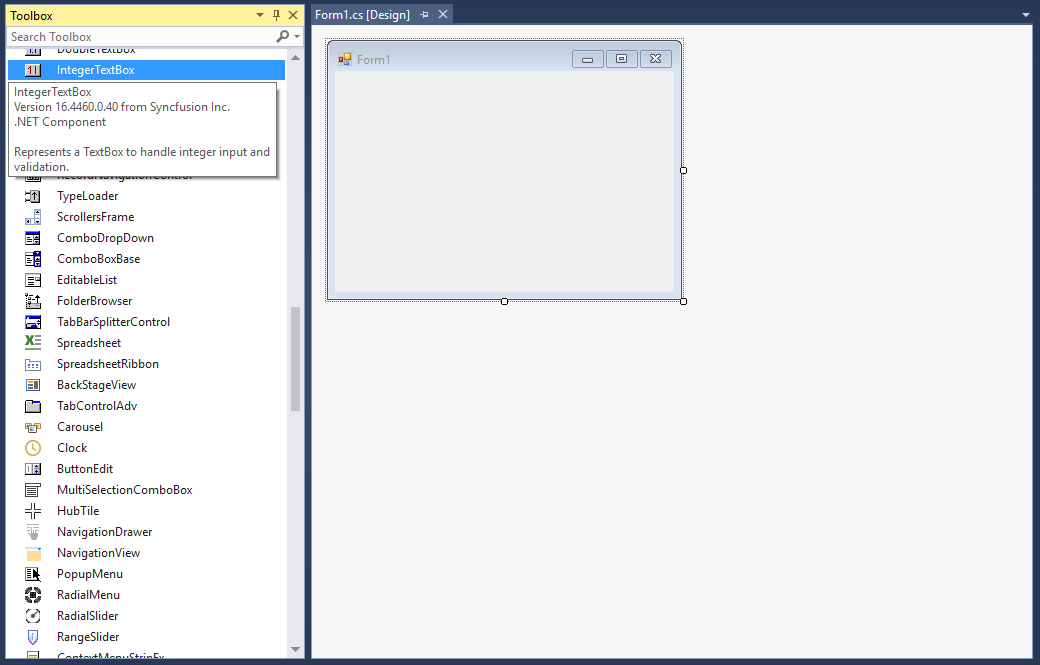
The WinForms Integer TextBox control can be added to an application by dragging it from the toolbox onto the designer surface. The Syncfusion.Shared.Base assembly reference will be added automatically:
Add control manually in code
To add the control manually, follow the steps below:
-
Add the Syncfusion.Shared.Base assembly reference to the project.
-
Add the Syncfusion.Windows.Forms.Tools namespace:
using Syncfusion.Windows.Forms.Tools;Imports Syncfusion.Windows.Forms.Tools -
Create a WinForms Integer TextBox instance and add it to the form:
IntegerTextBox integerTextBox1 = new IntegerTextBox();
this.Controls.Add(integerTextBox1);
Dim integerTextBox1 As IntegerTextBox = New IntegerTextBox() Me.Controls.Add(integerTextBox1)

Maximum and minimum value constraints
You can set the maximum and minimum values using the MaxValue and MinValue properties of the WinForms Integer TextBox.
this.integerTextBox1.MaxValue = 9223372036854775807L;
this.integerTextBox1.MinValue = -9223372036854775808L;Me.integerTextBox1.MaxValue = 9223372036854775807L
Me.integerTextBox1.MinValue = -9223372036854775808LNumber format
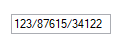
You can display the numbers in a custom format using the NumberGroupSeparator and NumberGroupSizes properties of the WinForms Integer TextBox.
this.integerTextBox1.NumberGroupSeparator = "/";
this.integerTextBox1.IntegerValue = 1238761534122L;
this.integerTextBox1.NumberGroupSizes = new int[] { 5 };Me.integerTextBox1.NumberGroupSeparator = "/"
Me.integerTextBox1.IntegerValue = 1238761534122L
Me.integerTextBox1.NumberGroupSizes = New Integer() { 5 }