Serialization in Windows Forms Gradient Label
18 Nov 20182 minutes to read
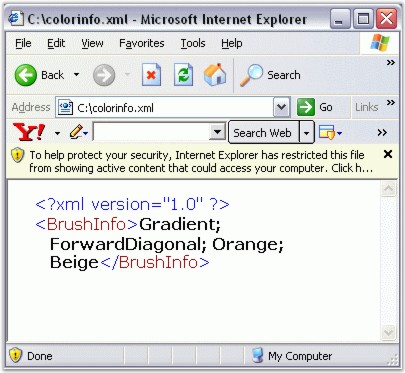
We can save and load the background color information in an XML file to persist the color state of a Gradient Label. The XmlSerializer Class can be used for providing serialization support.
-
First include the required namespaces.
using System.Drawing;
 using Syncfusion.Drawing;
 using System.Xml.Serialization;
 using System.IO;
Imports System.Drawing Imports Syncfusion.Drawing Imports System.Xml.Serialization Imports System.IO -
The below code snippet saves the information in a file called the color.xml.
private void button1_Click(object sender, System.EventArgs e)
 {
 	this.gradientLabel1.BackgroundColor = new BrushInfo(GradientStyle.Gradient, Color.ForwardDiagonal , Color.Beige);
 	string xmlFilename = "C:\\color.xml";
 	XmlSerializer serializer = new XmlSerializer(typeof(Syncfusion.Drawing.BrushInfo));
 	FileStream fs= new FileStream(xmlFilename, FileMode.Create);
 	System.Xml.XmlTextWriter writer = new System.Xml.XmlTextWriter(fs, System.Text.Encoding.Default);
 	serializer.Serialize(fs,this.gradientLabel1.BackgroundColor);
 	writer.Close();
 }
Private Sub button1_Click(ByVal sender As Object, ByVal e As System.EventArgs) Me.gradientLabel1.BackgroundColor = New BrushInfo(GradientStyle.Gradient, Color.ForwardDiagonal, Color.Beige) Private xmlFilename As String = "C:\color.xml" Private serializer As XmlSerializer = New XmlSerializer(GetType(Syncfusion.Drawing.BrushInfo)) Private fs As FileStream = New FileStream(xmlFilename, FileMode.Create) Private writer As System.Xml.XmlTextWriter = New System.Xml.XmlTextWriter(fs, System.Text.Encoding.Default) serializer.Serialize(fs,Me.gradientLabel1.BackgroundColor) writer.Close() End Sub