Customize Annotations in Angular PDF Viewer
14 Aug 202611 minutes to read
Annotation appearance and behavior (for example, color, stroke color, thickness, and opacity) can be customized using the built‑in UI or programmatically. This page summarizes common customization patterns and shows how to set defaults per annotation type.
Customize via UI
Use the annotation toolbar after selecting an annotation:
- Edit color: changes the annotation fill/text color
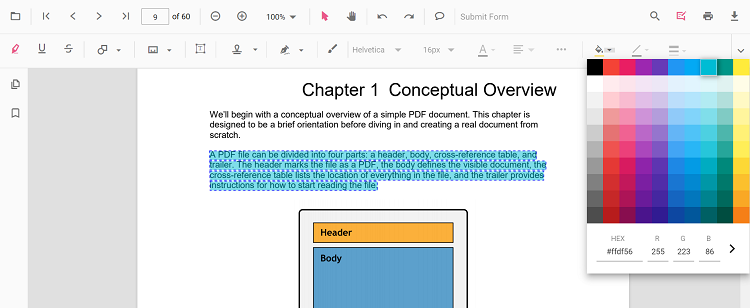
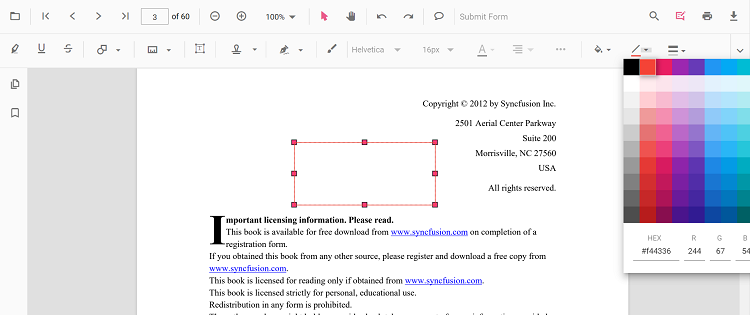
- Edit stroke color: changes border or line color for shape and line types.
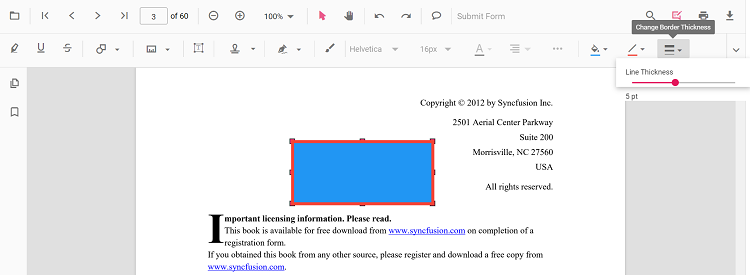
- Edit thickness: adjusts border or line thickness
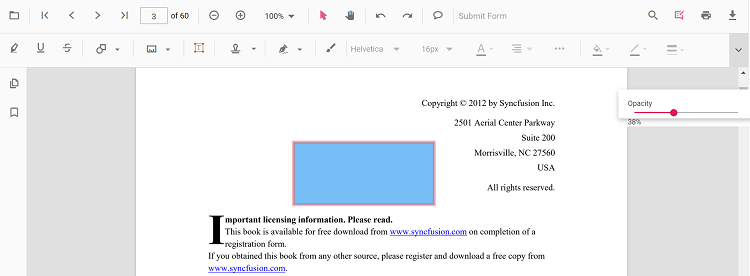
- Edit opacity: adjusts transparency
Type‑specific options (for example, Line properties) are available from the context menu (right‑click > Properties) where supported.
Set default properties during initialization
Set defaults for specific annotation types when creating the PdfViewer instance. Configure properties such as author, subject, color, and opacity using annotation settings. The examples below reference settings used on the annotation type pages.
Text markup annotations:
- Highlight: Set default properties before creating the control using
highlightSettings - Strikethrough: Use
strikethroughSettings - Underline: Use
underlineSettings - Squiggly: Use
squigglySettings
Shape annotations:
- Line: Use
lineSettings - Arrow: Use
arrowSettings - Rectangle: Use
rectangleSettings - Circle: Use
circleSettings - Polygon: Use
polygonSettings
Measurement annotations:
- Distance: Use
distanceSettings - Perimeter: Use
perimeterSettings - Area: Use
areaSettings - Radius: Use
radiusSettings - Volume: Use
volumeSettings
Other Annotations:
- Redaction: Use
redactionSettings - Free text: Use
freeTextSettings - Ink (freehand): Use
inkAnnotationSettings - Stamp: Use
stampSettings - Sticky notes: Use
stickyNotesSettings
Set defaults for specific annotation types when creating the PdfViewerComponent. Below are examples using settings already used in the annotation type pages.
import { Component } from '@angular/core';
import { PdfViewerModule, ToolbarService, AnnotationService, TextSelectionService } from '@syncfusion/ej2-angular-pdfviewer';

@Component({
  selector: 'app-root',
  standalone: true,
  template: `
    <ejs-pdfviewer
      id="container"
      [documentPath]="documentPath"
      [resourceUrl]="resourceUrl"
      style="height:650px;display:block"
      [highlightSettings]="highlightSettings"
      [strikethroughSettings]="strikethroughSettings"
      [underlineSettings]="underlineSettings"
      [squigglySettings]="squigglySettings"
      [lineSettings]="lineSettings"
      [arrowSettings]="arrowSettings"
      [rectangleSettings]="rectangleSettings"
      [circleSettings]="circleSettings"
      [polygonSettings]="polygonSettings"
      [distanceSettings]="distanceSettings"
      [perimeterSettings]="perimeterSettings"
      [areaSettings]="areaSettings"
      [radiusSettings]="radiusSettings"
      [volumeSettings]="volumeSettings"
      [freeTextSettings]="freeTextSettings"
      [inkAnnotationSettings]="inkAnnotationSettings"
      [stampSettings]="stampSettings"
      [stickyNotesSettings]="stickyNotesSettings">
    </ejs-pdfviewer>
  `,
  imports: [PdfViewerModule],
  providers: [ToolbarService, AnnotationService, TextSelectionService]
})
export class AppComponent {
  public documentPath: string = 'https://cdn.syncfusion.com/content/pdf/pdf-succinctly.pdf';
  public resourceUrl: string = 'https://cdn.syncfusion.com/ej2/31.2.2/dist/ej2-pdfviewer-lib';

  // Text markup defaults
  public highlightSettings = { author: 'QA', subject: 'Review', color: '#ffff00', opacity: 0.6 };
  public strikethroughSettings = { author: 'QA', subject: 'Remove', color: '#ff0000', opacity: 0.6 };
  public underlineSettings = { author: 'Guest User', subject: 'Points to be remembered', color: '#00ffff', opacity: 0.9 };
  public squigglySettings = { author: 'Guest User', subject: 'Corrections', color: '#00ff00', opacity: 0.9 };

  // Shapes
  public lineSettings = { strokeColor: '#0066ff', thickness: 2, opacity: 0.8 };
  public arrowSettings = { strokeColor: '#0066ff', thickness: 2, opacity: 0.8 };
  public rectangleSettings = { fillColor: '#ffffff00', strokeColor: '#222222', thickness: 1, opacity: 1 };
  public circleSettings = { fillColor: '#ffffff00', strokeColor: '#222222', thickness: 1, opacity: 1 };
  public polygonSettings = { fillColor: '#ffffff00', strokeColor: '#222222', thickness: 1, opacity: 1 };

  // Measurements
  public distanceSettings = { strokeColor: '#0066ff', thickness: 2, opacity: 0.8 };
  public perimeterSettings = { strokeColor: '#0066ff', thickness: 2, opacity: 0.8 };
  public areaSettings = { strokeColor: '#0066ff', thickness: 2, opacity: 0.8, fillColor: '#ffffff00' };
  public radiusSettings = { strokeColor: '#0066ff', thickness: 2, opacity: 0.8, fillColor: '#ffffff00' };
  public volumeSettings = { strokeColor: '#0066ff', thickness: 2, opacity: 0.8, fillColor: '#ffffff00' };

  // Others
  public freeTextSettings = { borderColor: '#222222', thickness: 1, opacity: 1 };
  public inkAnnotationSettings = { color: '#0000ff', thickness: 3, opacity: 0.8 };
  public stampSettings = { opacity: 0.9 };
  public stickyNotesSettings = { author: 'QA', subject: 'Review', color: '#ffcc00', opacity: 1 };
}
After changing defaults using UI tools (for example, Edit color or Edit opacity), the updated values apply to subsequent annotations within the same session.
Customize programmatically at runtime
To update an existing annotation from code, modify its properties and call editAnnotation.
Example: bulk‑update matching annotations.
import { Component } from '@angular/core';
import { PdfViewerModule, ToolbarService, AnnotationService, TextSelectionService } from '@syncfusion/ej2-angular-pdfviewer';

@Component({
  selector: 'app-root',
  standalone: true,
  template: `
    <button (click)="bulkUpdateAnnotations()">Bulk Update Annotations</button>
    <ejs-pdfviewer
      id="container"
      [documentPath]="documentPath"
      [resourceUrl]="resourceUrl"
      style="height:650px;display:block">
    </ejs-pdfviewer>
  `,
  imports: [PdfViewerModule],
  providers: [ToolbarService, AnnotationService, TextSelectionService]
})
export class AppComponent {
  public documentPath: string = 'https://cdn.syncfusion.com/content/pdf/pdf-succinctly.pdf';
  public resourceUrl: string = 'https://cdn.syncfusion.com/ej2/31.2.2/dist/ej2-pdfviewer-lib';

  getViewer() {
    return (document.getElementById('container') as any).ej2_instances[0];
  }

  bulkUpdateAnnotations() {
    const viewer = this.getViewer();
    for (const ann of viewer.annotationCollection) {
      // Example criteria; customize as needed
      if (ann.author === 'Guest' || ann.subject === 'Rectangle') {
        ann.color = '#ff0000';
        ann.opacity = 0.8;
        // For shapes/lines you can also change strokeColor/thickness when applicable
        // ann.strokeColor = '#222222';
        // ann.thickness = 2;
        viewer.annotation.editAnnotation(ann);
      }
    }
  }
}
Customize Annotation Settings
Defines the settings of the annotations. You can change annotation settings like author name, height, width etc., using the annotationSettings property.
import { Component } from '@angular/core';
import { PdfViewerModule, ToolbarService, AnnotationService, TextSelectionService, AllowedInteraction } from '@syncfusion/ej2-angular-pdfviewer';

@Component({
  selector: 'app-root',
  standalone: true,
  template: `
    <ejs-pdfviewer
      id="container"
      [documentPath]="documentPath"
      [resourceUrl]="resourceUrl"
      style="height:650px;display:block"
      [annotationSettings]="annotationSettings">
    </ejs-pdfviewer>
  `,
  imports: [PdfViewerModule],
  providers: [ToolbarService, AnnotationService, TextSelectionService]
})
export class AppComponent {
  public documentPath: string = 'https://cdn.syncfusion.com/content/pdf/pdf-succinctly.pdf';
  public resourceUrl: string = 'https://cdn.syncfusion.com/ej2/31.2.2/dist/ej2-pdfviewer-lib';

  public annotationSettings = {
    author: 'XYZ',
    minHeight: 10,
    minWidth: 10,
    maxWidth: 100,
    maxHeight: 100,
    isLock: false,
    skipPrint: false,
    skipDownload: false,
    allowedInteractions: [AllowedInteraction.Select, AllowedInteraction.Move]
  };
}
Customize Annotation SelectorSettings
Defines the settings of annotation selector. You can customize the annotation selector using the annotationSelectorSettings property.
import { Component } from '@angular/core';
import { PdfViewerModule, ToolbarService, AnnotationService, TextSelectionService, AnnotationResizerLocation, CursorType } from '@syncfusion/ej2-angular-pdfviewer';

@Component({
  selector: 'app-root',
  standalone: true,
  template: `
    <ejs-pdfviewer
      id="container"
      [documentPath]="documentPath"
      [resourceUrl]="resourceUrl"
      style="height:650px;display:block"
      [annotationSelectorSettings]="annotationSelectorSettings">
    </ejs-pdfviewer>
  `,
  imports: [PdfViewerModule],
  providers: [ToolbarService, AnnotationService, TextSelectionService]
})
export class AppComponent {
  public documentPath: string = 'https://cdn.syncfusion.com/content/pdf/pdf-succinctly.pdf';
  public resourceUrl: string = 'https://cdn.syncfusion.com/ej2/31.2.2/dist/ej2-pdfviewer-lib';

  public annotationSelectorSettings = {
    selectionBorderColor: 'blue',
    resizerBorderColor: 'red',
    resizerFillColor: '#4070ff',
    resizerSize: 8,
    selectionBorderThickness: 1,
    resizerShape: 'Circle',
    selectorLineDashArray: [5, 6],
    resizerLocation: AnnotationResizerLocation.Corners | AnnotationResizerLocation.Edges,
    resizerCursorType: CursorType.grab
  };
}