Polygon Annotation in Angular PDF Viewer
14 Aug 202610 minutes to read
Polygon annotations allow users to outline irregular regions, draw custom shapes, highlight non-rectangular areas, or create specialized callouts on PDFs for review and markup.
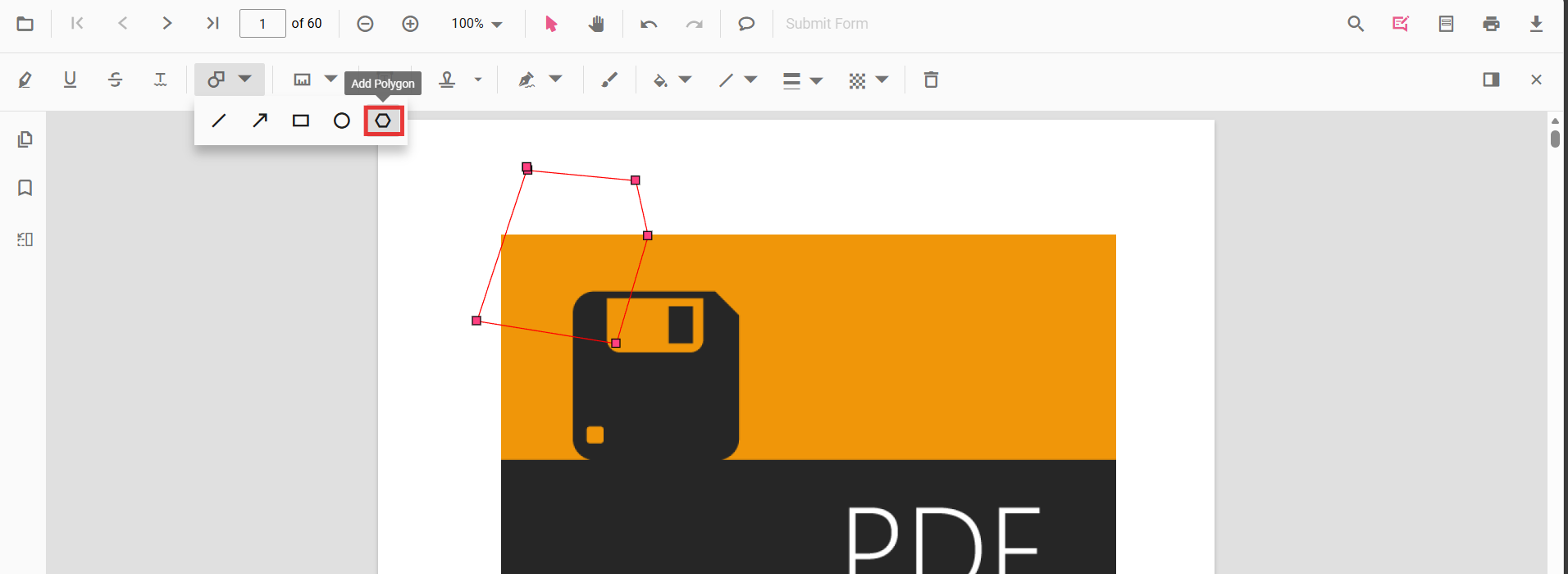
Enable Polygon Annotation in the Viewer
To enable Polygon annotations, inject the following modules into the Angular PDF Viewer:
import { Component } from '@angular/core';
import {
  PdfViewerModule,
  ToolbarService,
  AnnotationService
} from '@syncfusion/ej2-angular-pdfviewer';

@Component({
  selector: 'app-root',
  template: `
    <div class="content-wrapper">
      <ejs-pdfviewer
        id="pdfViewer"
        [documentPath]="document"
        [resourceUrl]="resource"
        style="height:650px;display:block">
      </ejs-pdfviewer>
    </div>
  `,
  imports: [PdfViewerModule],
  providers: [ToolbarService, AnnotationService]
})
export class AppComponent {

  public document: string =
    'https://cdn.syncfusion.com/content/pdf/pdf-succinctly.pdf';

  public resource: string =
    'https://cdn.syncfusion.com/ej2/31.2.2/dist/ej2-pdfviewer-lib';
}
Add Polygon Annotation
Add Polygon Annotation Using the Toolbar
- Open the Annotation Toolbar.
- Select Shapes → Polygon.
- Click multiple points on the page to draw the polygon.
- Double-click to finalize the shape.
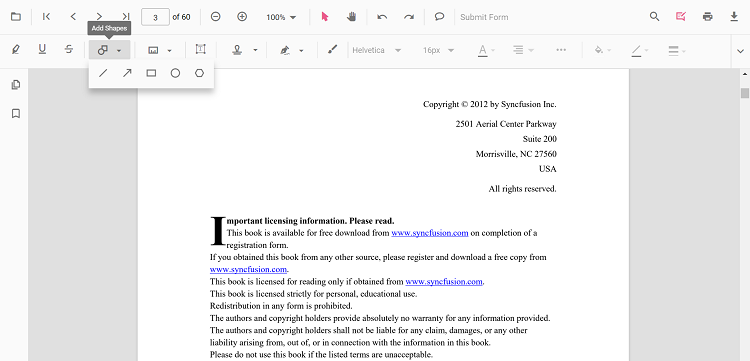
When in Pan mode, selecting a shape tool automatically switches the viewer to selection mode for smooth interaction.
Enable Polygon Mode
Switch the viewer into highlight mode using setAnnotationMode('Polygon').
enablePolygonMode(): void {
  const pdfViewer = (document.getElementById('pdfViewer') as any).ej2_instances[0];
  pdfViewer.annotation.setAnnotationMode('Polygon');
}
Exit Polygon Mode
Switch back to normal mode using:
exitPolygonMode(): void {
  const pdfViewer = (document.getElementById('pdfViewer') as any).ej2_instances[0];
  pdfViewer.annotation.setAnnotationMode('None');
}
Add Polygon Programmatically
Use the addAnnotation API to draw a polygon by specifying multiple vertexPoints.
addPolygon(): void {
  const pdfViewer = (document.getElementById('pdfViewer') as any).ej2_instances[0];

  pdfViewer.annotation.addAnnotation('Polygon', {
    offset: { x: 200, y: 800 },
    pageNumber: 1,
    vertexPoints: [
      { x: 200, y: 800 }, { x: 242, y: 771 },
      { x: 289, y: 799 }, { x: 278, y: 842 },
      { x: 211, y: 842 }, { x: 200, y: 800 }
    ]
  });
}
Customize Polygon Appearance
Configure default polygon appearance (fill color, stroke color, thickness, opacity) using the polygonSettings property.
import { Component } from '@angular/core';
import {
  PdfViewerModule,
  ToolbarService,
  AnnotationService
} from '@syncfusion/ej2-angular-pdfviewer';

@Component({
  selector: 'app-root',
  template: `
    <div class="content-wrapper">
      <ejs-pdfviewer
        id="pdfViewer"
        [documentPath]="document"
        [resourceUrl]="resource"
        [polygonSettings]="polygonSettings"
        style="height:650px;display:block">
      </ejs-pdfviewer>
    </div>
  `,
  imports: [PdfViewerModule],
  providers: [ToolbarService, AnnotationService]
})
export class AppComponent {

  public document: string =
    'https://cdn.syncfusion.com/content/pdf/pdf-succinctly.pdf';

  public resource: string =
    'https://cdn.syncfusion.com/ej2/31.2.2/dist/ej2-pdfviewer-lib';

  public polygonSettings = {
    fillColor: '#ffa5d8',
    strokeColor: '#ff6a00',
    thickness: 2,
    opacity: 0.9
  };
}
Manage Polygon (Edit, Move, Resize, Delete)
Edit Polygon
Edit Polygon (UI)
- Select a Polygon to view resize handles.
- Drag any side/corner to resize; drag inside the shape to move it.
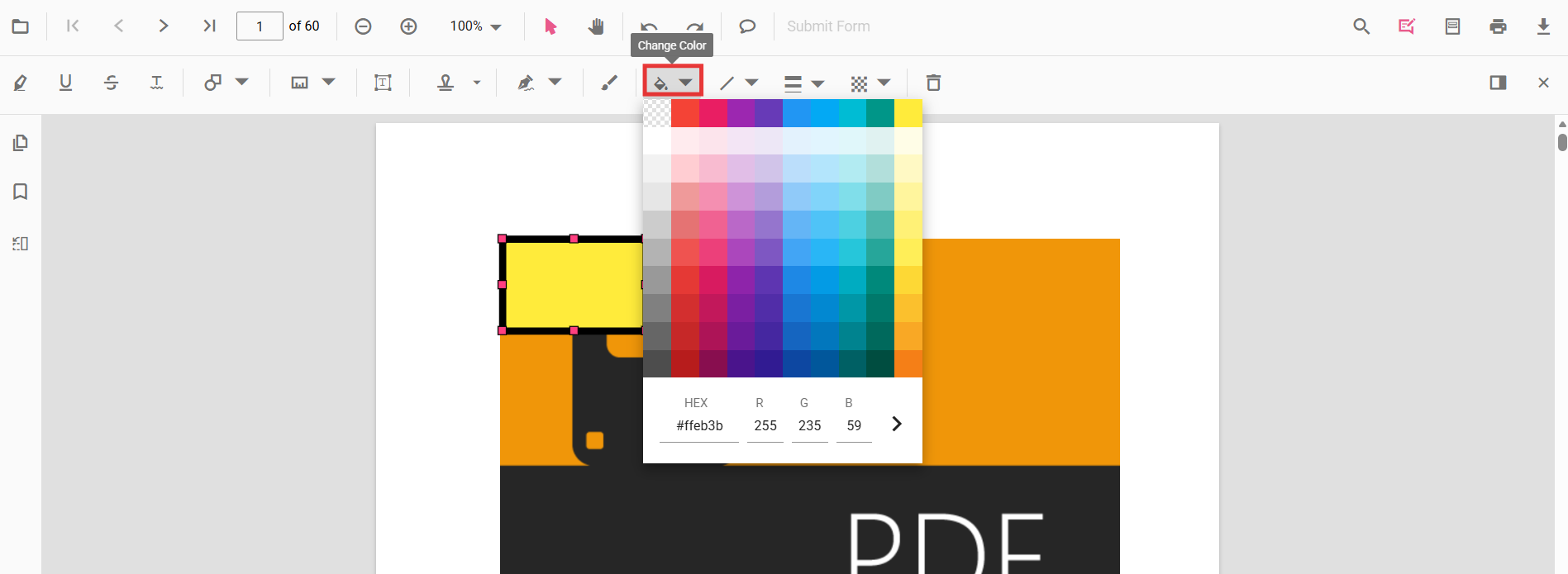
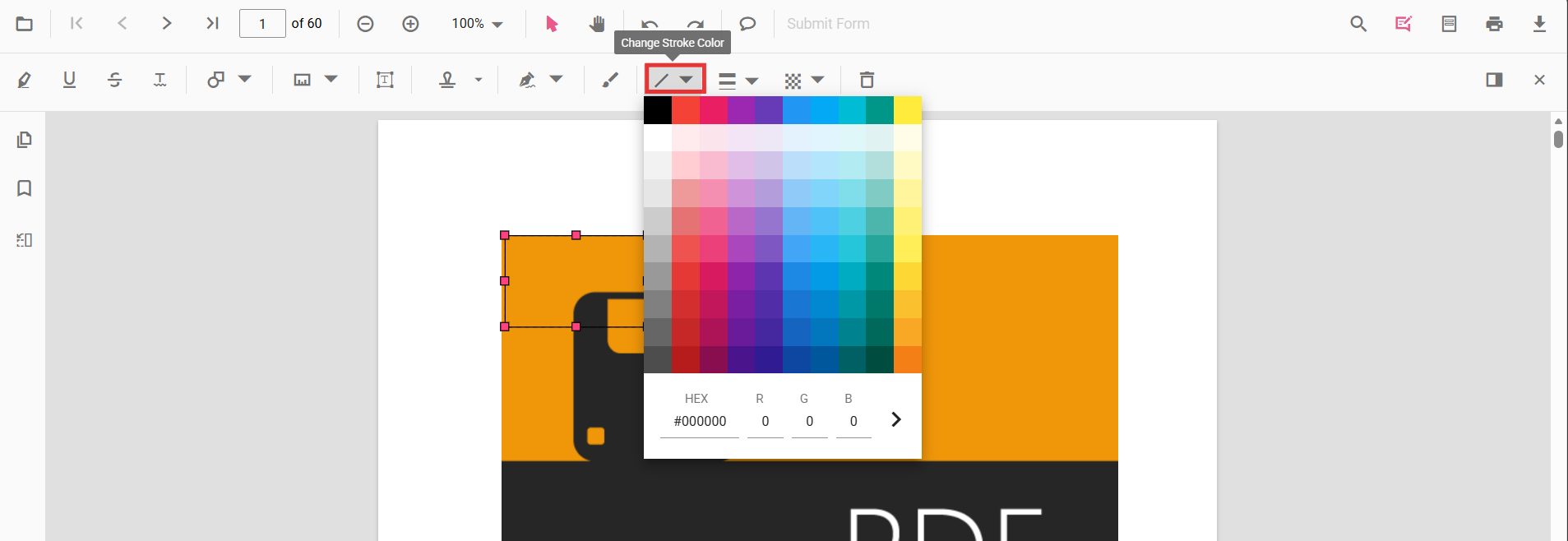
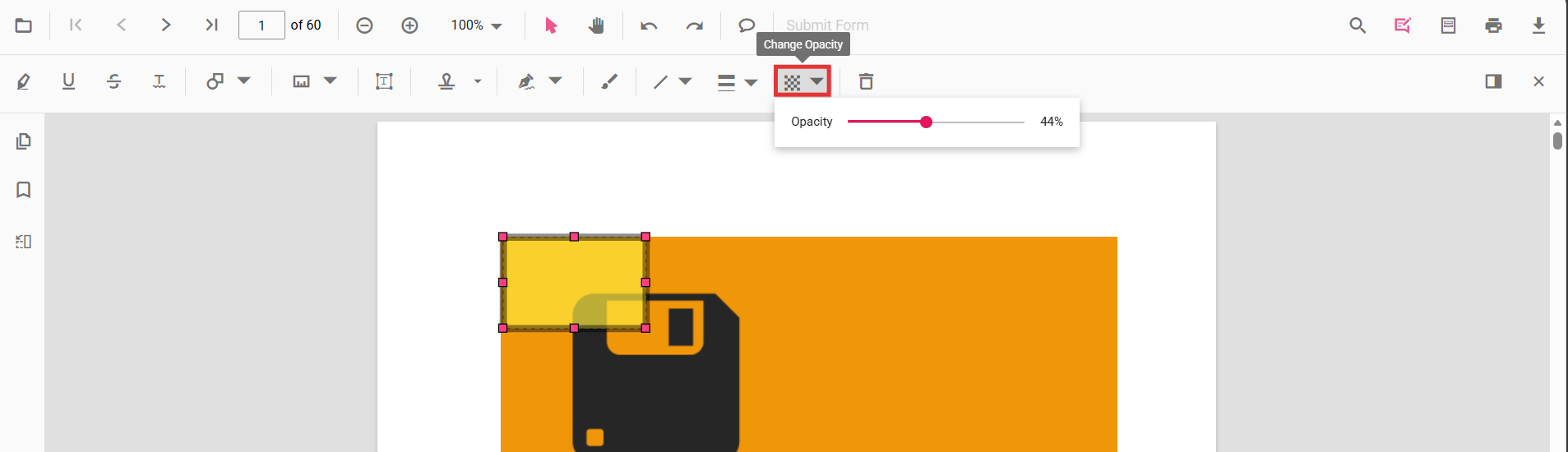
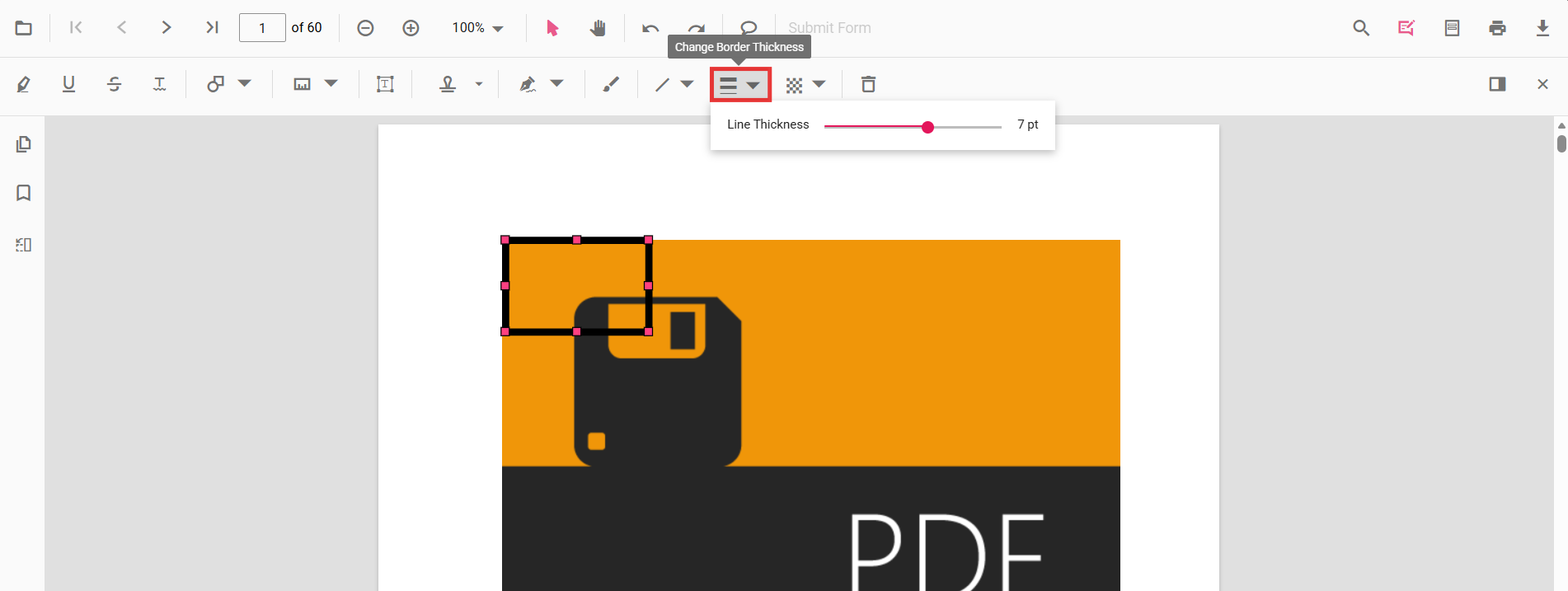
- Edit fill, stroke, thickness, and opacity using the annotation toolbar.
Use the annotation toolbar:
-
Edit fill Color tool
-
Edit stroke Color tool
-
Edit Opacity slider
-
Edit Thickness slider
Edit Polygon Programmatically
Modify an existing Polygon programmatically using editAnnotation().
editPolygonProgrammatically(): void {
  const pdfViewer = (document.getElementById('pdfViewer') as any).ej2_instances[0];

  for (const annot of pdfViewer.annotationCollection) {
    if (annot.subject === 'Polygon') {
      annot.strokeColor = '#0000ff';
      annot.thickness = 2;
      annot.fillColor = '#ffff00';
      pdfViewer.annotation.editAnnotation(annot);
      break;
    }
  }
}
Delete Polygon
The PDF Viewer supports deleting existing annotations through the UI and API.
See Delete Annotation for full behavior and workflows.
Comments
Use the Comments panel to add, view, and reply to threaded discussions linked to polygon annotations. It provides a dedicated interface for collaboration and review within the PDF Viewer.
Set properties while adding Individual Annotation
Configure per-annotation appearance while adding a polygon using addAnnotation.
addMultiplePolygons(): void {
  const pdfViewer = (document.getElementById('pdfViewer') as any).ej2_instances[0];

  // Polygon 1
  pdfViewer.annotation.addAnnotation('Polygon', {
    offset: { x: 200, y: 800 },
    pageNumber: 1,
    vertexPoints: [
      { x: 200, y: 800 }, { x: 242, y: 771 },
      { x: 289, y: 799 }, { x: 278, y: 842 },
      { x: 211, y: 842 }, { x: 200, y: 800 }
    ],
    fillColor: '#ffa5d8',
    strokeColor: '#ff6a00',
    thickness: 2,
    opacity: 0.9,
    author: 'User 1'
  });

  // Polygon 2
  pdfViewer.annotation.addAnnotation('Polygon', {
    offset: { x: 360, y: 800 },
    pageNumber: 1,
    vertexPoints: [
      { x: 360, y: 800 }, { x: 410, y: 770 },
      { x: 450, y: 810 }, { x: 430, y: 850 },
      { x: 380, y: 850 }, { x: 360, y: 800 }
    ],
    fillColor: '#ffe600',
    strokeColor: '#ff1010',
    thickness: 3,
    opacity: 0.85,
    author: 'User 2'
  });
}
Disable Shape Annotation
Disable shape annotations (Polygon, Line, Rectangle, Circle, Arrow) using the enableShapeAnnotation property.
import { Component } from '@angular/core';
import {
  PdfViewerModule,
  ToolbarService,
  AnnotationService
} from '@syncfusion/ej2-angular-pdfviewer';

@Component({
  selector: 'app-root',
  template: `
    <div class="content-wrapper">
      <ejs-pdfviewer
        id="pdfViewer"
        [enableShapeAnnotation]="false"
        [documentPath]="document"
        [resourceUrl]="resource"
        style="height:650px;display:block">
      </ejs-pdfviewer>
    </div>
  `,
  imports: [PdfViewerModule],
  providers: [ToolbarService, AnnotationService]
})
export class AppComponent {

  public document: string =
    'https://cdn.syncfusion.com/content/pdf/pdf-succinctly.pdf';

  public resource: string =
    'https://cdn.syncfusion.com/ej2/31.2.2/dist/ej2-pdfviewer-lib';
}
Handle Polygon Events
The PDF viewer provides annotation life-cycle events that notify when Polygon annotations are added, modified, selected, or removed.
For the full list of available events and their descriptions, see Annotation Events
Export and Import
The PDF Viewer supports exporting and importing annotations. For details on supported formats and workflows, see Export and Import annotations.