Perimeter Annotation in Angular PDF Viewer
14 Aug 202610 minutes to read
Perimeter is a measurement annotation used to calculate the length around a closed polyline on a PDF page—useful for technical markups and reviews.
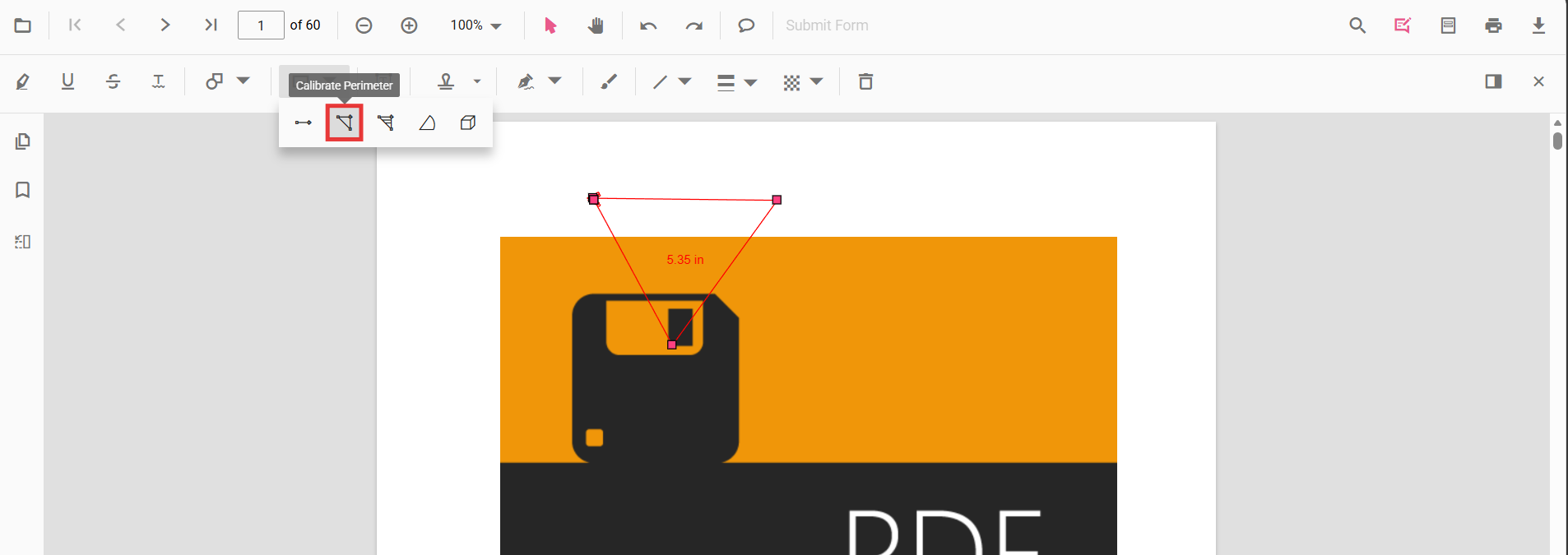
Enable Perimeter Measurement
To enable Perimeter annotations, inject the following modules into the Angular PDF Viewer:
import { Component } from '@angular/core';
import {
  PdfViewerModule,
  ToolbarService,
  AnnotationService
} from '@syncfusion/ej2-angular-pdfviewer';

@Component({
  selector: 'app-root',
  template: `
    <div class="content-wrapper">
      <ejs-pdfviewer
        id="pdfViewer"
        [documentPath]="document"
        [resourceUrl]="resource"
        style="height:650px;display:block">
      </ejs-pdfviewer>
    </div>
  `,
  imports: [PdfViewerModule],
  providers: [ToolbarService, AnnotationService]
})
export class AppComponent {

  public document: string =
    'https://cdn.syncfusion.com/content/pdf/pdf-succinctly.pdf';

  public resource: string =
    'https://cdn.syncfusion.com/ej2/31.2.2/dist/ej2-pdfviewer-lib';
}
Add Perimeter Annotation
Add Perimeter Annotation Using the Toolbar
- Open the Annotation Toolbar.
- Select Measurement → Perimeter.
- Click multiple points to define the polyline; double‑click to close and finalize the perimeter.
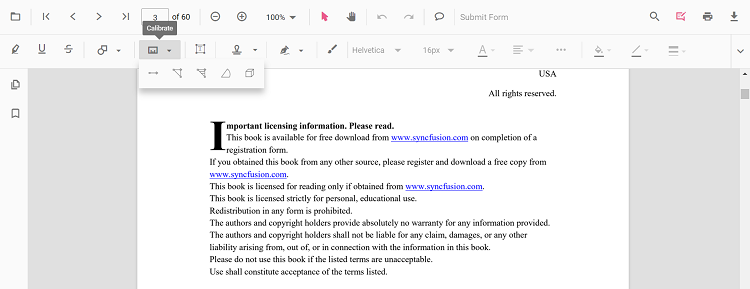
Note: If Pan mode is active, choosing a measurement tool switches the viewer into the appropriate interaction mode for a smoother workflow.
Enable Perimeter Mode
Programmatically switch the viewer into Perimeter mode.
enablePerimeterMode(): void {
  const pdfViewer = (document.getElementById('pdfViewer') as any).ej2_instances[0];
  pdfViewer.annotationModule.setAnnotationMode('Perimeter');
}
Exit Perimeter Mode
exitPerimeterMode(): void {
  const pdfViewer = (document.getElementById('pdfViewer') as any).ej2_instances[0];
  pdfViewer.annotationModule.setAnnotationMode('None');
}
Add Perimeter Programmatically
Use the addAnnotation API to draw a perimeter by providing multiple vertexPoints.
addPerimeter(): void {
  const pdfViewer = (document.getElementById('pdfViewer') as any).ej2_instances[0];
  pdfViewer.annotation.addAnnotation('Perimeter', {
    offset: { x: 200, y: 350 },
    pageNumber: 1,
    vertexPoints: [
      { x: 200, y: 350 },
      { x: 285, y: 350 },
      { x: 286, y: 412 }
    ]
  });
}
Customize Perimeter Appearance
Configure default properties using the perimeterSettings property (for example, default fill color, stroke color, opacity).
import { Component } from '@angular/core';
import {
  PdfViewerModule,
  ToolbarService,
  AnnotationService
} from '@syncfusion/ej2-angular-pdfviewer';

@Component({
  selector: 'app-root',
  template: `
    <div class="content-wrapper">
      <ejs-pdfviewer
        id="pdfViewer"
        [documentPath]="document"
        [resourceUrl]="resource"
        [perimeterSettings]="perimeterSettings"
        style="height:650px;display:block">
      </ejs-pdfviewer>
    </div>
  `,
  imports: [PdfViewerModule],
  providers: [ToolbarService, AnnotationService]
})
export class AppComponent {

  public document: string =
    'https://cdn.syncfusion.com/content/pdf/pdf-succinctly.pdf';

  public resource: string =
    'https://cdn.syncfusion.com/ej2/31.2.2/dist/ej2-pdfviewer-lib';

  // Perimeter annotation default settings
  public perimeterSettings = {
    fillColor: 'blue',
    strokeColor: 'green',
    opacity: 0.6
  };
}
Manage Perimeter (Move, Reshape, Edit, Delete)
- Move: Drag inside the shape to reposition it.
- Reshape: Drag any vertex handle to adjust points and shape.
Edit Perimeter
Edit Perimeter (UI)
- Edit the fill color using the Edit Color tool.
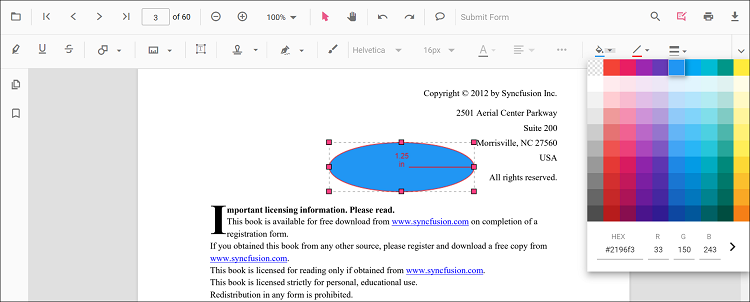
- Edit the stroke color using the Edit Stroke Color tool.
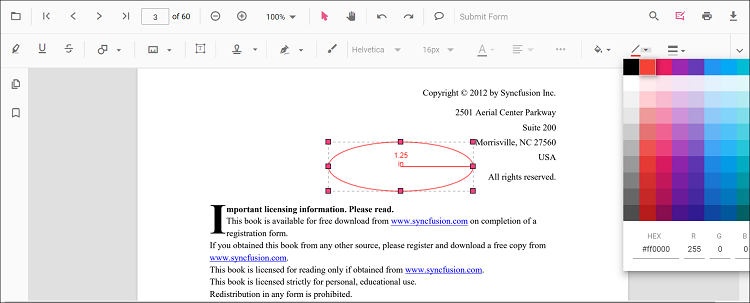
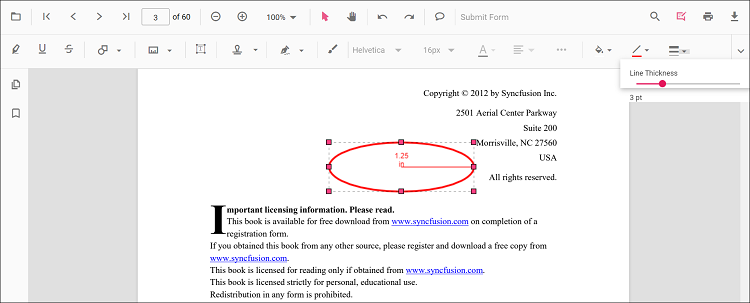
- Edit the border thickness using the Edit Thickness tool.
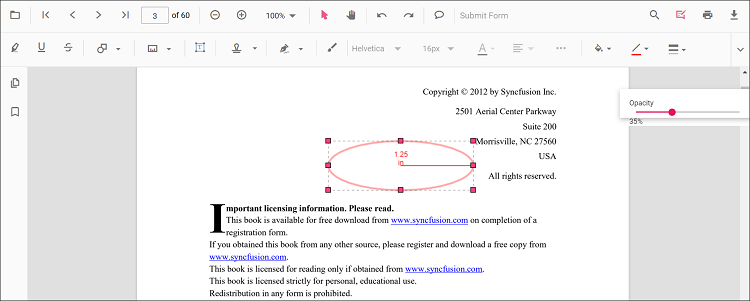
- Edit the opacity using the Edit Opacity tool.
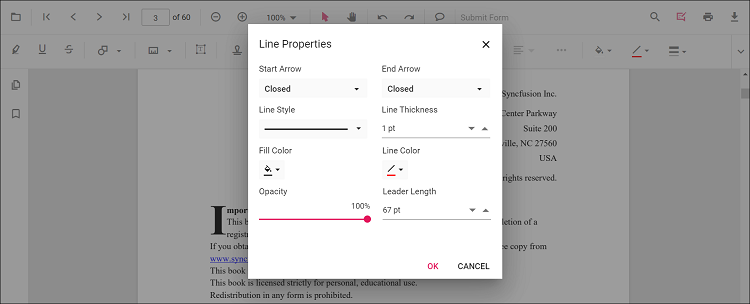
- Open Right Click → Properties for additional line‑based options.
Edit Perimeter Programmatically
Update properties and call editAnnotation().
editPerimeterProgrammatically(): void {
  const pdfViewer = (document.getElementById('pdfViewer') as any).ej2_instances[0];
  for (const ann of pdfViewer.annotationCollection) {
    if (ann.subject === 'Perimeter calculation') {
      ann.strokeColor = '#0000FF';
      ann.thickness = 2;
      ann.fillColor = '#FFFF00';
      pdfViewer.annotation.editAnnotation(ann);
      break;
    }
  }
}
Delete Perimeter Annotation
Delete Perimeter Annotation via UI (toolbar/context menu) or programmatically. For supported workflows and APIs, see Delete Annotation.
Set Default Properties During Initialization
Apply defaults for Perimeter using the perimeterSettings property.
import { Component } from '@angular/core';
import {
  PdfViewerModule,
  ToolbarService,
  AnnotationService
} from '@syncfusion/ej2-angular-pdfviewer';

@Component({
  selector: 'app-root',
  template: `
    <div class="content-wrapper">
      <ejs-pdfviewer
        id="pdfViewer"
        [documentPath]="document"
        [resourceUrl]="resource"
        [perimeterSettings]="perimeterSettings"
        style="height:650px;display:block">
      </ejs-pdfviewer>
    </div>
  `,
  imports: [PdfViewerModule],
  providers: [ToolbarService, AnnotationService]
})
export class AppComponent {

  public document: string =
    'https://cdn.syncfusion.com/content/pdf/pdf-succinctly.pdf';

  public resource: string =
    'https://cdn.syncfusion.com/ej2/31.2.2/dist/ej2-pdfviewer-lib';

  // Perimeter annotation default settings
  public perimeterSettings = {
    fillColor: 'green',
    strokeColor: 'blue',
    opacity: 0.6
  };
}
Set Properties While Adding Individual Annotation
Pass per‑annotation values directly when calling addAnnotation.
addStyledPerimeter(): void {
  const pdfViewer = (document.getElementById('pdfViewer') as any).ej2_instances[0];
  pdfViewer.annotation.addAnnotation('Perimeter', {
    offset: { x: 240, y: 360 },
    pageNumber: 1,
    vertexPoints: [
      { x: 240, y: 360 },
      { x: 320, y: 360 },
      { x: 330, y: 410 }
    ],
    strokeColor: '#1D4ED8',
    fillColor: '#DBEAFE',
    thickness: 2,
    opacity: 0.85
  });
}
Scale Ratio and Units
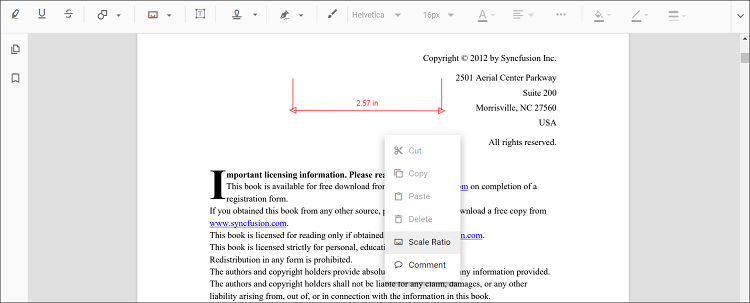
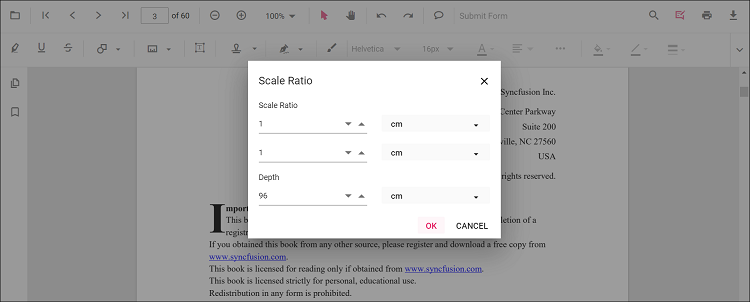
- Use Scale Ratio from the context menu to set the actual‑to‑page scale.
- Supported units include Inch, Millimeter, Centimeter, Point, Pica, Feet.
Set Default Scale Ratio During Initialization
Configure scale defaults using measurementSettings.
import { Component } from '@angular/core';
import {
  PdfViewerModule,
  ToolbarService,
  AnnotationService
} from '@syncfusion/ej2-angular-pdfviewer';

@Component({
  selector: 'app-root',
  template: `
    <div class="content-wrapper">
      <ejs-pdfviewer
        id="pdfViewer"
        [documentPath]="document"
        [resourceUrl]="resource"
        [measurementSettings]="measurementSettings"
        style="height:650px;display:block">
      </ejs-pdfviewer>
    </div>
  `,
  imports: [PdfViewerModule],
  providers: [ToolbarService, AnnotationService]
})
export class AppComponent {

  public document: string =
    'https://cdn.syncfusion.com/content/pdf/pdf-succinctly.pdf';

  public resource: string =
    'https://cdn.syncfusion.com/ej2/31.2.2/dist/ej2-pdfviewer-lib';

  // Perimeter / Measurement configuration
  public measurementSettings = {
    scaleRatio: 2,
    conversionUnit: 'cm',
    displayUnit: 'cm'
  };
}
Handle Perimeter Events
Listen to annotation life-cycle events (add/modify/select/remove). For the full list and parameters, see Annotation Events.
Export and Import
Perimeter measurements can be exported or imported with other annotations. For workflows and supported formats, see Export and Import annotations.