How can I help you?
Text Settings in Windows Forms CurrencyEdit
26 Apr 20211 minute to read
The below properties will let you control the behavior of the text in the CurrencyEdit control.
this.currencyEdit1.ShowTextBox = true;
this.currencyEdit1.Text = "$400.00";
this.currencyEdit1.TextAlign = HorizontalAlignment.Right;
this.currencyEdit1.TransferFromCalculator=true;
this.currencyEdit1.TransferToCalculator= false;
this.currencyEdit1.TextBox.DecimalValue = new decimal(new int[] {40000, 0, 0, 131072});Me.currencyEdit1.ShowTextBox = True
Me.currencyEdit1.Text = "$400.00"
Me.currencyEdit1.TextAlign = HorizontalAlignment.Right
Me.currencyEdit1.TransferFromCalculator = True
Me.currencyEdit1.TransferToCalculator = False
Me.currencyEdit1.TextBox.DecimalValue = New Decimal(New Integer() {40000, 0, 0, 131072})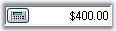
NOTE
Enabling CurrencyEdit.UseVisualStyle property and by setting visual style for control using CurrencyEdit.ButtonStyle property, we can change the appearance of the calculator button.