Context Menu
5 Apr 201810 minutes to read
The context menu is used to improve user action with the grid using popup menu. It can be shown by defining the enable-context-menu property of context-menu-settings as true. Context menu has option to add default items in the context-menu-items property of context-menu-settings and customized items in the context-menu-items property of context-menu-settings.
Default context menu items
Please find the following table for default context menu items and its actions.
| Section | Context menu items. | Action |
|---|---|---|
| Header | Sort in Ascending Order. | Sort column in Ascending order. |
| Sort in Descending Order. | Sort column in Descending order. | |
| Group | Group the current column. | |
| Ungroup | Ungroup the current column if already grouped. | |
| Body | Add Record | Start Add new record. |
| Edit Record | Start Edit in current record. | |
| Delete Record | Delete the current record. | |
| Save | Save the record if Add/Edit record is started. | |
| Cancel | Cancel Added/Edited state. | |
| Pager | Next Page | Go to Next Page. |
| Last Page | Go to Last page. | |
| Previous page | Go to previous page. | |
| First page | Go to first page. |
<ej-grid id="FlatGrid" allow-paging="true" allow-sorting="true" allow-grouping="true" datasource="ViewBag.DataSource">
    <e-edit-settings allow-adding="true" allow-editing="true" allow-deleting="true"></e-edit-settings>
    <e-toolbar-settings show-toolbar="true" toolbar-items='@new List<string> {"add","edit","delete","update","cancel"}' />
    <e-context-menu-settings enable-context-menu="true"></e-context-menu-settings>
    <e-columns>
        <e-column field="OrderID" is-primary-key="true" header-text="Order ID"></e-column>
        <e-column field="CustomerID" header-text="CustomerID"></e-column>
        <e-column field="EmployeeID" header-text="Employee ID"></e-column>
        <e-column field="Freight" format="{0:c2}" header-text="Freight"></e-column>
        <e-column field="ShipName" header-text="Ship Name"></e-column>
    </e-columns>
</ej-grid>
public partial class GridController : Controller
{
private NORTHWNDContext _context;
public GridController(NORTHWNDContext context)
{
_context = context;
}
// GET: /<controller>/
public ActionResult Default()
{
ViewBag.datasource = _context.Orders.Take(100).ToList();
return View();
}
}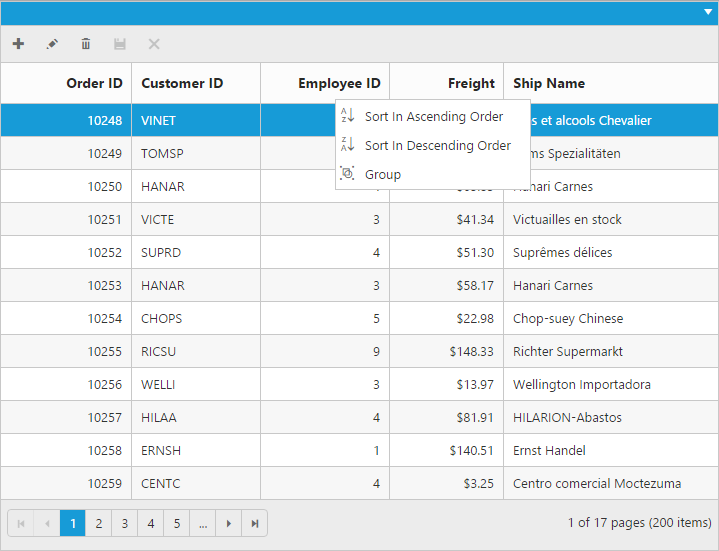
Context menu at header
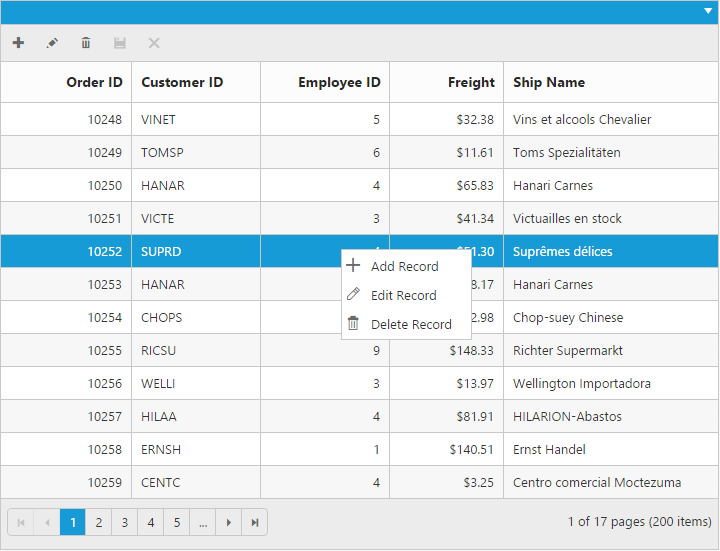
Context menu at body
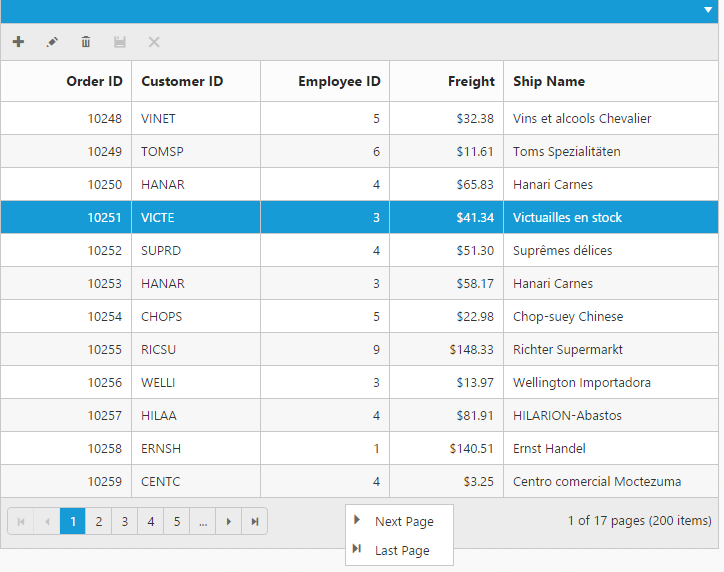
Context menu at pager
NOTE
The
allow-grouping,allow-sortingshould be enabled to perform default context menu actions in the grid header. Theallow-editing,allow-deletingandallow-addingshould be enabled to perform default actions in body.