Events in .NET MAUI CheckBox
24 Jul 20263 minutes to read
The .NET MAUI CheckBox raises events before and after the state changes.
Prerequisites
Before using the SfCheckBox, ensure the following NuGet package is installed in your .NET MAUI project:
Syncfusion.Maui.Buttons
For a step-by-step setup, refer to the Getting Started documentation.
StateChanged event
The StateChanged event occurs when the value of the IsChecked property changes, either by user interaction or programmatically through XAML or C# code. The event arguments are of type StateChangedEventArgs, exposing the following property:
-
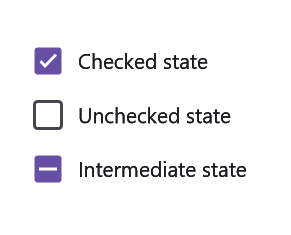
IsChecked(bool?) : The new checked state of the CheckBox. Returnstruewhen checked,falsewhen unchecked, andnullwhen the CheckBox is in an indeterminate state (requiresIsThreeStateto be enabled).
NOTE
The example below mutates the CheckBox’s
Textinside the handler to visually demonstrate the new state.
<syncfusion:SfCheckBox x:Name="checkBox"
                       Text="Unchecked State"
                       IsThreeState="True"
                       StateChanged="CheckBox_StateChanged"/>
SfCheckBox checkBox = new SfCheckBox();
checkBox.Text = "Unchecked State";
checkBox.IsThreeState = true;
checkBox.StateChanged += CheckBox_StateChanged;
this.Content = checkBox;The StateChanged event can be handled in C# as follows:
private void CheckBox_StateChanged(object sender, Syncfusion.Maui.Buttons.StateChangedEventArgs e)
{
    if (e.IsChecked.HasValue && e.IsChecked.Value)
    {
        checkBox.Text = "Checked State";
    }
    else if (e.IsChecked.HasValue && !e.IsChecked.Value)
    {
        checkBox.Text = "Unchecked State";
    }
    else
    {
        checkBox.Text = "Indeterminate State";
    }
}
StateChanging event
The StateChanging event is triggered when the IsChecked property is about to change, either by user interaction (tapping) or programmatically. The event arguments are of type StateChangingEventArgs, providing the following properties:
-
IsChecked(bool?) : Represents the new state value of the CheckBox. -
Cancel: Set totrueto cancel the selection change.
<syncfusion:SfCheckBox x:Name="checkBox"
                       Text="CheckBox"
                       StateChanging="OnStateChanging"/>
SfCheckBox checkBox = new SfCheckBox();
checkBox.Text = "CheckBox";
checkBox.StateChanging += OnStateChanging;
this.Content = checkBox;The StateChanging event can be handled in C# as follows:
private void OnStateChanging(object sender, StateChangingEventArgs e)
{
    // Cancel the state change.
    e.Cancel = true;
}