About Syncfusion® .NET MAUI Avatar View Control
18 Nov 20184 minutes to read
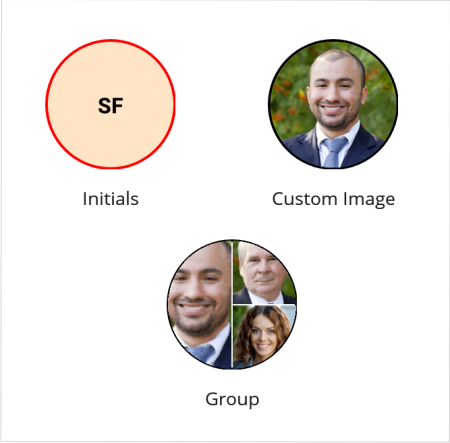
The Syncfusion® .NET MAUI Avatar View control provides a graphical representation of a user’s image. It allows customization of the view by adding an image, background color, icon, and text.
Business use cases
- User profile images in social or business apps.
- Chat or messaging interfaces showing user identity.
- Team or group member displays for collaboration apps.
- Notification icons with user badges or status indicators.
Key features
- Image and initials displays user Avatar Views using profile images or fallback initials.
- View customizes size, background color, border, and corner radius.
- Group view support combines up to three images or initials within a single view.
- Visual styles apply different appearance styles.
- BadgeView integrates with BadgeView to display notifications or status indicators.
Related controls
- Badge View for displaying notifications or status indicators on Avatar Views.
- ListView for presenting user lists with Avatar View support.
- Chat for showing user Avatar Views in conversations.
See Also
- Getting Started shows how to begin using Avatar View step by step.
- Content Type explains how to configure Avatar View content such as images or initials.
- Customization shows how to style and customize Avatar View.
- UI Kit provides interactive demos and ready-made UI examples.
Resources
Feature Tour
Get a quick overview of key features and capabilities to kick start your journey.
Explore Features
Tutorial Videos
Watch step‑by‑step video guides to quickly understand concepts and implementation.
Watch now
Knowledge Base
Find practical solutions, troubleshooting tips and how‑to guides for common scenarios.
Search KB's
Use Case Sample
Explore a real-world application that demonstrates the practical use of the Avatar View.
View Sample