Liquid Glass Support for .NET MAUI TabView
22 Jul 20263 minutes to read
Prerequisites
Before using the SfTabView, ensure the following NuGet package is installed in your .NET MAUI project:
Syncfusion.Maui.TabView
For step-by-step setup, refer to the Getting Started documentation.
Liquid Glass Support
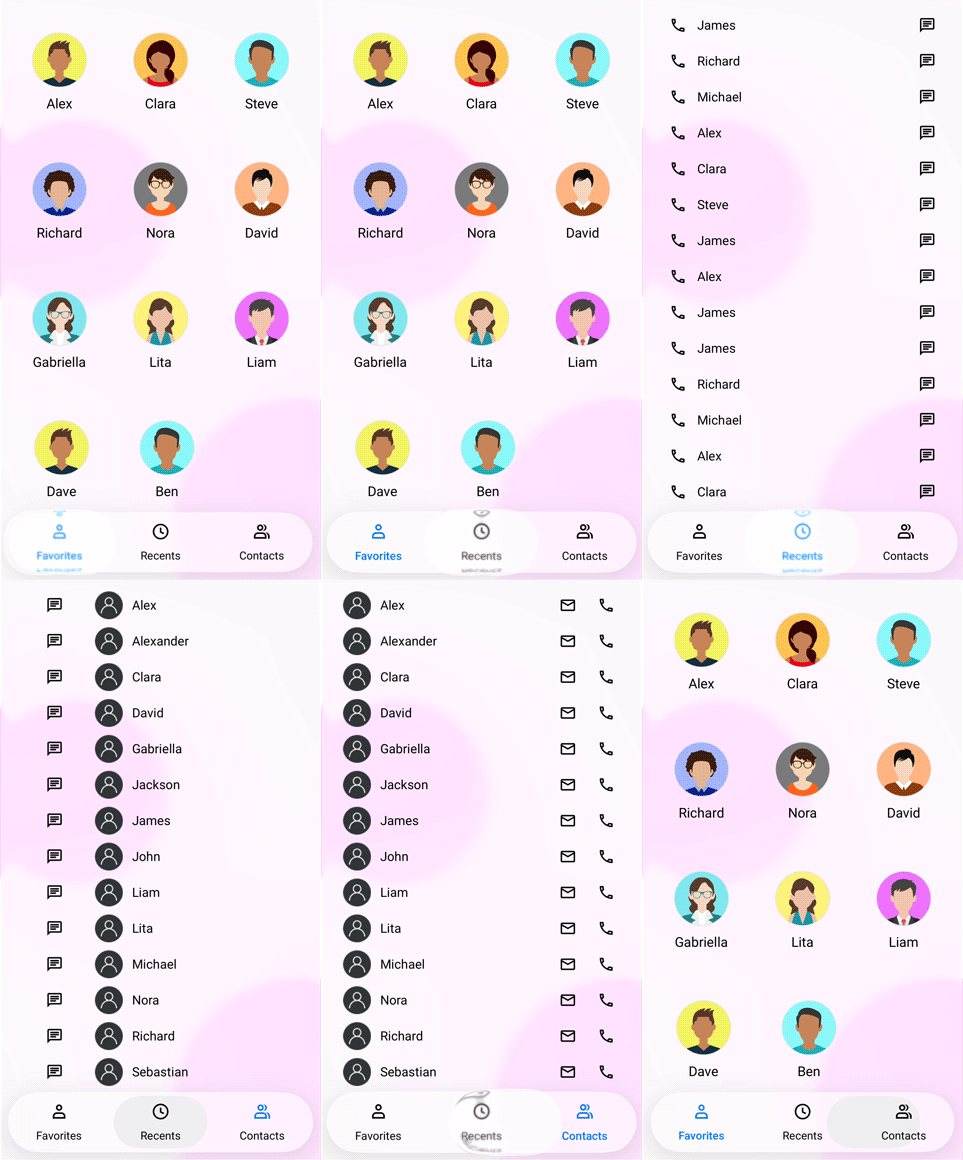
The SfTabView supports a liquid glass effect (also called glass morphism) when you enable the EnableLiquidGlassEffect property.
For an overview of Liquid Glass across Syncfusion controls, see Liquid glass integration with Syncfusion® .NET MAUI controls.
NOTE
This feature is supported only on
.NET 10along withiOS 26andmacOS 26.
Enable the Liquid Glass effect
The following code example illustrates how to enable the liquid glass effect on the SfTabView. Place the drawer over a visually rich background (image, gradient, or color block) so the translucent effect is visible.
<Grid>
    <!-- Background to make the glass effect visible while pressing the Tab View. -->
    <Image Source="wallpaper.jpg" Aspect="AspectFill" />
    <tabView:SfTabView EnableLiquidGlassEffect="true">
        <tabView:SfTabItem Header="Item1" />
        <tabView:SfTabItem Header="Item2" />
        <tabView:SfTabItem Header="Item3" />
    </tabView:SfTabView>
</Grid>
Grid grid = new Grid
{
Children =
{
new Image
{
Source = "wallpaper.jpg",
Aspect = Aspect.AspectFill
},
new SfTabView
{
EnableLiquidGlassEffect = true
Items =
{
new SfTabItem { Header = "Item1" },
new SfTabItem { Header = "Item2" },
new SfTabItem { Header = "Item3" }
}
}
}
};Behavior and tips
- The glass effect is applied to the Tab View at render time and during user interaction.
- Place the Tab View over visually rich content (images, gradients, or color blocks) to better showcase the transient glass effect.
- Visual output and performance may vary by device/platform; keep backgrounds moderately detailed to maintain clarity during interaction.
The following GIF demonstrates the liquid glass effect of the Tab View.