About Syncfusion® .NET MAUI Grid Splitter Control
18 Nov 20186 minutes to read
The Syncfusion® .NET MAUI Grid Splitter is a layout control that enables users lapse, and expand content panes at runtime. It provides an intuitive way to create flexible and responsive user interfaces by separating content into multiple resizable panes with interactive splitter separators.
The control supports both horizontal and vertical layouts, allowing developers to build dashboard-style interfaces, workspace layouts, editors, and business applications with adjustable content regions.
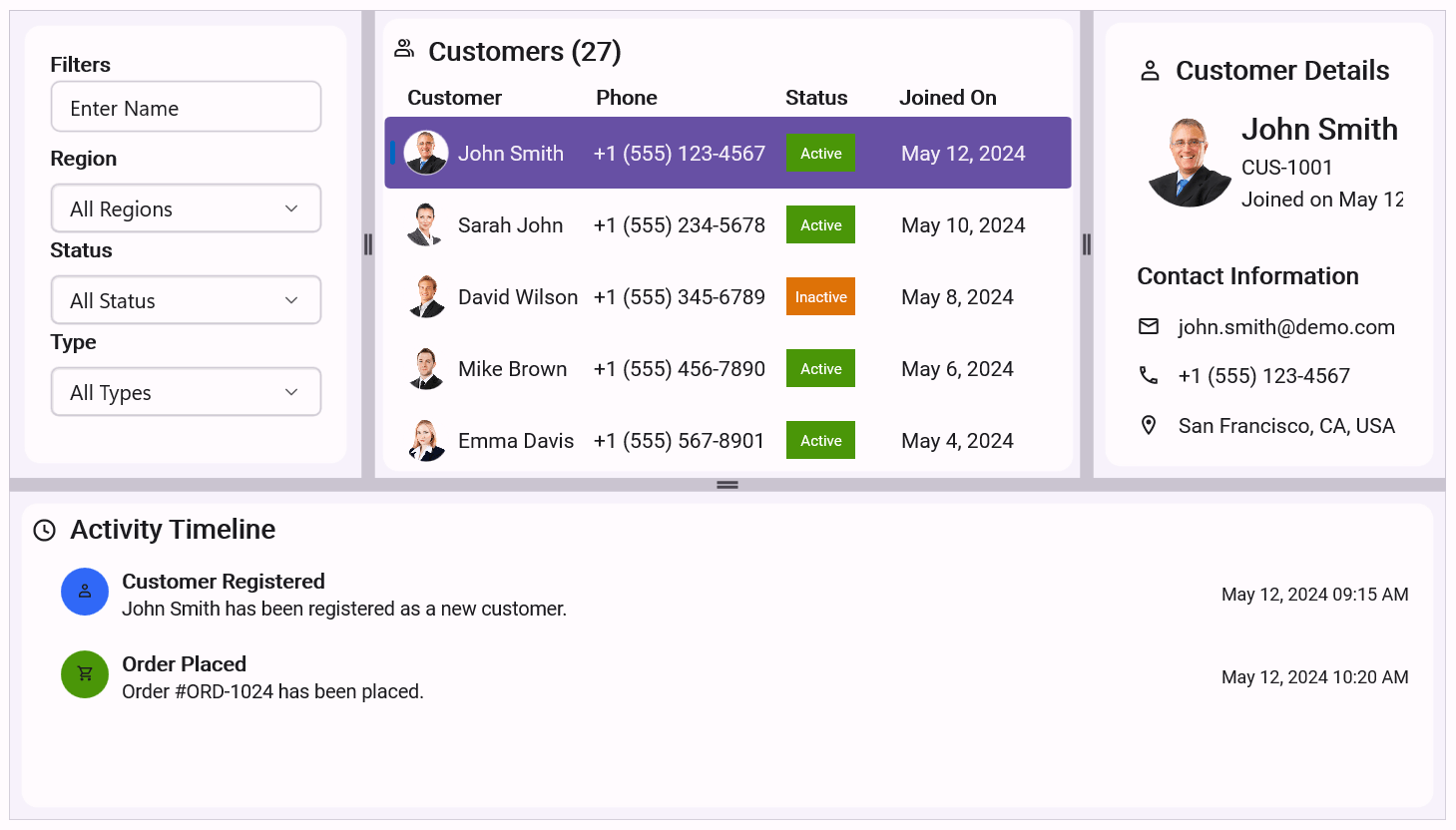
Business use cases
- Dashboard applications that require dynamically resizable panels.
- Workspace and IDE-style applications with adjustable editor and navigation areas.
- Analytics and reporting applications with customizable layouts.
- Content management systems that require multiple resizable regions.
- Data entry and business applications with collapsible side panels.
- Applications that need flexible screen space allocation across different devices.
Key features
- Resizable panes allow users to resize adjacent content regions using drag interactions.
- Collapsible panes allow users to expand or collapse panes through built-in expand and collapse icons.
- Horizontal and vertical orientations support both side-by-side and top-to-bottom pane arrangements.
- Pane sizing constraints allow defining minimum and maximum pane sizes.
- Runtime pane management allows adding, removing, collapsing, and expanding panes programmatically.
- Customizable separators allow changing separator size, color, resize icon, and icon templates.
- RTL support provides seamless right-to-left layout behavior.
- Cross-platform consistency provides uniform behavior across Android, iOS, Windows, and macOS.
Globalization
The following table summarizes the globalization support available in this control.
 Full Support
 Partial Support
 No Support
 Not Applicable
| Control | Localization | RTL | Time zone | Screen reader | Keyboard navigation |
|---|---|---|---|---|---|
| Grid Splitter | |
|
|
|
|
Related controls
- Accordion for organizing expandable sections.
- Expander for expandable and collapsible content.
- Navigation Drawer for side navigation layouts.
- Tab View for tab-based content organization.
See Also
- Getting Started provides a step-by-step guide to begin using the Grid Splitter control.
- Splitter Panes explains how to create, configure, and manage panes within the Grid Splitter control.
- Splitter Customization explains how to customize the splitter layout, separator appearance, resize icons, expand/collapse icons, and pane behavior.
Resources
Feature Tour
Get a quick overview of key features and capabilities to kick start your journey.
Explore Features
Tutorial Videos
Watch step‑by‑step video guides to quickly understand concepts and implementation.
Watch Videos
Knowledge Base
Find practical solutions, troubleshooting tips and how‑to guides for common scenarios.
Search KB's