Overview of .NET MAUI AI AssistView
18 Nov 20185 minutes to read
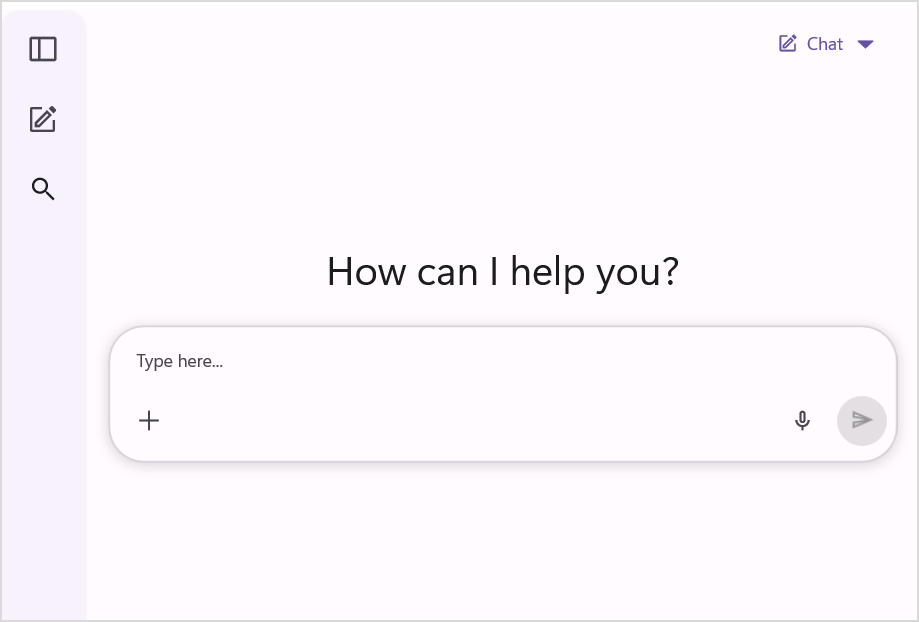
The Syncfusion® .NET MAUI AI AssistView control enables seamless integration of AI capabilities into .NET MAUI applications. It provides a user-friendly interface that simplifies the development of applications capable of interacting with AI services.
AI AssistView allows developers to customize both the appearance and functionality of the control, making it adaptable to various design and application requirements. It streamlines building AI-driven, responsive applications.
Business use cases
- AI writing assistants for generating and refining content.
- Customer support bots with guided responses and quick suggestions.
- Educational tutors that deliver explanations, quizzes, and structured learning content.
- Business productivity apps integrating AI insights into workflows.
Key features
- Rich content types display AI responses as text, images, hyperlinks, or structured cards.
- Flexible control templates define custom layouts and render any view or UI element.
- Suggestions provide quick reply options.
- Styling & appearance customize message styles, editor, and header.
Globalization
The following table summarizes the globalization support available in this control.
 Full Support
 Partial Support
 Not Applicable
| Control | Localization | RTL | Time zone | Screen reader | Keyboard navigation |
|---|---|---|---|---|---|
| AI AssistView | |
|
|
|
|
Related controls
- Chat for conversational interfaces and messaging.
- Autocomplete for predictive text input and suggestions.
- ComboBox for flexible selection and entry scenarios.
See Also
- Getting Started shows how to begin using the AI AssistView step by step.
- Data Binding explains how to connect and display assist items.
- Assist Items show how to configure and customize AI responses.
- UI Kit provides interactive demos and ready-made UI examples.
Resources
Feature Tour
Get a quick overview of key features and capabilities to kick start your journey.
Explore Features
Tutorial Videos
Watch step‑by‑step video guides to quickly understand concepts and implementation.
Watch now
Knowledge Base
Find practical solutions, troubleshooting tips and how‑to guides for common scenarios.
Search KB articles
Blog Articles
Discover in‑depth articles, use cases and expert insights from our developers.
Read Blogs
Use Case Samples
Explore a real-world application that demonstrates the practical use of the AI AssistView.
View Samples