About Syncfusion® .NET MAUI CheckBox Control
18 Nov 20184 minutes to read
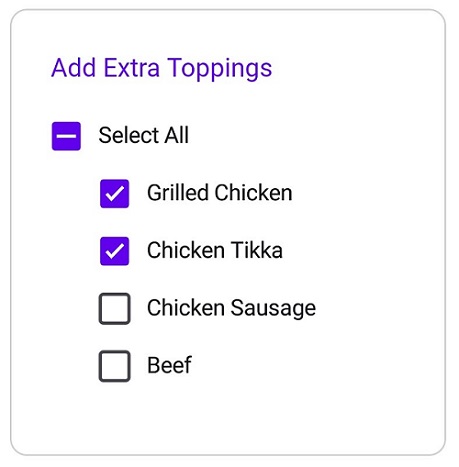
The Syncfusion® .NET MAUI CheckBox is a selection control with UI customization features. It allows you to choose one or more options from a set and customize the appearance for different visual states using the Visual State Manager.
Business use cases
- Form-based applications that require multiple option selection such as preferences, filters, or settings.
- Survey and questionnaire applications that collect user responses through selectable choices.
- Settings pages that allow users to enable or disable features using simple selection controls.
- Task management and productivity apps that use checkboxes for checklists and to-do items.
Key features
- Three-state support allows handling checked, unchecked, and intermediate states for advanced selection scenarios.
- Tap interaction support allows users to easily select or clear the checkbox using touch input.
- Appearance customization allows configuring checkbox color, shape, and label text to match application design.
- Visual state customization allows modifying appearance for different states such as selected, unselected, and disabled using the Visual State Manager.
Globalization
The following table summarizes the globalization support available in this control.
 Full Support
 Not Applicable
| Control | Localization | RTL | Time zone | Screen reader | Keyboard navigation |
|---|---|---|---|---|---|
| CheckBox | |
|
|
|
|
Related controls
- Radio Button for handling single selection scenarios.
- Switch for toggle-based on and off interactions.
- Button for triggering actions or commands with customizable styles.
See Also
- Getting Started shows how to begin using the CheckBox control step by step.
- Customization shows how to customize appearance and behavior.
- Visual States explains how to configure visual states and interactions.
- UI Kit provides interactive demos and ready-made UI examples.
Resources
Feature Tour
Get a quick overview of key features and capabilities to kick start your journey.
Explore Features
Tutorial Videos
Watch step‑by‑step video guides to quickly understand concepts and implementation.
Watch now
Knowledge Base
Find practical solutions, troubleshooting tips and how‑to guides for common scenarios.
Search KB's
Use Case Sample
Explore a real-world application that demonstrates the practical use of the CheckBox.
View Sample