About Syncfusion Angular PDF Viewer Forms
21 Oct 20264 minutes to read
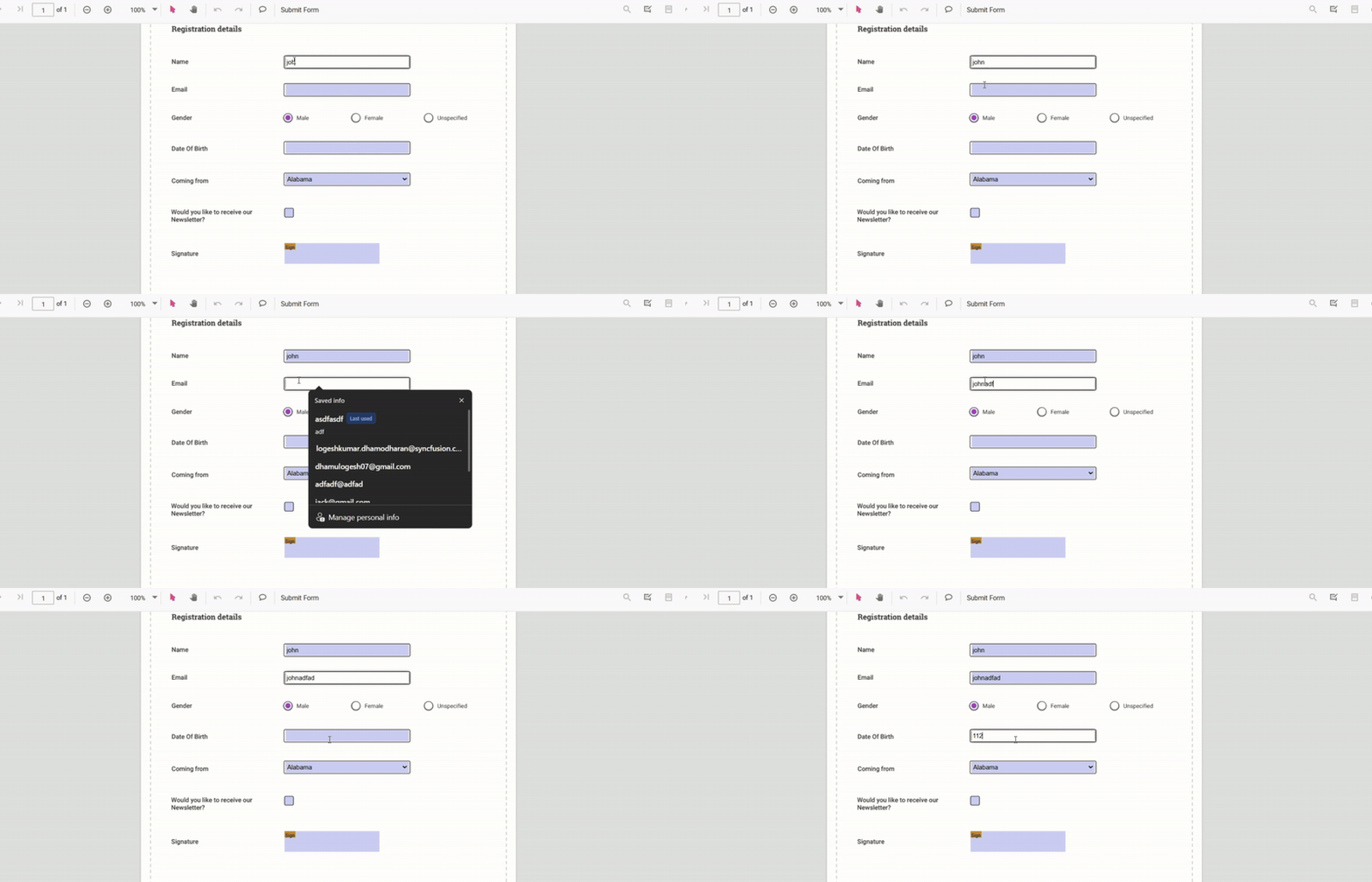
The Syncfusion PDF Viewer provides a full-featured PDF forms experience for Angular applications. Users can read, fill, add, edit, and remove form fields in PDF documents using the viewer’s UI or programmatic APIs.
Flexible import and export of form data simplifies integration in automated workflows or user-driven scenarios. APIs offer developers control over form behavior while the viewer presents a concise, accessible interface for end users.
Filling PDF Forms
Use the viewer UI or APIs to fill PDF forms, import/export form data, or integrate automated form workflows.
See the Filling PDF Forms page for full details.
Use the following code-snippet to enable form-filling by injecting the FormFields module.
import { Component, OnInit } from '@angular/core';
import {
  ToolbarService,
  MagnificationService,
  NavigationService,
  AnnotationService,
  TextSelectionService,
  TextSearchService,
  FormFieldsService,
  PdfViewerModule,
} from '@syncfusion/ej2-angular-pdfviewer';

@Component({
  selector: 'app-root',
  standalone: true,
  imports: [PdfViewerModule],
  template: `
    <div class="content-wrapper">
      <ejs-pdfviewer
        id="pdfViewer"
        [resourceUrl]="resourceUrl"
        [documentPath]="document"
        style="height: 640px; display: block;">
      </ejs-pdfviewer>
    </div>
  `,
  providers: [
    ToolbarService,
    MagnificationService,
    NavigationService,
    AnnotationService,
    TextSelectionService,
    TextSearchService,
    FormFieldsService,
  ],
})
export class AppComponent implements OnInit {
  public document: string =
    'https://cdn.syncfusion.com/content/pdf/form-filling-document.pdf';
  public resourceUrl: string =
    'https://cdn.syncfusion.com/ej2/31.1.23/dist/ej2-pdfviewer-lib';

  ngOnInit(): void {}
}
Form Designer
A built-in Form Designer enables creating, positioning, and editing form fields directly on the PDF page. Use the built-in designer tools for common tasks or extend them to build a customized form-design workflow.
See the Form Designer page for full details.
Use the following code-snippet to enable Form Designer by injecting FormDesigner Module.
import { Component, OnInit } from '@angular/core';
import {
  ToolbarService,
  MagnificationService,
  NavigationService,
  AnnotationService,
  TextSelectionService,
  TextSearchService,
  FormFieldsService,
  FormDesignerService,
  PdfViewerModule,
} from '@syncfusion/ej2-angular-pdfviewer';

@Component({
  selector: 'app-root',
  standalone: true,
  imports: [PdfViewerModule],
  template: `
    <div class="content-wrapper">
      <ejs-pdfviewer
        id="pdfViewer"
        [resourceUrl]="resourceUrl"
        [documentPath]="document"
        style="height: 640px; display: block;">
      </ejs-pdfviewer>
    </div>
  `,
  providers: [
    ToolbarService,
    MagnificationService,
    NavigationService,
    AnnotationService,
    TextSelectionService,
    TextSearchService,
    FormFieldsService,
    FormDesignerService,
  ],
})
export class AppComponent implements OnInit {
  public document: string =
    'https://cdn.syncfusion.com/content/pdf/form-filling-document.pdf';
  public resourceUrl: string =
    'https://cdn.syncfusion.com/ej2/31.1.23/dist/ej2-pdfviewer-lib';

  ngOnInit(): void {}
}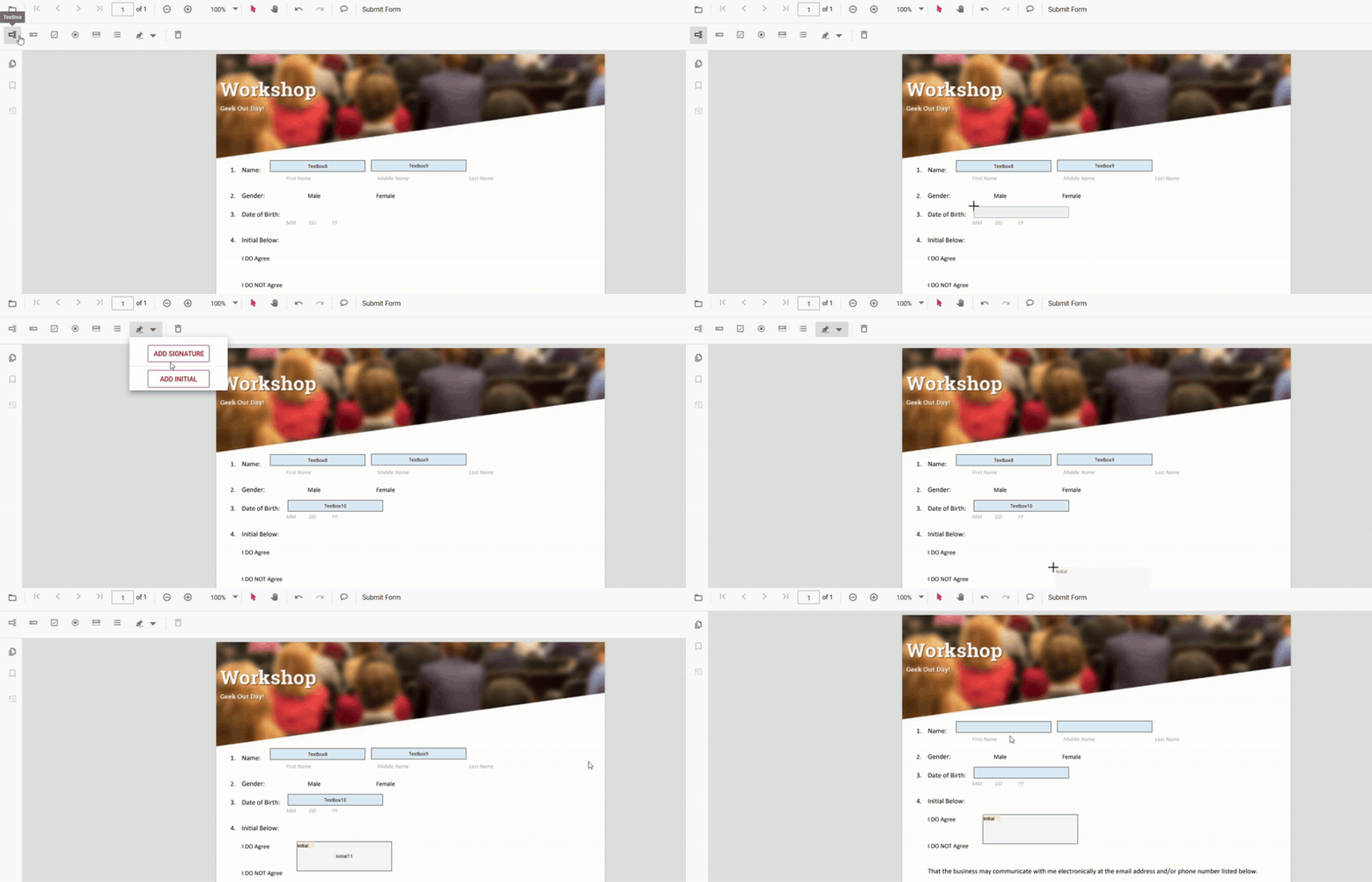
Create and customize interactive fields directly on the PDF page.
- Create, edit, or remove forms
- Add a Signature Field
- Edit Form Field
- Remove Form Field
- Form Field Constraints