Remove Form Fields in Angular PDF Viewer
14 Aug 20262 minutes to read
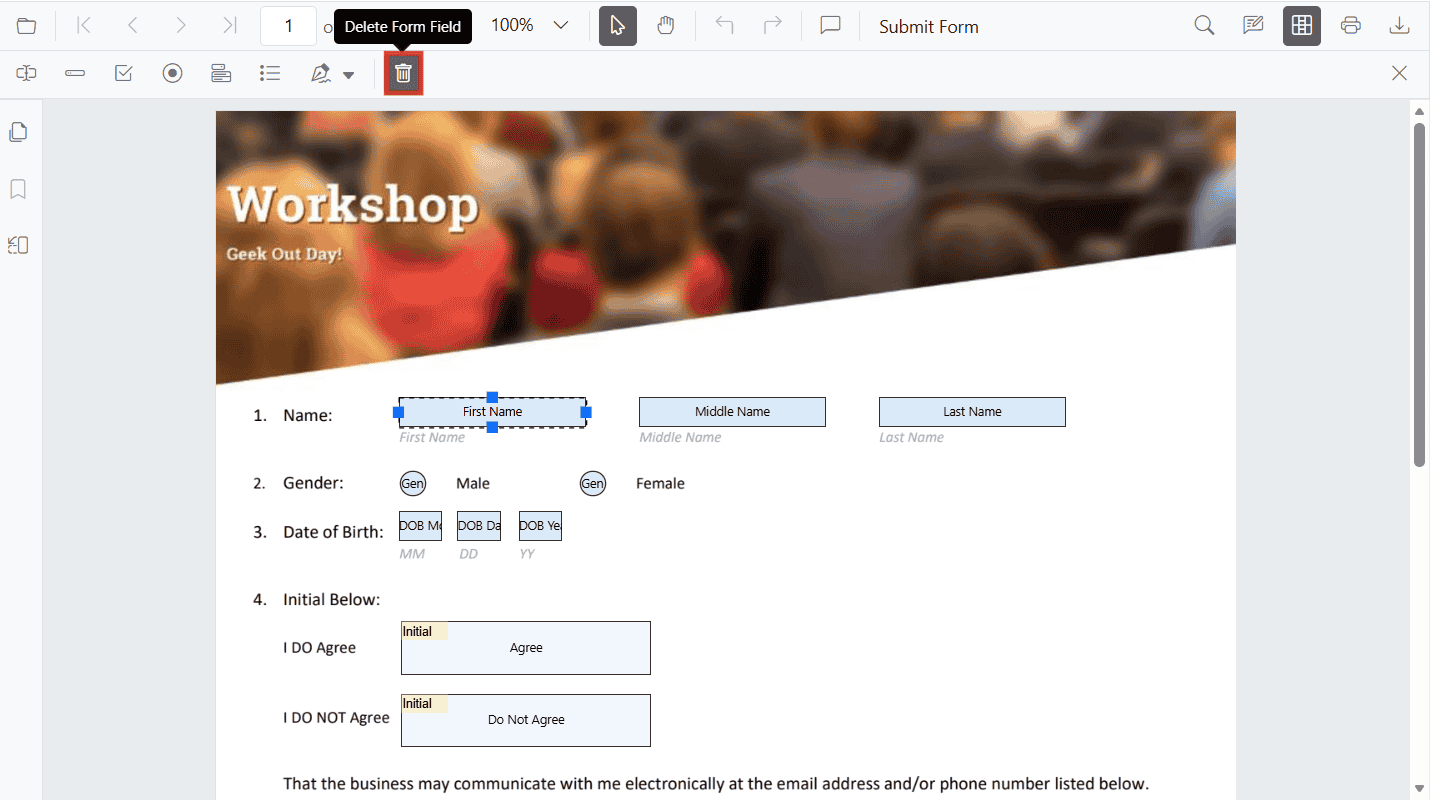
Remove Form Fields Using the UI
Steps:
- Enable Form Designer mode.
- Select the form field.
- Click Delete in the toolbar or press the Delete key.
Remove Form Fields Programmatically
Use deleteFormField() with a field reference or ID.
import { Component, ViewChild } from '@angular/core';
import {
  ToolbarService,
  MagnificationService,
  NavigationService,
  AnnotationService,
  TextSelectionService,
  TextSearchService,
  FormFieldsService,
  FormDesignerService,
  PdfViewerModule,
  PdfViewerComponent,
} from '@syncfusion/ej2-angular-pdfviewer';

@Component({
  selector: 'app-root',
  standalone: true,
  imports: [PdfViewerModule],
  template: `
    <div class="content-wrapper">
      <button (click)="deleteAllFields()">Delete Form Fields</button>
      <button (click)="deleteById()">Delete First Field By ID</button>

      <ejs-pdfviewer #pdfViewer id="pdfViewer"
        [resourceUrl]="resourceUrl"
        [documentPath]="document"
        style="height: 640px; display: block;">
      </ejs-pdfviewer>
    </div>
  `,
  providers: [
    ToolbarService,
    MagnificationService,
    NavigationService,
    AnnotationService,
    TextSelectionService,
    TextSearchService,
    FormFieldsService,
    FormDesignerService,
  ],
})
export class AppComponent {
  public document: string = 'https://cdn.syncfusion.com/content/pdf/form-filling-document.pdf';
  public resourceUrl: string = 'https://cdn.syncfusion.com/ej2/31.1.23/dist/ej2-pdfviewer-lib';

  @ViewChild('pdfViewer') public pdfviewer!: PdfViewerComponent;

  deleteAllFields(): void {
    const fields = [...this.pdfviewer.formFieldCollections];
    fields.forEach((field: any) => this.pdfviewer.formDesignerModule.deleteFormField(field));
  }

  deleteById(): void {
    const collections = this.pdfviewer.formFieldCollections;
    if (collections && collections.length > 0) {
      const id = collections[0].id;
      if (id) {
        this.pdfviewer.formDesignerModule.deleteFormField(id);
      }
    }
  }
}