About Syncfusion® .NET MAUI Smart Text Editor Control
18 Nov 20184 minutes to read
Syncfusion® .NET MAUI AI-Powered Text Editor (SfSmartTextEditor) is a multiline input control that accelerates typing with predictive suggestions. It supports inline and popup suggestion display, can integrate with an AI inference service for context aware completions, and falls back to your custom phrase list when AI is unavailable. The control provides full text styling, placeholder customization, and command/event hooks for text changes.
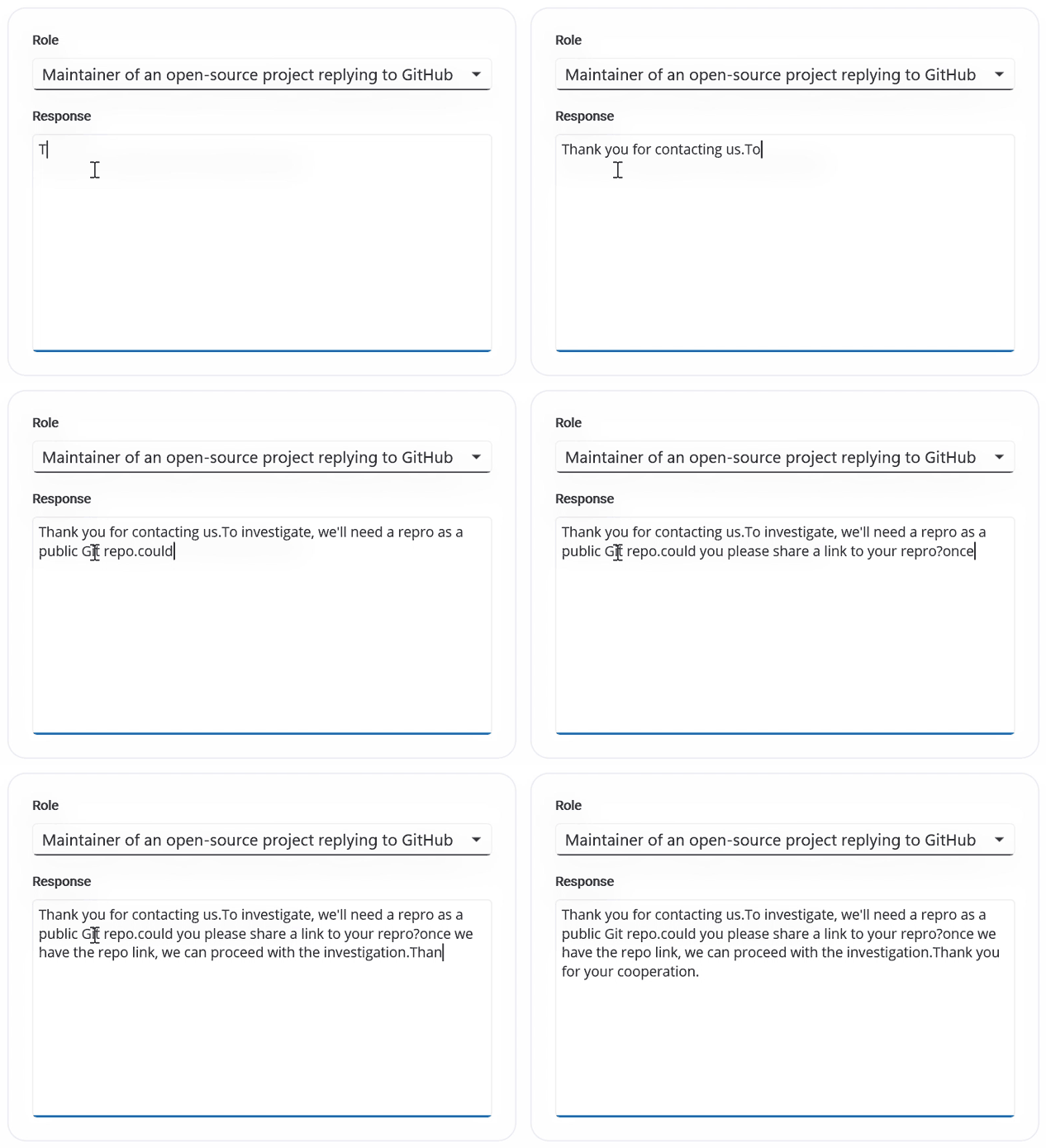
Business use cases
- Messaging and chat applications that require predictive text suggestions for faster communication.
- Content creation tools that support AI-assisted writing and text completion.
- Form-based applications that enhance user input experience with intelligent suggestions.
- Productivity applications that require context-aware text entry with improved accuracy and speed.
Key features
- Suggestion display mode allows presenting suggestions inline or in popup mode based on user interaction.
- AI-powered suggestion allows generating context-aware completions using AI inference services.
- Custom phrase fallback allows using predefined phrases when AI suggestions are not available.
- Maximum length validation allows restricting input length for controlled data entry.
- Keyboard interaction allows accepting suggestions quickly using keys such as Tab or arrow keys.
- Touch interaction allows selecting suggestions through tap or click gestures.
- Placeholder text allows configuring placeholder text with style options.
- Customization allows modifying fonts, colors, sizes, and layout for consistent UI design.
Globalization
The following table summarizes the globalization support available in this control.
 Full Support
 Not Applicable
 No Support
| Control | Localization | RTL | Time zone | Screen reader | Keyboard navigation |
|---|---|---|---|---|---|
| Smart Text Editor | |
|
|
|
|
Related controls
- Rich Text Editor for editing and formatting rich text content.
- MarkDown Viewer for displaying formatted Markdown content.
- Text Input Layout for enhancing input fields with labels and validation UI.
See Also
- Getting Started shows a step‑by‑step guide to begin using the Smart Text Editor control.
- Suggestions explains how to configure suggestion behavior and AI integration.
- Customization helps customize appearance and interaction settings.
- UI Kit provides interactive demos and ready‑made UI examples.
Resources
Feature Tour
Get a quick overview of key features and capabilities to kick start your journey.
Explore Features
Knowledge Base
Find practical solutions, troubleshooting tips and how‑to guides for common scenarios.
Search KB's