About Syncfusion .NET MAUI Rich Text Editor Control
The Syncfusion® .NET MAUI Rich Text Editor provides a simple yet powerful editor interface to compose richly formatted text with all the common formatting options like bold and italics. The Rich Text Editor is used to create messaging applications, email composers, blog editors, forum post text boxes, feedback and review sections, notes sections, and more. It has a variety of tools to edit and format rich content and returns valid HTML markup content.
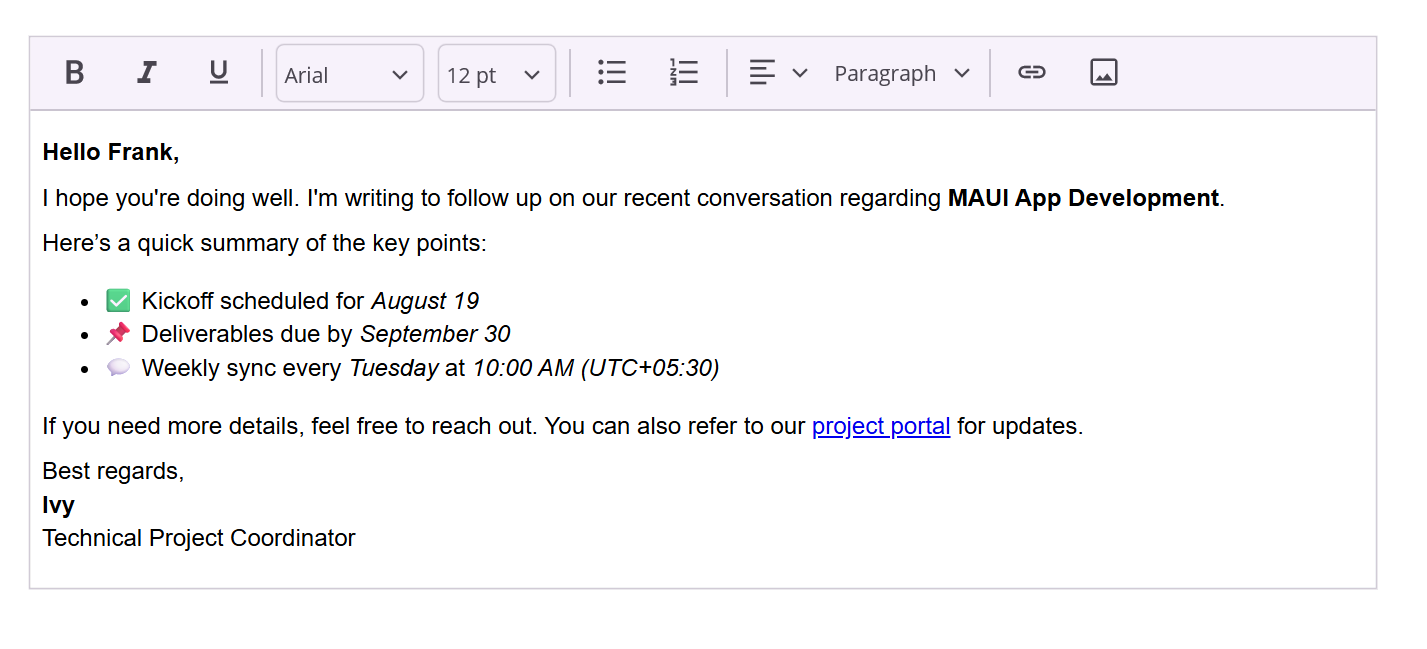
Business use cases
- Messaging and email applications that require rich text composition with formatting options.
- Content management systems that allow users to create and edit blogs, articles, or posts.
- Feedback and review sections that support formatted text input with links, lists, and styling.
- Note-taking applications that require structured and visually formatted content editing.
Key features
- WYSIWYG editing provides visual editing with real-time formatting feedback.
- Comprehensive formatting tools lets users apply styles such as bold, italic, underline, font size, color, alignment, lists, and indentation.
- Hyperlink support enables inserting and editing links within the content.
- Image insertion supports embedding media within the editor.
- Table insertion allows embedding structured data within the editor.
- Customizable toolbar offers configuring toolbar actions and visibility based on application requirements.
- Clipboard operation includes copy, paste, and cut actions for efficient editing.
- Undo and redo help manage editing history for better user control.
Globalization
The following table summarizes the globalization support available in this control.
 Full Support
 No Support
| Control | Localization | RTL | Time zone | Screen reader | Keyboard navigation |
|---|---|---|---|---|---|
| Rich Text Editor | |
|
|
|
|
Related controls
- Markdown Viewer for rendering formatted Markdown content in applications.
- Text Input Layout for enhancing simple text input fields with labels and validation.
- ListView for presenting collections of rich text or formatted content within scrollable views.
See Also
- Getting Started shows a step‑by‑step guide to begin using the Rich Text Editor control.
- Toolbar explains how to configure toolbar items and actions.
- Customization helps adjust look, behavior, and features to match your needs.
- UI Kit provides interactive demos and ready‑made UI examples.
Resources
Feature Tour
Get a quick overview of key features and capabilities to kick start your journey.
Explore Features
Showcase Samples
Explore real-world sample apps to see components in action and learn by example.
View Samples
Tutorial Videos
Watch step‑by‑step video guides to quickly understand concepts and implementation.
Watch now
Knowledge Base
Find practical solutions, troubleshooting tips and how‑to guides for common scenarios.
Search KB's