About Syncfusion® .NET MAUI Cards Control
18 Nov 20185 minutes to read
The Syncfusion® .NET MAUI Cards (SfCards) control empowers you to generate either a removable card or a stack of cards, with only one card being visible initially, requires a swipe to reveal the subsequent card.
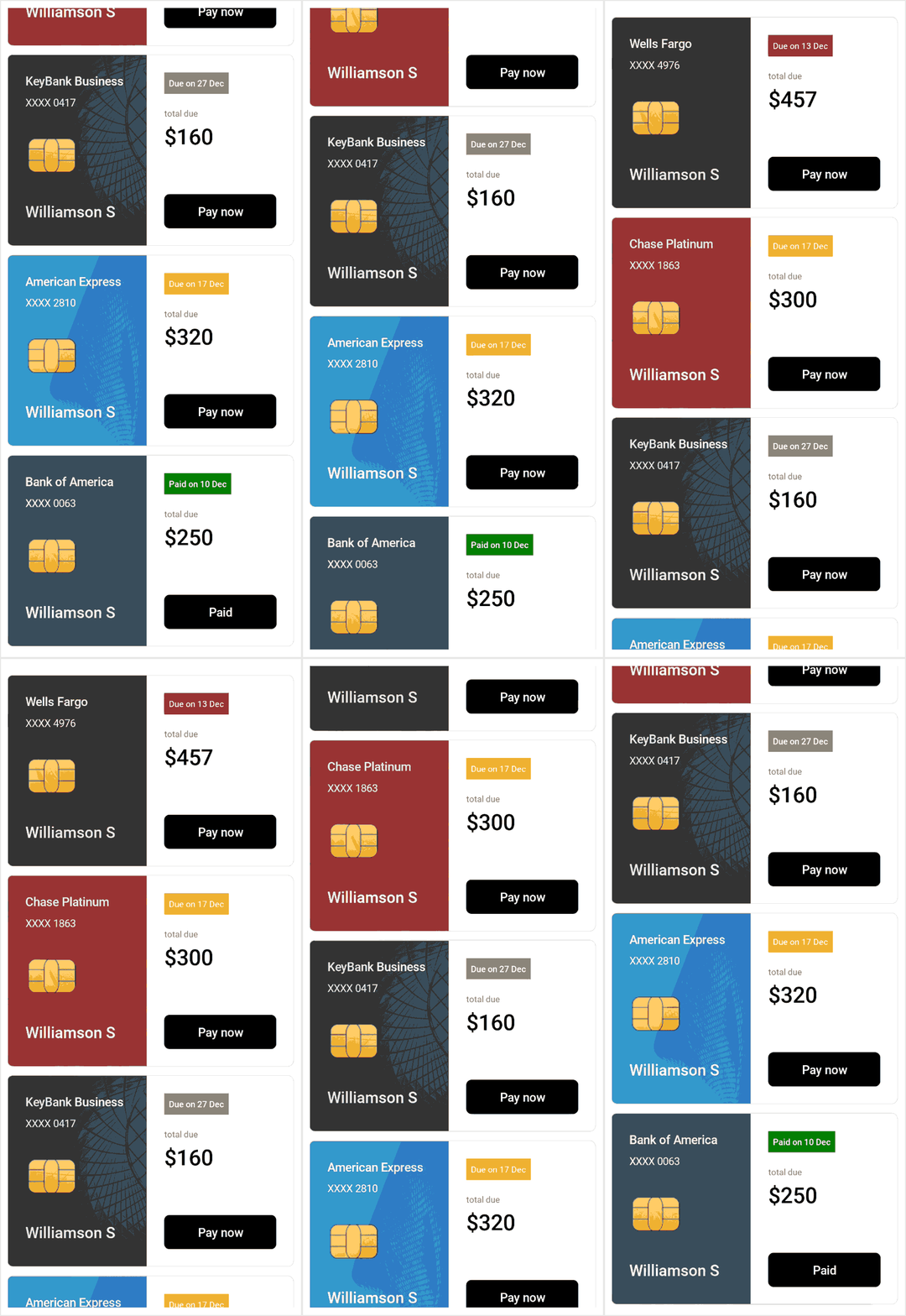
Business use cases
- Mobile applications that require swipe-based navigation for content browsing or recommendations.
- E-commerce applications that display product Cards with interactive swipe actions.
- Dashboard and productivity apps that use card layouts for compact and organized data presentation.
- Social or content apps that require card stacking and gesture-based interactions for user engagement.
Key features
- Removable card support allows creating Cards that can be dismissed through user interaction.
- Swipe interaction enables dismissing Cards in left and right directions for intuitive navigation.
- Dismissal control allows restricting or customizing when Cards can be removed.
- Card stack layout allows displaying multiple Cards in a stacked format with one visible at a time.
- Multi-directional swipe support enables dismissing and retrieving Cards in left, right, top, and bottom directions.
- Swiped card visibility control allows handling how dismissed Cards are displayed or restored.
Globalization
The following table summarizes the globalization support available in this control.
 Full Support
 Not Applicable
| Control | Localization | RTL | Time zone | Screen reader | Keyboard navigation |
|---|---|---|---|---|---|
| Cards | |
|
|
|
|
Related controls
- Carousel View for swipe-based item navigation using carousel layouts.
- ListView for displaying items in structured and scrollable lists.
- Accordion for organizing collapsible content sections.
See Also
- Getting Started shows how to begin using the Cards control step by step.
- Customization shows how to configure appearance and behavior of cards.
- Bindable Layout explains how to bind card items to collections.
- UI Kit provides interactive demos and ready-made UI examples.
Resources
Feature Tour
Get a quick overview of key features and capabilities to kick start your journey.
Explore Features
Tutorial Videos
Watch step‑by‑step video guides to quickly understand concepts and implementation.
Watch now
Knowledge Base
Find practical solutions, troubleshooting tips and how‑to guides for common scenarios.
Search KB's
Use Case Sample
Explore a real-world application that demonstrates the practical use of the Cards.
View Sample