Corner Shape Customization in .NET MAUI Backdrop Page (SfBackdropPage)
7 Jan 20251 minute to read
The backdrop allows you to customize the shapes on the top corners of the front layer. Curved and cut (flat) shape options are available. It can be switched by setting the EdgeShape property of the front layer.
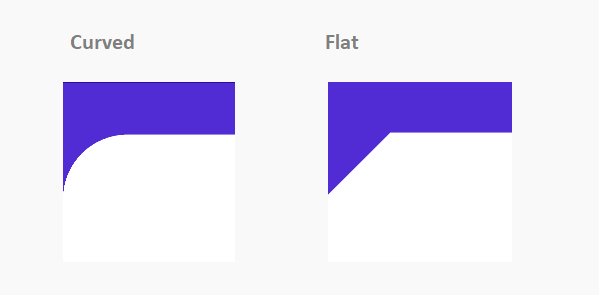
NOTE
The backdrop can only be shaped on the top left and top right corners.
NOTE
If you need to set the background color for the back layer, set the
BackgroundColorproperty to the content of the BackdropBackLayer instead of the BackdropBackLayer itself.
Both sides of the corner radius can be customized separately by setting the LeftCornerRadius and RightCornerRadius properties of the BackdropFrontLayer.
<backdrop:SfBackdropPage.FrontLayer>
        <backdrop:BackdropFrontLayer LeftCornerRadius="30" RightCornerRadius="0" EdgeShape="Flat">
            <Grid />
        </backdrop:BackdropFrontLayer>
</backdrop:SfBackdropPage.FrontLayer>this.FrontLayer = new BackdropFrontLayer()
{
Content = new Grid(),
LeftCornerRadius = 30,
RightCornerRadius = 0,
EdgeShape = EdgeShape.Flat
};