Remove annotations in Blazor PDF Viewer
14 Aug 20263 minutes to read
You can remove annotations using the built-in UI or programmatically through the SfPdfViewer component. This page describes both approaches and applies to Blazor Server and Blazor WebAssembly hosts running on .NET 6.0 or later. The SfPdfViewer component (introduced alongside SfPdfViewer) is used in the examples below.
Delete via UI
A selected annotation can be deleted in any of the following ways:
-
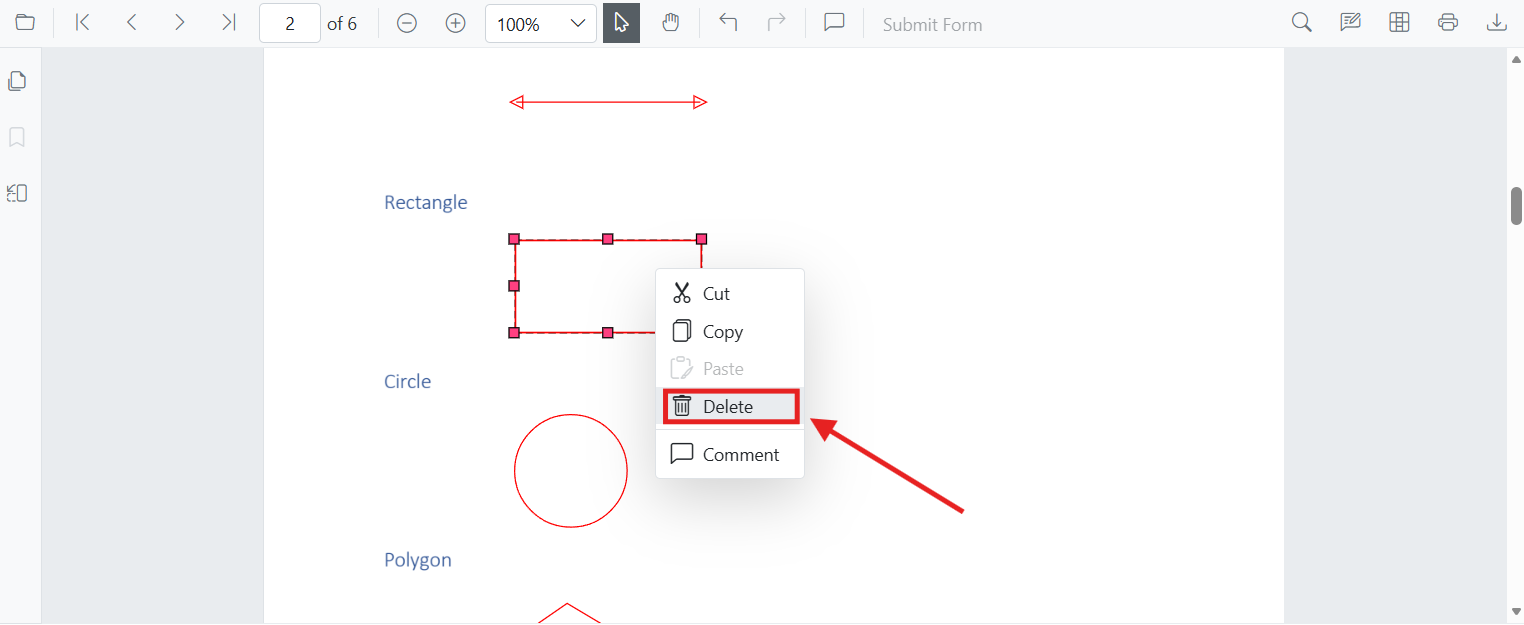
Context menu: Right-click the annotation and choose Delete.
-
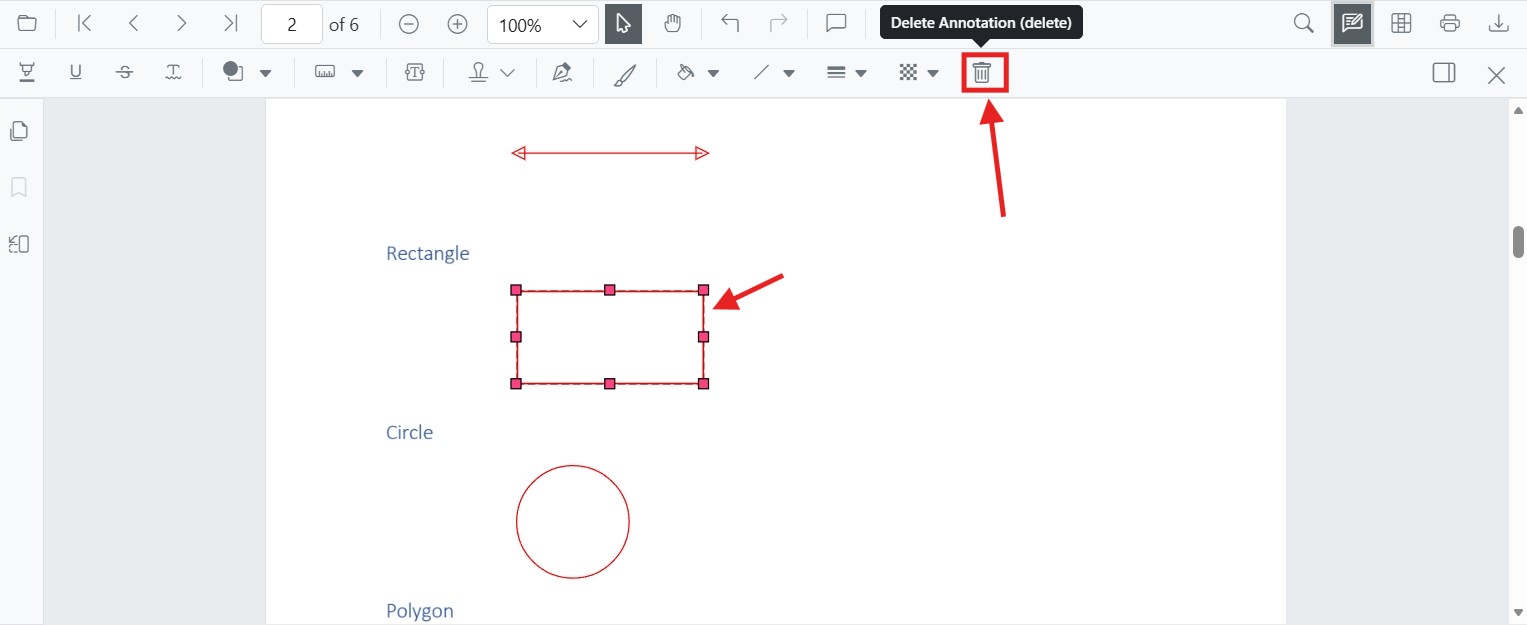
Annotation toolbar: Select the annotation and click the Delete button on the annotation toolbar.
-
Keyboard: Select the annotation and press the
Deletekey. On macOS, theBackspacekey performs the same action because the macOSDeletekey maps to Backspace.
Delete programmatically
You can delete annotations programmatically using the DeleteAnnotationAsync method on the SfPdfViewer instance. The component exposes two overloads:
-
DeleteAnnotationAsync(PdfAnnotation annotation)— removes the supplied annotation object. -
DeleteAnnotationAsync(string annotationId)— removes the annotation whoseIdmatches the supplied value.
The GetAnnotationsAsync() method returns all annotations across the document as List<PdfAnnotation>. Use it to locate the annotation you want to remove. To target a single page, call the overload GetAnnotationsOnPageAsync(pageNumber) instead. Each PdfAnnotation exposes properties such as Id (string) and AnnotationType.
The following example deletes the first annotation in the loaded document. It uses a null/empty guard to avoid IndexOutOfRangeException on documents that have no annotations.
@page "/delete-annotation"
@using System.Collections.Generic
@using Microsoft.AspNetCore.Components.Web
@using Syncfusion.Blazor.Buttons
@using Syncfusion.Blazor.SfPdfViewer

<SfButton OnClick="DeleteAnnotation">Delete Annotation</SfButton>
<SfPdfViewer2 Width="100%" Height="100%" DocumentPath="@DocumentPath" @ref="Viewer" />

@code {
    private SfPdfViewer2 Viewer = default!;
    // Resolve the document path from the static web root so it works regardless of the app's base href.
    private string DocumentPath { get; set; } = "Data/Annotation.pdf";

    private async Task DeleteAnnotation(MouseEventArgs args)
    {
        try
        {
            // Get the annotation collection for the loaded document.
            List<PdfAnnotation> annotationCollection = await Viewer.GetAnnotationsAsync();
            if (annotationCollection is null || annotationCollection.Count == 0)
            {
                return;
            }

            // Select the annotation you want to delete.
            PdfAnnotation annotation = annotationCollection[0];

            // Delete the specified PdfAnnotation.
            await Viewer.DeleteAnnotationAsync(annotation);

            // Alternatively, delete by the annotation's Id.
            // await Viewer.DeleteAnnotationAsync(annotation.Id);
        }
        catch (Exception ex)
        {
            // Handle failure (for example, annotation not found, document not yet loaded, or invalid ID).
            Console.Error.WriteLine($"Failed to delete annotation: {ex.Message}");
        }
    }
}
Ensure the annotation exists in the currently loaded document before calling
DeleteAnnotationAsync. Calling the API with anannotationIdthat is not present throws an exception, which thetry/catchabove demonstrates how to handle.
Undo support
Deletions performed through DeleteAnnotationAsync are recorded in the viewer’s undo/redo stack. The end user can press Ctrl+Z (Windows/Linux) or Cmd+Z (macOS), or call the undo/redo APIs, to restore a deleted annotation.
Supported annotation types
The API removes any annotation type returned by GetAnnotationsAsync(), including text markup (highlight, strikethrough, underline, squiggly), shapes (line, arrow, rectangle, circle, polygon), measurement, free text, ink, stamp, sticky notes, and signature annotations.