Resize and Move Annotations in Angular PDF Viewer
16 Nov 20265 minutes to read
Annotations can be resized and moved after they are added to a document. The PDF Viewer supports these operations both from the built-in UI and programmatically through the editAnnotation API.
Resize annotations
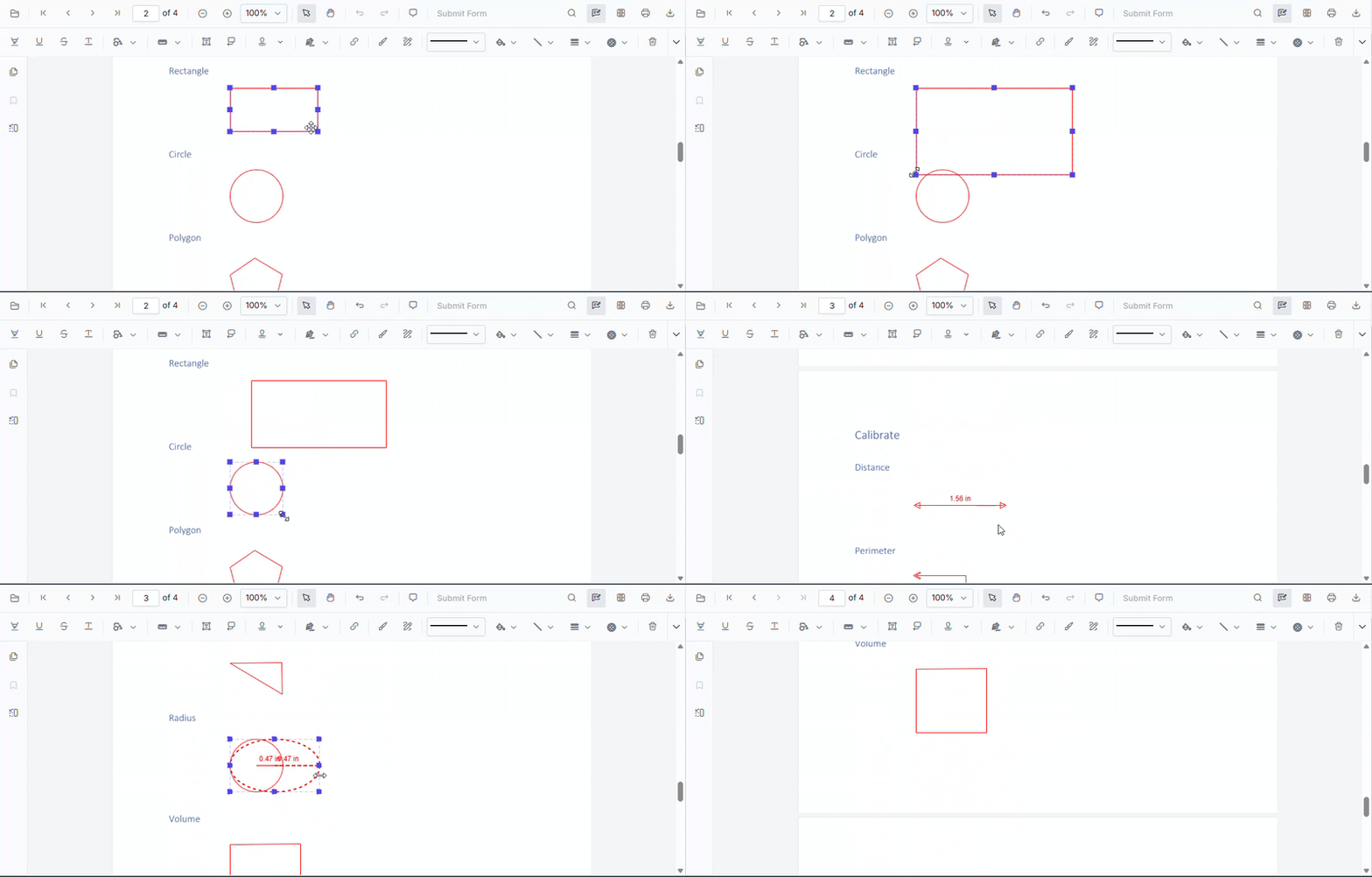
Resize via UI
- Add an annotation to the page, or select an existing annotation.
- When the annotation is selected, resize handles appear on its corners and edges.
- Drag a handle to change the width and height of the annotation.
Resize programmatically
The size of an annotation is defined by its bounds. To resize an annotation programmatically, update the width and height of the respective annotation bounds and call the editAnnotation API to apply the change dynamically.
const resizeAnnotation = () => {
  //get recently added annotation
  const annotation =
    viewer.annotationCollection[viewer.annotationCollection.length - 1];
  //programmatically resize the annotation
  annotation.bounds.width += 100;
  annotation.bounds.height += 100;
  viewer.annotation.editAnnotation(annotation);
};
Move annotations
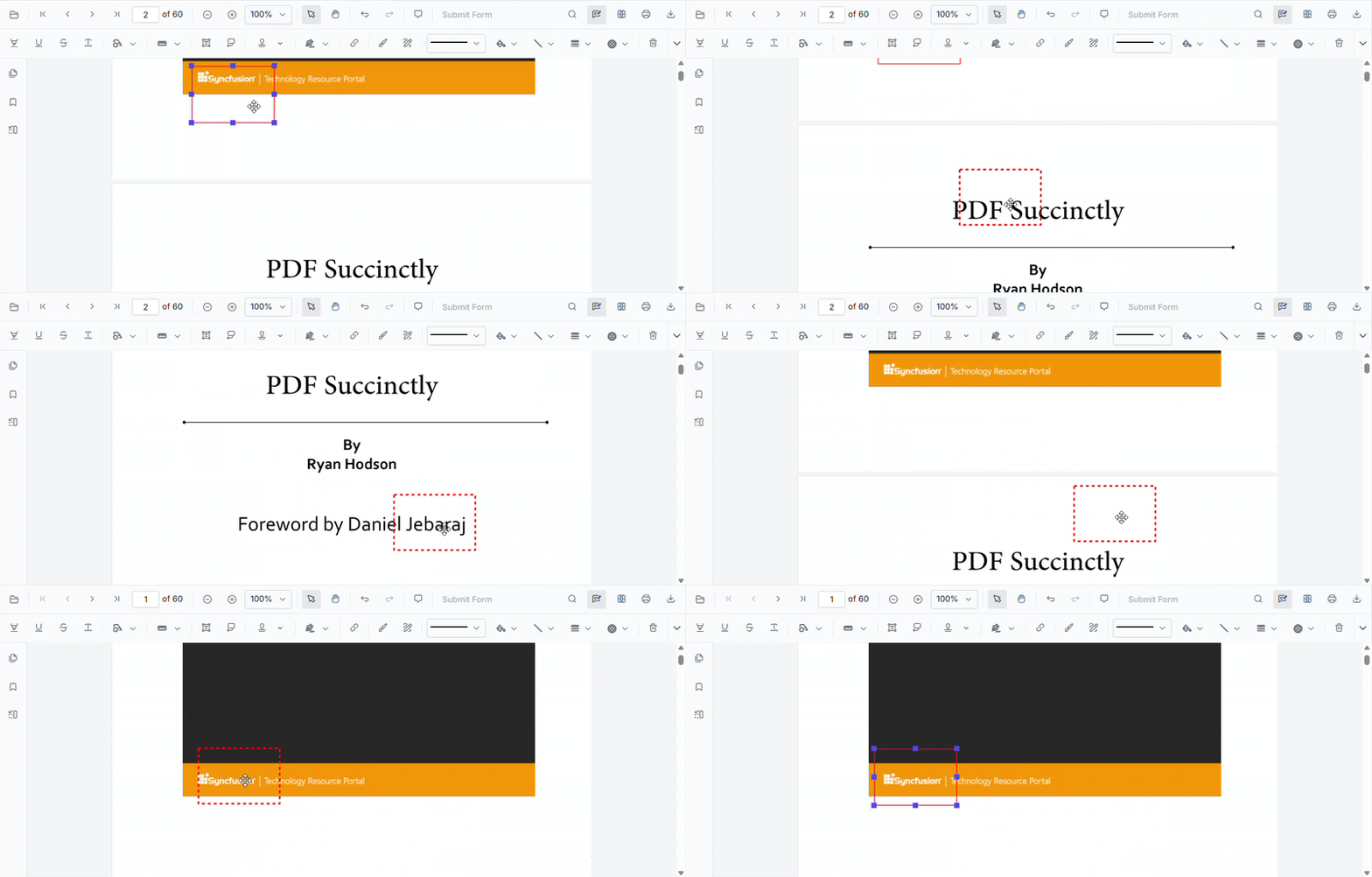
Move via UI
- Select an annotation.
- Drag the annotation to reposition it within the same page, or drag it to a different page in the document.
Move programmatically
To move an annotation programmatically, update the relevant property of the annotation and call the editAnnotation API.
- To move an annotation to a different page, update the
pageNumberproperty of the annotation. - To move an annotation within the same page, update the
leftandtopvalues (orxandy, depending on the bounds object structure) of the annotation’sboundsobject.
const moveAnnotation = () => {
  //get recently added annotation
  const annotation =
    viewer.annotationCollection[viewer.annotationCollection.length - 1];
  //programmatically change page number of annotation
  annotation.pageNumber += 1;
  viewer.annotation.editAnnotation(annotation);
};
To move an annotation to a new position on the same page, update the bounds of the annotation instead.
const moveAnnotationInPage = () => {
  //get recently added annotation
  const annotation =
    viewer.annotationCollection[viewer.annotationCollection.length - 1];
  // Update the annotation's coordinates (using left/top or x/y depending on the bounds object)
  annotation.bounds.left += 50;
  annotation.bounds.top += 50;
  viewer.annotation.editAnnotation(annotation);
};
Sample
The following sample shows both the resize and move operations with a single viewer instance.
import { Component } from '@angular/core';
import { PdfViewerModule, ToolbarService, AnnotationService } from '@syncfusion/ej2-angular-pdfviewer';

@Component({
  selector: 'app-root',
  imports: [PdfViewerModule],
  providers: [ToolbarService, AnnotationService],
  template: `
    <button (click)="moveAnnotation()">Move annotation</button>
    <button (click)="resizeAnnotation()">Resize annotation</button>
    <ejs-pdfviewer
      id="pdfViewer"
      [documentPath]="documentPath"
      [resourceUrl]="resourceUrl"
      style="height:650px;display:block">
    </ejs-pdfviewer>
  `
})
export class AppComponent {
  public documentPath: string = 'https://cdn.syncfusion.com/content/pdf/pdf-succinctly.pdf';
  public resourceUrl: string = 'https://cdn.syncfusion.com/ej2/31.2.2/dist/ej2-pdfviewer-lib';

  getViewer() {
    return (document.getElementById('pdfViewer') as any).ej2_instances[0];
  }

  moveAnnotation() {
    //get recently added annotation
    const annotation = this.getViewer().annotationCollection[
      this.getViewer().annotationCollection.length - 1
    ];
    //programmatically change page number of annotation
    annotation.pageNumber += 1;
    this.getViewer().annotation.editAnnotation(annotation);
  }

  resizeAnnotation() {
    //get recently added annotation
    const annotation = this.getViewer().annotationCollection[
      this.getViewer().annotationCollection.length - 1
    ];
    //programmatically resize the annotation
    annotation.bounds.width += 100;
    annotation.bounds.height += 100;
    this.getViewer().annotation.editAnnotation(annotation);
  }
}
The
editAnnotationAPI requires an existing annotation. Add an annotation to the document before calling the resize or move methods.