Blazor Sunburst Chart Events
Events let you observe and customize the Blazor Sunburst Chart at well-defined points during interaction and rendering from clicks and legend toggling to data-label and segment painting. They are also useful for navigating between hierarchy levels with drill-down and drill-up. Use them when you want to intercept a default behavior, perform custom validation, or surface chart interactions in your own UI. These events are particularly valuable for interactive Sunburst Chart implementations where users explore hierarchical data visualization by drilling through multi-level pie chart segments.
The events of the Blazor Sunburst Chart are configured directly on the SfSunburstChart component by assigning the relevant callback parameters.
Default behavior: No event callbacks are subscribed by default. The chart renders and behaves normally until at least one handler is attached to the relevant callback parameter. Cancelable events (
Cancel = true) prevent the default action; the rest are observational.
Synchronous callbacks:
LegendItemRendering,TooltipRendering,DataLabelRendering,SegmentRendering,Exporting,ExportCompleted, andPrintCompletedare exposed asAction<>delegates onSfSunburstChartand run synchronously on the Blazor render thread.Loaded,LegendClick,PointClick,SelectionChanged,DrillDownStarting,DrillUpStarting,DrillDownCompleted, andDrillUpCompletedare exposed asEventCallback<>and follow the standard Blazor asynchronous semantics. KeepAction<>handlers short and avoidasync/awaitinside them, because long-running work delays the next render frame.
DrillDownStarting
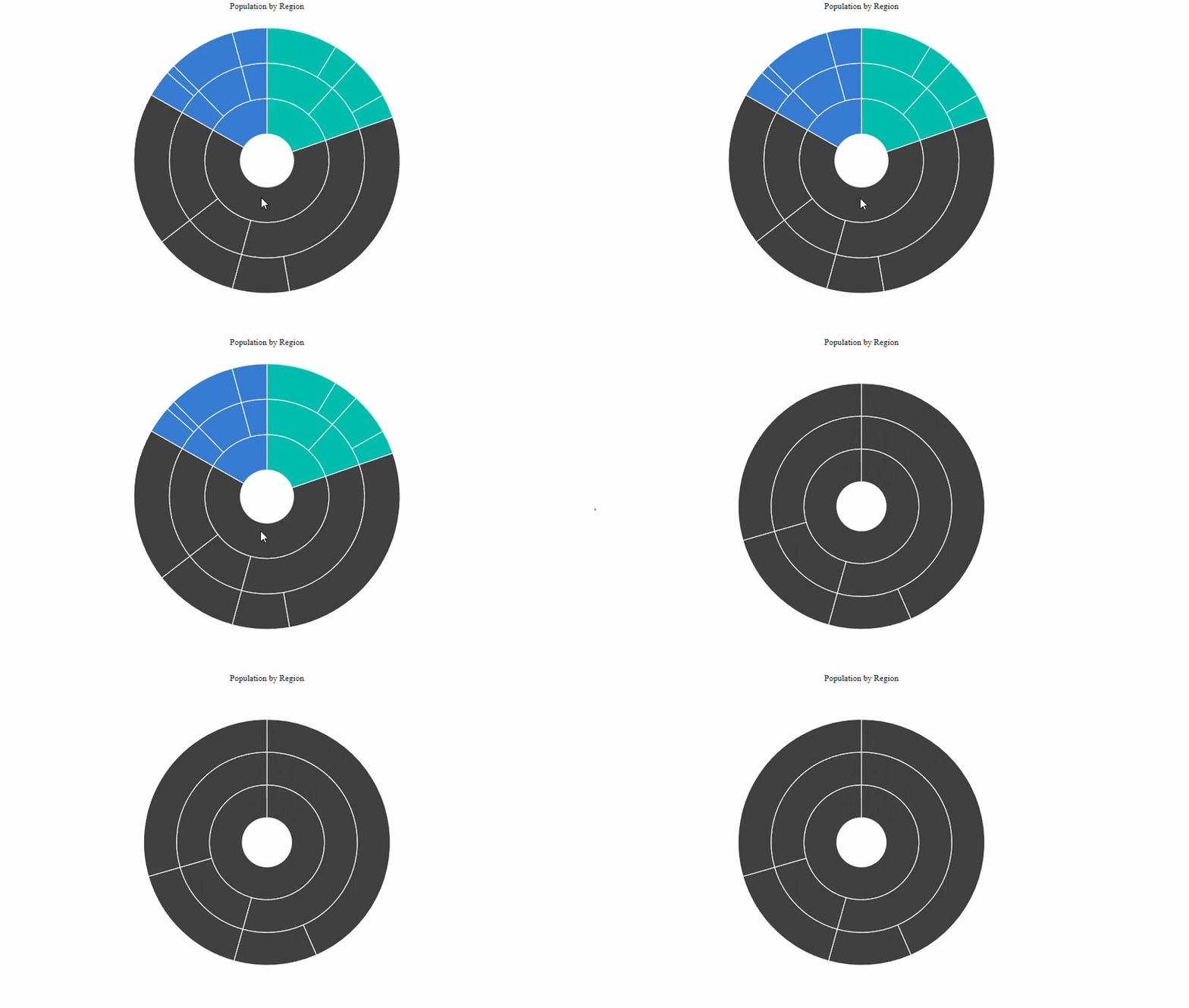
The DrillDownStarting event is triggered when a user double-clicks a Sunburst segment that has one or more children. Use it to inspect the target segment, perform custom validation, or cancel the drill-down before navigation occurs.
The event fires after the chart has confirmed the clicked segment has children and before the visual drill-down is applied. The corresponding event arguments are SunburstDrillStartingEventArgs<TItem> (with EventName = "DrillDownStarting").
@using Syncfusion.Blazor.Charts

<SfSunburstChart TItem="RegionData"
                 Title="Population by Region"
                 DataSource="@Regions"
                 IdMemberPath="@nameof(RegionData.Id)"
                 ParentIdMemberPath="@nameof(RegionData.ParentId)"
                 LabelMemberPath="@nameof(RegionData.Label)"
                 ValueMemberPath="@nameof(RegionData.Population)"
                 DrillDownStarting="@OnDrillDown"
                 Width="100%" Height="600px">
    <SunburstDrillSettings Enable="true" />
</SfSunburstChart>

@code {
    public class RegionData
    {
        public string Id { get; set; } = string.Empty;
        public string? ParentId { get; set; }
        public string Label { get; set; } = string.Empty;
        public double Population { get; set; }
    }

    public List<RegionData> Regions = new()
    {
        new RegionData { Id = "USA", ParentId = null, Label = "USA" },
        new RegionData { Id = "India", ParentId = null, Label = "India" },
        new RegionData { Id = "Germany", ParentId = null, Label = "Germany" },

        new RegionData { Id = "USA-California", ParentId = "USA", Label = "California" },
        new RegionData { Id = "USA-Texas", ParentId = "USA", Label = "Texas" },
        new RegionData { Id = "USA-NewYork", ParentId = "USA", Label = "New York" },

        new RegionData { Id = "India-Maharashtra", ParentId = "India", Label = "Maharashtra" },
        new RegionData { Id = "India-TamilNadu", ParentId = "India", Label = "Tamil Nadu" },
        new RegionData { Id = "India-Karnataka", ParentId = "India", Label = "Karnataka" },

        new RegionData { Id = "Germany-Bavaria", ParentId = "Germany", Label = "Bavaria" },
        new RegionData { Id = "Germany-Berlin", ParentId = "Germany", Label = "Berlin" },
        new RegionData { Id = "Germany-Hamburg", ParentId = "Germany", Label = "Hamburg" },

        new RegionData { Id = "USA-California-LosAngeles", ParentId = "USA-California", Label = "Los Angeles", Population = 3898000 },
        new RegionData { Id = "USA-California-SanDiego", ParentId = "USA-California", Label = "San Diego", Population = 1381000 },
        new RegionData { Id = "USA-Texas-Houston", ParentId = "USA-Texas", Label = "Houston", Population = 2304000 },
        new RegionData { Id = "USA-Texas-Dallas", ParentId = "USA-Texas", Label = "Dallas", Population = 1304000 },

        new RegionData { Id = "India-Maharashtra-Mumbai", ParentId = "India-Maharashtra", Label = "Mumbai", Population = 12440000 },
        new RegionData { Id = "India-Maharashtra-Pune", ParentId = "India-Maharashtra", Label = "Pune", Population = 3120000 },
        new RegionData { Id = "India-TamilNadu-Chennai", ParentId = "India-TamilNadu", Label = "Chennai", Population = 4646000 },
        new RegionData { Id = "India-Karnataka-Bengaluru", ParentId = "India-Karnataka", Label = "Bengaluru", Population = 8443000 },

        new RegionData { Id = "Germany-Bavaria-Munich", ParentId = "Germany-Bavaria", Label = "Munich", Population = 1488000 },
        new RegionData { Id = "Germany-Bavaria-Nuremberg", ParentId = "Germany-Bavaria", Label = "Nuremberg", Population = 515000 },
        new RegionData { Id = "Germany-Berlin-BerlinCity", ParentId = "Germany-Berlin", Label = "Berlin", Population = 3664000 },
        new RegionData { Id = "Germany-Hamburg-HamburgCity", ParentId = "Germany-Hamburg", Label = "Hamburg", Population = 1899000 }
    };

    private void OnDrillDown(SunburstDrillStartingEventArgs<RegionData> args)
    {
        // Here, you can customize your code.

        // Set args.Cancel = true to block the drill-down navigation.
    }
}
Set
args.Cancel = trueto prevent the drill-down when, for example, the target value is below a threshold set by your application. The handler in the example receivesargs.EventName,args.Point.Label,args.Point.ParentLabel,args.Point.RootLabel, andargs.Point.Value, which mirror the values inSunburstDrillPointInfo<TItem>.
DrillUpStarting
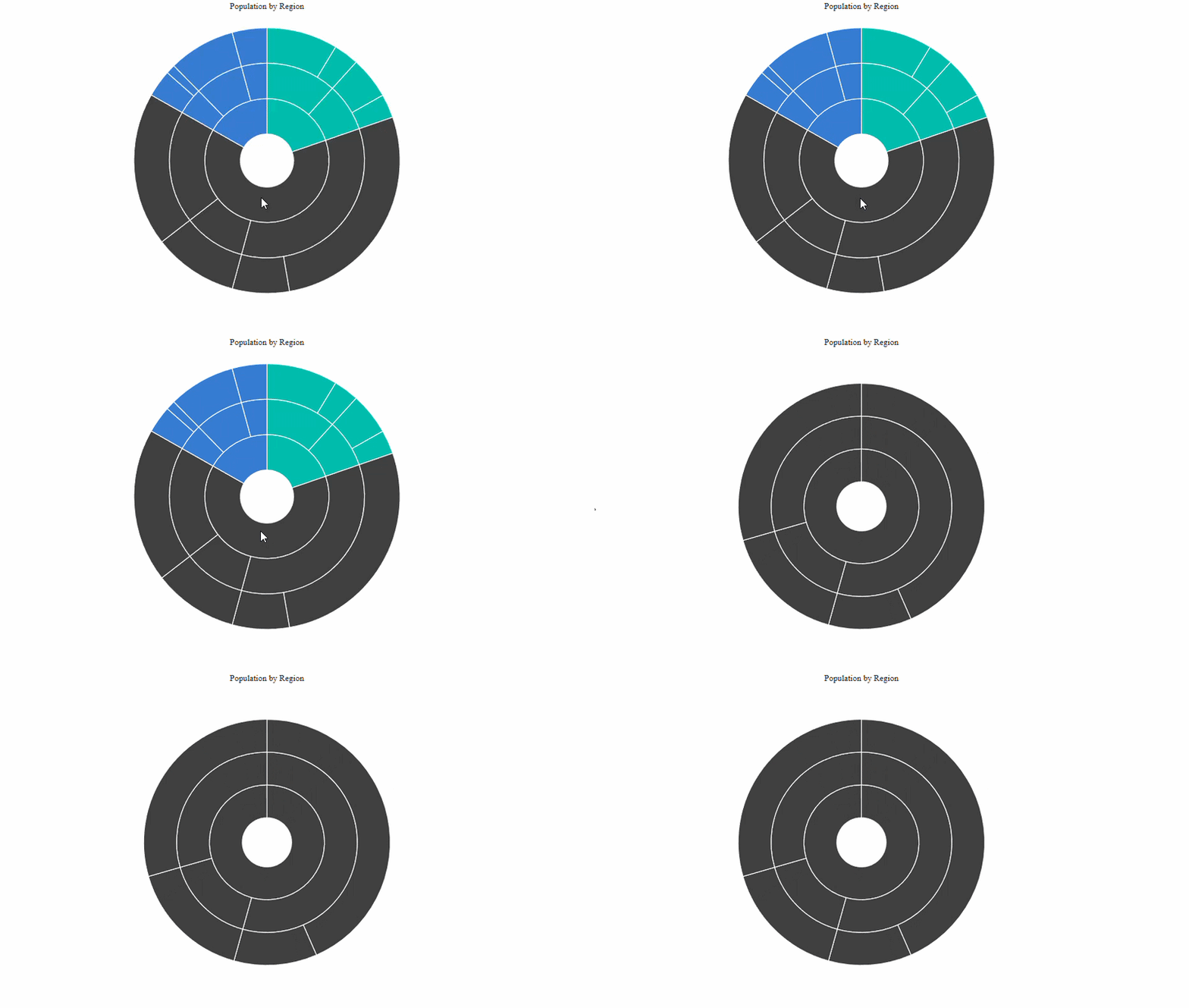
The DrillUpStarting event is triggered when a user double-clicks the currently focused root segment to navigate back to a higher level in the hierarchy. Use it to perform custom logic before navigation occurs or to cancel the drill-up entirely.
The corresponding event arguments are SunburstDrillStartingEventArgs<TItem> (with EventName = "DrillUpStarting"). If neither drill handler is attached, the chart performs the navigation by default.
@using Syncfusion.Blazor.Charts

<SfSunburstChart TItem="RegionData"
                 Title="Population by Region"
                 DataSource="@Regions"
                 IdMemberPath="@nameof(RegionData.Id)"
                 ParentIdMemberPath="@nameof(RegionData.ParentId)"
                 LabelMemberPath="@nameof(RegionData.Label)"
                 ValueMemberPath="@nameof(RegionData.Population)"
                 DrillDownStarting="@OnDrillDown"
                 DrillUpStarting="@OnDrillUp"
                 Width="100%" Height="600px">
    <SunburstDrillSettings Enable="true" />
</SfSunburstChart>

@code {
    public class RegionData
    {
        public string Id { get; set; } = string.Empty;
        public string? ParentId { get; set; }
        public string Label { get; set; } = string.Empty;
        public double Population { get; set; }
    }

        public List<RegionData> Regions = new()
    {
        new RegionData { Id = "USA", ParentId = null, Label = "USA" },
        new RegionData { Id = "India", ParentId = null, Label = "India" },
        new RegionData { Id = "Germany", ParentId = null, Label = "Germany" },

        new RegionData { Id = "USA-California", ParentId = "USA", Label = "California" },
        new RegionData { Id = "USA-Texas", ParentId = "USA", Label = "Texas" },
        new RegionData { Id = "USA-NewYork", ParentId = "USA", Label = "New York" },

        new RegionData { Id = "India-Maharashtra", ParentId = "India", Label = "Maharashtra" },
        new RegionData { Id = "India-TamilNadu", ParentId = "India", Label = "Tamil Nadu" },
        new RegionData { Id = "India-Karnataka", ParentId = "India", Label = "Karnataka" },

        new RegionData { Id = "Germany-Bavaria", ParentId = "Germany", Label = "Bavaria" },
        new RegionData { Id = "Germany-Berlin", ParentId = "Germany", Label = "Berlin" },
        new RegionData { Id = "Germany-Hamburg", ParentId = "Germany", Label = "Hamburg" },

        new RegionData { Id = "USA-California-LosAngeles", ParentId = "USA-California", Label = "Los Angeles", Population = 3898000 },
        new RegionData { Id = "USA-California-SanDiego", ParentId = "USA-California", Label = "San Diego", Population = 1381000 },
        new RegionData { Id = "USA-Texas-Houston", ParentId = "USA-Texas", Label = "Houston", Population = 2304000 },
        new RegionData { Id = "USA-Texas-Dallas", ParentId = "USA-Texas", Label = "Dallas", Population = 1304000 },

        new RegionData { Id = "India-Maharashtra-Mumbai", ParentId = "India-Maharashtra", Label = "Mumbai", Population = 12440000 },
        new RegionData { Id = "India-Maharashtra-Pune", ParentId = "India-Maharashtra", Label = "Pune", Population = 3120000 },
        new RegionData { Id = "India-TamilNadu-Chennai", ParentId = "India-TamilNadu", Label = "Chennai", Population = 4646000 },
        new RegionData { Id = "India-Karnataka-Bengaluru", ParentId = "India-Karnataka", Label = "Bengaluru", Population = 8443000 },

        new RegionData { Id = "Germany-Bavaria-Munich", ParentId = "Germany-Bavaria", Label = "Munich", Population = 1488000 },
        new RegionData { Id = "Germany-Bavaria-Nuremberg", ParentId = "Germany-Bavaria", Label = "Nuremberg", Population = 515000 },
        new RegionData { Id = "Germany-Berlin-BerlinCity", ParentId = "Germany-Berlin", Label = "Berlin", Population = 3664000 },
        new RegionData { Id = "Germany-Hamburg-HamburgCity", ParentId = "Germany-Hamburg", Label = "Hamburg", Population = 1899000 }
    };

    private void OnDrillDown(SunburstDrillStartingEventArgs<RegionData> args)
    {
        // Here, you can customize your code.
    }

    private void OnDrillUp(SunburstDrillStartingEventArgs<RegionData> args)
    {
        // Here, you can customize your code.

        // Example: prevent leaving the deepest drilled level.
        // args.Cancel = true;
    }
}
DrillDownCompleted and DrillUpCompleted
The DrillDownCompleted and DrillUpCompleted callbacks are triggered after the corresponding drill operation completes successfully. These callbacks are not triggered when the starting event is canceled or when the drill transition fails.
Both callbacks use SunburstDrillEventArgs<TItem>. The completed events are informational and do not support cancellation.
SunburstDrillEventArgs properties
| Property | Type | Description |
|---|---|---|
EventName |
string |
Returns "DrillDownCompleted" or "DrillUpCompleted" based on the completed drill operation. |
Point |
SunburstDrillPointInfo<TItem> |
Gets information about the completed drill operation and the resulting drill state. |
SunburstDrillStartingEventArgs properties
SunburstDrillStartingEventArgs<TItem> is the event argument type used by the starting drill-down and drill-up events. It exposes the following properties:
| Property | Type | Description |
|---|---|---|
EventName |
string |
Returns the literal "DrillDownStarting" or "DrillUpStarting" so the same handler can distinguish the direction. |
Cancel |
bool |
Set to true to prevent the navigation triggered by the click. The default value is false. |
Point |
SunburstDrillPointInfo<TItem> |
Information about the segment the user double-clicked. |
SunburstDrillPointInfo<TItem> exposes the following fields:
| Property | Type | Description |
|---|---|---|
Label |
string |
The label of the segment that triggered the drill. |
Value |
double |
The numeric value of the segment that triggered the drill. |
ParentLabel |
string |
The label of the immediate parent segment of the click target. |
RootLabel |
string |
The label of the top-level root segment that the click target belongs to. |
PreviousRootLabel |
string |
Gets the label of the root segment that was active before the drill operation completed. It is empty when the previous root is the synthetic chart root. |
Source |
TItem |
Gets the original data item associated with the drill point, or the default value when the point represents the synthetic root. |
PointClick
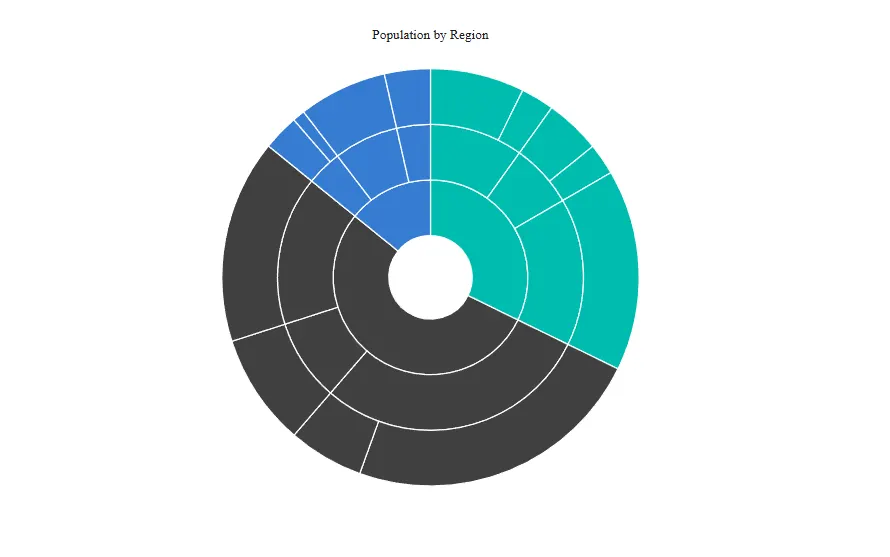
The PointClick event is triggered when a user clicks a Sunburst segment. Use it to obtain information about the clicked segment or to perform custom actions based on the interaction.
The corresponding event arguments are SunburstPointClickEventArgs<TItem>. This event is observational and does not support cancellation.
@using Syncfusion.Blazor.Charts

<SfSunburstChart TItem="RegionData"
                 Title="Population by Region"
                 DataSource="@Regions"
                 IdMemberPath="@nameof(RegionData.Id)"
                 ParentIdMemberPath="@nameof(RegionData.ParentId)"
                 LabelMemberPath="@nameof(RegionData.Label)"
                 ValueMemberPath="@nameof(RegionData.Population)"
                 PointClick="@PointClickHandler"
                 Width="100%" Height="600px">
</SfSunburstChart>

@code {
    public class RegionData
    {
        public string Id { get; set; } = string.Empty;
        public string? ParentId { get; set; }
        public string Label { get; set; } = string.Empty;
        public double Population { get; set; }
    }

    public List<RegionData> Regions = new List<RegionData>
    {
        new RegionData { Id = "USA", ParentId = null, Label = "USA" },
        new RegionData { Id = "India", ParentId = null, Label = "India" },
        new RegionData { Id = "Germany", ParentId = null, Label = "Germany" },

        new RegionData { Id = "USA-California", ParentId = "USA", Label = "California" },
        new RegionData { Id = "USA-Texas", ParentId = "USA", Label = "Texas" },
        new RegionData { Id = "USA-NewYork", ParentId = "USA", Label = "New York" },

        new RegionData { Id = "India-Maharashtra", ParentId = "India", Label = "Maharashtra" },
        new RegionData { Id = "India-TamilNadu", ParentId = "India", Label = "Tamil Nadu" },
        new RegionData { Id = "India-Karnataka", ParentId = "India", Label = "Karnataka" },

        new RegionData { Id = "Germany-Bavaria", ParentId = "Germany", Label = "Bavaria" },
        new RegionData { Id = "Germany-Berlin", ParentId = "Germany", Label = "Berlin" },
        new RegionData { Id = "Germany-Hamburg", ParentId = "Germany", Label = "Hamburg" },

        new RegionData { Id = "USA-California-LosAngeles", ParentId = "USA-California", Label = "Los Angeles", Population = 3898000 },
        new RegionData { Id = "USA-California-SanDiego", ParentId = "USA-California", Label = "San Diego", Population = 1381000 },
        new RegionData { Id = "USA-Texas-Houston", ParentId = "USA-Texas", Label = "Houston", Population = 2304000 },
        new RegionData { Id = "USA-Texas-Dallas", ParentId = "USA-Texas", Label = "Dallas", Population = 1304000 },
        new RegionData { Id = "USA-NewYork-NewYorkCity", ParentId = "USA-NewYork", Label = "New York City", Population = 8336000 },

        new RegionData { Id = "India-Maharashtra-Mumbai", ParentId = "India-Maharashtra", Label = "Mumbai", Population = 12440000 },
        new RegionData { Id = "India-Maharashtra-Pune", ParentId = "India-Maharashtra", Label = "Pune", Population = 3120000 },
        new RegionData { Id = "India-TamilNadu-Chennai", ParentId = "India-TamilNadu", Label = "Chennai", Population = 4646000 },
        new RegionData { Id = "India-Karnataka-Bengaluru", ParentId = "India-Karnataka", Label = "Bengaluru", Population = 8443000 },

        new RegionData { Id = "Germany-Bavaria-Munich", ParentId = "Germany-Bavaria", Label = "Munich", Population = 1488000 },
        new RegionData { Id = "Germany-Bavaria-Nuremberg", ParentId = "Germany-Bavaria", Label = "Nuremberg", Population = 515000 },
        new RegionData { Id = "Germany-Berlin-BerlinCity", ParentId = "Germany-Berlin", Label = "Berlin", Population = 3664000 },
        new RegionData { Id = "Germany-Hamburg-HamburgCity", ParentId = "Germany-Hamburg", Label = "Hamburg", Population = 1899000 }
    };

    private void PointClickHandler(SunburstPointClickEventArgs<RegionData> args)
    {
        // Here, you can customize your code.
    }
}
SunburstPointClickEventArgs properties
SunburstPointClickEventArgs<TItem> is supplied to the PointClick callback and exposes the following fields:
| Property | Type | Description |
|---|---|---|
EventName |
string |
Returns the literal "PointClick". Set by the chart — do not mutate. |
Fill |
string |
Gets the fill color of the clicked segment. |
Point |
SunburstPointInfo |
Information about the clicked segment. Exposes Label and Value. Set by the chart — do not reassign. |
Font |
SunburstFontModel |
Gets the font style associated with the clicked segment. |
Source |
TItem |
Gets the original data item associated with the clicked segment. |
SelectionChanged
Use the SelectionChanged callback on SfSunburstChart to respond after the current selection state is committed. This event is raised after the chart updates the selected segment and is useful for reading the active selection state or updating other UI in your application.
The corresponding event arguments are SunburstSelectionChangedEventArgs<TItem>. The callback is observational and does not support cancellation.
@using Syncfusion.Blazor.Charts

<SfSunburstChart TItem="RegionData"
                 Title="Population by Region"
                 DataSource="@Regions"
                 IdMemberPath="@nameof(RegionData.Id)"
                 ParentIdMemberPath="@nameof(RegionData.ParentId)"
                 LabelMemberPath="@nameof(RegionData.Label)"
                 ValueMemberPath="@nameof(RegionData.Population)"
                 SelectionChanged="@SelectionChangedHandler"
                 Width="100%" Height="600px">
    <SunburstSelectionSettings Enable="true" />
</SfSunburstChart>

@code {
    public class RegionData
    {
        public string Id { get; set; } = string.Empty;
        public string? ParentId { get; set; }
        public string Label { get; set; } = string.Empty;
        public double Population { get; set; }
    }

    public List<RegionData> Regions = new List<RegionData>
    {
        new RegionData { Id = "USA", ParentId = null, Label = "USA" },
        new RegionData { Id = "India", ParentId = null, Label = "India" },
        new RegionData { Id = "Germany", ParentId = null, Label = "Germany" },

        new RegionData { Id = "USA-California", ParentId = "USA", Label = "California" },
        new RegionData { Id = "USA-Texas", ParentId = "USA", Label = "Texas" },
        new RegionData { Id = "USA-NewYork", ParentId = "USA", Label = "New York" },

        new RegionData { Id = "India-Maharashtra", ParentId = "India", Label = "Maharashtra" },
        new RegionData { Id = "India-TamilNadu", ParentId = "India", Label = "Tamil Nadu" },
        new RegionData { Id = "India-Karnataka", ParentId = "India", Label = "Karnataka" },

        new RegionData { Id = "Germany-Bavaria", ParentId = "Germany", Label = "Bavaria" },
        new RegionData { Id = "Germany-Berlin", ParentId = "Germany", Label = "Berlin" },
        new RegionData { Id = "Germany-Hamburg", ParentId = "Germany", Label = "Hamburg" },

        new RegionData { Id = "USA-California-LosAngeles", ParentId = "USA-California", Label = "Los Angeles", Population = 3898000 },
        new RegionData { Id = "USA-California-SanDiego", ParentId = "USA-California", Label = "San Diego", Population = 1381000 },
        new RegionData { Id = "USA-Texas-Houston", ParentId = "USA-Texas", Label = "Houston", Population = 2304000 },
        new RegionData { Id = "USA-Texas-Dallas", ParentId = "USA-Texas", Label = "Dallas", Population = 1304000 },
        new RegionData { Id = "USA-NewYork-NewYorkCity", ParentId = "USA-NewYork", Label = "New York City", Population = 8336000 },

        new RegionData { Id = "India-Maharashtra-Mumbai", ParentId = "India-Maharashtra", Label = "Mumbai", Population = 12440000 },
        new RegionData { Id = "India-Maharashtra-Pune", ParentId = "India-Maharashtra", Label = "Pune", Population = 3120000 },
        new RegionData { Id = "India-TamilNadu-Chennai", ParentId = "India-TamilNadu", Label = "Chennai", Population = 4646000 },
        new RegionData { Id = "India-Karnataka-Bengaluru", ParentId = "India-Karnataka", Label = "Bengaluru", Population = 8443000 },

        new RegionData { Id = "Germany-Bavaria-Munich", ParentId = "Germany-Bavaria", Label = "Munich", Population = 1488000 },
        new RegionData { Id = "Germany-Bavaria-Nuremberg", ParentId = "Germany-Bavaria", Label = "Nuremberg", Population = 515000 },
        new RegionData { Id = "Germany-Berlin-BerlinCity", ParentId = "Germany-Berlin", Label = "Berlin", Population = 3664000 },
        new RegionData { Id = "Germany-Hamburg-HamburgCity", ParentId = "Germany-Hamburg", Label = "Hamburg", Population = 1899000 }
    };

    private void SelectionChangedHandler(SunburstSelectionChangedEventArgs<RegionData> args)
    {
        if (args.HasSelection && args.SelectedPoint != null)
        {
            // args.SelectedPoint.Label
            // args.SelectedPoint.Value
        }
    }
}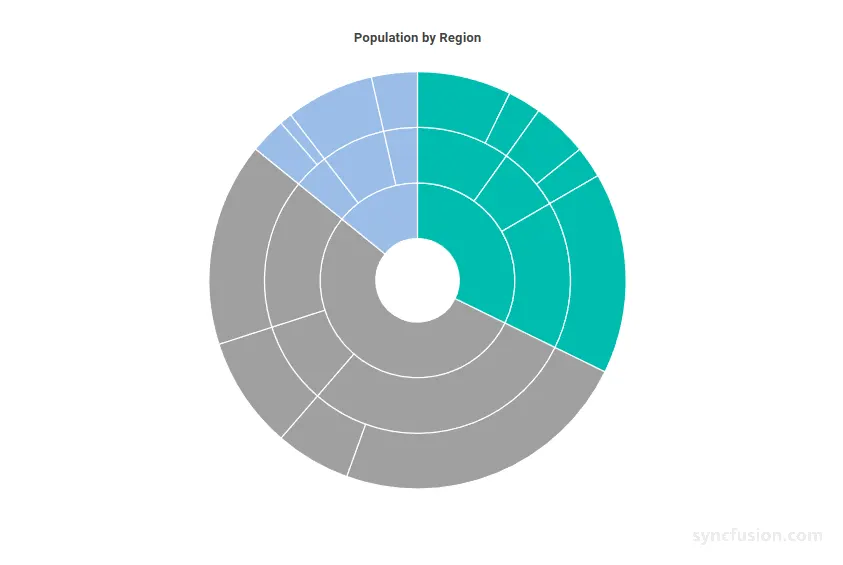
The SunburstSelectionChangedEventArgs<TItem> instance exposes the current selection state after the interaction completes:
-
EventName– Returns the literal"SelectionChanged". -
SelectedPoint– The selected segment information, ornullwhen the current selection is cleared. -
PreviousPoint– The previously selected segment information, ornullwhen there was no prior selection. -
Source– The data item for the currently selected segment, or the default value when selection is cleared. -
PreviousSource– The data item for the previously selected segment, or the default value when there was no prior selection. -
HasSelection– Indicates whether the chart currently has an active selection.
Clicking the currently selected segment again clears the selection, and the
SelectionChangedcallback fires with the cleared state so external UI can synchronize with the chart.
LegendClick
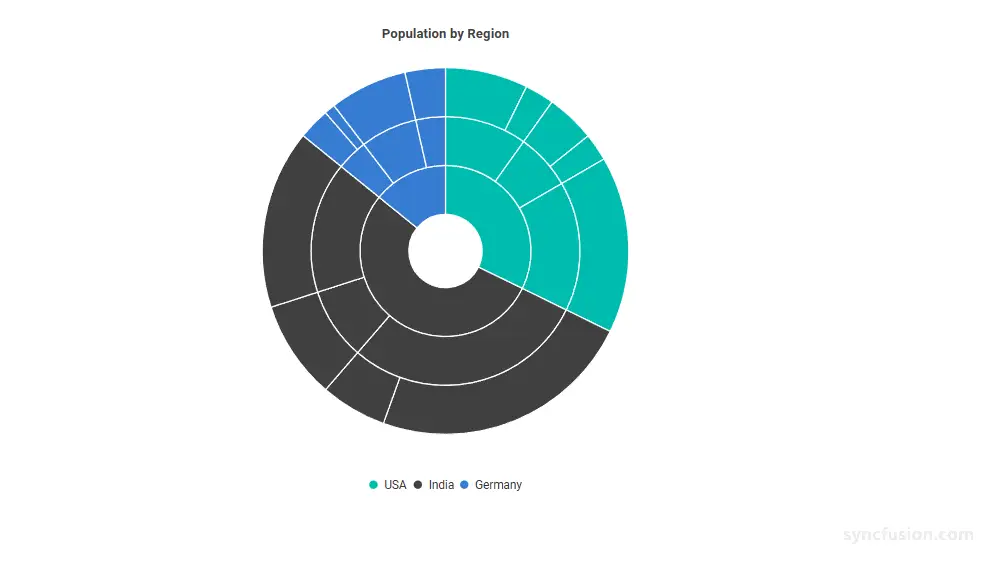
The LegendClick event is triggered when a user clicks a legend item. Use it to update external UI, log telemetry, or cancel the default visibility toggle that hides the related root-level hierarchy branch.
The corresponding event arguments are SunburstLegendClickEventArgs<TItem>.
@using Syncfusion.Blazor.Charts

<SfSunburstChart TItem="RegionData"
                 Title="Population by Region"
                 DataSource="@Regions"
                 IdMemberPath="@nameof(RegionData.Id)"
                 ParentIdMemberPath="@nameof(RegionData.ParentId)"
                 LabelMemberPath="@nameof(RegionData.Label)"
                 ValueMemberPath="@nameof(RegionData.Population)"
                 LegendClick="@LegendClickHandler"
                 Width="100%" Height="600px">
    <SunburstLegendSettings Visible="true"
                            Position="SunburstLegendPosition.Bottom"
                            ToggleVisibility="true" />
</SfSunburstChart>

@code {
    public class RegionData
    {
        public string Id { get; set; } = string.Empty;
        public string? ParentId { get; set; }
        public string Label { get; set; } = string.Empty;
        public double Population { get; set; }
    }

    public List<RegionData> Regions = new List<RegionData>
    {
        new RegionData { Id = "USA", ParentId = null, Label = "USA" },
        new RegionData { Id = "India", ParentId = null, Label = "India" },
        new RegionData { Id = "Germany", ParentId = null, Label = "Germany" },

        new RegionData { Id = "USA-California", ParentId = "USA", Label = "California" },
        new RegionData { Id = "USA-Texas", ParentId = "USA", Label = "Texas" },
        new RegionData { Id = "USA-NewYork", ParentId = "USA", Label = "New York" },

        new RegionData { Id = "India-Maharashtra", ParentId = "India", Label = "Maharashtra" },
        new RegionData { Id = "India-TamilNadu", ParentId = "India", Label = "Tamil Nadu" },
        new RegionData { Id = "India-Karnataka", ParentId = "India", Label = "Karnataka" },

        new RegionData { Id = "Germany-Bavaria", ParentId = "Germany", Label = "Bavaria" },
        new RegionData { Id = "Germany-Berlin", ParentId = "Germany", Label = "Berlin" },
        new RegionData { Id = "Germany-Hamburg", ParentId = "Germany", Label = "Hamburg" },

        new RegionData { Id = "USA-California-LosAngeles", ParentId = "USA-California", Label = "Los Angeles", Population = 3898000 },
        new RegionData { Id = "USA-California-SanDiego", ParentId = "USA-California", Label = "San Diego", Population = 1381000 },
        new RegionData { Id = "USA-Texas-Houston", ParentId = "USA-Texas", Label = "Houston", Population = 2304000 },
        new RegionData { Id = "USA-Texas-Dallas", ParentId = "USA-Texas", Label = "Dallas", Population = 1304000 },
        new RegionData { Id = "USA-NewYork-NewYorkCity", ParentId = "USA-NewYork", Label = "New York City", Population = 8336000 },

        new RegionData { Id = "India-Maharashtra-Mumbai", ParentId = "India-Maharashtra", Label = "Mumbai", Population = 12440000 },
        new RegionData { Id = "India-Maharashtra-Pune", ParentId = "India-Maharashtra", Label = "Pune", Population = 3120000 },
        new RegionData { Id = "India-TamilNadu-Chennai", ParentId = "India-TamilNadu", Label = "Chennai", Population = 4646000 },
        new RegionData { Id = "India-Karnataka-Bengaluru", ParentId = "India-Karnataka", Label = "Bengaluru", Population = 8443000 },

        new RegionData { Id = "Germany-Bavaria-Munich", ParentId = "Germany-Bavaria", Label = "Munich", Population = 1488000 },
        new RegionData { Id = "Germany-Bavaria-Nuremberg", ParentId = "Germany-Bavaria", Label = "Nuremberg", Population = 515000 },
        new RegionData { Id = "Germany-Berlin-BerlinCity", ParentId = "Germany-Berlin", Label = "Berlin", Population = 3664000 },
        new RegionData { Id = "Germany-Hamburg-HamburgCity", ParentId = "Germany-Hamburg", Label = "Hamburg", Population = 1899000 }
    };

    private Task LegendClickHandler(SunburstLegendClickEventArgs<RegionData> args)
    {
        // Here, you can customize your code.

        // Example: prevent the Germany branch from being hidden on click.
        // if (args.Text == "Germany") args.Cancel = true;

        return Task.CompletedTask;
    }
}
SunburstLegendClickEventArgs properties
SunburstLegendClickEventArgs<TItem> is supplied to the LegendClick callback and exposes the following fields:
| Property | Type | Description |
|---|---|---|
EventName |
string |
Returns the literal "LegendClick". Set by the chart — do not mutate. |
Cancel |
bool |
Set to true to prevent the default visibility toggle for the legend item’s root-level hierarchy branch. The default value is false. |
LegendIndex |
int |
The zero-based index of the clicked legend item. Set by the chart. |
Text |
string |
The label text of the clicked legend item. |
ShapeColor |
string |
The marker color of the clicked legend item. |
Source |
TItem |
Gets the original data item associated with the clicked legend item. |
LegendItemRendering
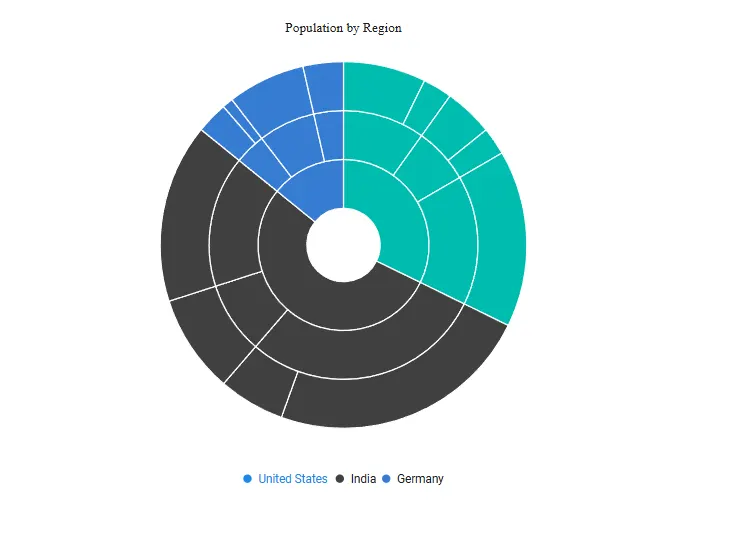
The LegendItemRendering event fires before each legend item is rendered. Use it to customize the legend text, text color, and marker color. Setting Cancel to true prevents that legend item from being rendered.
@using Syncfusion.Blazor.Charts

<SfSunburstChart TItem="RegionData"
                 Title="Population by Region"
                 DataSource="@Regions"
                 IdMemberPath="@nameof(RegionData.Id)"
                 ParentIdMemberPath="@nameof(RegionData.ParentId)"
                 LabelMemberPath="@nameof(RegionData.Label)"
                 ValueMemberPath="@nameof(RegionData.Population)"
                 LegendItemRendering="@OnLegendRendering"
                 Width="100%" Height="600px">
    <SunburstLegendSettings Visible="true"
                            Position="SunburstLegendPosition.Bottom"
                            ToggleVisibility="false" />
</SfSunburstChart>

@code {
    public class RegionData
    {
        public string Id { get; set; } = string.Empty;
        public string? ParentId { get; set; }
        public string Label { get; set; } = string.Empty;
        public double Population { get; set; }
    }

    public List<RegionData> Regions = new List<RegionData>
    {
        new RegionData { Id = "USA", ParentId = null, Label = "USA" },
        new RegionData { Id = "India", ParentId = null, Label = "India" },
        new RegionData { Id = "Germany", ParentId = null, Label = "Germany" },

        new RegionData { Id = "USA-California", ParentId = "USA", Label = "California" },
        new RegionData { Id = "USA-Texas", ParentId = "USA", Label = "Texas" },
        new RegionData { Id = "USA-NewYork", ParentId = "USA", Label = "New York" },

        new RegionData { Id = "India-Maharashtra", ParentId = "India", Label = "Maharashtra" },
        new RegionData { Id = "India-TamilNadu", ParentId = "India", Label = "Tamil Nadu" },
        new RegionData { Id = "India-Karnataka", ParentId = "India", Label = "Karnataka" },

        new RegionData { Id = "Germany-Bavaria", ParentId = "Germany", Label = "Bavaria" },
        new RegionData { Id = "Germany-Berlin", ParentId = "Germany", Label = "Berlin" },
        new RegionData { Id = "Germany-Hamburg", ParentId = "Germany", Label = "Hamburg" },

        new RegionData { Id = "USA-California-LosAngeles", ParentId = "USA-California", Label = "Los Angeles", Population = 3898000 },
        new RegionData { Id = "USA-California-SanDiego", ParentId = "USA-California", Label = "San Diego", Population = 1381000 },
        new RegionData { Id = "USA-Texas-Houston", ParentId = "USA-Texas", Label = "Houston", Population = 2304000 },
        new RegionData { Id = "USA-Texas-Dallas", ParentId = "USA-Texas", Label = "Dallas", Population = 1304000 },
        new RegionData { Id = "USA-NewYork-NewYorkCity", ParentId = "USA-NewYork", Label = "New York City", Population = 8336000 },

        new RegionData { Id = "India-Maharashtra-Mumbai", ParentId = "India-Maharashtra", Label = "Mumbai", Population = 12440000 },
        new RegionData { Id = "India-Maharashtra-Pune", ParentId = "India-Maharashtra", Label = "Pune", Population = 3120000 },
        new RegionData { Id = "India-TamilNadu-Chennai", ParentId = "India-TamilNadu", Label = "Chennai", Population = 4646000 },
        new RegionData { Id = "India-Karnataka-Bengaluru", ParentId = "India-Karnataka", Label = "Bengaluru", Population = 8443000 },

        new RegionData { Id = "Germany-Bavaria-Munich", ParentId = "Germany-Bavaria", Label = "Munich", Population = 1488000 },
        new RegionData { Id = "Germany-Bavaria-Nuremberg", ParentId = "Germany-Bavaria", Label = "Nuremberg", Population = 515000 },
        new RegionData { Id = "Germany-Berlin-BerlinCity", ParentId = "Germany-Berlin", Label = "Berlin", Population = 3664000 },
        new RegionData { Id = "Germany-Hamburg-HamburgCity", ParentId = "Germany-Hamburg", Label = "Hamburg", Population = 1899000 }
    };

    private void OnLegendRendering(SunburstLegendItemRenderingEventArgs<RegionData> args)
    {
        if (args.Text == "USA")
        {
            args.Text = "United States";
            args.TextColor = "#1E88E5";
            args.ShapeColor = "#1E88E5";
        }
    }
}
SunburstLegendItemRenderingEventArgs properties
SunburstLegendItemRenderingEventArgs<TItem> is supplied to the LegendItemRendering callback and exposes the following fields:
| Property | Type | Description |
|---|---|---|
EventName |
string |
Returns the literal "LegendItemRendering". Set by the chart — do not mutate. |
Cancel |
bool |
Set to true to prevent the legend item from being rendered. The default value is false. |
LegendIndex |
int |
The zero-based index of the legend item being rendered. Set by the chart. |
Text |
string |
The text of the legend item. Mutate to override the rendered label. |
TextColor |
string |
The color of the legend item’s text. Mutate to override. |
ShapeColor |
string |
The color of the legend item’s marker. Mutate to override. |
Source |
TItem |
Gets the original data item associated with the legend item. |
DataLabelRendering
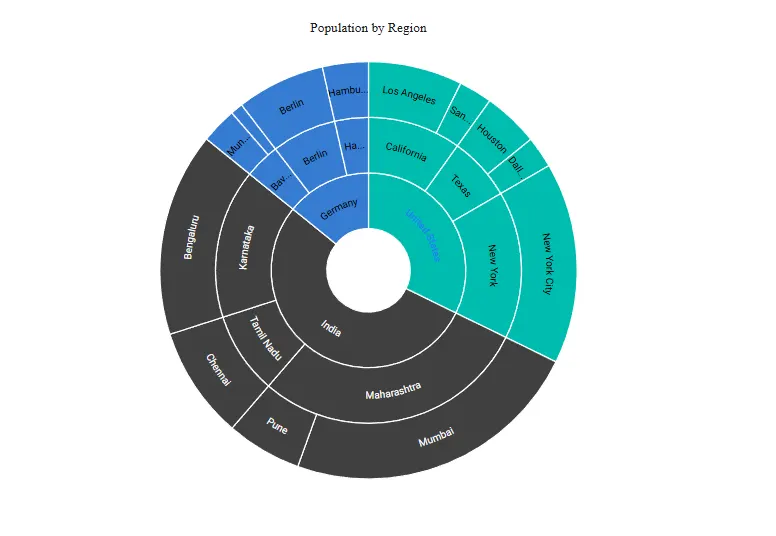
The DataLabelRendering event fires before each data label is rendered. Use it to override the rendered text or font style, or cancel the label entirely.
@using Syncfusion.Blazor.Charts

<SfSunburstChart TItem="RegionData"
                 Title="Population by Region"
                 DataSource="@Regions"
                 IdMemberPath="@nameof(RegionData.Id)"
                 ParentIdMemberPath="@nameof(RegionData.ParentId)"
                 LabelMemberPath="@nameof(RegionData.Label)"
                 ValueMemberPath="@nameof(RegionData.Population)"
                 DataLabelRendering="@OnDataLabel"
                 Width="100%" Height="600px">
    <SunburstDataLabelSettings Visible="true" />
</SfSunburstChart>

@code {
    public class RegionData
    {
        public string Id { get; set; } = string.Empty;
        public string? ParentId { get; set; }
        public string Label { get; set; } = string.Empty;
        public double Population { get; set; }
    }

    public List<RegionData> Regions = new List<RegionData>
    {
        new RegionData { Id = "USA", ParentId = null, Label = "USA" },
        new RegionData { Id = "India", ParentId = null, Label = "India" },
        new RegionData { Id = "Germany", ParentId = null, Label = "Germany" },

        new RegionData { Id = "USA-California", ParentId = "USA", Label = "California" },
        new RegionData { Id = "USA-Texas", ParentId = "USA", Label = "Texas" },
        new RegionData { Id = "USA-NewYork", ParentId = "USA", Label = "New York" },

        new RegionData { Id = "India-Maharashtra", ParentId = "India", Label = "Maharashtra" },
        new RegionData { Id = "India-TamilNadu", ParentId = "India", Label = "Tamil Nadu" },
        new RegionData { Id = "India-Karnataka", ParentId = "India", Label = "Karnataka" },

        new RegionData { Id = "Germany-Bavaria", ParentId = "Germany", Label = "Bavaria" },
        new RegionData { Id = "Germany-Berlin", ParentId = "Germany", Label = "Berlin" },
        new RegionData { Id = "Germany-Hamburg", ParentId = "Germany", Label = "Hamburg" },

        new RegionData { Id = "USA-California-LosAngeles", ParentId = "USA-California", Label = "Los Angeles", Population = 3898000 },
        new RegionData { Id = "USA-California-SanDiego", ParentId = "USA-California", Label = "San Diego", Population = 1381000 },
        new RegionData { Id = "USA-Texas-Houston", ParentId = "USA-Texas", Label = "Houston", Population = 2304000 },
        new RegionData { Id = "USA-Texas-Dallas", ParentId = "USA-Texas", Label = "Dallas", Population = 1304000 },
        new RegionData { Id = "USA-NewYork-NewYorkCity", ParentId = "USA-NewYork", Label = "New York City", Population = 8336000 },

        new RegionData { Id = "India-Maharashtra-Mumbai", ParentId = "India-Maharashtra", Label = "Mumbai", Population = 12440000 },
        new RegionData { Id = "India-Maharashtra-Pune", ParentId = "India-Maharashtra", Label = "Pune", Population = 3120000 },
        new RegionData { Id = "India-TamilNadu-Chennai", ParentId = "India-TamilNadu", Label = "Chennai", Population = 4646000 },
        new RegionData { Id = "India-Karnataka-Bengaluru", ParentId = "India-Karnataka", Label = "Bengaluru", Population = 8443000 },

        new RegionData { Id = "Germany-Bavaria-Munich", ParentId = "Germany-Bavaria", Label = "Munich", Population = 1488000 },
        new RegionData { Id = "Germany-Bavaria-Nuremberg", ParentId = "Germany-Bavaria", Label = "Nuremberg", Population = 515000 },
        new RegionData { Id = "Germany-Berlin-BerlinCity", ParentId = "Germany-Berlin", Label = "Berlin", Population = 3664000 },
        new RegionData { Id = "Germany-Hamburg-HamburgCity", ParentId = "Germany-Hamburg", Label = "Hamburg", Population = 1899000 }
    };

    private void OnDataLabel(SunburstDataLabelRenderingEventArgs<RegionData> args)
    {
        if (args.Text == "USA")
        {
            args.Text = "United States";
            args.Font.Color = "#1E88E5";
            args.Font.FontWeight = "Bold";
        }
    }
}
SunburstDataLabelRenderingEventArgs properties
SunburstDataLabelRenderingEventArgs<TItem> is supplied to the DataLabelRendering callback and exposes the following fields:
| Property | Type | Description |
|---|---|---|
EventName |
string |
Returns the literal "DataLabelRendering". Set by the chart — do not mutate. |
Cancel |
bool |
Set to true to prevent the data label from being rendered. The default value is false. |
Text |
string |
The text of the data label. Mutate to override the rendered text. |
Font |
SunburstFontModel |
The font style applied to the data label. Mutate Color, FontSize, FontFamily, FontWeight, FontStyle, or Opacity to override the appearance. |
Source |
TItem |
Gets the original data item associated with the data label. |
SegmentRendering
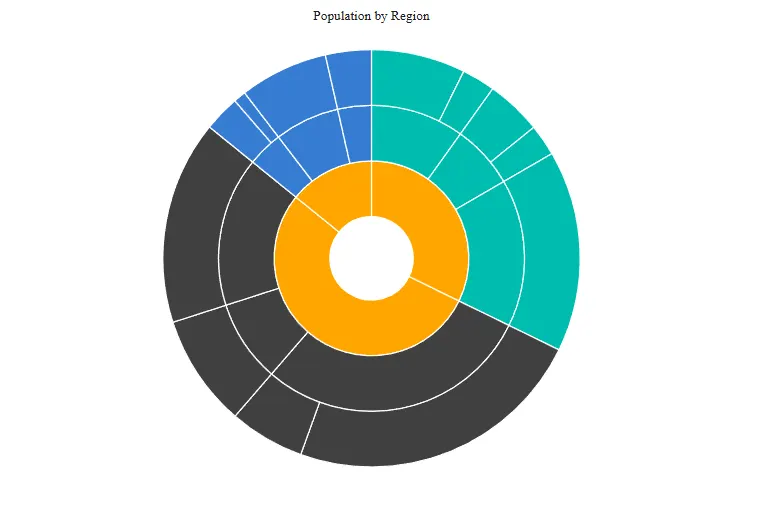
The SegmentRendering event fires before each Sunburst segment is rendered. Use it to override the segment color based on its level or root label, or to skip individual segments.
@using Syncfusion.Blazor.Charts

<SfSunburstChart TItem="RegionData"
                 Title="Population by Region"
                 DataSource="@Regions"
                 IdMemberPath="@nameof(RegionData.Id)"
                 ParentIdMemberPath="@nameof(RegionData.ParentId)"
                 LabelMemberPath="@nameof(RegionData.Label)"
                 ValueMemberPath="@nameof(RegionData.Population)"
                 SegmentRendering="@OnSegmentRender"
                 Width="100%" Height="600px">
</SfSunburstChart>

@code {
    public class RegionData
    {
        public string Id { get; set; } = string.Empty;
        public string? ParentId { get; set; }
        public string Label { get; set; } = string.Empty;
        public double Population { get; set; }
    }

    public List<RegionData> Regions = new List<RegionData>
    {
        new RegionData { Id = "USA", ParentId = null, Label = "USA" },
        new RegionData { Id = "India", ParentId = null, Label = "India" },
        new RegionData { Id = "Germany", ParentId = null, Label = "Germany" },

        new RegionData { Id = "USA-California", ParentId = "USA", Label = "California" },
        new RegionData { Id = "USA-Texas", ParentId = "USA", Label = "Texas" },
        new RegionData { Id = "USA-NewYork", ParentId = "USA", Label = "New York" },

        new RegionData { Id = "India-Maharashtra", ParentId = "India", Label = "Maharashtra" },
        new RegionData { Id = "India-TamilNadu", ParentId = "India", Label = "Tamil Nadu" },
        new RegionData { Id = "India-Karnataka", ParentId = "India", Label = "Karnataka" },

        new RegionData { Id = "Germany-Bavaria", ParentId = "Germany", Label = "Bavaria" },
        new RegionData { Id = "Germany-Berlin", ParentId = "Germany", Label = "Berlin" },
        new RegionData { Id = "Germany-Hamburg", ParentId = "Germany", Label = "Hamburg" },

        new RegionData { Id = "USA-California-LosAngeles", ParentId = "USA-California", Label = "Los Angeles", Population = 3898000 },
        new RegionData { Id = "USA-California-SanDiego", ParentId = "USA-California", Label = "San Diego", Population = 1381000 },
        new RegionData { Id = "USA-Texas-Houston", ParentId = "USA-Texas", Label = "Houston", Population = 2304000 },
        new RegionData { Id = "USA-Texas-Dallas", ParentId = "USA-Texas", Label = "Dallas", Population = 1304000 },
        new RegionData { Id = "USA-NewYork-NewYorkCity", ParentId = "USA-NewYork", Label = "New York City", Population = 8336000 },

        new RegionData { Id = "India-Maharashtra-Mumbai", ParentId = "India-Maharashtra", Label = "Mumbai", Population = 12440000 },
        new RegionData { Id = "India-Maharashtra-Pune", ParentId = "India-Maharashtra", Label = "Pune", Population = 3120000 },
        new RegionData { Id = "India-TamilNadu-Chennai", ParentId = "India-TamilNadu", Label = "Chennai", Population = 4646000 },
        new RegionData { Id = "India-Karnataka-Bengaluru", ParentId = "India-Karnataka", Label = "Bengaluru", Population = 8443000 },

        new RegionData { Id = "Germany-Bavaria-Munich", ParentId = "Germany-Bavaria", Label = "Munich", Population = 1488000 },
        new RegionData { Id = "Germany-Bavaria-Nuremberg", ParentId = "Germany-Bavaria", Label = "Nuremberg", Population = 515000 },
        new RegionData { Id = "Germany-Berlin-BerlinCity", ParentId = "Germany-Berlin", Label = "Berlin", Population = 3664000 },
        new RegionData { Id = "Germany-Hamburg-HamburgCity", ParentId = "Germany-Hamburg", Label = "Hamburg", Population = 1899000 }
    };

    private void OnSegmentRender(SunburstSegmentRenderingEventArgs<RegionData> args)
    {
        if (args.LevelIndex == 0)
        {
            args.Color = "#FFA500";
        }
    }
}
SunburstSegmentRenderingEventArgs properties
SunburstSegmentRenderingEventArgs<TItem> is supplied to the SegmentRendering callback and exposes the following fields:
| Property | Type | Description |
|---|---|---|
EventName |
string |
Returns the literal "SegmentRendering". Set by the chart — do not mutate. |
Cancel |
bool |
Set to true to prevent the segment from being rendered. The default value is false. |
Color |
string |
The fill color of the segment. Mutate to override based on level or root label. |
LevelIndex |
int |
The zero-based index of the hierarchy level being rendered. The top-level, innermost ring is 0. Set by the chart. |
RootLabel |
string |
The label of the segment’s top-level ancestor. Set by the chart. |
Source |
TItem |
Gets the original data item associated with the segment. |
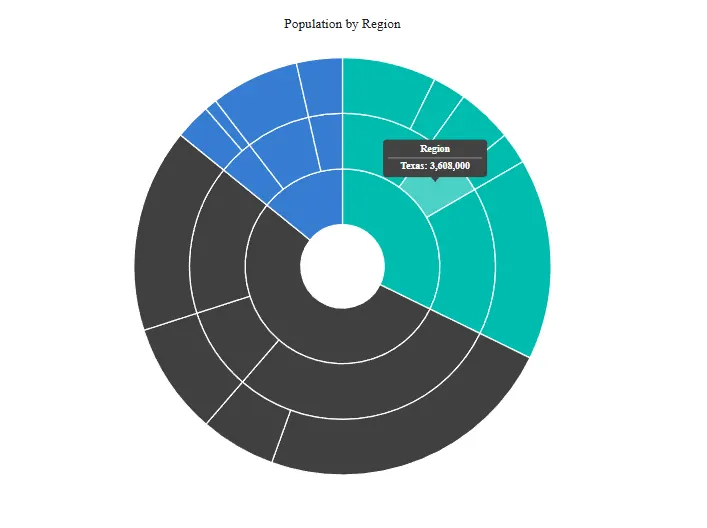
TooltipRendering
The TooltipRendering event fires before each tooltip is rendered. Use it to override the tooltip text and appearance, or cancel the tooltip entirely.
@using Syncfusion.Blazor.Charts

<SfSunburstChart TItem="RegionData"
                 Title="Population by Region"
                 DataSource="@Regions"
                 IdMemberPath="@nameof(RegionData.Id)"
                 ParentIdMemberPath="@nameof(RegionData.ParentId)"
                 LabelMemberPath="@nameof(RegionData.Label)"
                 ValueMemberPath="@nameof(RegionData.Population)"
                 TooltipRendering="@OnTooltipRender"
                 Width="100%" Height="600px">
    <SunburstTooltipSettings Enable="true" />
</SfSunburstChart>

@code {
    public class RegionData
    {
        public string Id { get; set; } = string.Empty;
        public string? ParentId { get; set; }
        public string Label { get; set; } = string.Empty;
        public double Population { get; set; }
    }

    public List<RegionData> Regions = new List<RegionData>
    {
        new RegionData { Id = "USA", ParentId = null, Label = "USA" },
        new RegionData { Id = "India", ParentId = null, Label = "India" },
        new RegionData { Id = "Germany", ParentId = null, Label = "Germany" },

        new RegionData { Id = "USA-California", ParentId = "USA", Label = "California" },
        new RegionData { Id = "USA-Texas", ParentId = "USA", Label = "Texas" },
        new RegionData { Id = "USA-NewYork", ParentId = "USA", Label = "New York" },

        new RegionData { Id = "India-Maharashtra", ParentId = "India", Label = "Maharashtra" },
        new RegionData { Id = "India-TamilNadu", ParentId = "India", Label = "Tamil Nadu" },
        new RegionData { Id = "India-Karnataka", ParentId = "India", Label = "Karnataka" },

        new RegionData { Id = "Germany-Bavaria", ParentId = "Germany", Label = "Bavaria" },
        new RegionData { Id = "Germany-Berlin", ParentId = "Germany", Label = "Berlin" },
        new RegionData { Id = "Germany-Hamburg", ParentId = "Germany", Label = "Hamburg" },

        new RegionData { Id = "USA-California-LosAngeles", ParentId = "USA-California", Label = "Los Angeles", Population = 3898000 },
        new RegionData { Id = "USA-California-SanDiego", ParentId = "USA-California", Label = "San Diego", Population = 1381000 },
        new RegionData { Id = "USA-Texas-Houston", ParentId = "USA-Texas", Label = "Houston", Population = 2304000 },
        new RegionData { Id = "USA-Texas-Dallas", ParentId = "USA-Texas", Label = "Dallas", Population = 1304000 },
        new RegionData { Id = "USA-NewYork-NewYorkCity", ParentId = "USA-NewYork", Label = "New York City", Population = 8336000 },

        new RegionData { Id = "India-Maharashtra-Mumbai", ParentId = "India-Maharashtra", Label = "Mumbai", Population = 12440000 },
        new RegionData { Id = "India-Maharashtra-Pune", ParentId = "India-Maharashtra", Label = "Pune", Population = 3120000 },
        new RegionData { Id = "India-TamilNadu-Chennai", ParentId = "India-TamilNadu", Label = "Chennai", Population = 4646000 },
        new RegionData { Id = "India-Karnataka-Bengaluru", ParentId = "India-Karnataka", Label = "Bengaluru", Population = 8443000 },

        new RegionData { Id = "Germany-Bavaria-Munich", ParentId = "Germany-Bavaria", Label = "Munich", Population = 1488000 },
        new RegionData { Id = "Germany-Bavaria-Nuremberg", ParentId = "Germany-Bavaria", Label = "Nuremberg", Population = 515000 },
        new RegionData { Id = "Germany-Berlin-BerlinCity", ParentId = "Germany-Berlin", Label = "Berlin", Population = 3664000 },
        new RegionData { Id = "Germany-Hamburg-HamburgCity", ParentId = "Germany-Hamburg", Label = "Hamburg", Population = 1899000 }
    };

    private void OnTooltipRender(SunburstTooltipRenderingEventArgs<RegionData> args)
    {
        args.HeaderText = "Region";
        args.Text = $"{args.Point.Label}: {args.Point.Value:N0}";
        args.Fill = "#424242";
        args.Opacity = 1;
    }
}
SunburstTooltipRenderingEventArgs properties
SunburstTooltipRenderingEventArgs<TItem> is supplied to the TooltipRendering callback and exposes the following fields:
| Property | Type | Description |
|---|---|---|
EventName |
string |
Returns the literal "TooltipRendering". Set by the chart — do not mutate. |
Cancel |
bool |
Set to true to prevent the tooltip from being displayed. The default value is false. |
Text |
string |
The body text of the tooltip. Mutate to override. |
HeaderText |
string |
The header text of the tooltip. Mutate to override. |
Fill |
string |
The background fill color of the tooltip. Mutate to override. The default value is string.Empty, which uses the theme-defined tooltip background. |
Opacity |
double |
The opacity of the tooltip, between 0 and 1. The default value is 0.75. |
Font |
SunburstFontModel |
The font style applied to the tooltip body text. Mutate fields to override. |
HeaderFont |
SunburstFontModel |
The font style applied to the tooltip header line. Mutate fields to override. |
HeaderLineColor |
string |
The color of the separator line drawn between the header and body when SunburstTooltipSettings.ShowHeaderLine is true. The default value is string.Empty. |
Point |
SunburstPointInfo |
Information about the data point under the cursor. Exposes Label and Value. Set by the chart — do not reassign. |
Source |
TItem |
Gets the original data item associated with the tooltip. |
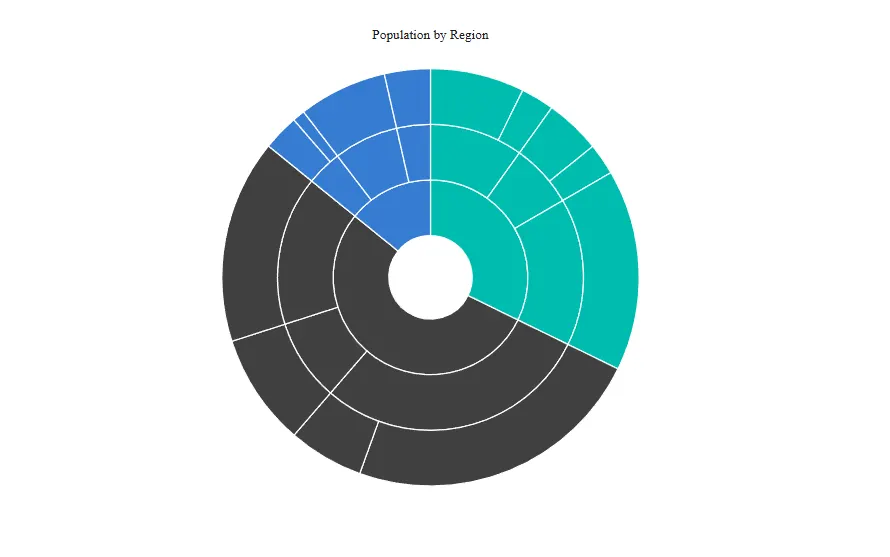
Loaded
The Loaded event fires once after the Sunburst chart has been initialized and rendered. It is the right place to run post-load configuration or toast the user that the chart is ready.
@using Syncfusion.Blazor.Charts

<SfSunburstChart TItem="RegionData"
                 Title="Population by Region"
                 DataSource="@Regions"
                 IdMemberPath="@nameof(RegionData.Id)"
                 ParentIdMemberPath="@nameof(RegionData.ParentId)"
                 LabelMemberPath="@nameof(RegionData.Label)"
                 ValueMemberPath="@nameof(RegionData.Population)"
                 Loaded="@OnLoaded"
                 Width="100%" Height="600px">
</SfSunburstChart>

@code {
    public class RegionData
    {
        public string Id { get; set; } = string.Empty;
        public string? ParentId { get; set; }
        public string Label { get; set; } = string.Empty;
        public double Population { get; set; }
    }

    public List<RegionData> Regions = new List<RegionData>
    {
        new RegionData { Id = "USA", ParentId = null, Label = "USA" },
        new RegionData { Id = "India", ParentId = null, Label = "India" },
        new RegionData { Id = "Germany", ParentId = null, Label = "Germany" },

        new RegionData { Id = "USA-California", ParentId = "USA", Label = "California" },
        new RegionData { Id = "USA-Texas", ParentId = "USA", Label = "Texas" },
        new RegionData { Id = "USA-NewYork", ParentId = "USA", Label = "New York" },

        new RegionData { Id = "India-Maharashtra", ParentId = "India", Label = "Maharashtra" },
        new RegionData { Id = "India-TamilNadu", ParentId = "India", Label = "Tamil Nadu" },
        new RegionData { Id = "India-Karnataka", ParentId = "India", Label = "Karnataka" },

        new RegionData { Id = "Germany-Bavaria", ParentId = "Germany", Label = "Bavaria" },
        new RegionData { Id = "Germany-Berlin", ParentId = "Germany", Label = "Berlin" },
        new RegionData { Id = "Germany-Hamburg", ParentId = "Germany", Label = "Hamburg" },

        new RegionData { Id = "USA-California-LosAngeles", ParentId = "USA-California", Label = "Los Angeles", Population = 3898000 },
        new RegionData { Id = "USA-California-SanDiego", ParentId = "USA-California", Label = "San Diego", Population = 1381000 },
        new RegionData { Id = "USA-Texas-Houston", ParentId = "USA-Texas", Label = "Houston", Population = 2304000 },
        new RegionData { Id = "USA-Texas-Dallas", ParentId = "USA-Texas", Label = "Dallas", Population = 1304000 },
        new RegionData { Id = "USA-NewYork-NewYorkCity", ParentId = "USA-NewYork", Label = "New York City", Population = 8336000 },

        new RegionData { Id = "India-Maharashtra-Mumbai", ParentId = "India-Maharashtra", Label = "Mumbai", Population = 12440000 },
        new RegionData { Id = "India-Maharashtra-Pune", ParentId = "India-Maharashtra", Label = "Pune", Population = 3120000 },
        new RegionData { Id = "India-TamilNadu-Chennai", ParentId = "India-TamilNadu", Label = "Chennai", Population = 4646000 },
        new RegionData { Id = "India-Karnataka-Bengaluru", ParentId = "India-Karnataka", Label = "Bengaluru", Population = 8443000 },

        new RegionData { Id = "Germany-Bavaria-Munich", ParentId = "Germany-Bavaria", Label = "Munich", Population = 1488000 },
        new RegionData { Id = "Germany-Bavaria-Nuremberg", ParentId = "Germany-Bavaria", Label = "Nuremberg", Population = 515000 },
        new RegionData { Id = "Germany-Berlin-BerlinCity", ParentId = "Germany-Berlin", Label = "Berlin", Population = 3664000 },
        new RegionData { Id = "Germany-Hamburg-HamburgCity", ParentId = "Germany-Hamburg", Label = "Hamburg", Population = 1899000 }
    };

    private void OnLoaded(SunburstLoadedEventArgs args)
    {
        // Post-load logic.
    }
}
SunburstLoadedEventArgs properties
SunburstLoadedEventArgs is supplied to the Loaded callback and exposes the following field:
| Property | Type | Description |
|---|---|---|
EventName |
string |
Returns the literal "Loaded". Read-only. |
PrintCompleted and exporting hooks
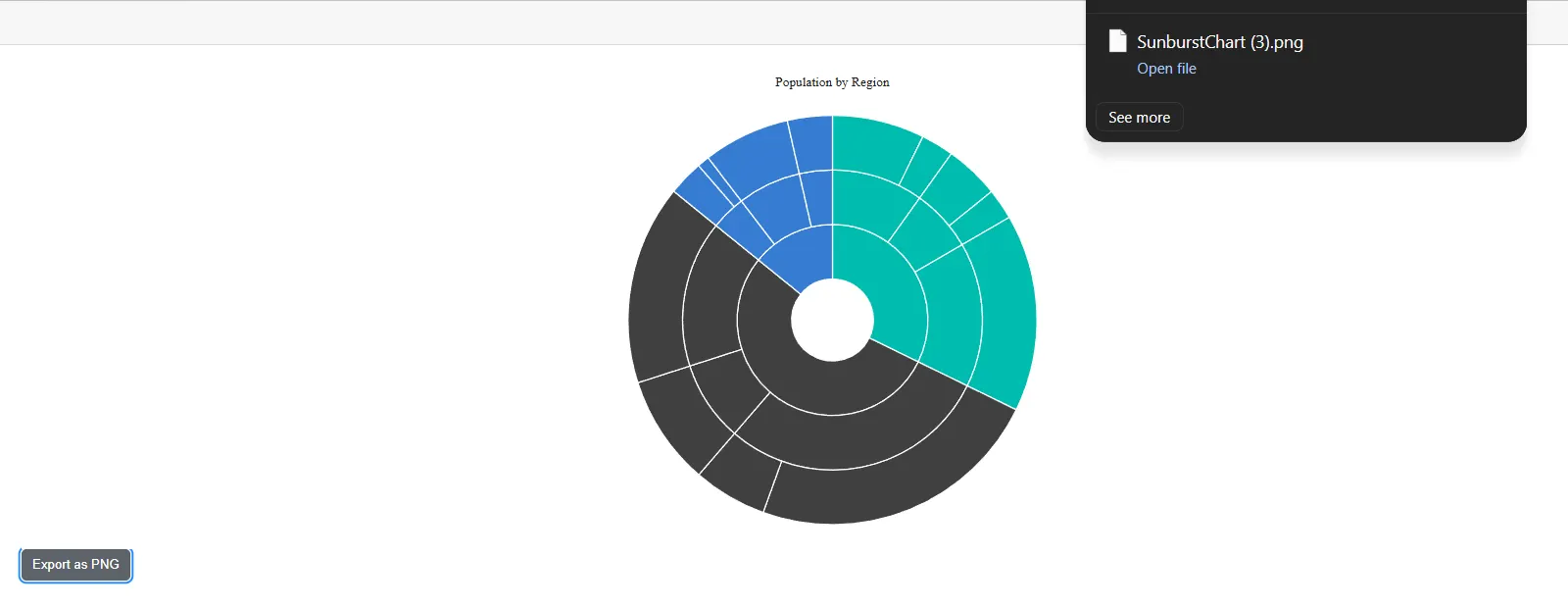
The Blazor Sunburst Chart exposes synchronous Action callbacks for the print and export workflows initiated by PrintAsync and ExportAsync. They are not EventCallback instances because they are invoked by internal orchestration rather than by a user gesture.
-
PrintCompleted(Action) – Fires after the chart’s print workflow has been submitted to the browser. -
Exporting(Action<ChartExportEventArgs>) – Fires before an export is performed. UseCancel = trueto skip the export, or overrideWidth,Height, or the in-progressWorkbookfor visual / data exports. -
ExportCompleted(Action<ExportEventArgs>) – Fires after the export completes. Receives the resultingDataUrlwhenExportAsyncwas called withallowDownload = false.
@using Syncfusion.Blazor.Charts

<SfSunburstChart TItem="RegionData"
                 Title="Population by Region"
                 DataSource="@Regions"
                 IdMemberPath="@nameof(RegionData.Id)"
                 ParentIdMemberPath="@nameof(RegionData.ParentId)"
                 LabelMemberPath="@nameof(RegionData.Label)"
                 ValueMemberPath="@nameof(RegionData.Population)"
                 Exporting="@OnExporting"
                 ExportCompleted="@OnExportCompleted"
                 @ref="Sunburst"
                 Width="100%" Height="600px">
</SfSunburstChart>

<button @onclick="ExportSunburst">Export PNG</button>

@code {
    private SfSunburstChart<RegionData>? Sunburst;

    public class RegionData
    {
        public string Id { get; set; } = string.Empty;
        public string? ParentId { get; set; }
        public string Label { get; set; } = string.Empty;
        public double Population { get; set; }
    }

    public List<RegionData> Regions = new List<RegionData>
    {
        new RegionData { Id = "USA", ParentId = null, Label = "USA" },
        new RegionData { Id = "India", ParentId = null, Label = "India" },
        new RegionData { Id = "Germany", ParentId = null, Label = "Germany" },

        new RegionData { Id = "USA-California", ParentId = "USA", Label = "California" },
        new RegionData { Id = "USA-Texas", ParentId = "USA", Label = "Texas" },
        new RegionData { Id = "USA-NewYork", ParentId = "USA", Label = "New York" },

        new RegionData { Id = "India-Maharashtra", ParentId = "India", Label = "Maharashtra" },
        new RegionData { Id = "India-TamilNadu", ParentId = "India", Label = "Tamil Nadu" },
        new RegionData { Id = "India-Karnataka", ParentId = "India", Label = "Karnataka" },

        new RegionData { Id = "Germany-Bavaria", ParentId = "Germany", Label = "Bavaria" },
        new RegionData { Id = "Germany-Berlin", ParentId = "Germany", Label = "Berlin" },
        new RegionData { Id = "Germany-Hamburg", ParentId = "Germany", Label = "Hamburg" },

        new RegionData { Id = "USA-California-LosAngeles", ParentId = "USA-California", Label = "Los Angeles", Population = 3898000 },
        new RegionData { Id = "USA-California-SanDiego", ParentId = "USA-California", Label = "San Diego", Population = 1381000 },
        new RegionData { Id = "USA-Texas-Houston", ParentId = "USA-Texas", Label = "Houston", Population = 2304000 },
        new RegionData { Id = "USA-Texas-Dallas", ParentId = "USA-Texas", Label = "Dallas", Population = 1304000 },
        new RegionData { Id = "USA-NewYork-NewYorkCity", ParentId = "USA-NewYork", Label = "New York City", Population = 8336000 },

        new RegionData { Id = "India-Maharashtra-Mumbai", ParentId = "India-Maharashtra", Label = "Mumbai", Population = 12440000 },
        new RegionData { Id = "India-Maharashtra-Pune", ParentId = "India-Maharashtra", Label = "Pune", Population = 3120000 },
        new RegionData { Id = "India-TamilNadu-Chennai", ParentId = "India-TamilNadu", Label = "Chennai", Population = 4646000 },
        new RegionData { Id = "India-Karnataka-Bengaluru", ParentId = "India-Karnataka", Label = "Bengaluru", Population = 8443000 },

        new RegionData { Id = "Germany-Bavaria-Munich", ParentId = "Germany-Bavaria", Label = "Munich", Population = 1488000 },
        new RegionData { Id = "Germany-Bavaria-Nuremberg", ParentId = "Germany-Bavaria", Label = "Nuremberg", Population = 515000 },
        new RegionData { Id = "Germany-Berlin-BerlinCity", ParentId = "Germany-Berlin", Label = "Berlin", Population = 3664000 },
        new RegionData { Id = "Germany-Hamburg-HamburgCity", ParentId = "Germany-Hamburg", Label = "Hamburg", Population = 1899000 }
    };

    private async Task ExportSunburst()
    {
        await Sunburst!.ExportAsync(ExportType.PNG, "SunburstChart");
    }

    private void OnExporting(ChartExportEventArgs args)
    {
        // Adjust the captured canvas dimensions before the export runs.
        args.Width = 1024;
        args.Height = 768;
    }

    private void OnExportCompleted(ExportEventArgs args)
    {
        // args.DataUrl contains the exported image as a data URL when allowDownload is false.
    }
}
SfSunburstChart event callbacks
The following tables list the callbacks exposed by the SfSunburstChart component, the event arguments they receive, and the default EventName value.
Interaction events
| Event | EventArgs | EventName | Cancelable |
|---|---|---|---|
Loaded |
SunburstLoadedEventArgs |
Loaded |
No |
PointClick |
SunburstPointClickEventArgs<TItem> |
PointClick |
No |
LegendClick |
SunburstLegendClickEventArgs<TItem> |
LegendClick |
Yes |
SelectionChanged |
SunburstSelectionChangedEventArgs<TItem> |
SelectionChanged |
No |
DrillDownStarting |
SunburstDrillStartingEventArgs<TItem> |
DrillDownStarting |
Yes |
DrillDownCompleted |
SunburstDrillEventArgs<TItem> |
DrillDownCompleted |
No |
DrillUpStarting |
SunburstDrillStartingEventArgs<TItem> |
DrillUpStarting |
Yes |
DrillUpCompleted |
SunburstDrillEventArgs<TItem> |
DrillUpCompleted |
No |
PrintCompleted |
Action (no args) |
n/a | No |
Rendering events
| Event | EventArgs | EventName | Cancelable |
|---|---|---|---|
LegendItemRendering |
SunburstLegendItemRenderingEventArgs<TItem> |
LegendItemRendering |
Yes |
DataLabelRendering |
SunburstDataLabelRenderingEventArgs<TItem> |
DataLabelRendering |
Yes |
SegmentRendering |
SunburstSegmentRenderingEventArgs<TItem> |
SegmentRendering |
Yes |
TooltipRendering |
SunburstTooltipRenderingEventArgs<TItem> |
TooltipRendering |
Yes |
Export hooks
| Event | EventArgs | Cancelable |
|---|---|---|
Exporting |
ChartExportEventArgs |
Yes (Cancel) |
ExportCompleted |
ExportEventArgs |
No |
Actioncallbacks (LegendItemRendering,DataLabelRendering,SegmentRendering,TooltipRendering,Exporting,ExportCompleted,PrintCompleted) are invoked synchronously by the chart.EventCallbackcallbacks (Loaded,PointClick,LegendClick,SelectionChanged,DrillDownStarting,DrillDownCompleted,DrillUpStarting,DrillUpCompleted) support Blazor’s asynchronous dispatch and can be used withasync/await.