Blazor Sunburst Chart Drill
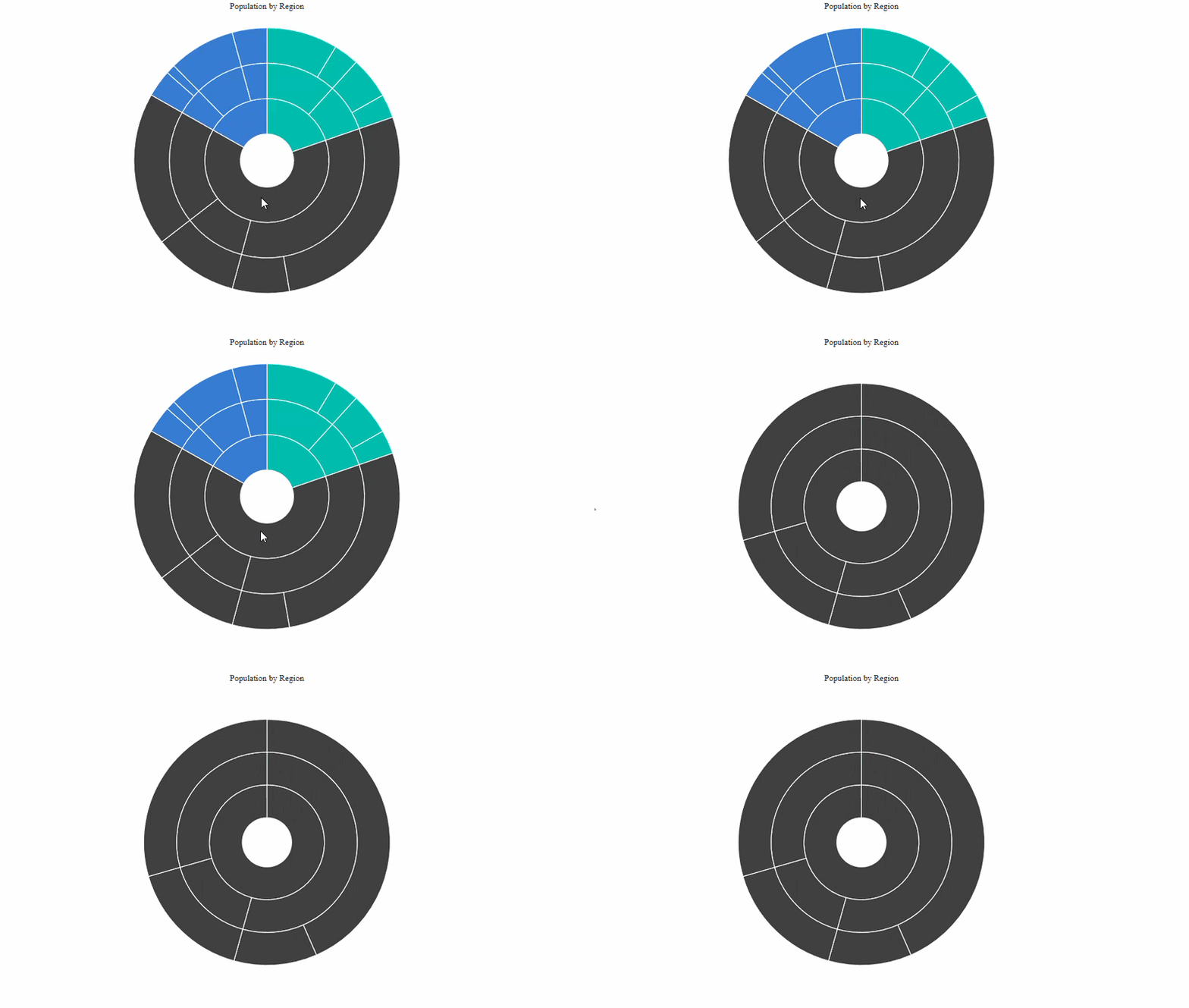
The drill feature allows users to explore hierarchical data by focusing on a selected Sunburst segment and displaying its child segments. Users can drill down into a segment that contains child nodes and return to a previous hierarchy level using the focused segment or breadcrumb navigation.
The drill functionality of the Blazor Sunburst Chart can be enabled and customized using the SunburstDrillSettings child component.
Default behavior: Drill-down is disabled by default because the default value of
Enableisfalse. TheShowBreadcrumbsproperty is enabled by default, but breadcrumbs are displayed only when drilling is enabled and the chart is currently drilled into a hierarchy level.
Enable drill-down
Set the Enable property of SunburstDrillSettings to true to enable drill-down navigation.
Users drill down by double-clicking a segment that contains child segments. Double-clicking the currently focused root segment drills up to its parent level. A single click never triggers drill — it only fires OnMouseClick (see the PointClick event for observation). From a touchscreen, a double tap within 400 ms on the same segment drills; from the keyboard, Enter on a focused segment drills, since the chart routes Enter to the same drill path that a pointer double-click does.
@using Syncfusion.Blazor.Charts

<SfSunburstChart TItem="RegionData"
                 Title="Population by Region"
                 DataSource="@Regions"
                 IdMemberPath="@nameof(RegionData.Id)"
                 ParentIdMemberPath="@nameof(RegionData.ParentId)"
                 LabelMemberPath="@nameof(RegionData.Label)"
                 ValueMemberPath="@nameof(RegionData.Population)"
                 Width="100%"
                 Height="600px">
    <SunburstDrillSettings Enable="true" />
</SfSunburstChart>

@code {
    public class RegionData
    {
        public string Id { get; set; } = string.Empty;
        public string? ParentId { get; set; }
        public string Label { get; set; } = string.Empty;
        public double Population { get; set; }
    }

    public List<RegionData> Regions = new()
    {
        new RegionData { Id = "USA", ParentId = null, Label = "USA" },
        new RegionData { Id = "India", ParentId = null, Label = "India" },
        new RegionData { Id = "Germany", ParentId = null, Label = "Germany" },

        new RegionData { Id = "USA-California", ParentId = "USA", Label = "California" },
        new RegionData { Id = "USA-Texas", ParentId = "USA", Label = "Texas" },
        new RegionData { Id = "USA-NewYork", ParentId = "USA", Label = "New York" },

        new RegionData { Id = "India-Maharashtra", ParentId = "India", Label = "Maharashtra" },
        new RegionData { Id = "India-TamilNadu", ParentId = "India", Label = "Tamil Nadu" },
        new RegionData { Id = "India-Karnataka", ParentId = "India", Label = "Karnataka" },

        new RegionData { Id = "Germany-Bavaria", ParentId = "Germany", Label = "Bavaria" },
        new RegionData { Id = "Germany-Berlin", ParentId = "Germany", Label = "Berlin" },
        new RegionData { Id = "Germany-Hamburg", ParentId = "Germany", Label = "Hamburg" },

        new RegionData { Id = "USA-California-LosAngeles", ParentId = "USA-California", Label = "Los Angeles", Population = 3898000 },
        new RegionData { Id = "USA-California-SanDiego", ParentId = "USA-California", Label = "San Diego", Population = 1381000 },
        new RegionData { Id = "USA-Texas-Houston", ParentId = "USA-Texas", Label = "Houston", Population = 2304000 },
        new RegionData { Id = "USA-Texas-Dallas", ParentId = "USA-Texas", Label = "Dallas", Population = 1304000 },

        new RegionData { Id = "India-Maharashtra-Mumbai", ParentId = "India-Maharashtra", Label = "Mumbai", Population = 12440000 },
        new RegionData { Id = "India-Maharashtra-Pune", ParentId = "India-Maharashtra", Label = "Pune", Population = 3120000 },
        new RegionData { Id = "India-TamilNadu-Chennai", ParentId = "India-TamilNadu", Label = "Chennai", Population = 4646000 },
        new RegionData { Id = "India-Karnataka-Bengaluru", ParentId = "India-Karnataka", Label = "Bengaluru", Population = 8443000 },

        new RegionData { Id = "Germany-Bavaria-Munich", ParentId = "Germany-Bavaria", Label = "Munich", Population = 1488000 },
        new RegionData { Id = "Germany-Bavaria-Nuremberg", ParentId = "Germany-Bavaria", Label = "Nuremberg", Population = 515000 },
        new RegionData { Id = "Germany-Berlin-BerlinCity", ParentId = "Germany-Berlin", Label = "Berlin", Population = 3664000 },
        new RegionData { Id = "Germany-Hamburg-HamburgCity", ParentId = "Germany-Hamburg", Label = "Hamburg", Population = 1899000 }
    };
}
Drill-down is available only for segments that contain child segments. Double-clicking a leaf segment does not change the current drill level.
Show breadcrumbs
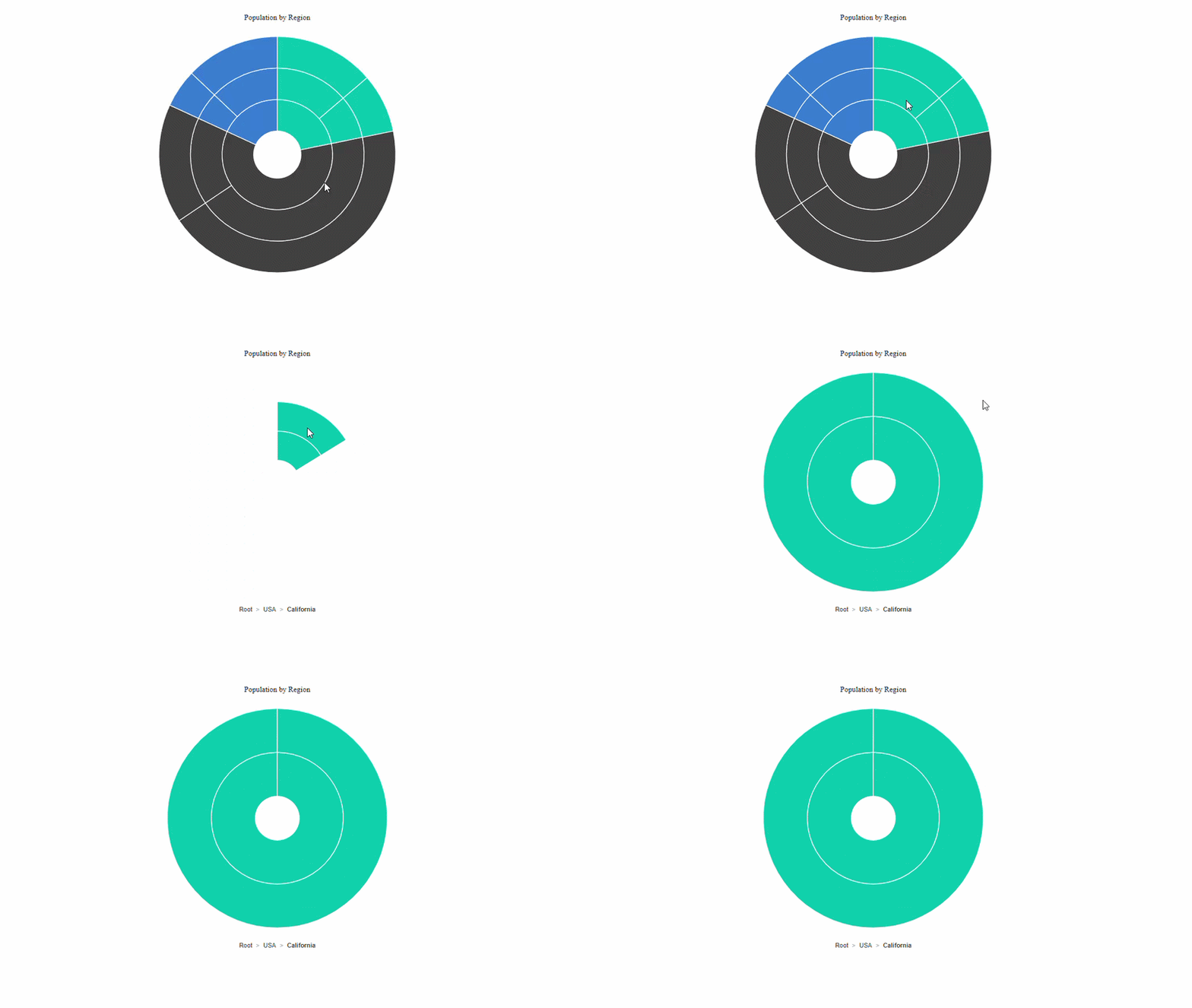
Breadcrumbs display the current hierarchy path when the chart is drilled into a segment. Each breadcrumb item represents a level in the current hierarchy and can be selected to navigate back to that level.
Set the ShowBreadcrumbs property to true to display breadcrumbs. The default value of this property is true.
@using Syncfusion.Blazor.Charts

<SfSunburstChart TItem="RegionData"
                 DataSource="@Regions"
                 IdMemberPath="@nameof(RegionData.Id)"
                 ParentIdMemberPath="@nameof(RegionData.ParentId)"
                 LabelMemberPath="@nameof(RegionData.Label)"
                 ValueMemberPath="@nameof(RegionData.Population)"
                 Width="100%"
                 Height="600px">
    <SunburstDrillSettings Enable="true"
                           ShowBreadcrumbs="true" />
</SfSunburstChart>


@code {
    public class RegionData
    {
        public string Id { get; set; } = string.Empty;
        public string? ParentId { get; set; }
        public string Label { get; set; } = string.Empty;
        public double Population { get; set; }
    }

    public List<RegionData> Regions = new()
    {
        new RegionData { Id = "USA", ParentId = null, Label = "USA" },
        new RegionData { Id = "India", ParentId = null, Label = "India" },
        new RegionData { Id = "Germany", ParentId = null, Label = "Germany" },

        new RegionData { Id = "USA-California", ParentId = "USA", Label = "California" },
        new RegionData { Id = "USA-Texas", ParentId = "USA", Label = "Texas" },
        new RegionData { Id = "India-Maharashtra", ParentId = "India", Label = "Maharashtra" },
        new RegionData { Id = "India-TamilNadu", ParentId = "India", Label = "Tamil Nadu" },
        new RegionData { Id = "Germany-Bavaria", ParentId = "Germany", Label = "Bavaria" },
        new RegionData { Id = "Germany-Berlin", ParentId = "Germany", Label = "Berlin" },

        new RegionData { Id = "USA-California-LosAngeles", ParentId = "USA-California", Label = "Los Angeles", Population = 3898000 },
        new RegionData { Id = "USA-Texas-Houston", ParentId = "USA-Texas", Label = "Houston", Population = 2304000 },
        new RegionData { Id = "India-Maharashtra-Mumbai", ParentId = "India-Maharashtra", Label = "Mumbai", Population = 12440000 },
        new RegionData { Id = "India-TamilNadu-Chennai", ParentId = "India-TamilNadu", Label = "Chennai", Population = 4646000 },
        new RegionData { Id = "Germany-Bavaria-Munich", ParentId = "Germany-Bavaria", Label = "Munich", Population = 1488000 },
        new RegionData { Id = "Germany-Berlin-BerlinCity", ParentId = "Germany-Berlin", Label = "Berlin", Population = 3664000 }
    };

}
Breadcrumbs are displayed only after the chart is drilled into a hierarchy level.
Customization
The appearance and position of breadcrumb navigation can be customized using the following properties.
SunburstDrillSettings properties
Configure the drill behavior and breadcrumb position using SunburstDrillSettings:
-
Enable: Enables or disables drill-down navigation. The default value isfalse. -
ShowBreadcrumbs: Specifies whether breadcrumb navigation is displayed while the chart is drilled into a hierarchy level. The default value istrue. -
BreadcrumbHorizontalAlignment: Specifies the horizontal position of the breadcrumbs. The supported values areLeft,Center, andRight. The default value isLeft. -
BreadcrumbVerticalAlignment: Specifies the vertical position of the breadcrumbs. The supported values areTopandBottom. The default value isTop.
SunburstBreadcrumbSettings properties
Customize the appearance and accessibility of breadcrumbs using SunburstBreadcrumbSettings:
-
AccessibilityDescription: Specifies the accessible description announced for each breadcrumb item. The default value isstring.Empty. -
AccessibilityRole: Specifies the accessibility role applied to each breadcrumb item. The default value isbutton. -
Focusable: Specifies whether breadcrumb items can receive keyboard focus. The default value istrue. -
Size: Specifies the font size of the breadcrumb text. When unset, the active theme provides the fallback value. -
FontFamily: Specifies the font family of the breadcrumb text. When unset, the active theme provides the fallback value. -
FontWeight: Specifies the font weight of the breadcrumb text. When unset, the active theme provides the fallback value. -
FontStyle: Specifies the font style of the breadcrumb text. When unset, the active theme provides the fallback value. -
Format: Specifies the format used to compose the breadcrumb text. Use${value}to insert the breadcrumb label. -
Separator: Specifies the separator displayed between breadcrumb items. The default value is/. -
Color: Specifies the color of the breadcrumb text. When unset, the active theme provides the fallback value. -
SeparatorColor: Specifies the color of the breadcrumb separator. When unset, the active theme provides the fallback value. -
SeparatorPadding: Specifies the spacing between a breadcrumb item and its adjacent separator. The default value is5px.
The following example positions the breadcrumbs at the bottom center of the chart and customizes their text and separator appearance.
@using Syncfusion.Blazor.Charts

<SfSunburstChart TItem="RegionData"
                 Title="Population by Region"
                 DataSource="@Regions"
                 IdMemberPath="@nameof(RegionData.Id)"
                 ParentIdMemberPath="@nameof(RegionData.ParentId)"
                 LabelMemberPath="@nameof(RegionData.Label)"
                 ValueMemberPath="@nameof(RegionData.Population)"
                 Width="100%"
                 Height="600px">
    <SunburstDrillSettings Enable="true"
                           ShowBreadcrumbs="true"
                           BreadcrumbHorizontalAlignment="BreadcrumbHorizontalAlignment.Center"
                           BreadcrumbVerticalAlignment="BreadcrumbVerticalAlignment.Bottom">
        <SunburstBreadcrumbSettings Size="13px"
                                     FontWeight="600"
                                     Color="#424242"
                                     Format="${value}"
                                     Separator=">"
                                     SeparatorColor="#9e9e9e"
                                     SeparatorPadding="8px"
                                     AccessibilityDescription="Navigate to"
                                     AccessibilityRole="button"
                                     Focusable="true" />
    </SunburstDrillSettings>
</SfSunburstChart>

@code {
    public class RegionData
    {
        public string Id { get; set; } = string.Empty;
        public string? ParentId { get; set; }
        public string Label { get; set; } = string.Empty;
        public double Population { get; set; }
    }

    public List<RegionData> Regions = new()
    {
        new RegionData { Id = "USA", ParentId = null, Label = "USA" },
        new RegionData { Id = "India", ParentId = null, Label = "India" },
        new RegionData { Id = "Germany", ParentId = null, Label = "Germany" },

        new RegionData { Id = "USA-California", ParentId = "USA", Label = "California" },
        new RegionData { Id = "USA-Texas", ParentId = "USA", Label = "Texas" },
        new RegionData { Id = "India-Maharashtra", ParentId = "India", Label = "Maharashtra" },
        new RegionData { Id = "India-TamilNadu", ParentId = "India", Label = "Tamil Nadu" },
        new RegionData { Id = "Germany-Bavaria", ParentId = "Germany", Label = "Bavaria" },
        new RegionData { Id = "Germany-Berlin", ParentId = "Germany", Label = "Berlin" },

        new RegionData { Id = "USA-California-LosAngeles", ParentId = "USA-California", Label = "Los Angeles", Population = 3898000 },
        new RegionData { Id = "USA-Texas-Houston", ParentId = "USA-Texas", Label = "Houston", Population = 2304000 },
        new RegionData { Id = "India-Maharashtra-Mumbai", ParentId = "India-Maharashtra", Label = "Mumbai", Population = 12440000 },
        new RegionData { Id = "India-TamilNadu-Chennai", ParentId = "India-TamilNadu", Label = "Chennai", Population = 4646000 },
        new RegionData { Id = "Germany-Bavaria-Munich", ParentId = "Germany-Bavaria", Label = "Munich", Population = 1488000 },
        new RegionData { Id = "Germany-Berlin-BerlinCity", ParentId = "Germany-Berlin", Label = "Berlin", Population = 3664000 }
    };
}
Use the
DrillDownStartingandDrillUpStartingevents to execute custom logic or cancel a drill operation before navigation. Use theDrillDownCompletedandDrillUpCompletedevents to respond after the drill operation is completed. For more information, refer to the Events page.