Blazor Sunburst Chart Selection
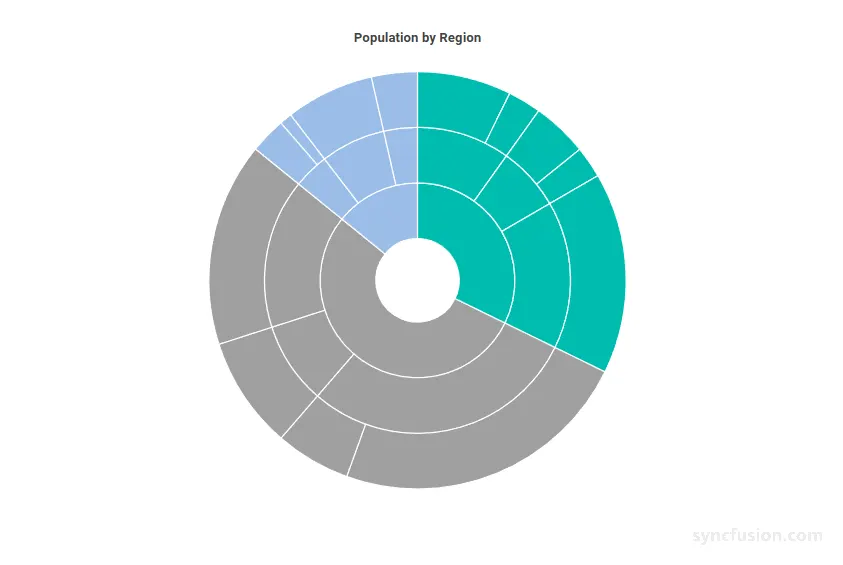
The selection feature provides clear visual emphasis on a Sunburst segment and its related hierarchy branch when a user selects it. The selected state stays visible after the pointer leaves the segment, and is cleared only when the selection changes or the user drills down/up a level.
The selection of the Blazor Sunburst Chart can be enabled and customized using the SunburstSelectionSettings child component.
Default behavior:
Enableisfalse, so selection is disabled until it is explicitly turned on. WhenEnableistrue, other segments are dimmed while the selected segment stays full-color, so users can clearly see which segment is selected.
Enable selection
Selection is hidden by default. Set the Enable property of SunburstSelectionSettings to true to let users select any Sunburst segment by clicking on it.
@using Syncfusion.Blazor.Charts

<SfSunburstChart TItem="RegionData"
                 Title="Population by Region"
                 DataSource="@Regions"
                 IdMemberPath="@nameof(RegionData.Id)"
                 ParentIdMemberPath="@nameof(RegionData.ParentId)"
                 LabelMemberPath="@nameof(RegionData.Label)"
                 ValueMemberPath="@nameof(RegionData.Population)"
                 Width="100%" Height="600px">
    <SunburstSelectionSettings Enable="true" />
</SfSunburstChart>

@code {
    public class RegionData
    {
        public string Id { get; set; } = string.Empty;
        public string? ParentId { get; set; }
        public string Label { get; set; } = string.Empty;
        public double Population { get; set; }
    }

    public List<RegionData> Regions = new List<RegionData>
    {
        new RegionData { Id = "USA", ParentId = null, Label = "USA" },
        new RegionData { Id = "India", ParentId = null, Label = "India" },
        new RegionData { Id = "Germany", ParentId = null, Label = "Germany" },

        new RegionData { Id = "USA-California", ParentId = "USA", Label = "California" },
        new RegionData { Id = "USA-Texas", ParentId = "USA", Label = "Texas" },
        new RegionData { Id = "USA-NewYork", ParentId = "USA", Label = "New York" },

        new RegionData { Id = "India-Maharashtra", ParentId = "India", Label = "Maharashtra" },
        new RegionData { Id = "India-TamilNadu", ParentId = "India", Label = "Tamil Nadu" },
        new RegionData { Id = "India-Karnataka", ParentId = "India", Label = "Karnataka" },

        new RegionData { Id = "Germany-Bavaria", ParentId = "Germany", Label = "Bavaria" },
        new RegionData { Id = "Germany-Berlin", ParentId = "Germany", Label = "Berlin" },
        new RegionData { Id = "Germany-Hamburg", ParentId = "Germany", Label = "Hamburg" },

        new RegionData { Id = "USA-California-LosAngeles", ParentId = "USA-California", Label = "Los Angeles", Population = 3898000 },
        new RegionData { Id = "USA-California-SanDiego", ParentId = "USA-California", Label = "San Diego", Population = 1381000 },
        new RegionData { Id = "USA-Texas-Houston", ParentId = "USA-Texas", Label = "Houston", Population = 2304000 },
        new RegionData { Id = "USA-Texas-Dallas", ParentId = "USA-Texas", Label = "Dallas", Population = 1304000 },
        new RegionData { Id = "USA-NewYork-NewYorkCity", ParentId = "USA-NewYork", Label = "New York City", Population = 8336000 },

        new RegionData { Id = "India-Maharashtra-Mumbai", ParentId = "India-Maharashtra", Label = "Mumbai", Population = 12440000 },
        new RegionData { Id = "India-Maharashtra-Pune", ParentId = "India-Maharashtra", Label = "Pune", Population = 3120000 },
        new RegionData { Id = "India-TamilNadu-Chennai", ParentId = "India-TamilNadu", Label = "Chennai", Population = 4646000 },
        new RegionData { Id = "India-Karnataka-Bengaluru", ParentId = "India-Karnataka", Label = "Bengaluru", Population = 8443000 },

        new RegionData { Id = "Germany-Bavaria-Munich", ParentId = "Germany-Bavaria", Label = "Munich", Population = 1488000 },
        new RegionData { Id = "Germany-Bavaria-Nuremberg", ParentId = "Germany-Bavaria", Label = "Nuremberg", Population = 515000 },
        new RegionData { Id = "Germany-Berlin-BerlinCity", ParentId = "Germany-Berlin", Label = "Berlin", Population = 3664000 },
        new RegionData { Id = "Germany-Hamburg-HamburgCity", ParentId = "Germany-Hamburg", Label = "Hamburg", Population = 1899000 }
    };
}
Selection mode
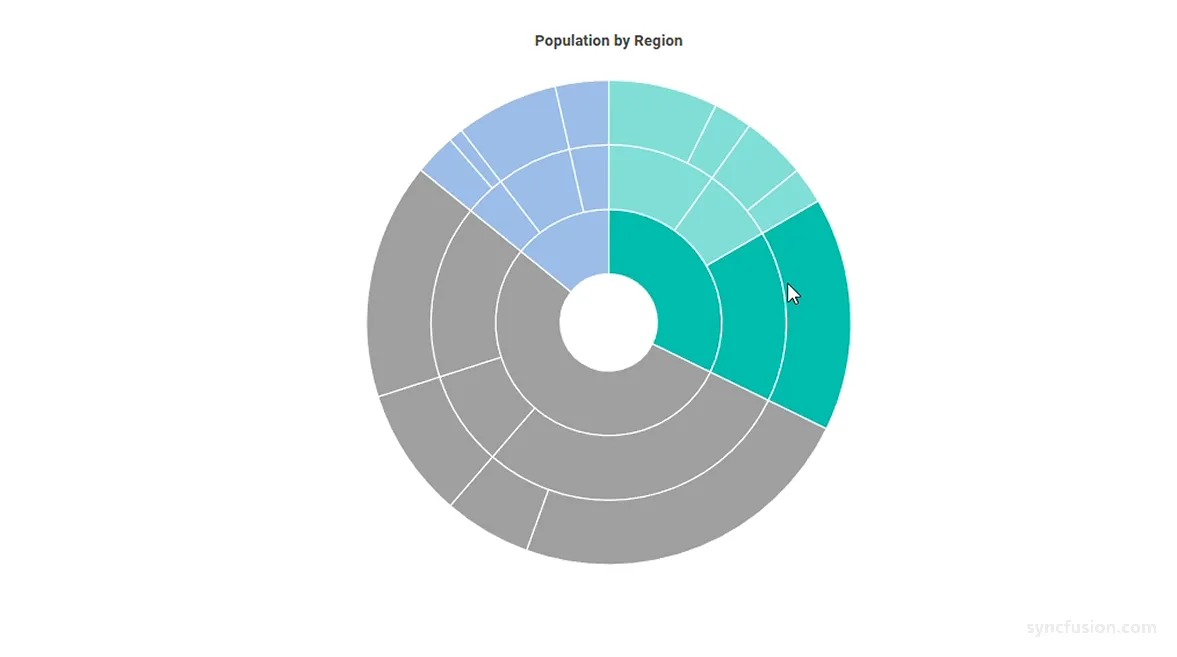
Use the Mode property to decide which related segments are selected together with the segment clicked by the user. The mode is a SunburstSelectionMode enum value.
-
Single– Selects only the clicked segment. Use this when you want a strict one-segment focus. -
Parent– Selects the clicked segment along with its parent segment. Use this when you want the immediate parent to remain selected while inspecting a segment. -
Child– Selects the clicked segment along with its child segment. Use this when you want to focus on a node and its immediate descendant. -
All– Selects the clicked segment along with its parent and child segments (the entire branch).
The default selection mode (
Single) only selects the clicked segment, which differs from the default highlight mode (All). If you want selection to affect the same hierarchy branch as a hover-highlight, setMode="SunburstSelectionMode.All"explicitly.
The following example configures the Parent mode so that selecting a deep segment also keeps its ancestors selected.
@using Syncfusion.Blazor.Charts

<SfSunburstChart TItem="RegionData"
                 Title="Population by Region"
                 DataSource="@Regions"
                 IdMemberPath="@nameof(RegionData.Id)"
                 ParentIdMemberPath="@nameof(RegionData.ParentId)"
                 LabelMemberPath="@nameof(RegionData.Label)"
                 ValueMemberPath="@nameof(RegionData.Population)"
                 Width="100%" Height="600px">
    <SunburstSelectionSettings Enable="true"
                               Mode="SunburstSelectionMode.Parent" />
</SfSunburstChart>

@code {
    public class RegionData
    {
        public string Id { get; set; } = string.Empty;
        public string? ParentId { get; set; }
        public string Label { get; set; } = string.Empty;
        public double Population { get; set; }
    }

    public List<RegionData> Regions = new List<RegionData>
    {
        new RegionData { Id = "USA", ParentId = null, Label = "USA" },
        new RegionData { Id = "India", ParentId = null, Label = "India" },
        new RegionData { Id = "Germany", ParentId = null, Label = "Germany" },

        new RegionData { Id = "USA-California", ParentId = "USA", Label = "California" },
        new RegionData { Id = "USA-Texas", ParentId = "USA", Label = "Texas" },
        new RegionData { Id = "USA-NewYork", ParentId = "USA", Label = "New York" },

        new RegionData { Id = "India-Maharashtra", ParentId = "India", Label = "Maharashtra" },
        new RegionData { Id = "India-TamilNadu", ParentId = "India", Label = "Tamil Nadu" },
        new RegionData { Id = "India-Karnataka", ParentId = "India", Label = "Karnataka" },

        new RegionData { Id = "Germany-Bavaria", ParentId = "Germany", Label = "Bavaria" },
        new RegionData { Id = "Germany-Berlin", ParentId = "Germany", Label = "Berlin" },
        new RegionData { Id = "Germany-Hamburg", ParentId = "Germany", Label = "Hamburg" },

        new RegionData { Id = "USA-California-LosAngeles", ParentId = "USA-California", Label = "Los Angeles", Population = 3898000 },
        new RegionData { Id = "USA-California-SanDiego", ParentId = "USA-California", Label = "San Diego", Population = 1381000 },
        new RegionData { Id = "USA-Texas-Houston", ParentId = "USA-Texas", Label = "Houston", Population = 2304000 },
        new RegionData { Id = "USA-Texas-Dallas", ParentId = "USA-Texas", Label = "Dallas", Population = 1304000 },
        new RegionData { Id = "USA-NewYork-NewYorkCity", ParentId = "USA-NewYork", Label = "New York City", Population = 8336000 },

        new RegionData { Id = "India-Maharashtra-Mumbai", ParentId = "India-Maharashtra", Label = "Mumbai", Population = 12440000 },
        new RegionData { Id = "India-Maharashtra-Pune", ParentId = "India-Maharashtra", Label = "Pune", Population = 3120000 },
        new RegionData { Id = "India-TamilNadu-Chennai", ParentId = "India-TamilNadu", Label = "Chennai", Population = 4646000 },
        new RegionData { Id = "India-Karnataka-Bengaluru", ParentId = "India-Karnataka", Label = "Bengaluru", Population = 8443000 },

        new RegionData { Id = "Germany-Bavaria-Munich", ParentId = "Germany-Bavaria", Label = "Munich", Population = 1488000 },
        new RegionData { Id = "Germany-Bavaria-Nuremberg", ParentId = "Germany-Bavaria", Label = "Nuremberg", Population = 515000 },
        new RegionData { Id = "Germany-Berlin-BerlinCity", ParentId = "Germany-Berlin", Label = "Berlin", Population = 3664000 },
        new RegionData { Id = "Germany-Hamburg-HamburgCity", ParentId = "Germany-Hamburg", Label = "Hamburg", Population = 1899000 }
    };
}
Customization
You can customize the selection appearance using the following properties.
SunburstSelectionSettings Properties
Configure the main selection appearance:
In the SunburstSelectionSettings:
-
Enable: Enables or disables segment selection. The default value isfalse. -
Mode: Decides which segments are affected by the selection. Use theSunburstSelectionModeenum (All,Parent,Child, orSingle). The default value isSingle. -
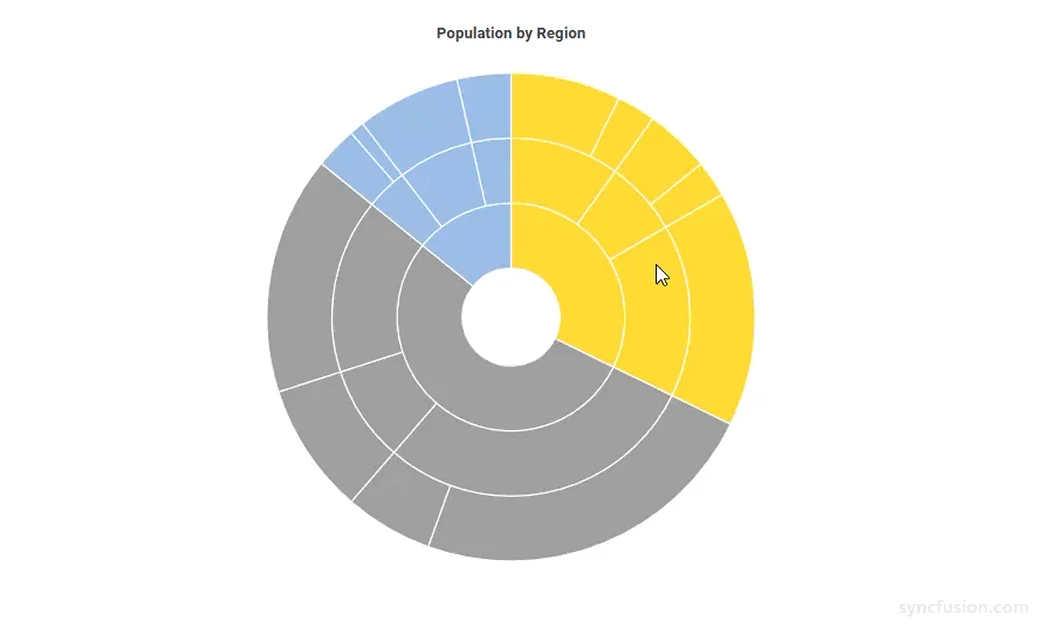
Color: Sets the color applied to the selected segment. Any valid CSS color value (named, hex, RGB, or RGBA) is accepted. The default value is empty; when empty, the selected segment uses its parent segment color (or its own color for the root segment). -
Opacity: Sets the transparency of the selected segment, from0(fully transparent) to1(fully opaque). The default value is1.
@using Syncfusion.Blazor.Charts

<SfSunburstChart TItem="RegionData"
                 Title="Population by Region"
                 DataSource="@Regions"
                 IdMemberPath="@nameof(RegionData.Id)"
                 ParentIdMemberPath="@nameof(RegionData.ParentId)"
                 LabelMemberPath="@nameof(RegionData.Label)"
                 ValueMemberPath="@nameof(RegionData.Population)"
                 Width="100%" Height="600px">
    <SunburstSelectionSettings Enable="true"
                               Mode="SunburstSelectionMode.All"
                               Color="#FFA500"
                               Opacity="0.4" />
</SfSunburstChart>

@code {
    public class RegionData
    {
        public string Id { get; set; } = string.Empty;
        public string? ParentId { get; set; }
        public string Label { get; set; } = string.Empty;
        public double Population { get; set; }
    }

    public List<RegionData> Regions = new List<RegionData>
    {
        new RegionData { Id = "USA", ParentId = null, Label = "USA" },
        new RegionData { Id = "India", ParentId = null, Label = "India" },
        new RegionData { Id = "Germany", ParentId = null, Label = "Germany" },

        new RegionData { Id = "USA-California", ParentId = "USA", Label = "California" },
        new RegionData { Id = "USA-Texas", ParentId = "USA", Label = "Texas" },
        new RegionData { Id = "USA-NewYork", ParentId = "USA", Label = "New York" },

        new RegionData { Id = "India-Maharashtra", ParentId = "India", Label = "Maharashtra" },
        new RegionData { Id = "India-TamilNadu", ParentId = "India", Label = "Tamil Nadu" },
        new RegionData { Id = "India-Karnataka", ParentId = "India", Label = "Karnataka" },

        new RegionData { Id = "Germany-Bavaria", ParentId = "Germany", Label = "Bavaria" },
        new RegionData { Id = "Germany-Berlin", ParentId = "Germany", Label = "Berlin" },
        new RegionData { Id = "Germany-Hamburg", ParentId = "Germany", Label = "Hamburg" },

        new RegionData { Id = "USA-California-LosAngeles", ParentId = "USA-California", Label = "Los Angeles", Population = 3898000 },
        new RegionData { Id = "USA-California-SanDiego", ParentId = "USA-California", Label = "San Diego", Population = 1381000 },
        new RegionData { Id = "USA-Texas-Houston", ParentId = "USA-Texas", Label = "Houston", Population = 2304000 },
        new RegionData { Id = "USA-Texas-Dallas", ParentId = "USA-Texas", Label = "Dallas", Population = 1304000 },
        new RegionData { Id = "USA-NewYork-NewYorkCity", ParentId = "USA-NewYork", Label = "New York City", Population = 8336000 },

        new RegionData { Id = "India-Maharashtra-Mumbai", ParentId = "India-Maharashtra", Label = "Mumbai", Population = 12440000 },
        new RegionData { Id = "India-Maharashtra-Pune", ParentId = "India-Maharashtra", Label = "Pune", Population = 3120000 },
        new RegionData { Id = "India-TamilNadu-Chennai", ParentId = "India-TamilNadu", Label = "Chennai", Population = 4646000 },
        new RegionData { Id = "India-Karnataka-Bengaluru", ParentId = "India-Karnataka", Label = "Bengaluru", Population = 8443000 },

        new RegionData { Id = "Germany-Bavaria-Munich", ParentId = "Germany-Bavaria", Label = "Munich", Population = 1488000 },
        new RegionData { Id = "Germany-Bavaria-Nuremberg", ParentId = "Germany-Bavaria", Label = "Nuremberg", Population = 515000 },
        new RegionData { Id = "Germany-Berlin-BerlinCity", ParentId = "Germany-Berlin", Label = "Berlin", Population = 3664000 },
        new RegionData { Id = "Germany-Hamburg-HamburgCity", ParentId = "Germany-Hamburg", Label = "Hamburg", Population = 1899000 }
    };
}
Clicking the currently selected segment again clears the selection. Drilling into a branch, or back to the parent, also clears the selected and highlighted segments so the user can focus on the new hierarchy level.