About Syncfusion® .NET MAUI AI-Powered Scheduler Control
The Syncfusion® .NET MAUI AI-Powered Scheduler combines the power of the Scheduler with AI-driven intent understanding. Users can create, update, delete, and explore appointments using plain language, reducing clicks and turning scheduling into a conversation. It respects current view context, resources, and availability, and can detect conflicts, find free time, and summarize schedules.
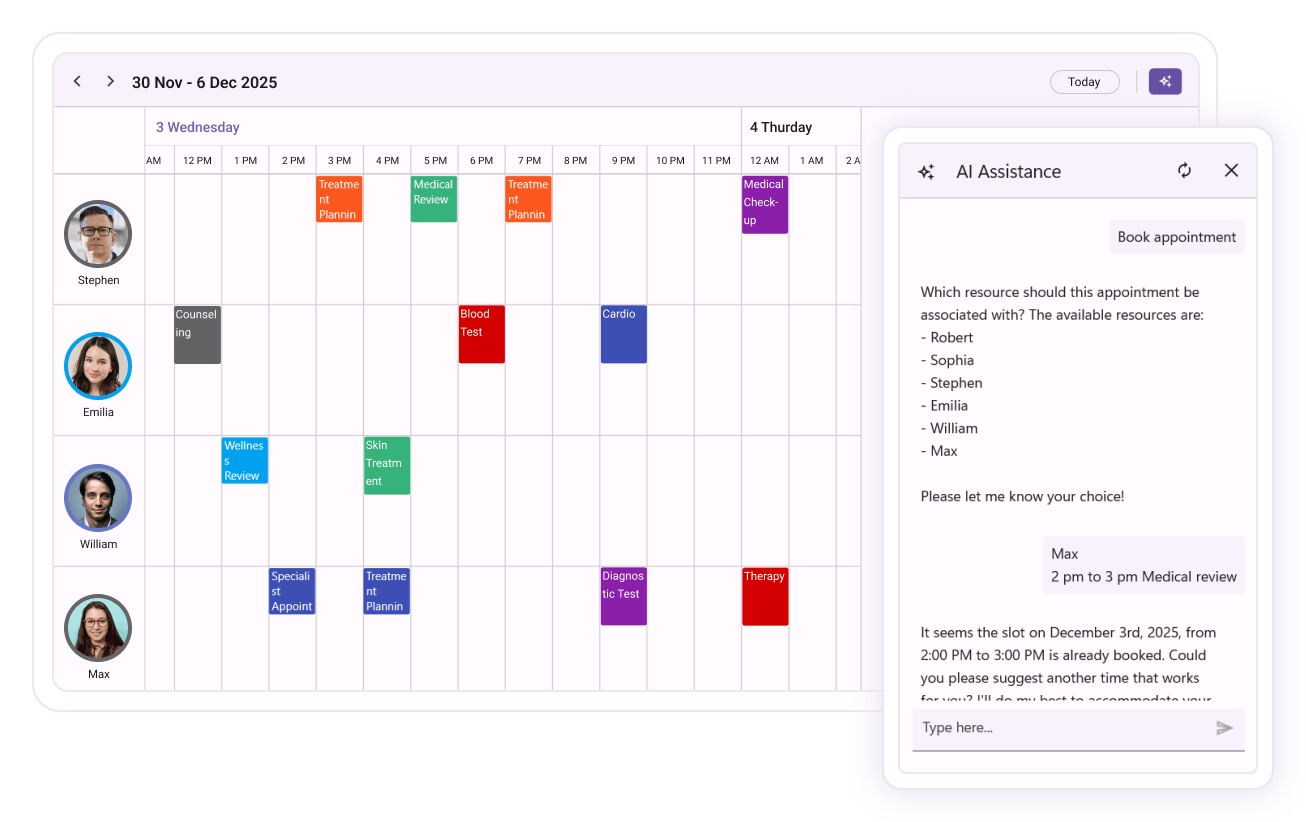
Business use cases
- Enterprise applications that require intelligent scheduling with natural language input for faster task management.
- Booking systems that support resource-aware scheduling such as rooms, equipment, or personnel availability.
- Productivity and calendar applications that provide smart insights such as conflict detection and availability suggestions.
- Business tools that require automated scheduling assistance and summarization of appointments.
- Scheduler applications where users move across dates or switch active views through conversational prompts in the assist panel instead of using the built-in header controls.
Key features
- Natural language CRUD allows creating, updating, and deleting appointments using simple text input.
- Resource-aware booking allows scheduling based on availability of resources and suggests alternative slots when needed.
- Conflict detection allows identifying overlapping appointments and proposing resolution options.
- Smart summarization allows generating quick summaries of schedules or upcoming events.
-
Smart navigation allows moving across dates or switching the active view of the scheduler using natural language input from the assist panel.
- Date navigation supports jumping to an absolute date (e.g., July 4, 2026), a week or month range, or a relative date such as next Friday.
- View switching supports changing the active view (Day, Week, Work Week, Month, Timeline, or Agenda) through conversational prompts in the assist panel.
- Adaptive assist panel allows displaying AI interaction UI in compact or expanded layouts across devices.
- Assist button customization allows enabling, disabling, or customizing the trigger UI for AI interactions.
- Event handling allows controlling how AI-driven changes are applied through manual or automatic workflows.
Globalization
The following table summarizes the globalization support available in this control.
 Full Support
| Control | Localization | RTL | Time zone | Screen reader | Keyboard navigation |
|---|---|---|---|---|---|
| Smart Scheduler | |
|
|
|
|
Related controls
- Scheduler for traditional scheduling and calendar-based appointment management.
- Smart DataGrid for AI-driven data analysis and interaction in tabular form.
- Calendar for basic date selection and navigation interfaces.
See Also
- Getting Started shows a step‑by‑step guide to begin using the AI‑Powered Scheduler control.
- Smart Scheduler explains how AI helps auto‑schedule tasks and events.
- Styles helps customize look and feel to match your app design.
- UI Kit provides interactive demos and ready‑made UI examples.
Resources
Feature Tour
Get a quick overview of key features and capabilities to kick start your journey.
Explore Features
Showcase Samples
Explore real-world sample apps to see components in action and learn by example.
View Samples
Tutorial Videos
Watch step‑by‑step video guides to quickly understand concepts and implementation.
Watch now
Knowledge Base
Find practical solutions, troubleshooting tips and how‑to guides for common scenarios.
Search KB's