Styles in .NET MAUI AI-Powered Scheduler (SfSmartScheduler)
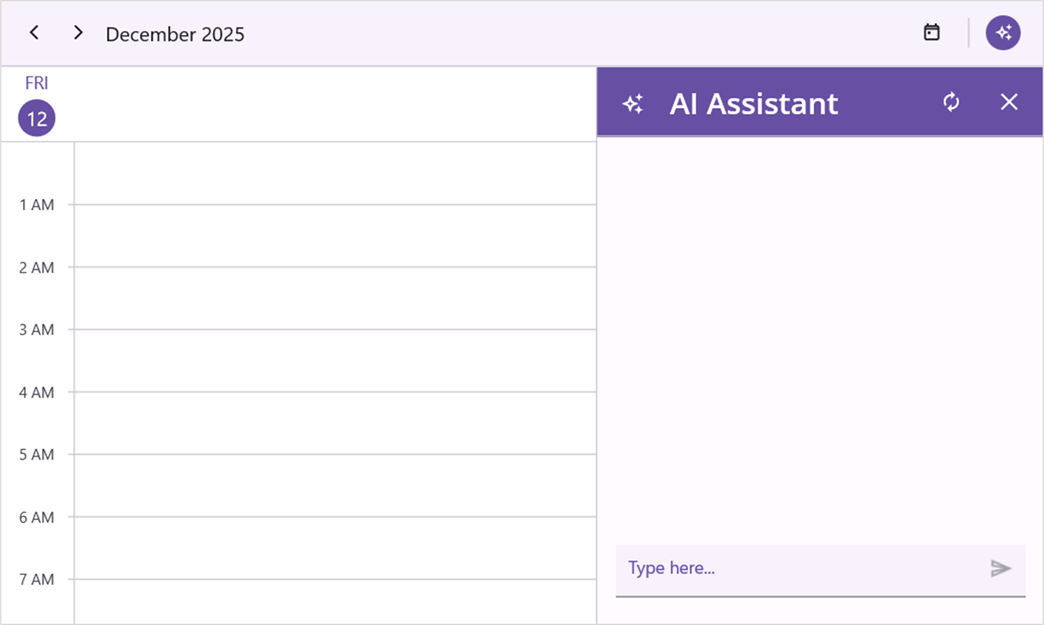
You can style the elements of the .NET MAUI Smart Scheduler assist view using the PlaceholderColor, AssistViewHeaderTextColor, AssistViewHeaderBackground, AssistViewHeaderFontSize, AssistViewHeaderFontFamily, AssistViewHeaderFontAttributes and AssistViewHeaderFontAutoScalingEnabled properties of the AssistStyle.
<ContentPage
    . . .
    xmlns:smartScheduler="clr-namespace:Syncfusion.Maui.SmartScheduler;assembly=Syncfusion.Maui.SmartScheduler">
    <smartScheduler:SfSmartScheduler x:Name="smartScheduler">
        <smartScheduler:SfSmartScheduler.AssistViewSettings>
            <smartScheduler:SchedulerAssistViewSettings>
                <smartScheduler:SchedulerAssistViewSettings.AssistStyle>
                    <smartScheduler:SmartSchedulerAssistStyle PlaceholderColor="#6750A4"
                                                            AssistViewHeaderBackground="#6750A4"
                                                            AssistViewHeaderTextColor="#FFFFFF"
                                                            AssistViewHeaderFontSize="24"
                                                            AssistViewHeaderFontAttributes="Bold"
                                                            AssistViewHeaderFontFamily="OpenSansSemibold"
                                                            AssistViewHeaderFontAutoScalingEnabled="True" />
                </smartScheduler:SchedulerAssistViewSettings.AssistStyle>
            </smartScheduler:SchedulerAssistViewSettings>
        </smartScheduler:SfSmartScheduler.AssistViewSettings>
    </smartScheduler:SfSmartScheduler>
</ContentPage>
using Syncfusion.Maui.SmartScheduler;
. . .
SfSmartScheduler smartScheduler = new SfSmartScheduler();
smartScheduler.AssistViewSettings.AssistStyle = new SmartSchedulerAssistStyle()
{
PlaceholderColor = Color.FromArgb("#6750A4"),
AssistViewHeaderBackground = Color.FromArgb("#6750A4"),
AssistViewHeaderTextColor = Color.FromArgb("#FFFFFF"),
AssistViewHeaderFontSize = 24,
AssistViewHeaderFontAutoScalingEnabled = true,
AssistViewHeaderFontAttributes = FontAttributes.Italic,
AssistViewHeaderFontFamily = "OpenSansSemibold",
};
this.Content = smartScheduler;