Upgrading Syncfusion® Blazor application to latest version
18 Nov 20181 minute to read
The Syncfusion® Blazor Migration is an add-in for Visual Studio Code allows you to migrate an existing Syncfusion® Blazor Web Application from one Essential Studio® version to another.
The Syncfusion® Blazor Web Application Project Migration utility is available from
v17.4.0.39.
The steps below assist you to migrating existing Syncfusion® Blazor Web Application.
-
Open an existing Syncfusion® Blazor Web Application or create a new Syncfusion® Blazor Web Application in Visual Studio Code.
-
Select Migrate Syncfusion® Blazor Application to another version… from the context menu when you right-click on the Project file from Explorer (Workspace). Refer to the screenshot below.
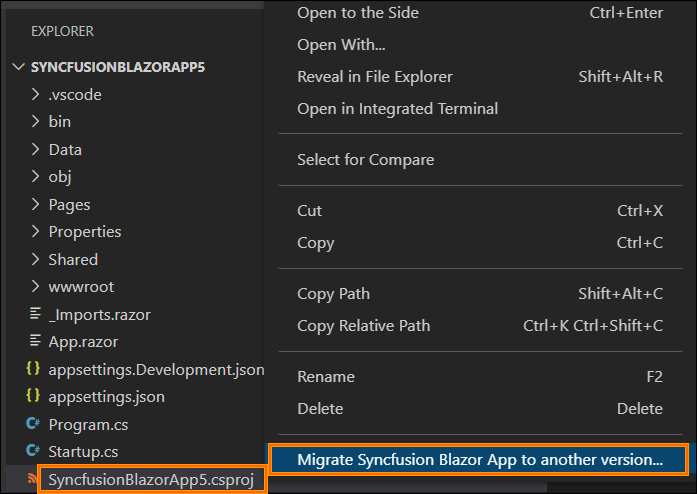
If you have a Syncfusion® Blazor reference in your application, the Migration option will be enabled.
-
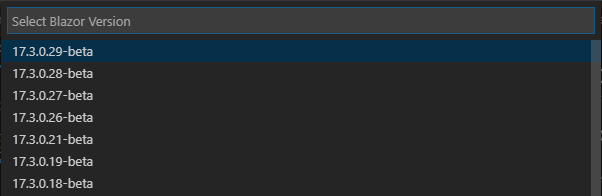
Select Blazor Version (which published in
nuget.org) from the palette appears.Starting from version 34.1.x, Syncfusion provides support through individual NuGet packages instead of the Syncfusion.Blazor package. When migrating a project from an earlier version to 34.1.x or later, the migration process automatically replaces the common Syncfusion.Blazor package with the required individual NuGet packages for the selected components.
-
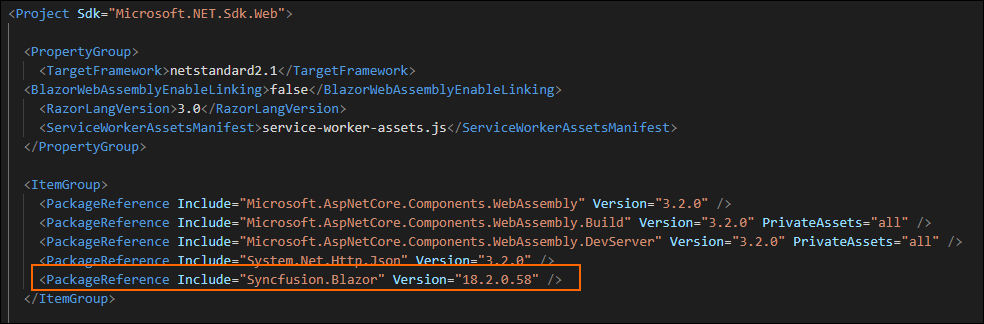
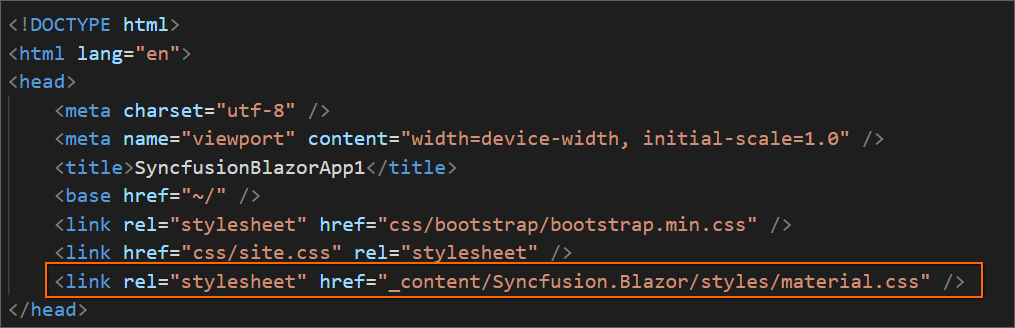
The Syncfusion® NuGet packages references and themes are updated to the selected version in the application.
-
If you installed the trial setup or NuGet packages from nuget.org you must register the Syncfusion® license key to your application since Syncfusion® introduced the licensing system from 2018 Volume 2 (v16.2.0.41) Essential Studio® release. Navigate to the help topic to generate and register the Syncfusion® license key to your application. Refer to this UG topic for understanding the licensing details in Essential Studio® for Blazor.