How can I help you?
Cards
23 Sep 20201 minute to read
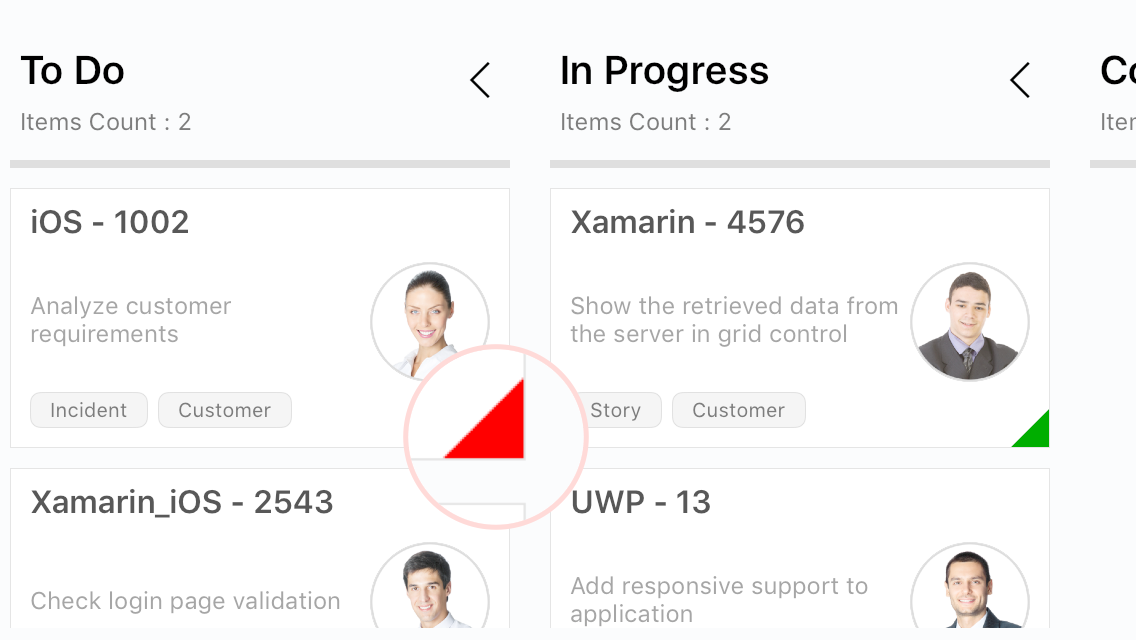
The default elements of a card can be customized using the following properties of KanbanModel:
-
Title: Sets the title of a card. -
ImageURL: Sets the image URL of a card. The image will be displayed at the right in the default card template. -
Category: Sets the category of a card. Based on the category, the cards will be added to the respective columns. -
Description: Sets the description text of a card. -
ColorKey: Specifies the indicator color key. The color value of the correspondingKeyshould be added inIndicatorColorPalettecollection ofSfKanban. -
Tags: Specifies the tags of a card. The tags will be displayed at the bottom in the default card template. -
ID: Sets the ID of a card.
new KanbanModel()
{
    ID = 1,
    Title = "iOS - 1002",
    ImageURL = "Image1.png",
    Category = "Open",
    Description = "Analyze customer requirements",
    ColorKey = "Red",
    Tags = new string[] { "Incident", "Customer" }
});
The following code sample is used to define the colors for each key.
List<KanbanColorMapping> colorModels = new List<KanbanColorMapping>();
colorModels.Add(new KanbanColorMapping("Green", Color.Green));
colorModels.Add(new KanbanColorMapping("Red", Color.Red));
colorModels.Add(new KanbanColorMapping("Aqua", Color.Aqua));
colorModels.Add(new KanbanColorMapping("Blue", Color.Blue));
kanban.IndicatorColorPalette = colorModels;