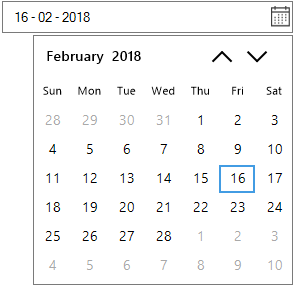
Right to Left Support in Windows Forms DateTimePicker
SfDateTimeEdit control elements can be aligned in right-to-left layout. This control can be laid out from right to left when the RightToLeft value is set to Yes.
using Syncfusion.WinForms.Input;

//Enable the Right to Left

this.dateTimeEdit.RightToLeft = RightToLeft.Yes;
Imports Syncfusion.WinForms.Input
'Enable the Right to Left
Me.dateTimeEdit.RightToLeft = RightToLeft.Yes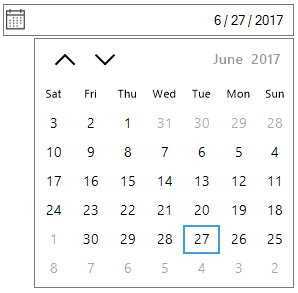
Change drop-down calendar alignment
The SfDateTimeEdit allows you to change the drop-down opening side of the calendar relative to the control. The DropDownPopupAlignment of the SfDateTimeEdit can be used to change the alignment of the calendar.
using Syncfusion.WinForms.Input;

//Setting Left Popup alignment

this.dateTimeEdit.DropDownPopupAlignment = DropDownPopupAlignment.Left;

//Setting Right Popup alignment

this.dateTimeEdit.DropDownPopupAlignment = DropDownPopupAlignment.Right;
Imports Syncfusion.WinForms.Input
'Setting Left Popup alignment
Me.dateTimeEdit.DropDownPopupAlignment = DropDownPopupAlignment.Left
'Setting Right Popup alignment
Me.dateTimeEdit.DropDownPopupAlignment = DropDownPopupAlignment.Right