SfTimeSelector in UWP TimePicker (SfTimePicker)
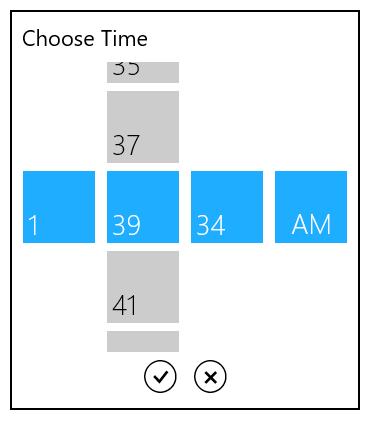
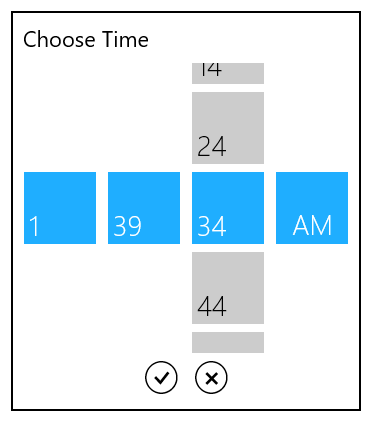
The SfTimeSelector control opens inside the popup window.
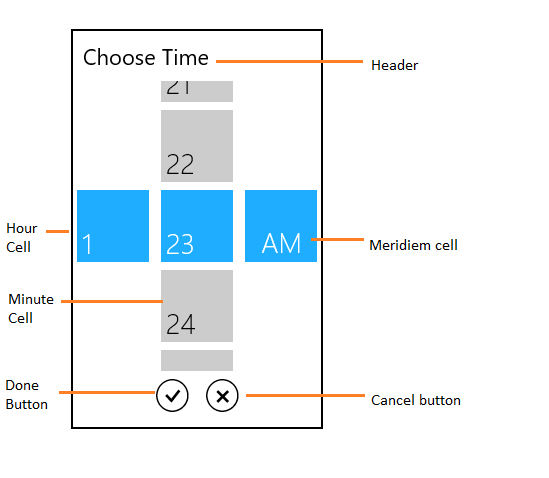
The visual elements of the time selector can be customized using the SelectorStyle property.
Header
The Header property defines the top part of the time selector.
<Page
   ...
   xmlns:input="using:Syncfusion.UI.Xaml.Controls.Input">

    <syncfusion:SfTimePicker VerticalAlignment="Center"

                           HorizontalAlignment="Center"

                           Width="200">

           <syncfusion:SfTimePicker.SelectorStyle>

                    <Style TargetType="syncfusion:SfTimeSelector">

                        <Setter Property="Header" Value="Set your alarm"/>

                    </Style>

           </syncfusion:SfTimePicker.SelectorStyle>

    </syncfusion:SfTimePicker >

</Page>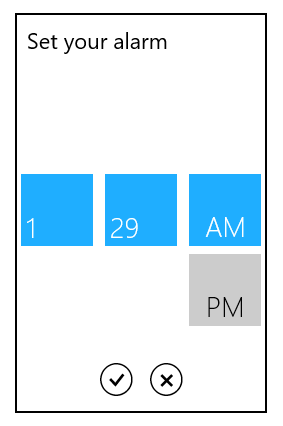
HeaderTemplate
The HeaderTemplate property is used to decorate the header.
<Page
...
xmlns:input="using:Syncfusion.UI.Xaml.Controls.Input">
<syncfusion:SfTimePicker VerticalAlignment="Center"
HorizontalAlignment="Center"
Width="200">
<syncfusion:SfTimePicker.SelectorStyle>
<Style TargetType="syncfusion:SfTimeSelector">
<Setter Property="HeaderTemplate">
<Setter.Value>
<DataTemplate>
<StackPanel Orientation="Horizontal">
<TextBlock Text=""
VerticalAlignment="Top"
Margin="5"
FontSize="22"
FontFamily="Segoe UI Symbol"/>
<TextBlock Text="Set your alarm"
VerticalAlignment="Top"
Margin="5"
FontSize="22"
/>
</StackPanel>
</DataTemplate>
</Setter.Value>
</Setter>
</Style>
</syncfusion:SfTimePicker.SelectorStyle> </syncfusion:SfTimePicker>
</Page>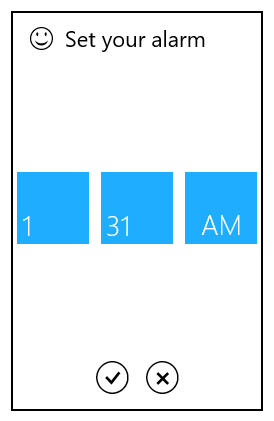
Cell template
The CellTemplate property is used to decorate the selection box with custom visuals.
NOTE
The DataContext of Selection box is Syncfusion.UI.Xaml.Primitives.DateTimeWrapper.
HourCellTemplate
The HourCellTemplate property is used to decorate the hour cell selection box.
<Page
...
xmlns:input="using:Syncfusion.UI.Xaml.Controls.Input">
<syncfusion:SfTimePicker VerticalAlignment="Center"
HorizontalAlignment="Center"
Width="200">
<syncfusion:SfTimePicker.SelectorStyle>
<Style TargetType="syncfusion:SfTimeSelector">
<Setter Property="HourCellTemplate">
<Setter.Value>
<DataTemplate>
<Grid>
<TextBlock VerticalAlignment="Top"
HorizontalAlignment="Right"
Margin="5"
FontSize="22"
FontFamily="Segoe UI Symbol"
Text=""/>
<TextBlock Text="{Binding HourNumber}"
VerticalAlignment="Bottom"
Margin="5"
FontSize="22"/>
</Grid>
</DataTemplate>
</Setter.Value>
</Setter>
</Style>
</syncfusion:SfTimePicker.SelectorStyle> </syncfusion:SfTimePicker>
</Page>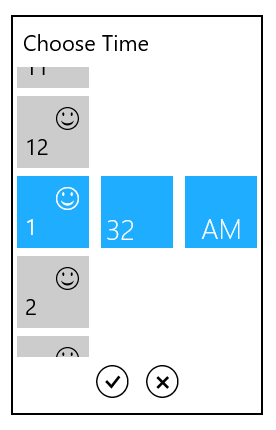
MinuteCellTemplate
The MinuteCellTemplate property is used to decorate the minute cell selection box.
<Page
...
xmlns:input="using:Syncfusion.UI.Xaml.Controls.Input">
<syncfusion:SfTimePicker VerticalAlignment="Center"
HorizontalAlignment="Center"
Width="200">
<syncfusion:SfTimePicker.SelectorStyle>
<Style TargetType="syncfusion:SfTimeSelector">
<Setter Property="MinuteCellTemplate">
<Setter.Value>
<DataTemplate>
<Grid>
<TextBlock VerticalAlignment="Top"
HorizontalAlignment="Right"
Margin="5"
FontSize="22"
FontFamily="Segoe UI Symbol"
Text=""/>
<TextBlock Text="{Binding MinuteNumber}"
VerticalAlignment="Bottom"
Margin="5"
FontSize="22"/>
</Grid>
</DataTemplate>
</Setter.Value>
</Setter>
</Style>
</syncfusion:SfTimePicker.SelectorStyle> </syncfusion:SfTimePicker>
</Page>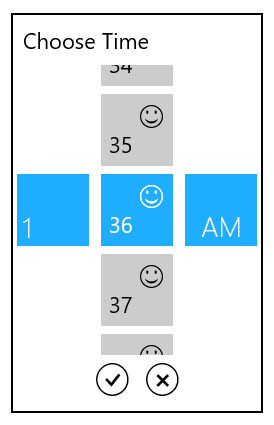
MeridiemCellTemplate
The MeridiemCellTemplate property is used to decorate the meridiem cell selection box.
<Page
...
xmlns:input="using:Syncfusion.UI.Xaml.Controls.Input">
<syncfusion:SfTimePicker VerticalAlignment="Center"
HorizontalAlignment="Center"
Width="200">
<syncfusion:SfTimePicker.SelectorStyle>
<Style TargetType="syncfusion:SfTimeSelector">
<Setter Property="MeridiemCellTemplate">
<Setter.Value>
<DataTemplate>
<Grid>
<TextBlock VerticalAlignment="Top"
HorizontalAlignment="Right"
Margin="5"
FontSize="22"
FontFamily="Segoe UI Symbol"
Text=""/>
<TextBlock Text="{Binding AmPmString}"
VerticalAlignment="Bottom"
Margin="5"
FontSize="22"/>
</Grid>
</DataTemplate>
</Setter.Value>
</Setter>
</Style>
</syncfusion:SfTimePicker.SelectorStyle> </syncfusion:SfTimePicker>
</Page>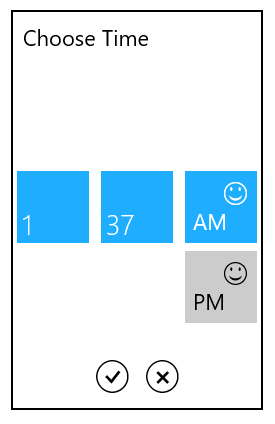
Setting Incremental values
To set minute and second values in the SfTimeSelector with incremental values, use the MinuteInterval and SecondsInterval properties respectively.
MinuteInterval
The MinuteInterval property is used to set the interval for minute values in the SfTimeSelector.
SecondsInterval
The SecondsInterval property is used to set the interval for second values in the SfTimeSelector.
<Page
   ...
   xmlns:input="using:Syncfusion.UI.Xaml.Controls.Input">

    <syncfusion:SfTimeSelector FormatString="hh:mm:ss tt" MinuteInterval="2" SecondsInterval="10"/>

</Page>using Syncfusion.UI.Xaml.Controls.Input;
SfTimeSelector timeSelector = new SfTimeSelector();
timeSelector.FormatString = "hh:mm:ss tt";
timeSelector.MinuteInterval = 2;
timeSelector.SecondsInterval = 10;Imports Syncfusion.UI.Xaml.Controls.Input;
Dim timeSelector As New SfTimeSelector()
timeSelector.FormatString = "hh:mm:ss tt"
timeSelector.MinuteInterval = 2
timeSelector.SecondsInterval = 10