Month Navigation in UWP Calendar
Navigating between months is much simpler with touch. Navigation buttons are also provided.
Enabling Navigation Button
By default, navigation buttons are collapsed. Navigation button support can be enabled or disabled using the ShowNavigationButton property.
<Page
   ...
   xmlns:input="using:Syncfusion.UI.Xaml.Controls.Input">

    <input:SfCalendar x:Name="calendar" ShowNavigationButton="True"/>
</Page>using Syncfusion.UI.Xaml.Controls.Input;
SfCalendar calendar = new SfCalendar();
calendar.ShowNavigationButton = true;Imports Syncfusion.UI.Xaml.Controls.Input;
Dim calendar As New SfCalendar()
calendar.ShowNavigationButton = True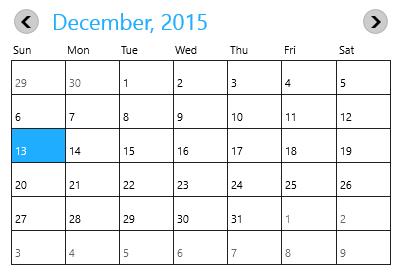
Navigating to Previous Month
Month navigation can also be done programmatically by invoking the PreviousMonth method.
using Syncfusion.UI.Xaml.Controls.Input;

calendar.PreviousMonth();calendar.PreviousMonth()Navigating to Next Month
Month navigation can also be done programmatically by invoking the NextMonth method.
using Syncfusion.UI.Xaml.Controls.Input;

calendar.NextMonth();
Imports Syncfusion.UI.Xaml.Controls.Input;
calendar.NextMonth()Notifying the Previous Button Click
The PreviousScrollButtonClicked event is fired when the previous button is clicked.
<Page
   ...
   xmlns:input="using:Syncfusion.UI.Xaml.Controls.Input">

    <input:SfCalendar x:Name="calendar" ShowNavigationButton="True"
                      PreviousScrollButtonClicked="calendar_PreviousScrollButtonClicked"/>
</Page>using Syncfusion.UI.Xaml.Controls.Input;
private void calendar_PreviousScrollButtonClicked(object sender, SelectionChangedEventArgs e)
{
}Private Sub calendar_PreviousScrollButtonClicked(ByVal sender As Object, ByVal e As SelectionChangedEventArgs)
End SubNotifying the Next Button Click
The NextScrollButtonClicked event is fired when the next button is clicked.
<Page
   ...
   xmlns:input="using:Syncfusion.UI.Xaml.Controls.Input">

    <input:SfCalendar x:Name="calendar" ShowNavigationButton="True"
                      NextScrollButtonClicked="calendar_NextScrollButtonClicked"/>
</Page>using Syncfusion.UI.Xaml.Controls.Input;
private void calendar_NextScrollButtonClicked(object sender, SelectionChangedEventArgs e)
{
}Private Sub calendar_NextScrollButtonClicked(ByVal sender As Object, ByVal e As SelectionChangedEventArgs)
End Sub