Localization in .NET MAUI Date Time Picker control
Localization is the process of translating the application resources into different languages for specific cultures. The SfDateTimePicker can be localized by adding a resource file. SfDateTimePicker supports localizing the following strings:
DayMonthYearHourMinuteSecondMeridianOKCancel
Setting CurrentUICulture to the application
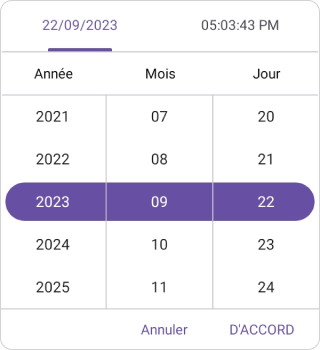
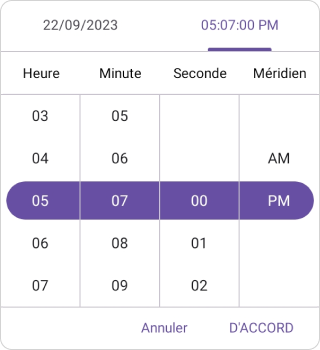
Application culture can be changed by setting CurrentUICulture. in App.xaml.cs file.
using Syncfusion.Maui.Picker;
using System.Globalization;
using System.Resources;

namespace DateTimePicker;
public partial class App : Application
{
	public App()
	{
		InitializeComponent();
		CultureInfo.CurrentUICulture = new CultureInfo("fr-FR");
      //// ResXPath => Full path of the resx file; For example : //SfPickerResources.ResourceManager = new ResourceManager
      // ("DateTimePicker.Resources.SfDateTimePicker", Application.Current.GetType().Assembly);

		SfPickerResources.ResourceManager = new ResourceManager("ResxPath", Application.Current.GetType().Assembly);
	   MainPage = new MainPage();
	}
}
NOTE
The required
resxfiles must have theirBuild Actionset toEmbeddedResource, and the file name must contain the culture code (for example,SfDateTimePicker.fr-FR.resx). Place the files in theResourcesfolder.
Localize application level
To localize the DateTimePicker based on CurrentUICulture using resource files, follow the below steps.
-
Create new folder, named as
Resourcesin the application. -
Right-click on the
Resourcesfolder, selectAddand thenNewItem. -
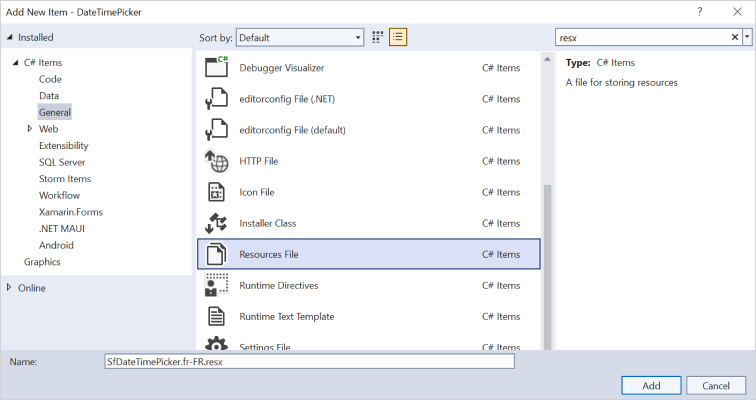
In Add New Item wizard, select the Resource File option and name the filename as
SfDateTimePicker.<culture name>.resx.For example, give the name asSfDateTimePicker.fr-FR.resxfor French culture. -
The culture name indicates the name of the language and country.
- Now, select
Addoption to add the resource file in Resources folder.
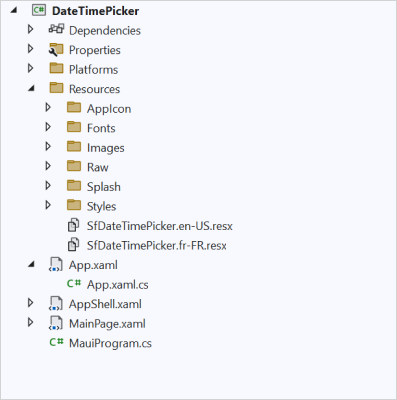
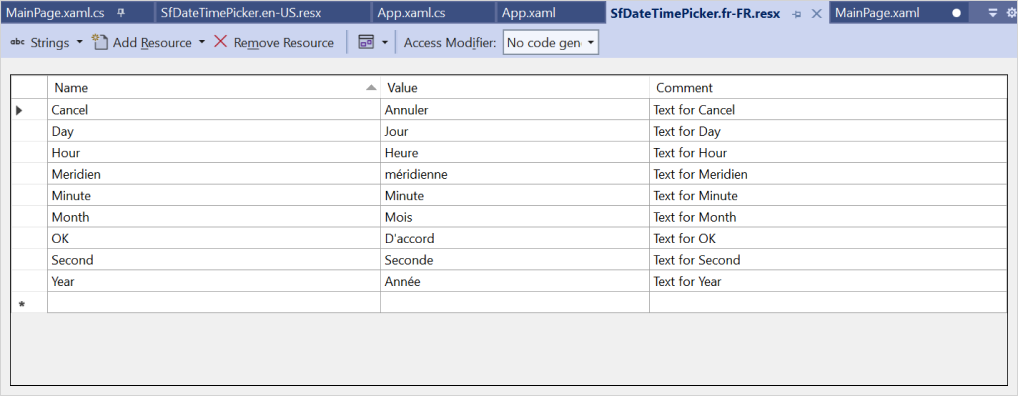
- Add the Name/Value pair in Resource Designer of
SfDateTimePicker.fr-FR.resxfile and change its corresponding value to corresponding culture.