Liquid Glass Effect in .NET MAUI Cartesian Chart
10 Jul 20266 minutes to read
The Liquid Glass Effect is a modern design style that provides a sleek, minimalist appearance with clean lines, subtle visual effects, and elegant styling. It features smooth rounded corners and sophisticated visual treatments that create a polished, professional look for your charts.
NOTE
Prerequisite:
- Ensure that the required NuGet package is installed, the necessary namespaces are imported, and the SfCartesianChart control is properly configured in your application. For detailed setup and configuration instructions, refer to the Getting Started guide.
- To use SfGlassEffectView, ensure that the Syncfusion.Maui.Core package is installed and import the Syncfusion.Maui.Core namespace.
NOTE
The liquid glass effect is supported only on
.NET 10and oniOSandmacOSversions 26 or later.
How it enhances chart UI on macOS and iOS
The Liquid Glass Effect enhances MAUI SfCartesianChart with a sleek, glassy look and improved interactivity.
- Tooltip: Applies a glassy appearance to tooltips for clearer data highlights.
- Trackball: Adds a glassy style to trackball labels for precise value inspection.
- Chart Background: Wrap the chart in an SfGlassEffectView to give the chart surface a blurred or clear glass background.
Apply Liquid Glass Effect to SfCartesianChart Background
Wrap the SfCartesianChart inside an SfGlassEffectView to give the chart surface a glass (blurred or clear) appearance. SfGlassEffectView is available in the Syncfusion.Maui.Core package.
<core:SfGlassEffectView CornerRadius="20"
                        Padding="12"
                        EffectType="Regular"
                        EnableShadowEffect="True">

    <chart:SfCartesianChart>

        <chart:SfCartesianChart.XAxes>
            <chart:CategoryAxis />
        </chart:SfCartesianChart.XAxes>
        <chart:SfCartesianChart.YAxes>
            <chart:NumericalAxis />
        </chart:SfCartesianChart.YAxes>

        <chart:ColumnSeries
            ItemsSource="{Binding Data}"
            XBindingPath="Category"
            YBindingPath="Value" />

    </chart:SfCartesianChart>
</core:SfGlassEffectView>
SfCartesianChart chart = new SfCartesianChart();
chart.XAxes.Add(new CategoryAxis());
chart.YAxes.Add(new NumericalAxis());
chart.Series.Add(new ColumnSeries
{
ItemsSource = new ViewModel().Data,
XBindingPath = "Category",
YBindingPath = "Value"
});
var glass = new SfGlassEffectView
{
CornerRadius = 20,
Padding = 12,
EffectType = GlassEffectType.Regular, // Regular (blurrier) or Clear (glassy)
EnableShadowEffect = true,
Content = chart
};
this.Content = glass;For detailed guidance on SfGlassEffectView, refer to the Getting Started documentation.
Enable Liquid Glass effect to SfCartesianChart elements
Tooltip
To enable the Liquid Glass effect for the tooltip, set the EnableLiquidGlassEffect property of SfCartesianChart to true and the EnableTooltip property of ChartSeries to true.
<chart:SfCartesianChart EnableLiquidGlassEffect="True">
    <!-- code omitted for brevity -->
    <chart:ColumnSeries ItemsSource="{Binding Data}"
                        XBindingPath="Category"
                        YBindingPath="Value"
                        EnableTooltip="True">
    </chart:ColumnSeries>
</chart:SfCartesianChart>
SfCartesianChart chart = new SfCartesianChart();
chart.EnableLiquidGlassEffect = true;
//code omitted for brevity
ColumnSeries series = new ColumnSeries()
{
ItemsSource = new ViewModel().Data,
XBindingPath = "Category",
YBindingPath = "Value",
EnableTooltip = true
};
chart.Series.Add(series);
this.Content = chart;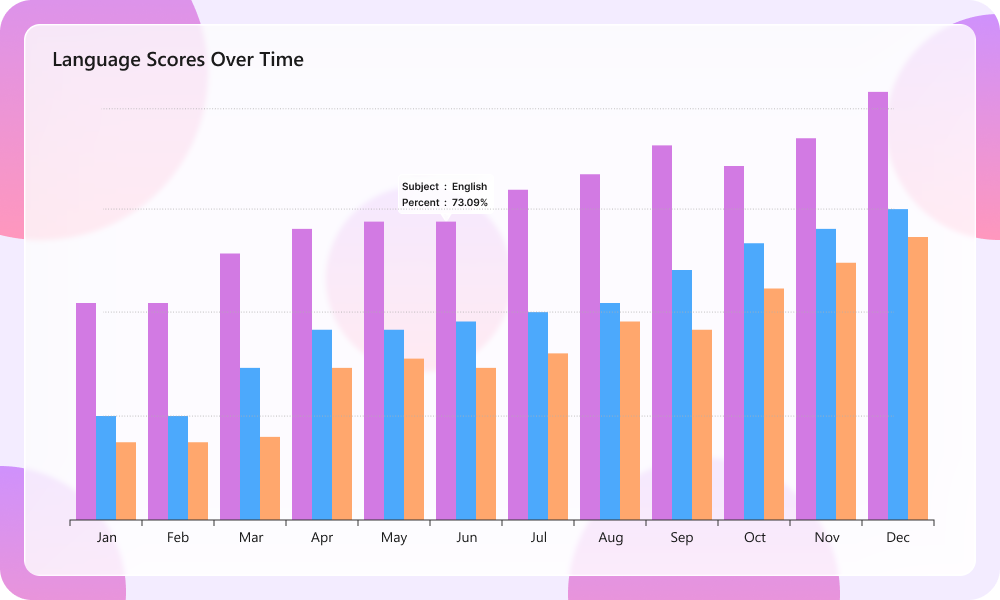
Trackball
To enable the Liquid Glass effect for the trackball, set the EnableLiquidGlassEffect property of SfCartesianChart to true and the ShowTrackballLabel property of ChartSeries to true.
<chart:SfCartesianChart EnableLiquidGlassEffect="True">
    <!-- code omitted for brevity -->
    <chart:LineSeries ItemsSource="{Binding Data}"
                      XBindingPath="Category"
                      YBindingPath="Value"
                      ShowTrackballLabel="True">
    </chart:LineSeries>
</chart:SfCartesianChart>
SfCartesianChart chart = new SfCartesianChart();
chart.EnableLiquidGlassEffect = true;
//code omitted for brevity
LineSeries series = new LineSeries()
{
ItemsSource = new ViewModel().Data,
XBindingPath = "Category",
YBindingPath = "Value",
ShowTrackballLabel = true
};
chart.Series.Add(series);
this.Content = chart;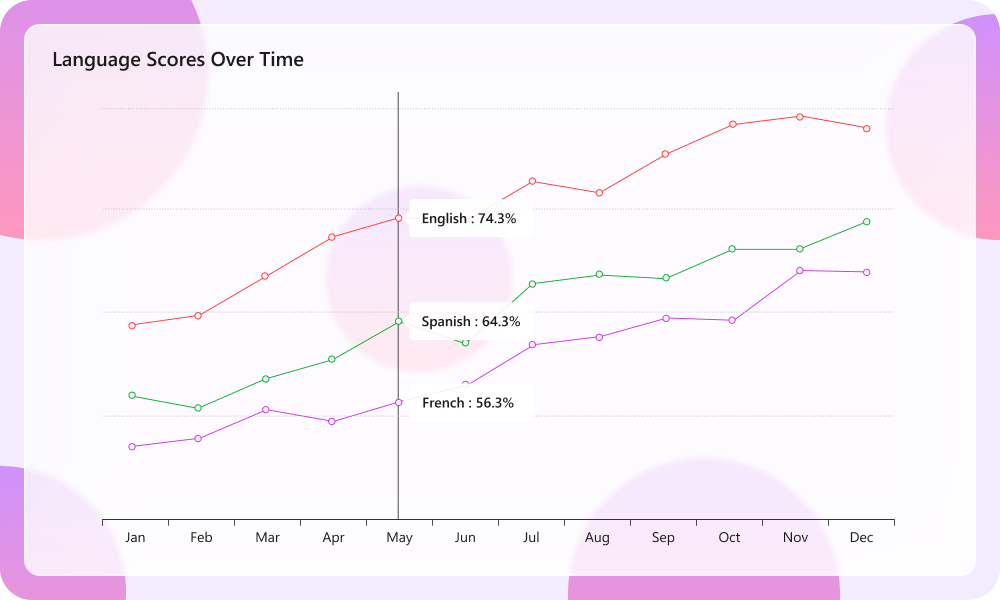
Best practices and tips
- Host the chart inside an SfGlassEffectView to give the chart body a glass appearance.
- Liquid glass effects are most visible over images or colorful backgrounds.
- Set EffectType property of SfGlassEffectView as
Regularfor a blurrier look andClearfor a crisper, glassy look. - Tune CornerRadius and Padding to balance content density and visual polish.
- When using a custom template for tooltip and trackball using TooltipTemplate and TrackballLabelTemplate, set the background to
Transparentto display the liquid glass effect.