About Syncfusion® .NET MAUI Numeric Entry Control
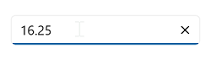
The Syncfusion® .NET MAUI Numeric Entry control is designed to provide a user-friendly and advanced input experience for numeric values. It supports a wide range of numeric formats, including currency, percentages, decimals, and more. With its key features, it enables enhanced user experience and facilitates input validation.
Business use cases
- Financial applications that require currency, percentage, or decimal value input with validation.
- Form-based applications that collect numeric data such as quantity, price, or measurements.
- Business systems that enforce accurate numeric input with formatting and validation rules.
- Data-driven applications that require increment and decrement functionality for numeric adjustments.
Key features
- Validation allows validating numeric input when focus is lost or when the enter key is pressed.
- Up and down buttons provide a simple way to adjust values by incrementing or decrementing.
- Flexible formatting allows displaying values in formats such as currency, percentage, and decimals.
- Culture-aware formatting allows adapting value display based on regional and cultural settings.
Globalization
The following table summarizes the globalization support available in this control.
 Full Support
 Not Applicable
| Control | Localization | RTL | Time zone | Screen reader | Keyboard navigation |
|---|---|---|---|---|---|
| Numeric Entry | |
|
|
|
|
Related controls
- Numeric UpDown for increment/decrement numeric input.
- Text Input Layout for structured input fields.
- OTP Input for digit‑based entry.
See Also
- Getting Started shows a step‑by‑step guide to begin using the Numeric Entry control.
- Features explains core capabilities like validation and culture support.
- Formatting helps configure numeric formats and display.
- UI Kit provides interactive demos and ready‑made UI examples.
Resources
Feature Tour
Get a quick overview of key features and capabilities to kick start your journey.
Explore Features
Showcase Samples
Explore real-world sample apps to see components in action and learn by example.
View Samples
Tutorial Videos
Watch step‑by‑step video guides to quickly understand concepts and implementation.
Watch now
Knowledge Base
Find practical solutions, troubleshooting tips and how‑to guides for common scenarios.
Search KB's