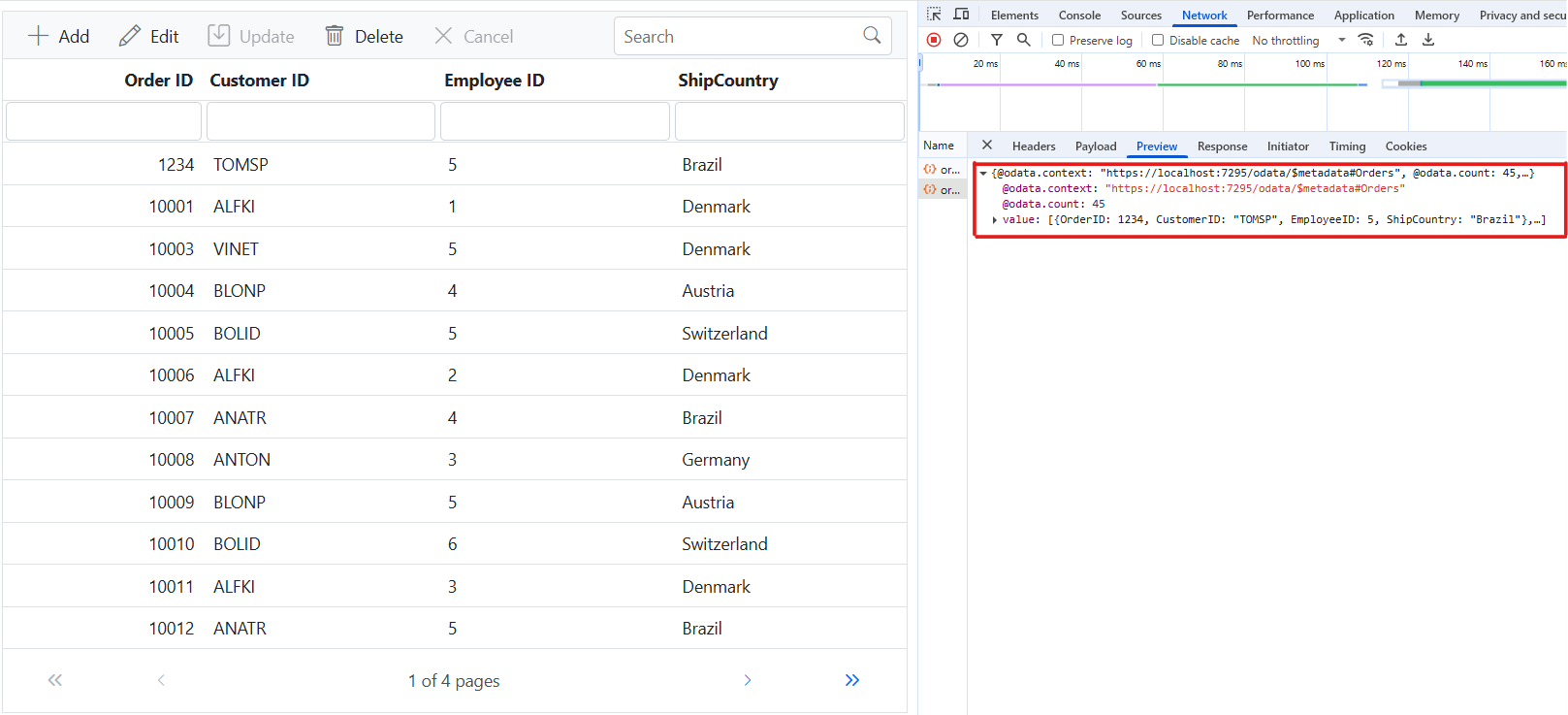
CustomAdaptor in Syncfusion TypeScript Grid
The CustomAdaptor in the Syncfusion TypeScript Grid allows to create their own custom adaptors by extending the built-in adaptors. The custom adaptor involves handling the query process, requests, and responses of the built-in adaptor. The CustomAdaptor can be used to extend OData V4 services, enabling efficient data fetching and manipulation. By default, there are three built-in methods available for CustomAdaptor.
Types of CustomAdaptor methods
There are three types of methods in custom adaptors.
ProcessQuery
The ProcessQuery method handles the execution of a query sent to a dataSource, such as a database or custom data service. This query is responsible for performing operations like data retrieval, insertion, updating, or deletion. The ProcessQuery method accepts two arguments:
-
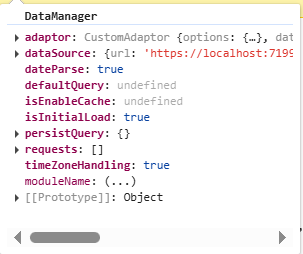
DataManager: Used to modify the URL dynamically. -
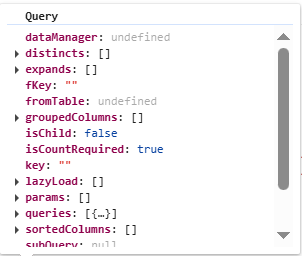
Query: Allows setting additional parameter values or modifying queries such as sorting, filtering, and grouping, etc.
DataManager
Query
beforeSend
The beforeSend method is executed before a request is sent to the server. This function allows modifying parameters, request headers, and data, or performing validation before the request is processed. It accepts three arguments:
-
DataManager: Provides the dataSource andadaptorvalue. -
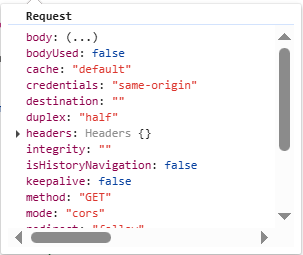
Request: Used to send custom headers, such as setting theAuthorizationheader. -
Settings: An optional argument that allows additional configurations.
DataManager
Request
Settings
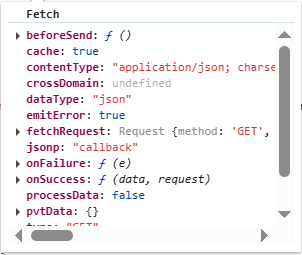
processResponse
The processResponse method handles the response received from the server after an asynchronous request. It is responsible for parsing the response data, managing errors, and preparing the data for further processing. This method can accept multiple optional arguments, allowing customization based on specific requirements.
This guide provides detailed instructions on binding data and performing CRUD (Create, Read, Update, Delete) actions using the CustomAdaptor by extending the ODataV4Adaptor in your Syncfusion TypeScript Grid.
Creating an Custom service
To configure a server with Syncfusion TypeScript Grid, you need to follow the below steps:
Handling filtering operation
To enable filtering in your web application using the custom adaptor, extend the OData support in your service configuration. This involves adding the Filter method within the OData setup, allowing data to be filtered based on specified criteria. Once configured, clients can use the $filter query option in requests to retrieve specific data entries.
// Create a new instance of the web application builder.
var builder = WebApplication.CreateBuilder(args);

// Create an ODataConventionModelBuilder to build the OData model.
var modelBuilder = new ODataConventionModelBuilder();

// Register the orders entity set with the OData model builder.
modelBuilder.EntitySet<OrdersDetails>("Orders");

// Add controllers with OData support to the service collection.
builder.Services.AddControllers().AddOData(
    options => options
        .Count()
        .Filter() // Use Filter method for filtering.
        .AddRouteComponents("odata", modelBuilder.GetEdmModel()));
Single column filtering

Multi column filtering

Handling searching operation
To enable search functionality in your web application using the custom adaptor, extend the OData support in your service configuration. This requires adding the Filter method within the OData setup, allowing data to be filtered based on specified criteria. Once configured, clients can use the $filter query option in their requests to search for specific data entries.
// Create a new instance of the web application builder.
var builder = WebApplication.CreateBuilder(args);

// Create an ODataConventionModelBuilder to build the OData model.
var modelBuilder = new ODataConventionModelBuilder();

// Register the orders entity set with the OData model builder.
modelBuilder.EntitySet<OrdersDetails>("Orders");

// Add controllers with OData support to the service collection.
builder.Services.AddControllers().AddOData(
    options => options
        .Count()
        .Filter() // Use Filter method for searching.
        .AddRouteComponents("odata", modelBuilder.GetEdmModel()));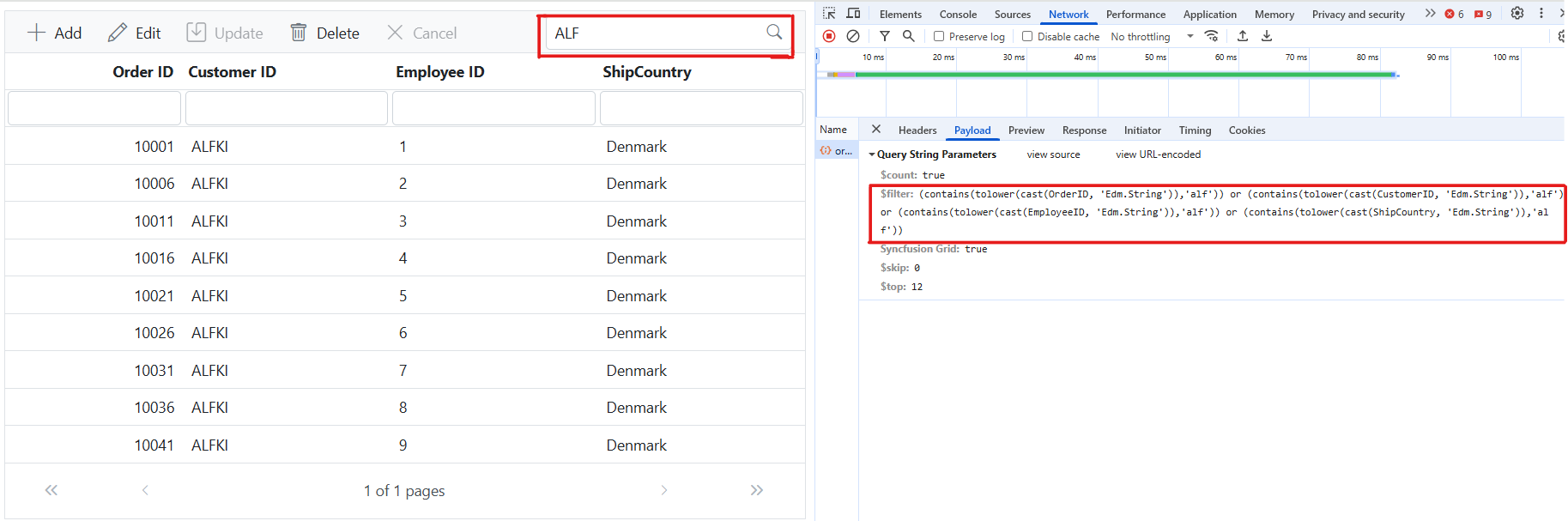
Handling sorting operation
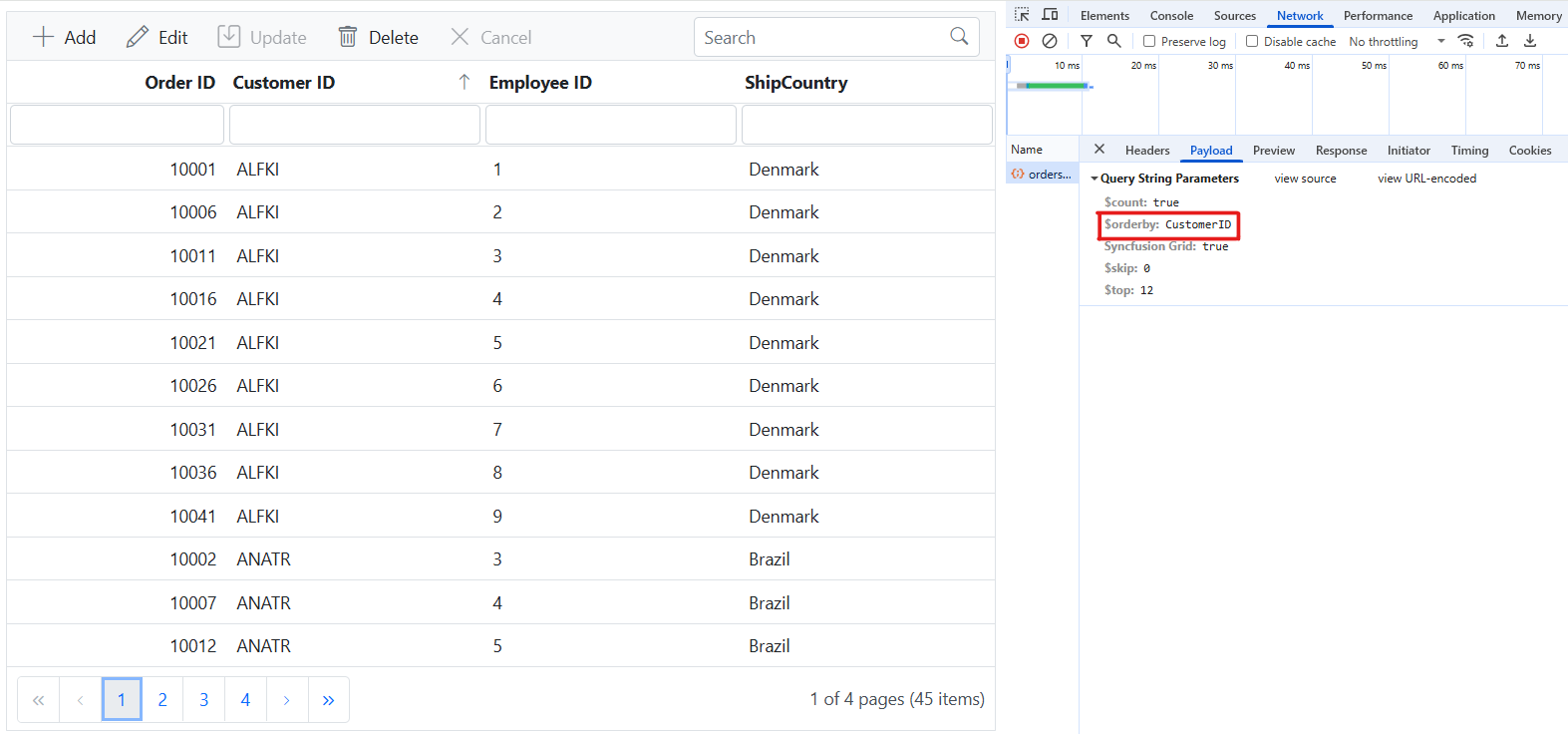
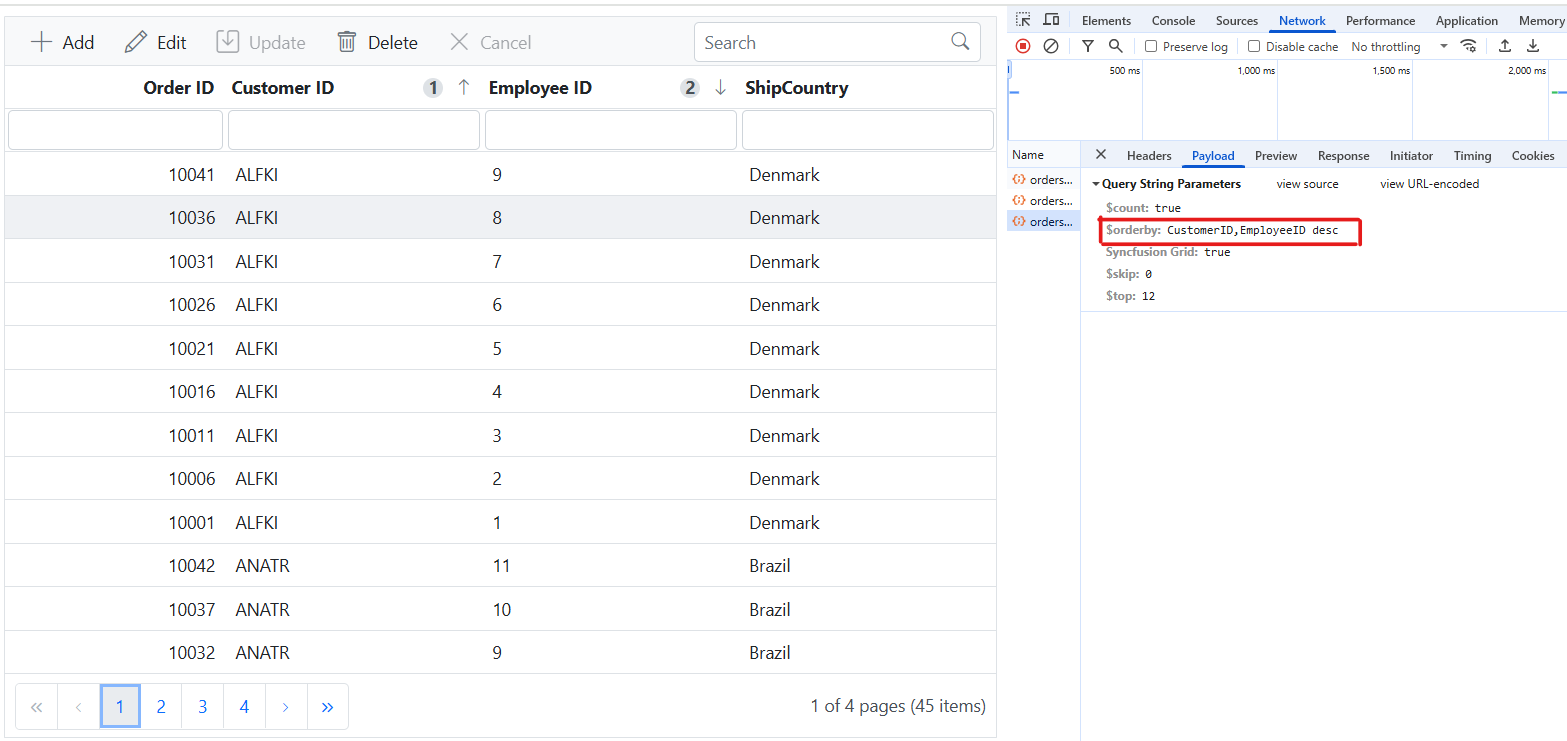
To enable sorting operations in your web application using the custom adaptor, first configure the custom adaptor to extend OData support in your service collection. This involves adding the OrderBy method within the OData setup, allowing data to be sorted based on specified criteria. Once enabled, clients can use the $orderby query option in their requests to sort data entries by desired attributes.
// Create a new instance of the web application builder.
var builder = WebApplication.CreateBuilder(args);

// Create an ODataConventionModelBuilder to build the OData model.
var modelBuilder = new ODataConventionModelBuilder();

// Register the orders entity set with the OData model builder.
modelBuilder.EntitySet<OrdersDetails>("Orders");

// Add controllers with OData support to the service collection.
builder.Services.AddControllers().AddOData(
    options => options
        .Count()
        .OrderBy() // Use this method for sorting.
        .AddRouteComponents("odata", modelBuilder.GetEdmModel()));
Single column sorting
Multi column sorting
Handling paging operation
To implement paging in your web application using the CustomAdaptor with OData, use the SetMaxTop method in your OData setup to define the maximum number of records returned per request. Once configured, clients can utilize the $skip and $top query options to specify the number of records to skip and retrieve, respectively.
// Create a new instance of the web application builder.
var builder = WebApplication.CreateBuilder(args);

// Create an ODataConventionModelBuilder to build the OData model.
var modelBuilder = new ODataConventionModelBuilder();

// Register the orders entity set with the OData model builder.
modelBuilder.EntitySet<OrdersDetails>("Orders");

// Add controllers with OData support to the service collection.
builder.Services.AddControllers().AddOData(
    options => options
        .Count()
        .SetMaxTop(null)
        .AddRouteComponents("odata", modelBuilder.GetEdmModel()));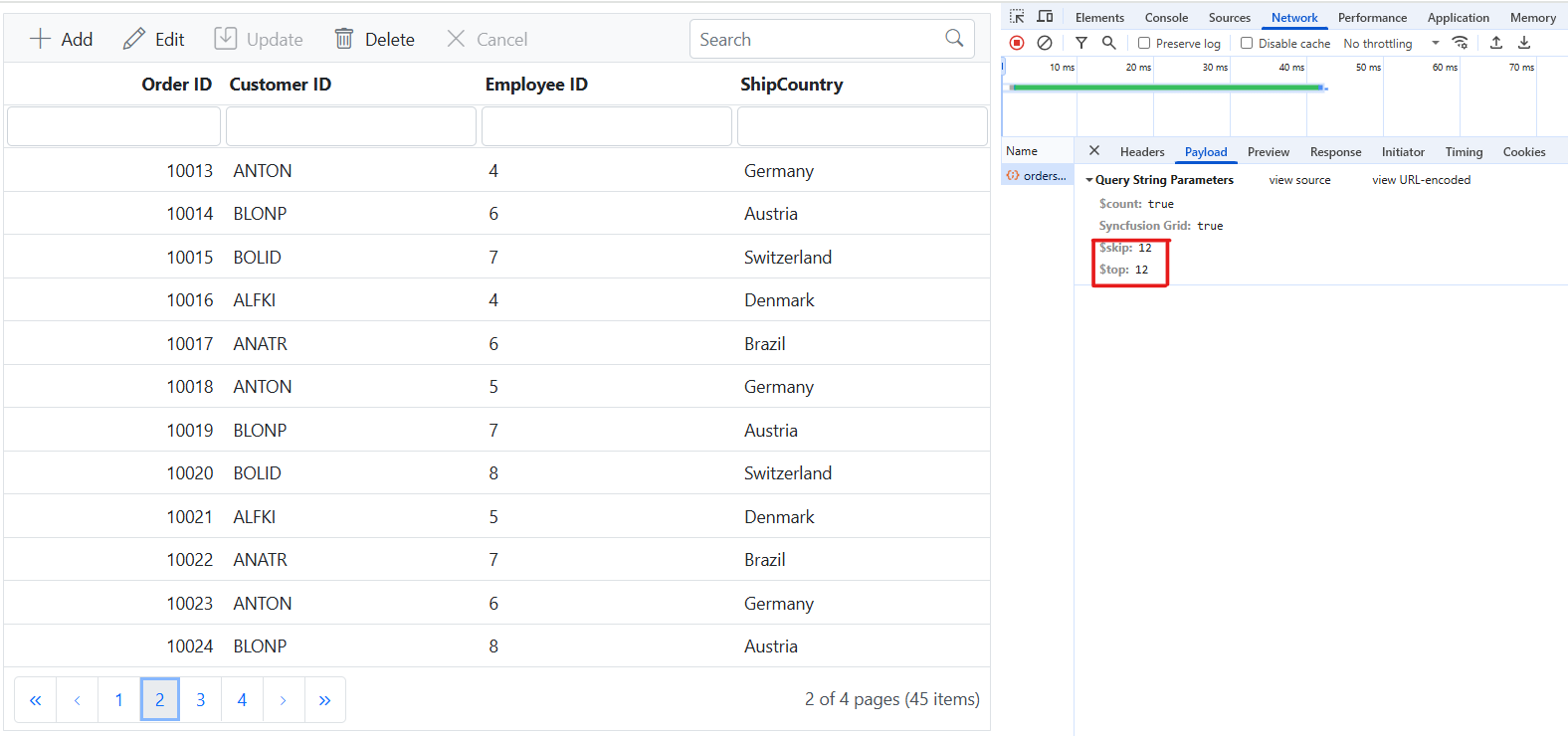
Handling CRUD operations
To manage CRUD (Create, Read, Update, and Delete) operations using CustomAdaptor, follow the provided guide for configuring the Syncfusion TypeScript Grid for editing and utilize the sample implementation of the OrdersController in your server application. This controller processes HTTP requests for CRUD operations, including GET, POST, PATCH, and DELETE.
To enable CRUD operations in the Syncfusion TypeScript Grid within an Angular application, follow the below steps:
Normal/Inline editing is the default edit mode for the Syncfusion TypeScript Grid. To enable CRUD operations, ensure that the isPrimaryKey property is set to true for a specific Grid column, ensuring that its value is unique.
Insert Record
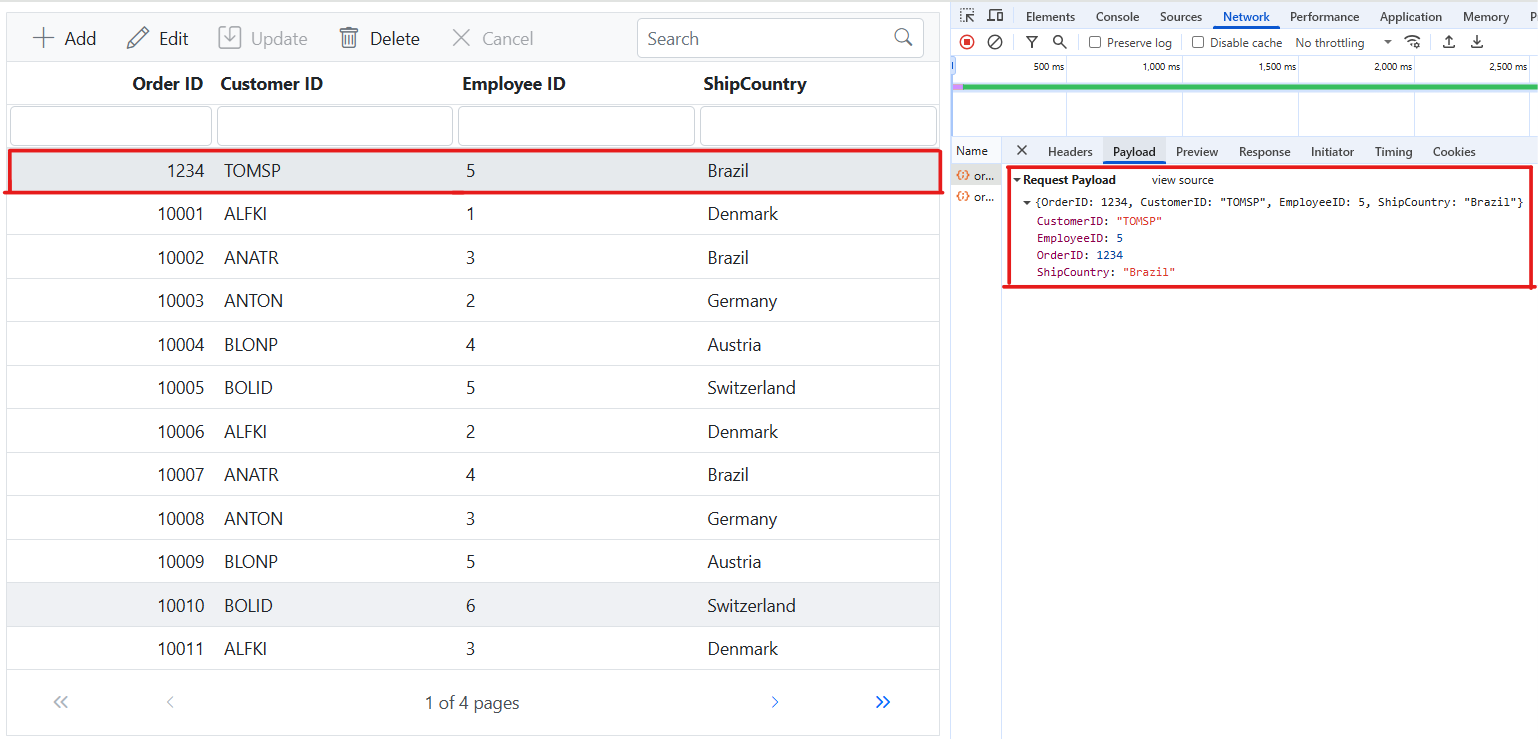
To insert a new record into your Syncfusion TypeScript Grid, you can utilize the HttpPost method in your server application. Below is a sample implementation of inserting a record using the OrdersController:
/// <summary>
/// Inserts a new order to the collection.
/// </summary>
/// <param name="addRecord">The order to be inserted.</param>
/// <returns>It returns the newly inserted record detail.</returns>
[HttpPost]
[EnableQuery]
public IActionResult Post([FromBody] OrdersDetails addRecord)
{
    if (order == null)
    {
        return BadRequest("Null order");
    }

    OrdersDetails.GetAllRecords().Insert(0, addRecord);
    return Ok(addRecord);
}
Update Record
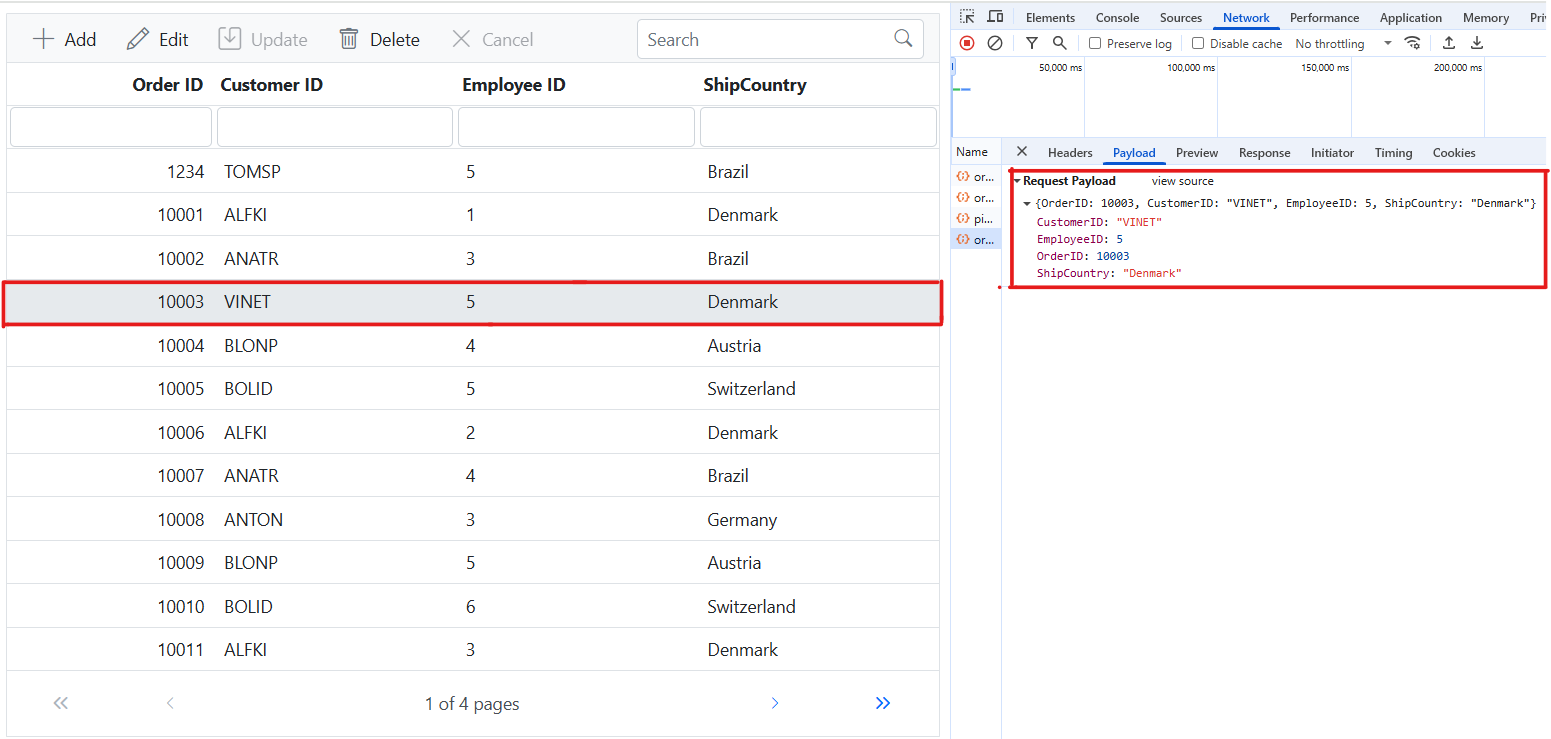
Updating a record in the Syncfusion TypeScript Grid can be achieved by utilizing the HttpPatch method in your controller. Here’s a sample implementation of updating a record:
/// <summary>
/// Updates an existing order.
/// </summary>
/// <param name="key">The ID of the order to update.</param>
/// <param name="updateRecord">The updated order details.</param>
/// <returns>It returns the updated order details.</returns>
[HttpPatch("{key}")]
public IActionResult Patch(int key, [FromBody] OrdersDetails updatedOrder)
{
    if (updatedOrder == null)
    {
        return BadRequest("No records");
    }
    var existingOrder = OrdersDetails.GetAllRecords().FirstOrDefault(o => o.OrderID == key);
    if (existingOrder != null)
    {
        // If the order exists, update its properties.
        existingOrder.CustomerID = updatedOrder.CustomerID ?? existingOrder.CustomerID;
        existingOrder.EmployeeID = updatedOrder.EmployeeID ?? existingOrder.EmployeeID;
        existingOrder.ShipCountry = updatedOrder.ShipCountry ?? existingOrder.ShipCountry;
    }
    return Ok(existingOrder);
}
Delete Record
To delete a record from your Syncfusion TypeScript Grid, you can utilize the HttpDelete method in your controller. Below is a sample implementation:
/// <summary>
/// Deletes an order.
/// </summary>
/// <param name="key">The key of the order to be deleted.</param>
/// <returns>The deleted order.</returns>
[HttpDelete("{key}")]
public IActionResult Delete(int key)
{
    var order = OrdersDetails.GetAllRecords().FirstOrDefault(o => o.OrderID == key);
    if (order != null)
    {
        OrdersDetails.GetAllRecords().Remove(order);
    }
    return Ok(order);
}