WebApiAdaptor in Control
The WebApiAdaptor is an extension of the ODataAdaptor, designed to interact with Web APIs created with OData endpoints. This adaptor ensures seamless communication between Grid and OData-endpoint based Web APIs, enabling efficient data retrieval and manipulation. For successful integration, the endpoint must be capable of understanding OData-formatted queries sent along with the request.
To enable the OData query option for a Web API, please refer to the corresponding documentation, which provides detailed instructions on configuring the endpoint to understand OData-formatted queries.
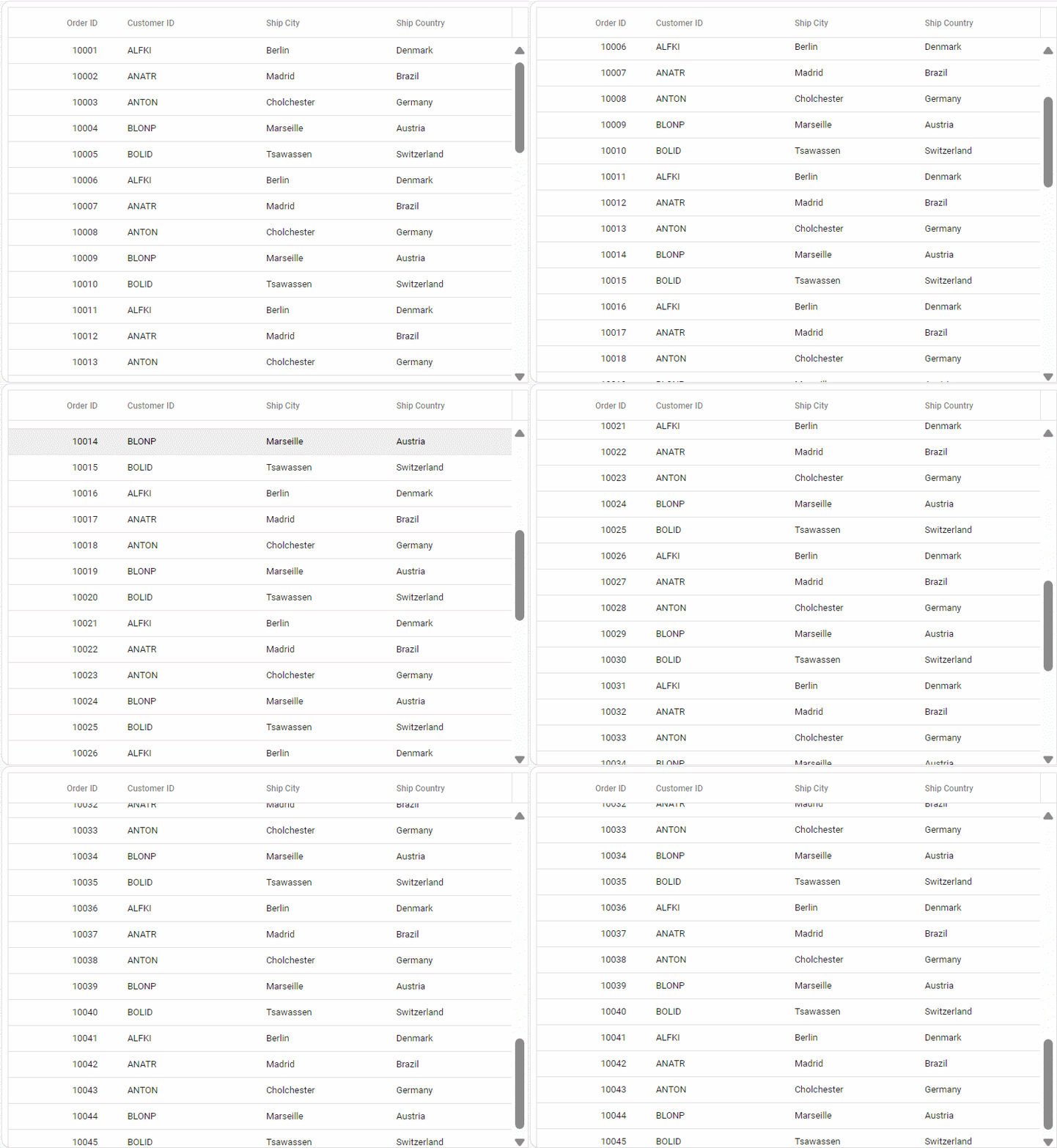
This section describes a step-by-step process for retrieving data using WebApiAdaptor, then binding it to the JavaScript Grid control to facilitate data and CRUD operations.
Handling searching operation
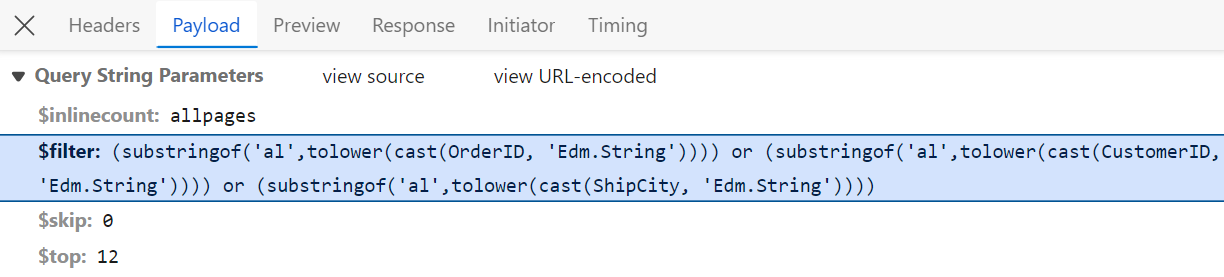
To handle search operation, implement search logic on the server side according to the received OData-formatted query.
// GET: api/Orders
[HttpGet]

public object Get()
{
  var queryString = Request.Query;
  var data = OrdersDetails.GetAllRecords().ToList();
  string filter = queryString["$filter"];

  if (filter != null)
  {
    var filters = filter.Split(new string[] { " and " }, StringSplitOptions.RemoveEmptyEntries);
    foreach (var filterItem in filters)
    {
      if (filterItem.Contains("substringof"))
      {
        // Perform Searching
        var searchParts = filterItem.Split('(', ')', '\'');
        var searchValue = searchParts[3];

        // Apply the search value to all searchable fields
        data = data.Where(cust =>
          cust.OrderID.ToString().Contains(searchValue) ||
          cust.CustomerID.ToLower().Contains(searchValue) ||
          cust.ShipCity.ToLower().Contains(searchValue)
        // Add conditions for other searchable fields as needed
        ).ToList();
      }
      else
      {
        // Perform filtering
      }
    }
  }
  return new { Items = data, Count = data.Count() };
}
Handling filtering operation
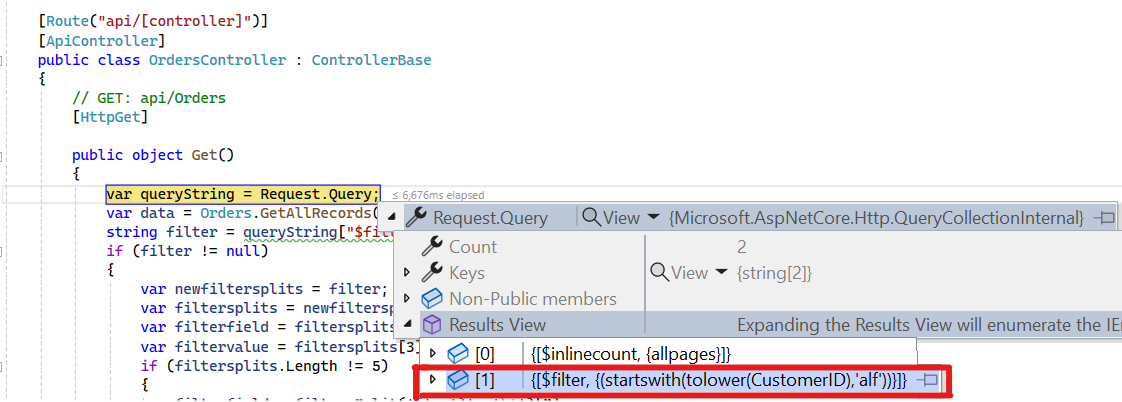
To handle filter operations, ensure that your Web API endpoint supports filtering based on OData-formatted queries. Implement the filtering logic on the server-side as shown in the provided code snippet.
// GET: api/Orders
[HttpGet]
public object Get()
{
  var queryString = Request.Query;
  var data = Orders.GetAllRecords().ToList();
  string filter = queryString["$filter"];

  if (filter != null)
  {
    var filters = filter.Split(new string[] { " and " }, StringSplitOptions.RemoveEmptyEntries);
    foreach (var filterItem in filters)
    {
      var filterfield = "";
      var filtervalue = "";
      var filterParts = filterItem.Split('(', ')', '\'');
      if (filterParts.Length != 9)
      {
        var filterValueParts = filterParts[1].Split();
        filterfield = filterValueParts[0];
        filtervalue = filterValueParts[2];
      }
      else
      {
        filterfield = filterParts[3];
        filtervalue = filterParts[5];
      }
      switch (filterfield)
      {
        case "OrderID":
          data = (from cust in data
                where cust.OrderID.ToString() == filtervalue.ToString()
                select cust).ToList();
        break;
        case "CustomerID":
          data = (from cust in data
                where cust.CustomerID.ToLower().StartsWith(filtervalue.ToString())
                select cust).ToList();
        break;
        case "ShipCity":
          data = (from cust in data
                where cust.ShipCity.ToLower().StartsWith(filtervalue.ToString())
                select cust).ToList();
        break;
      }
    }
    return new { Items = data, Count = data.Count() };
  }
}
Handling sorting operation
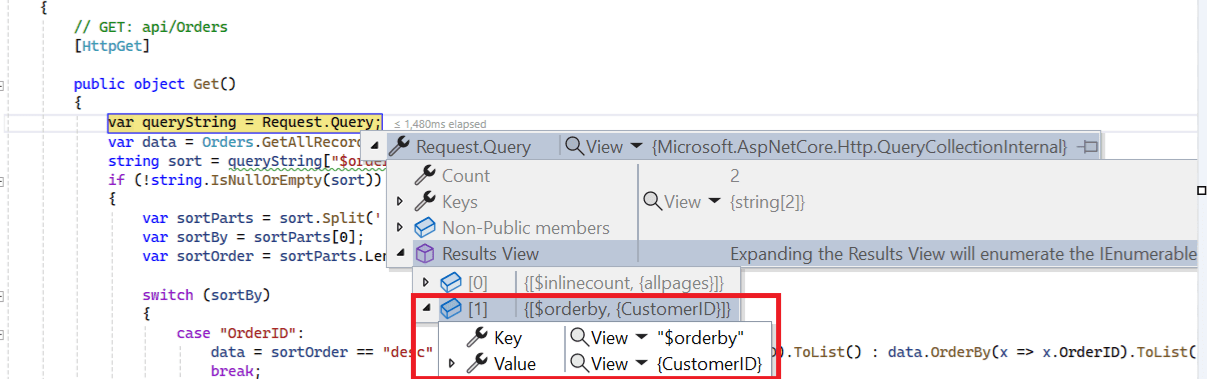
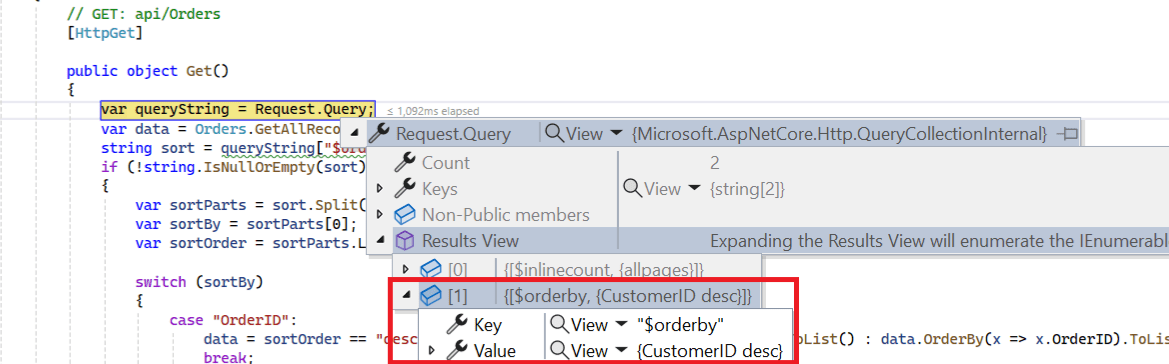
To handle sorting action, implement sorting logic on the server-side according to the received OData-formatted query.
Ascending Sorting
Descending Sorting
// GET: api/Orders
[HttpGet]

public object Get()
{
    var queryString = Request.Query;
    var data = OrdersDetails.GetAllRecords().ToList();
    string sort = queryString["$orderby"];   //sorting
    if (!string.IsNullOrEmpty(sort))
    {
        var sortConditions = sort.Split(',');
        var orderedData = data.OrderBy(x => 0); // Start with a stable sort
        foreach (var sortCondition in sortConditions)
        {
            var sortParts = sortCondition.Trim().Split(' ');
            var sortBy = sortParts[0];
            var sortOrder = sortParts.Length > 1 && sortParts[1].ToLower() == "desc";
            switch (sortBy)
            {
                case "OrderID":
                    orderedData = sortOrder ? orderedData.ThenByDescending(x => x.OrderID) : orderedData.ThenBy(x => x.OrderID);
                    break;
                case "CustomerID":
                    orderedData = sortOrder ? orderedData.ThenByDescending(x => x.CustomerID) : orderedData.ThenBy(x => x.CustomerID);
                    break;
                case "ShipCity":
                    orderedData = sortOrder ? orderedData.ThenByDescending(x => x.ShipCity) : orderedData.ThenBy(x => x.ShipCity);
                    break;
            }
        }
        data = orderedData.ToList();
    }
    return new { Items = data, Count = data.Count() };
}
Handling paging operation
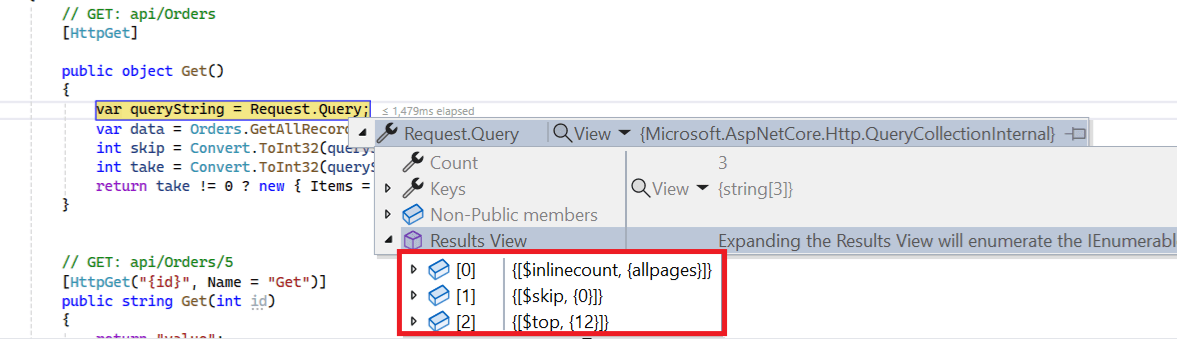
Implement paging logic on the server-side according to the received OData-formatted query. Ensure that the endpoint supports paging based on the specified criteria.
[HttpPost]
public object Post([FromBody] DataManager DataManagerRequest)
{
    // Retrieve data from the data source (e.g., database)
    IQueryable<OrdersDetails> DataSource = GetOrderData().AsQueryable();

    // Get the total records count
    int totalRecordsCount = DataSource.Count();

    QueryableOperation queryableOperation = new QueryableOperation(); // Initialize QueryableOperation instance

    // Retrieve data manager value
    DataManagerRequest DataManagerParams = DataManagerRequest.Value;

    // Handling paging operation.
    if (DataManagerParams.Skip != 0)
    {
        // Paging
        DataSource = queryableOperation.PerformSkip(DataSource, DataManagerParams.Skip);
    }
    if (DataManagerParams.Take != 0)
    {
        DataSource = queryableOperation.PerformTake(DataSource, DataManagerParams.Take);
    }

    // Return data based on the request
    return new { result = DataSource, count = totalRecordsCount };
}

// Model for handling data manager requests
public class DataManager
{
    public required DataManagerRequest Value { get; set; }
}
Handling CRUD operations
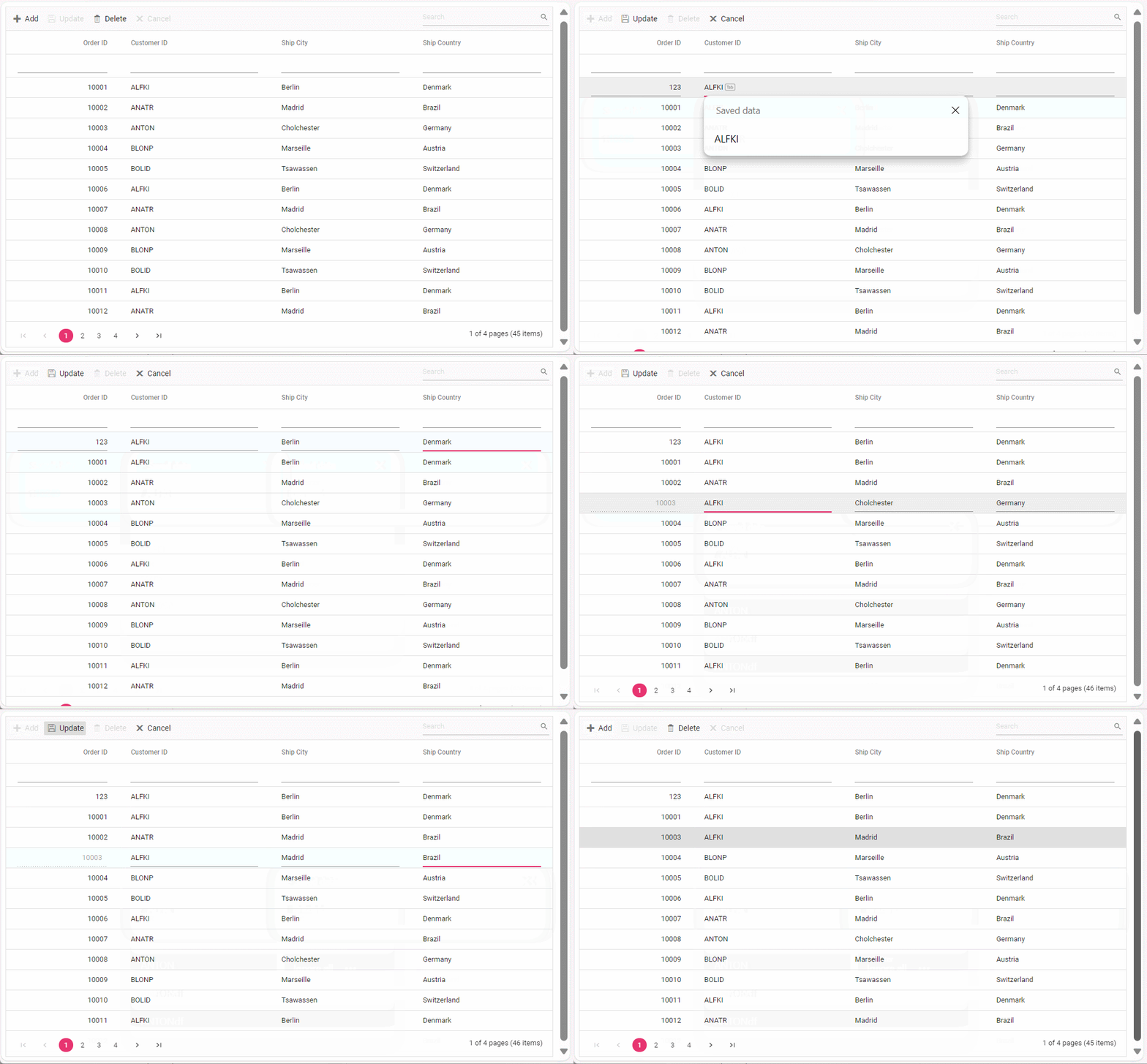
The JavaScript Grid Control seamlessly integrates CRUD (Create, Read, Update, Delete) operations with server-side controller actions through specific properties: insertUrl, removeUrl, updateUrl, crudUrl, and batchUrl. These properties enable the grid to communicate with the data service for every grid action, facilitating server-side operations.
To enable editing in JavaScript Grid control, refer to the editing documentation. In the below example, the inline edit mode is enabled and toolbar property is configured to display toolbar items for editing purposes.
Normal/Inline editing is the default edit mode for the Grid control. To enable CRUD operations, ensure that the isPrimaryKey property is set to true for a specific Grid column, ensuring that its value is unique.
Insert operation:
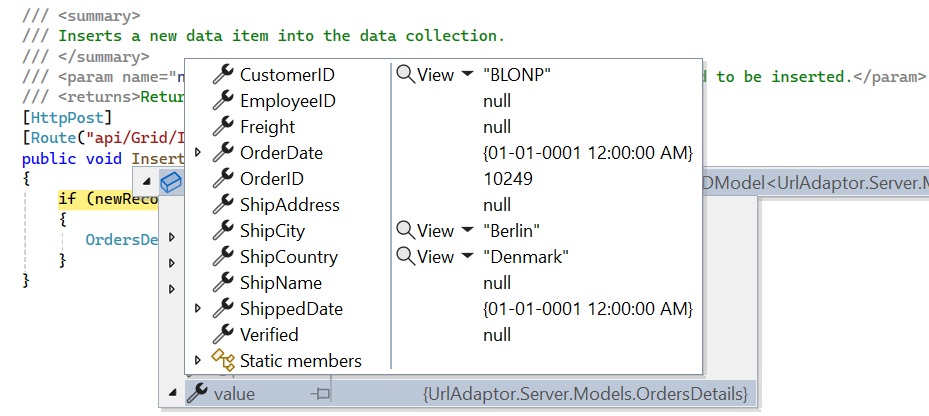
To insert a new record, utilize the insertUrl property to specify the controller action mapping URL for the insert operation. The newly added record details are bound to the newRecord parameter.
// POST: api/Orders
[HttpPost]
/// <summary>
/// Inserts a new data item into the data collection.
/// </summary>
/// <param name="newRecord">It holds new record detail which is need to be inserted.</param>
/// <returns>Returns void</returns>
public void Post([FromBody] OrdersDetails newRecord)
{
  // Insert a new record into the OrdersDetails model
  OrdersDetails.GetAllRecords().Insert(0, newRecord);
}
Update operation:
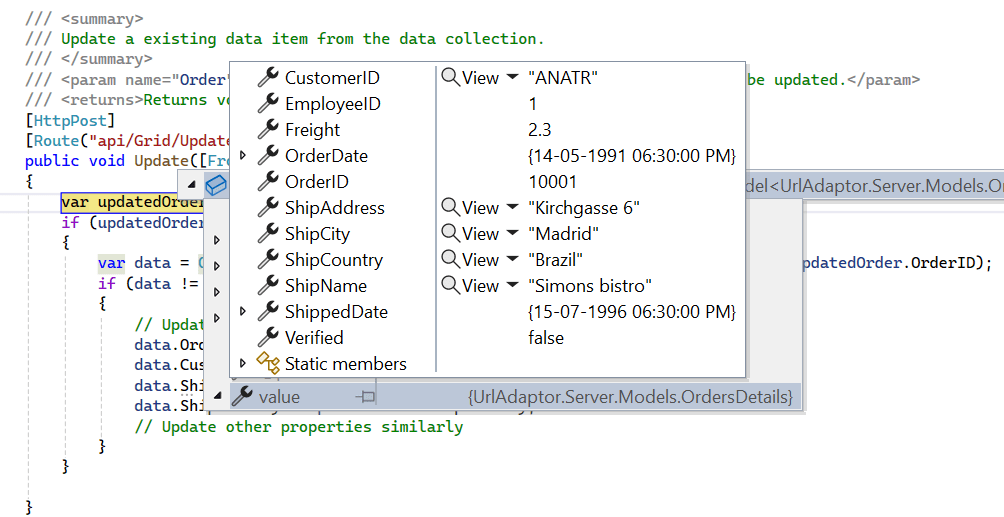
For updating existing records, utilize the updateUrl property to specify the controller action mapping URL for the update operation. The updated record details are bound to the updatedRecord parameter.
// PUT: api/Orders/5
[HttpPut]
/// <summary>
/// Update a existing data item from the data collection.
/// </summary>
/// <param name="updatedOrder">It holds updated record detail which is need to be updated.</param>
/// <returns>Returns void</returns>
public void Put(int id, [FromBody] OrdersDetails updatedOrder)
{
  // Find the existing order by ID
  var existingOrder = OrdersDetails.GetAllRecords().FirstOrDefault(o => o.OrderID == id);
  if (existingOrder != null)
  {
    // If the order exists, update its properties
    existingOrder.OrderID = updatedOrder.OrderID;
    existingOrder.CustomerID = updatedOrder.CustomerID;
    existingOrder.ShipCity = updatedOrder.ShipCity;
    existingOrder.ShipCountry = updatedOrder.ShipCountry;
  }
}
Delete operation
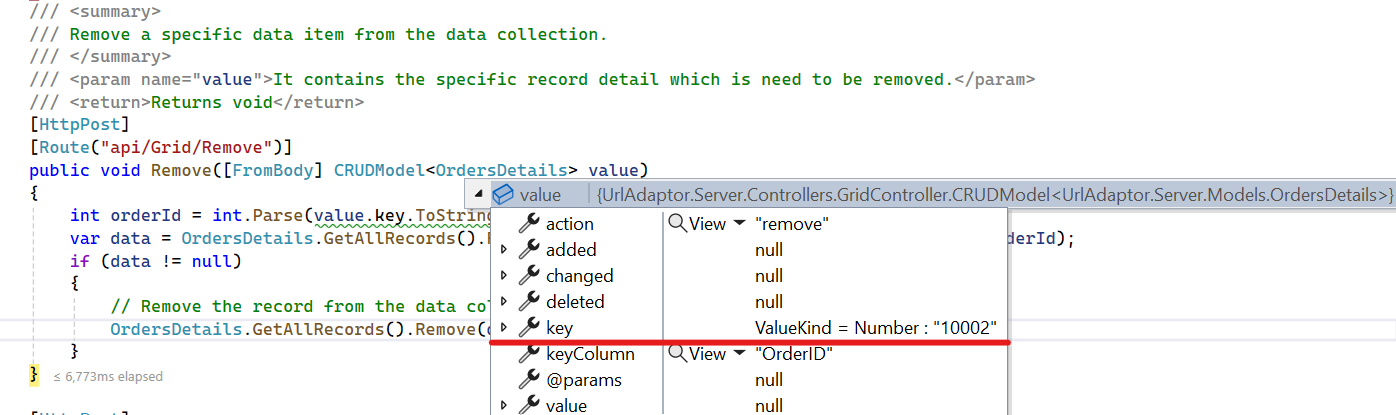
To delete existing records, use the removeUrl property to specify the controller action mapping URL for the delete operation. The primary key value of the deleted record is bound to the deletedRecord parameter.
// DELETE: api/5

[HttpDelete("{id}")]
/// <summary>
/// Remove a specific data item from the data collection.
/// </summary>
/// <param name="key">It holds specific record detail id which is need to be removed.</param>
/// <returns>Returns void</returns>
public void Delete(int key)
{
  // Find the order to remove by ID
  var orderToRemove = OrdersDetails.GetAllRecords().FirstOrDefault(order => order.OrderID == key);
  // If the order exists, remove it
  if (orderToRemove != null)
  {
    OrdersDetails.GetAllRecords().Remove(orderToRemove);
  }
}