About Syncfusion Blazor DOCX Editor Control
28 Aug 20261 minute to read
The Blazor DOCX Editor (Document Editor) is a feature-rich, user-interactive component that enables you to create, edit, view, and print Word documents with advanced formatting, editing capabilities, and broad support for document import and export formats.
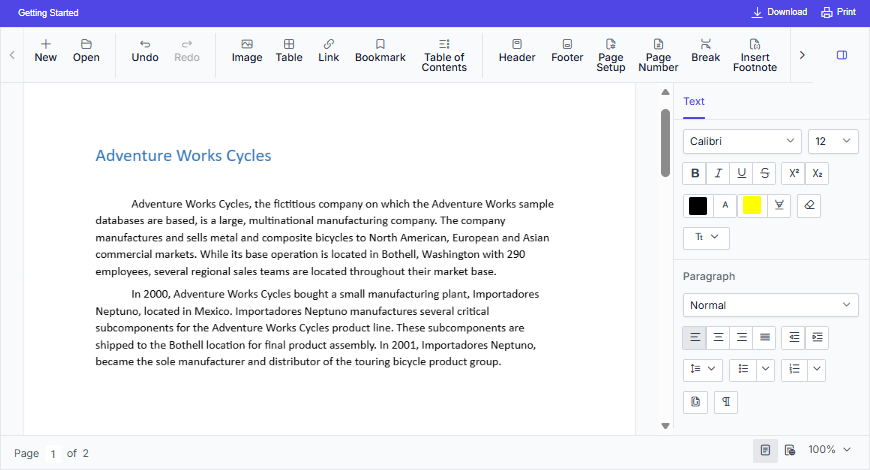
Key Features
-
Opens the native
Syncfusion Document Text (*.sfdt)format documents in the client side. -
Saves the documents in the client side as
Syncfusion Document Text (*.sfdt)andWord document (*.docx). - Supports document elements like text, image, table, fields, bookmark, shapes, section, header and footer.
- Supports the commonly used fields like hyperlink, page number, page count, and table of contents.
- Supports formats like text, paragraph, bullets and numbering, table and page settings.
- Provides support to create, edit, and apply paragraph and character styles.
- Provides support to find and replace text within the document.
- Supports all the common editing and formatting operations along with undo and redo.
- Provides support to cut, copy, and paste rich text contents within the component. Also allows pasting simple text to and from other applications.
- Provides support to insert and edit form fields.
- Provides support to insert and edit comments.
- Provides support to track the inserted and deleted content.
- Provides support to perform spell checking for any input text
- Allows user interactions such as zoom, scroll, and content selection through touch, mouse, and keyboard.
- Provides intuitive UI options like context menu, dialogs, and navigation pane.
- Localizes all the static text to any desired language.
- Allows you to create a lightweight Word viewer using module injection to view and print Word documents.