Remove Form Fields in React PDF Viewer
14 Aug 20265 minutes to read
The PDF Viewer supports removing form fields using the Form Designer UI or programmatically via the API.
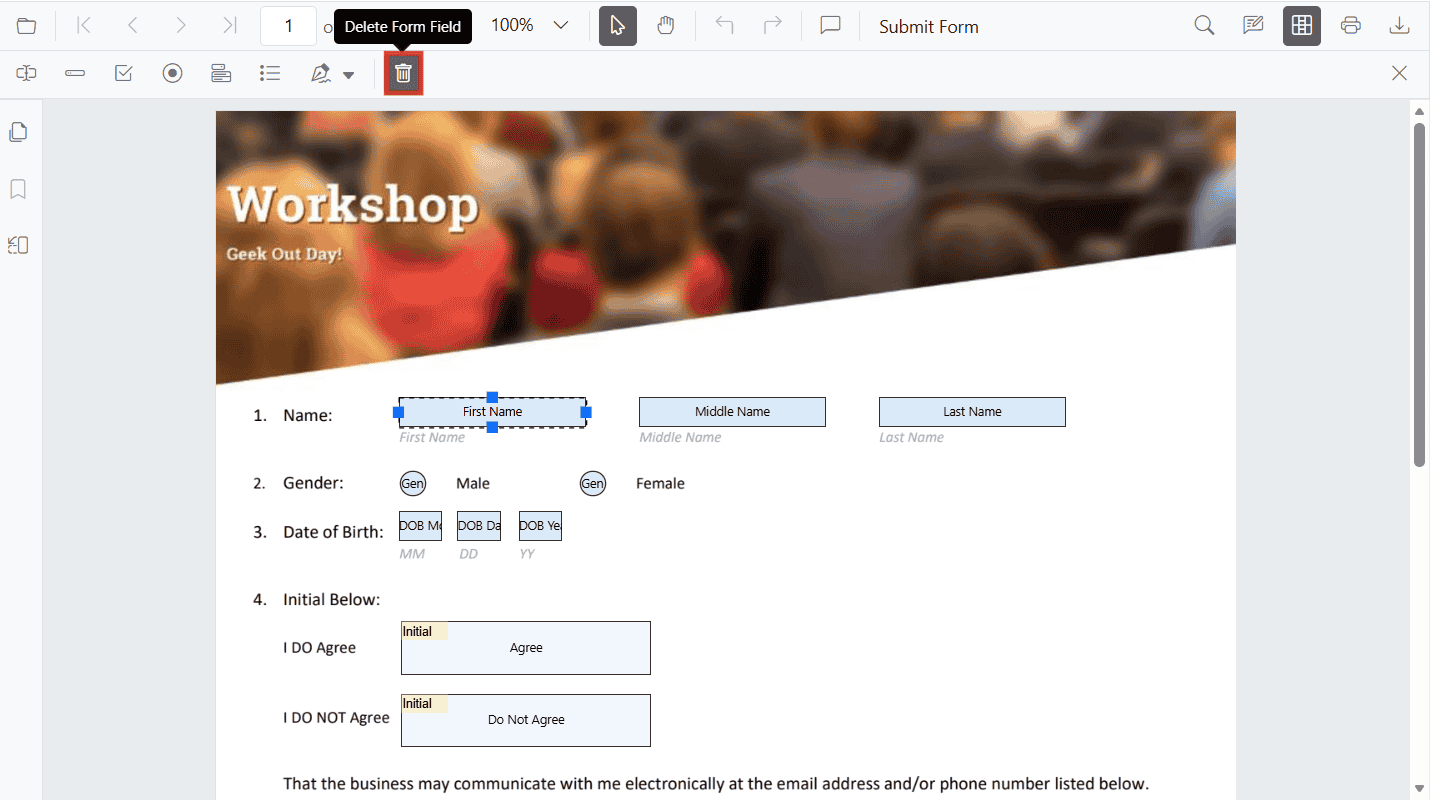
Remove form fields using the UI
Steps:
- Enable Form Designer mode.
- Select the form field.
- Click Delete in the toolbar or press the Delete key.
Remove form fields programmatically
Use deleteFormField() with a field reference or the field id. The method accepts either a field object returned by retrieveFormFields() or a numeric/string id.
import * as ReactDOM from 'react-dom/client';
import React, { useRef, useCallback } from 'react';
import './index.css';
import { PdfViewerComponent, Toolbar, Magnification, Navigation, LinkAnnotation, BookmarkView, ThumbnailView, Print, TextSelection, Annotation, TextSearch, FormDesigner, FormFields, Inject } from '@syncfusion/ej2-react-pdfviewer';

export function App() {
  const viewerRef = useRef(null);

  const onDocumentLoad = useCallback(() => {
    const viewer = viewerRef.current;
    if (!viewer) return;

    viewer.formDesignerModule.addFormField('Textbox', {
      name: 'First Name',
      bounds: { X: 146, Y: 229, Width: 150, Height: 24 }
    });

    viewer.formDesignerModule.addFormField('Password', {
      name: 'Password',
      bounds: { X: 338, Y: 229, Width: 150, Height: 24 }
    });

    viewer.formDesignerModule.addFormField('SignatureField', {
      name: 'Sign Here',
      bounds: { X: 146, Y: 280, Width: 200, Height: 43 }
    });
  }, []);

  const deleteAll = useCallback(() => {
    const viewer = viewerRef.current;
    if (!viewer || !viewer.formFieldCollection) return;
    const fields = [...viewer.formFieldCollection]; // clone to avoid mutation issues
    fields.forEach(field => viewer.formDesignerModule.deleteFormField(field));
  }, []);

  const deleteById = useCallback(() => {
    const viewer = viewerRef.current;
    const list = viewer?.formFieldCollection || [];
    if (list.length > 0) {
      const id = list[0].id;
      if (id) viewer.formDesignerModule.deleteFormField(id);
    }
  }, []);

  return (
    <div>
      <div className='control-section'>
        <div style=>
          <button onClick={deleteAll}>Delete Form Fields</button>
          <button onClick={deleteById} style=>Delete First Field By ID</button>
        </div>
        <PdfViewerComponent
          ref={viewerRef}
          id="container"
          documentPath="https://cdn.syncfusion.com/content/pdf/form-designer.pdf"
          resourceUrl="https://cdn.syncfusion.com/ej2/31.2.2/dist/ej2-pdfviewer-lib"
          // serviceUrl="https://document.syncfusion.com/web-services/pdf-viewer/api/pdfviewer/" // Optional server-backed
          documentLoad={onDocumentLoad}
          style=
        >
          <Inject services={[Toolbar, Magnification, Navigation, Annotation, LinkAnnotation, BookmarkView, ThumbnailView, Print, TextSelection, TextSearch, FormDesigner, FormFields]} />
        </PdfViewerComponent>
      </div>
    </div>
  );
}

const root = ReactDOM.createRoot(document.getElementById('sample'));
root.render(<App />);