Modify Form Fields in React PDF Viewer
21 Oct 202624 minutes to read
Modify form fields using the UI or programmatically via the API.
Modify PDF form field properties using the UI
- Right click a field → Properties to update settings.
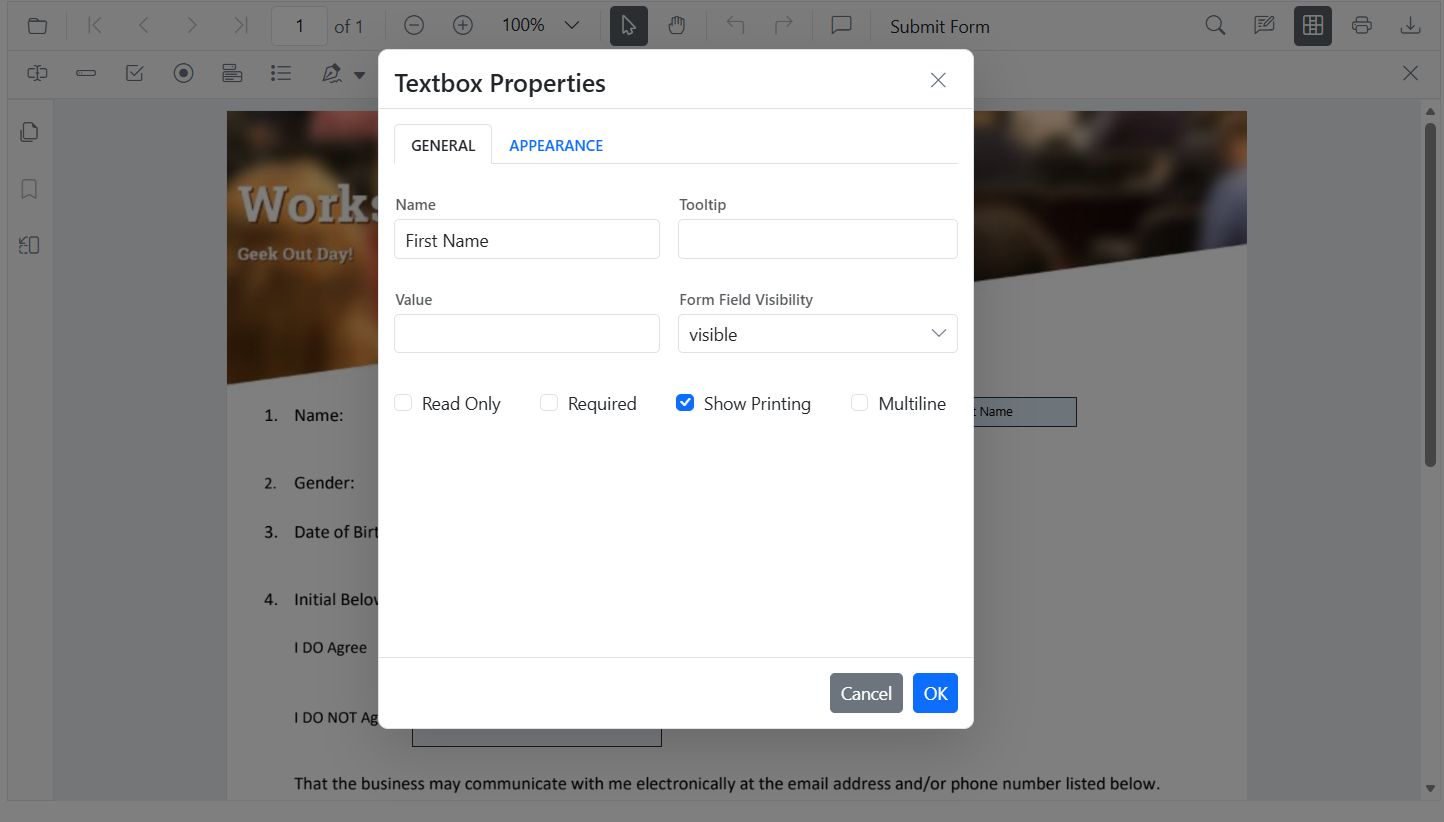
- Drag to move; use handles to resize.
- Use the toolbar to toggle field mode or add new fields.
Modify PDF form field properties programmatically
Use updateFormField() to change behavior or data (including position and size):
import * as ReactDOM from 'react-dom/client';
import React, { useRef } from 'react';
import './index.css';
import { PdfViewerComponent, Toolbar, Magnification, Navigation, Annotation, LinkAnnotation, ThumbnailView, BookmarkView, TextSelection, TextSearch, FormFields, FormDesigner, Inject } from '@syncfusion/ej2-react-pdfviewer';

export function App() {
  const viewerRef = useRef(null);

  const onEditTextbox = () => {
    const viewer = viewerRef.current;
    if (!viewer) return;
    const fields = viewer.retrieveFormFields();
    const field = fields.find(f => f.name === 'First Name') || fields[0];
    if (field) {
      viewer.formDesignerModule.updateFormField(field, {
        value: 'John',
        fontFamily: 'Courier',
        fontSize: 12,
        color: 'black',
        backgroundColor: 'white',
        borderColor: 'black',
        thickness: 2,
        alignment: 'Left',
        maxLength: 50
      });
    }
  };

  return (
    <div className='control-section'>
      <button onClick={onEditTextbox}>Apply Textbox Changes</button>
      <PdfViewerComponent
        ref={viewerRef}
        id="container"
        documentPath="https://cdn.syncfusion.com/content/pdf/form-designer.pdf"
        resourceUrl="https://cdn.syncfusion.com/ej2/31.2.2/dist/ej2-pdfviewer-lib"
        style=
      >
        <Inject services={[Toolbar, Magnification, Navigation, Annotation, LinkAnnotation, ThumbnailView, BookmarkView, TextSelection, TextSearch, FormFields, FormDesigner]} />
      </PdfViewerComponent>
    </div>
  );
}

const root = ReactDOM.createRoot(document.getElementById('sample'));
root.render(<App />);
Modify PDF Form Field Properties by Field Type
Textbox
- UI: Update value, font, size, colors, border thickness, alignment, max length, multiline.
- API: updateFormField() for value, typography, alignment, colors, borders.
import * as ReactDOM from 'react-dom/client';
import React, { useRef } from 'react';
import './index.css';
import { PdfViewerComponent, Toolbar, Magnification, Navigation, Annotation, LinkAnnotation, ThumbnailView, BookmarkView, TextSelection, TextSearch, FormFields, FormDesigner, Inject } from '@syncfusion/ej2-react-pdfviewer';

export function App() {
  const viewerRef = useRef(null);

  const onEditTextbox = () => {
    const viewer = viewerRef.current;
    if (!viewer) return;
    const fields = viewer.retrieveFormFields();
    const field = fields.find(f => f.name === 'First Name') || fields[0];
    if (field) {
      viewer.formDesignerModule.updateFormField(field, {
        value: 'John',
        fontFamily: 'Courier',
        fontSize: 12,
        color: 'black',
        backgroundColor: 'white',
        borderColor: 'black',
        thickness: 2,
        alignment: 'Left',
        maxLength: 50
      });
    }
  };

  return (
    <div className='control-section'>
      <button onClick={onEditTextbox}>Apply Textbox Changes</button>
      <PdfViewerComponent
        ref={viewerRef}
        id="container"
        documentPath="https://cdn.syncfusion.com/content/pdf/form-designer.pdf"
        resourceUrl="https://cdn.syncfusion.com/ej2/31.2.2/dist/ej2-pdfviewer-lib"
        style=
      >
        <Inject services={[Toolbar, Magnification, Navigation, Annotation, LinkAnnotation, ThumbnailView, BookmarkView, TextSelection, TextSearch, FormFields, FormDesigner]} />
      </PdfViewerComponent>
    </div>
  );
}

const root = ReactDOM.createRoot(document.getElementById('sample'));
root.render(<App />);
Password
- UI: Tooltip, required, max length, font, appearance.
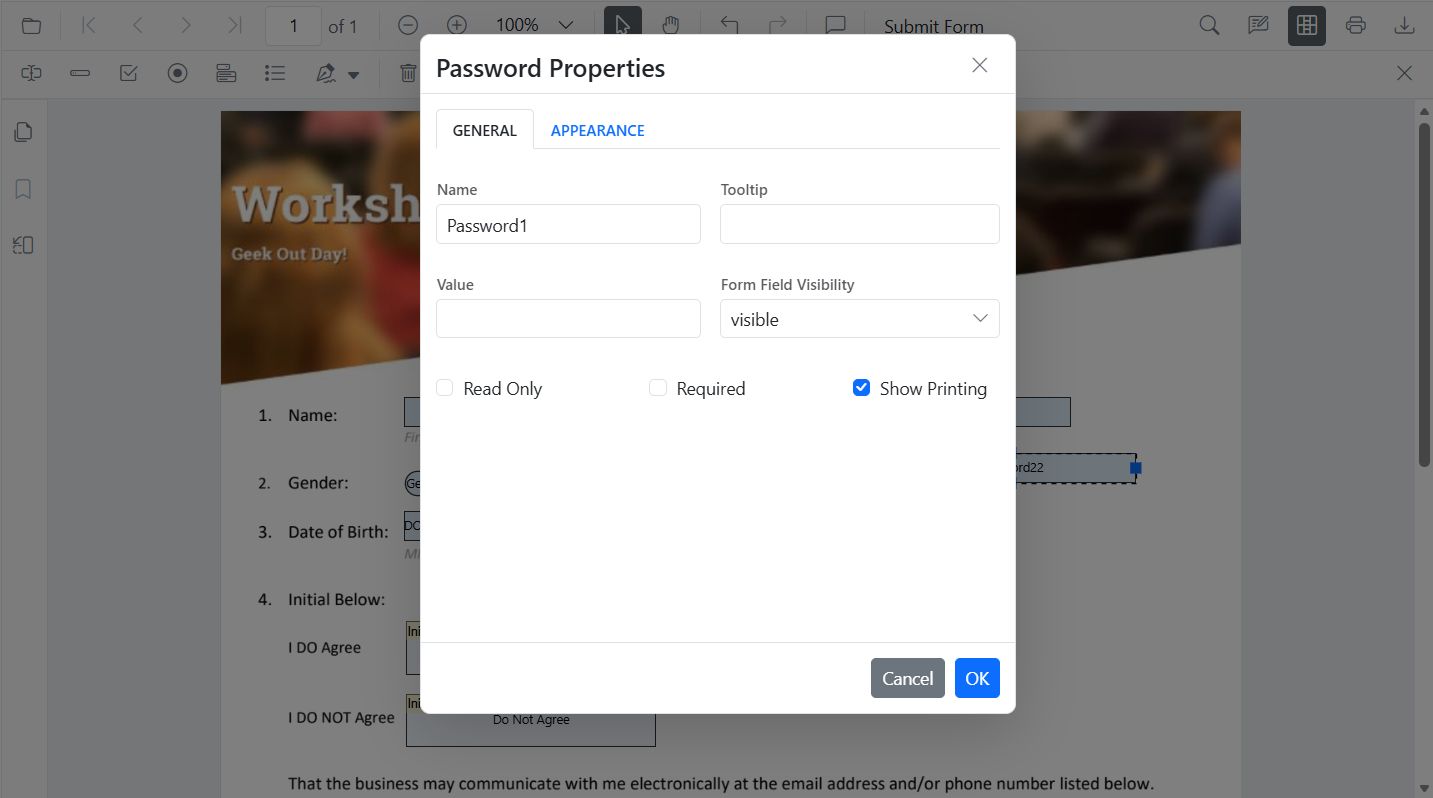
- API: updateFormField() for tooltip, validation flags, typography, colors, alignment, borders.
import * as ReactDOM from 'react-dom/client';
import React, { useRef } from 'react';
import './index.css';
import { PdfViewerComponent, Toolbar, Magnification, Navigation, Annotation, LinkAnnotation, ThumbnailView, BookmarkView, TextSelection, TextSearch, FormFields, FormDesigner, Inject } from '@syncfusion/ej2-react-pdfviewer';

export function App() {
  const viewerRef = useRef(null);

  const onEditPassword = () => {
    const viewer = viewerRef.current;
    if (!viewer) return;
    const fields = viewer.retrieveFormFields();
    const field = fields.find(f => f.name === 'Password');
    if (field) {
      viewer.formDesignerModule.updateFormField(field, {
        tooltip: 'Enter your password',
        isReadOnly: false,
        isRequired: true,
        isPrint: true,
        fontFamily: 'Courier',
        fontSize: 10,
        color: 'black',
        borderColor: 'black',
        backgroundColor: 'white',
        alignment: 'Left',
        maxLength: 20,
        thickness: 1
      });
    }
  };

  return (
    <div className='control-section'>
      <button onClick={onEditPassword}>Edit PasswordBox</button>
      <PdfViewerComponent
        ref={viewerRef}
        id="container"
        documentPath="https://cdn.syncfusion.com/content/pdf/form-designer.pdf"
        resourceUrl="https://cdn.syncfusion.com/ej2/31.2.2/dist/ej2-pdfviewer-lib"
        style=
      >
        <Inject services={[Toolbar, Magnification, Navigation, Annotation, LinkAnnotation, ThumbnailView, BookmarkView, TextSelection, TextSearch, FormFields, FormDesigner]} />
      </PdfViewerComponent>
    </div>
  );
}

const root = ReactDOM.createRoot(document.getElementById('sample'));
root.render(<App />);
CheckBox
- UI: Toggle checked state.
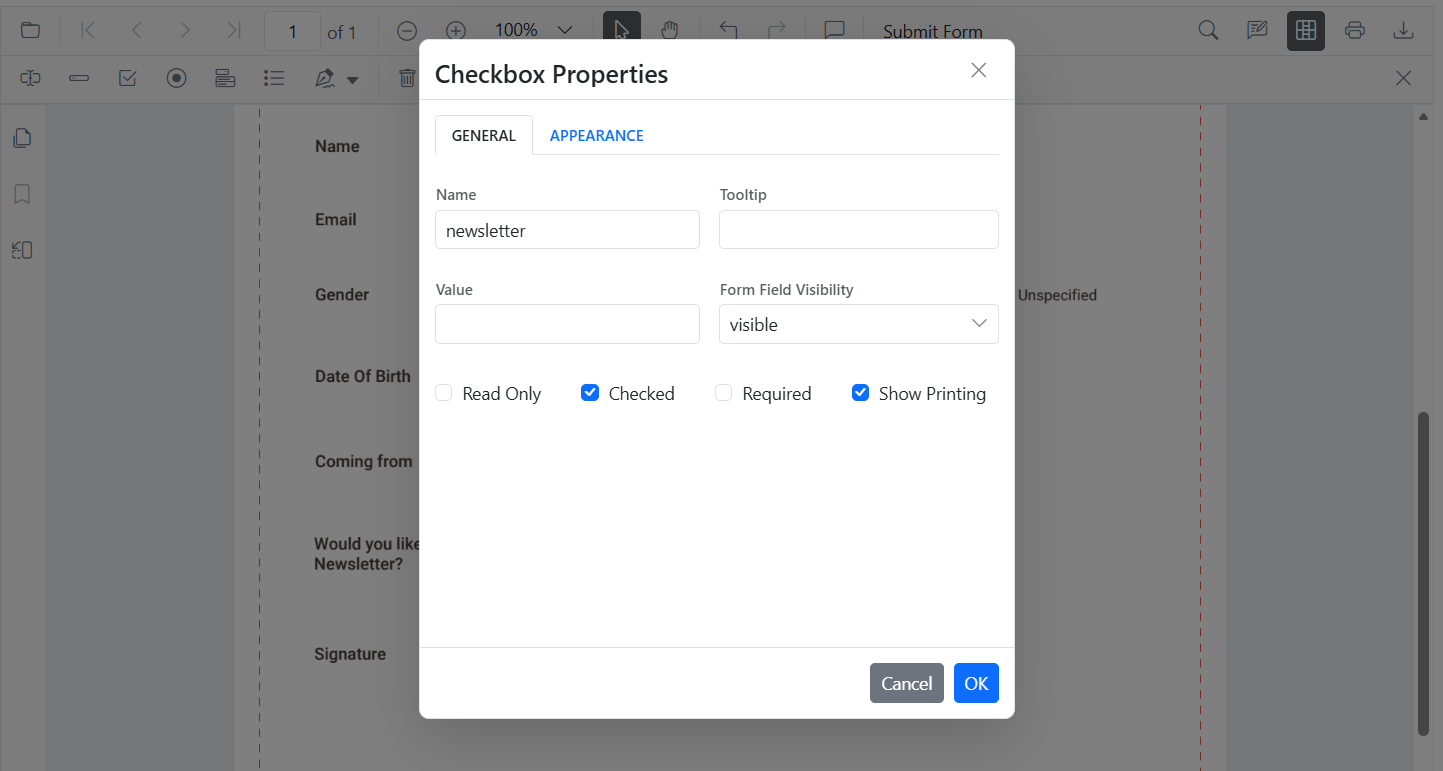
- API: updateFormField() for isChecked, tooltip, colors, borders.
import * as ReactDOM from 'react-dom/client';
import React, { useRef } from 'react';
import './index.css';
import { PdfViewerComponent, Toolbar, Magnification, Navigation, Annotation, LinkAnnotation, ThumbnailView, BookmarkView, TextSelection, TextSearch, FormFields, FormDesigner, Inject } from '@syncfusion/ej2-react-pdfviewer';

export function App() {
  const viewerRef = useRef(null);

  const onEditCheckbox = () => {
    const viewer = viewerRef.current;
    if (!viewer) return;
    const fields = viewer.retrieveFormFields();
    const cb = fields.find(f => f.name === 'Subscribe');
    if (cb) {
      viewer.formDesignerModule.updateFormField(cb, {
        isChecked: true,
        backgroundColor: 'white',
        borderColor: 'black',
        thickness: 2,
        tooltip: 'Subscribe to newsletter'
      });
    }
  };

  return (
    <div className='control-section'>
      <button onClick={onEditCheckbox}>Edit CheckBox</button>
      <PdfViewerComponent
        ref={viewerRef}
        id="container"
        documentPath="https://cdn.syncfusion.com/content/pdf/form-designer.pdf"
        resourceUrl="https://cdn.syncfusion.com/ej2/31.2.2/dist/ej2-pdfviewer-lib"
        style=
      >
        <Inject services={[Toolbar, Magnification, Navigation, Annotation, LinkAnnotation, ThumbnailView, BookmarkView, TextSelection, TextSearch, FormFields, FormDesigner]} />
      </PdfViewerComponent>
    </div>
  );
}

const root = ReactDOM.createRoot(document.getElementById('sample'));
root.render(<App />);
RadioButton
- UI: Set selected item in a group (same Name).
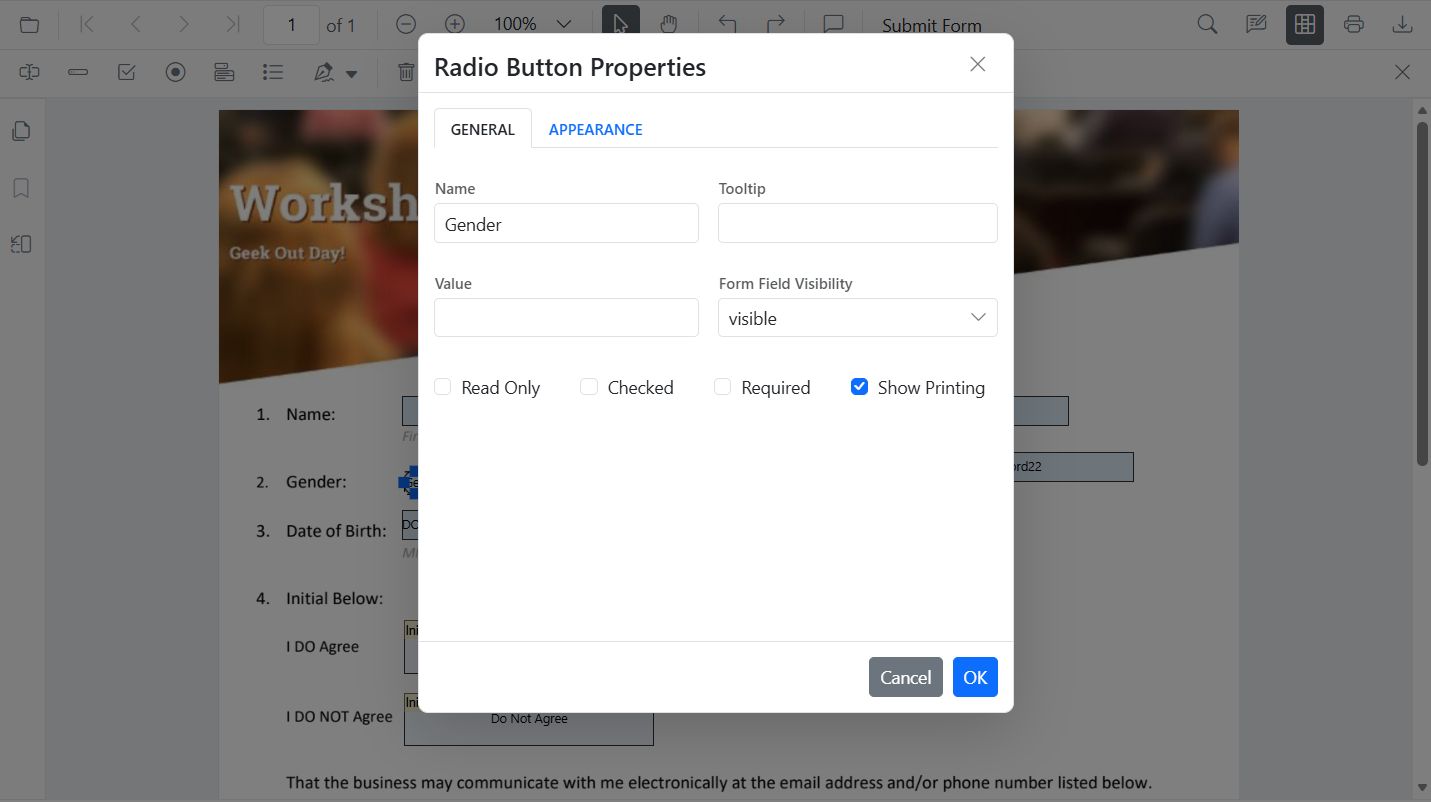
- API:
updateFormField()to set selected value and border appearance.
import * as ReactDOM from 'react-dom/client';
import React, { useRef } from 'react';
import './index.css';
import { PdfViewerComponent, Toolbar, Magnification, Navigation, Annotation, LinkAnnotation, ThumbnailView, BookmarkView, TextSelection, TextSearch, FormFields, FormDesigner, Inject } from '@syncfusion/ej2-react-pdfviewer';

export function App() {
  const viewerRef = useRef(null);

  const onEditRadio = () => {
    const viewer = viewerRef.current;
    if (!viewer) return;
    const fields = viewer.retrieveFormFields();
    const genderRadios = fields.filter(f => f.name === 'Gender');
    if (genderRadios.length > 1) {
      viewer.formDesignerModule.updateFormField(genderRadios[0], { isSelected: false });
      viewer.formDesignerModule.updateFormField(genderRadios[1], { isSelected: true, thickness: 2, borderColor: 'black' });
    }
  };

  return (
    <div className='control-section'>
      <button onClick={onEditRadio}>Edit RadioButton</button>
      <PdfViewerComponent
        ref={viewerRef}
        id="container"
        documentPath="https://cdn.syncfusion.com/content/pdf/form-designer.pdf"
        resourceUrl="https://cdn.syncfusion.com/ej2/31.2.2/dist/ej2-pdfviewer-lib"
        style=
      >
        <Inject services={[Toolbar, Magnification, Navigation, Annotation, LinkAnnotation, ThumbnailView, BookmarkView, TextSelection, TextSearch, FormFields, FormDesigner]} />
      </PdfViewerComponent>
    </div>
  );
}

const root = ReactDOM.createRoot(document.getElementById('sample'));
root.render(<App />);
ListBox
- UI: Add/remove items, set selection, adjust fonts/colors.
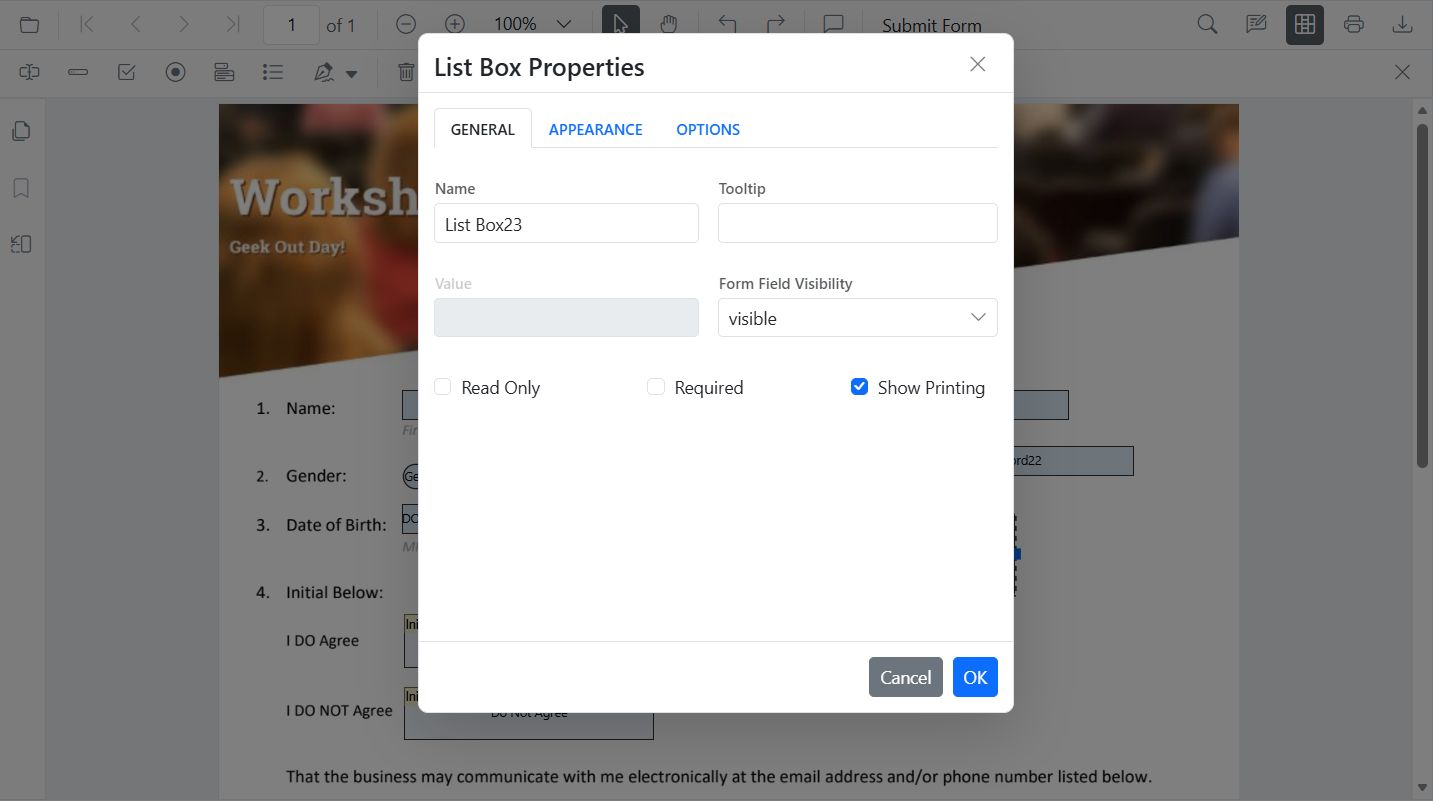
- API:
updateFormField()for items, selection, borders.
import * as ReactDOM from 'react-dom/client';
import React, { useRef } from 'react';
import './index.css';
import { PdfViewerComponent, Toolbar, Magnification, Navigation, Annotation, LinkAnnotation, ThumbnailView, BookmarkView, TextSelection, TextSearch, FormFields, FormDesigner, Inject } from '@syncfusion/ej2-react-pdfviewer';

export function App() {
  const viewerRef = useRef(null);

  const onEditListBox = () => {
    const viewer = viewerRef.current;
    if (!viewer) return;
    const fields = viewer.retrieveFormFields();
    const lb = fields.find(f => f.name === 'States');
    if (lb) {
      viewer.formDesignerModule.updateFormField(lb, {
        options: [
          { itemName: 'Alabama', itemValue: 'AL' },
          { itemName: 'Alaska', itemValue: 'AK' },
          { itemName: 'Arizona', itemValue: 'AZ' }
        ],
        value: 'AZ',
        fontFamily: 'Courier',
        fontSize: 10,
        color: 'black',
        borderColor: 'black',
        backgroundColor: 'white'
      });
    }
  };

  return (
    <div className='control-section'>
      <button onClick={onEditListBox}>Edit ListBox</button>
      <PdfViewerComponent
        ref={viewerRef}
        id="container"
        documentPath="https://cdn.syncfusion.com/content/pdf/form-designer.pdf"
        resourceUrl="https://cdn.syncfusion.com/ej2/31.2.2/dist/ej2-pdfviewer-lib"
        style=
      >
        <Inject services={[Toolbar, Magnification, Navigation, Annotation, LinkAnnotation, ThumbnailView, BookmarkView, TextSelection, TextSearch, FormFields, FormDesigner]} />
      </PdfViewerComponent>
    </div>
  );
}

const root = ReactDOM.createRoot(document.getElementById('sample'));
root.render(<App />);
DropDown
- UI: Add/remove items, default value, appearance.
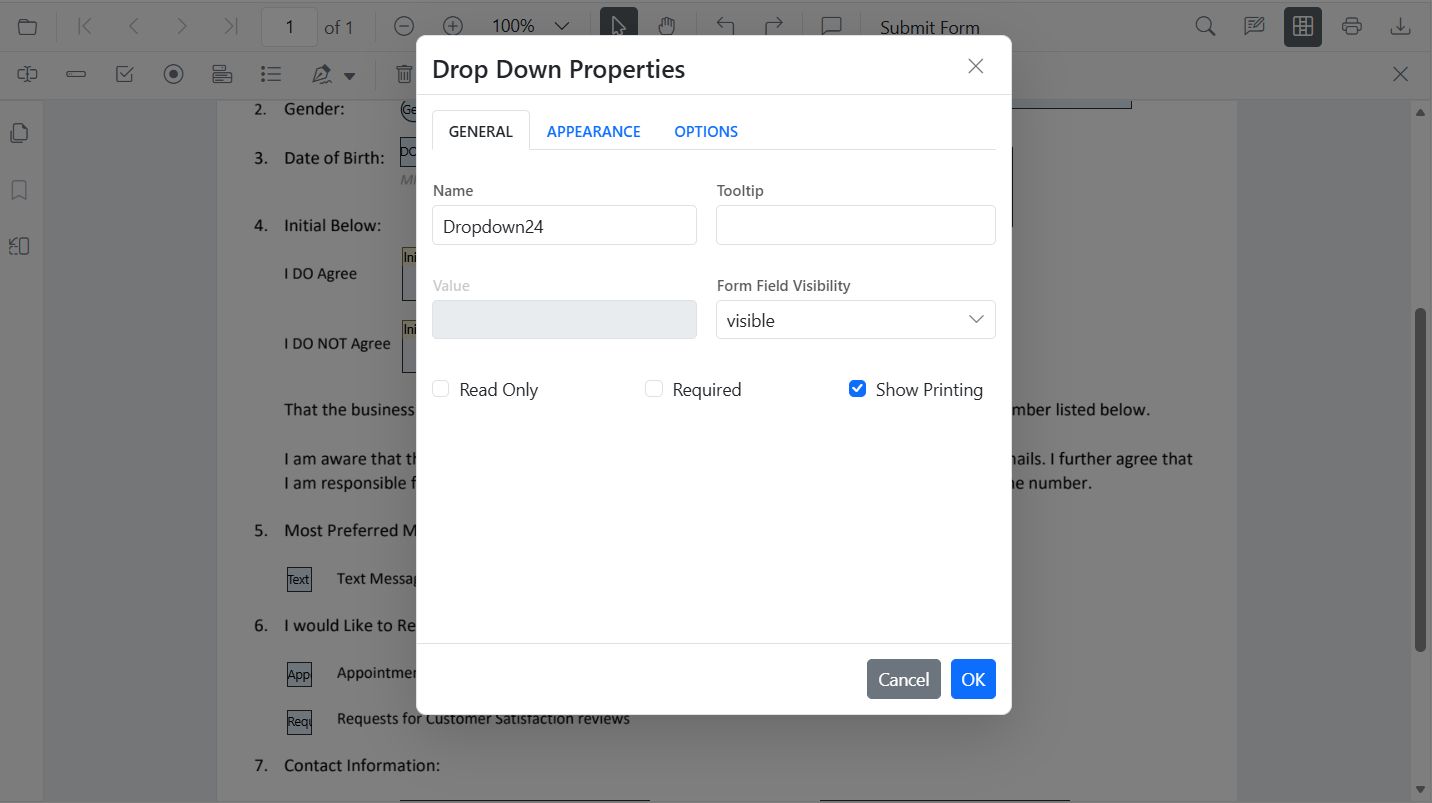
- API:
updateFormField()for items, value, borders.
import * as ReactDOM from 'react-dom/client';
import React, { useRef } from 'react';
import './index.css';
import { PdfViewerComponent, Toolbar, Magnification, Navigation, Annotation, LinkAnnotation, ThumbnailView, BookmarkView, TextSelection, TextSearch, FormFields, FormDesigner, Inject } from '@syncfusion/ej2-react-pdfviewer';

export function App() {
  const viewerRef = useRef(null);

  const onEditDropDown = () => {
    const viewer = viewerRef.current;
    if (!viewer) return;
    const fields = viewer.retrieveFormFields();
    const dd = fields.find(f => f.name === 'Country');
    if (dd) {
      viewer.formDesignerModule.updateFormField(dd, {
        options: [
          { itemName: 'USA', itemValue: 'US' },
          { itemName: 'Canada', itemValue: 'CA' },
          { itemName: 'Mexico', itemValue: 'MX' }
        ],
        value: 'US',
        fontFamily: 'Courier',
        fontSize: 10,
        color: 'black',
        borderColor: 'black',
        backgroundColor: 'white'
      });
    }
  };

  return (
    <div className='control-section'>
      <button onClick={onEditDropDown}>Edit DropDown</button>
      <PdfViewerComponent
        ref={viewerRef}
        id="container"
        documentPath="https://cdn.syncfusion.com/content/pdf/form-designer.pdf"
        resourceUrl="https://cdn.syncfusion.com/ej2/31.2.2/dist/ej2-pdfviewer-lib"
        style=
      >
        <Inject services={[Toolbar, Magnification, Navigation, Annotation, LinkAnnotation, ThumbnailView, BookmarkView, TextSelection, TextSearch, FormFields, FormDesigner]} />
      </PdfViewerComponent>
    </div>
  );
}

const root = ReactDOM.createRoot(document.getElementById('sample'));
root.render(<App />);
Signature Field
- UI: Tooltip, thickness, indicator text, required/visibility.
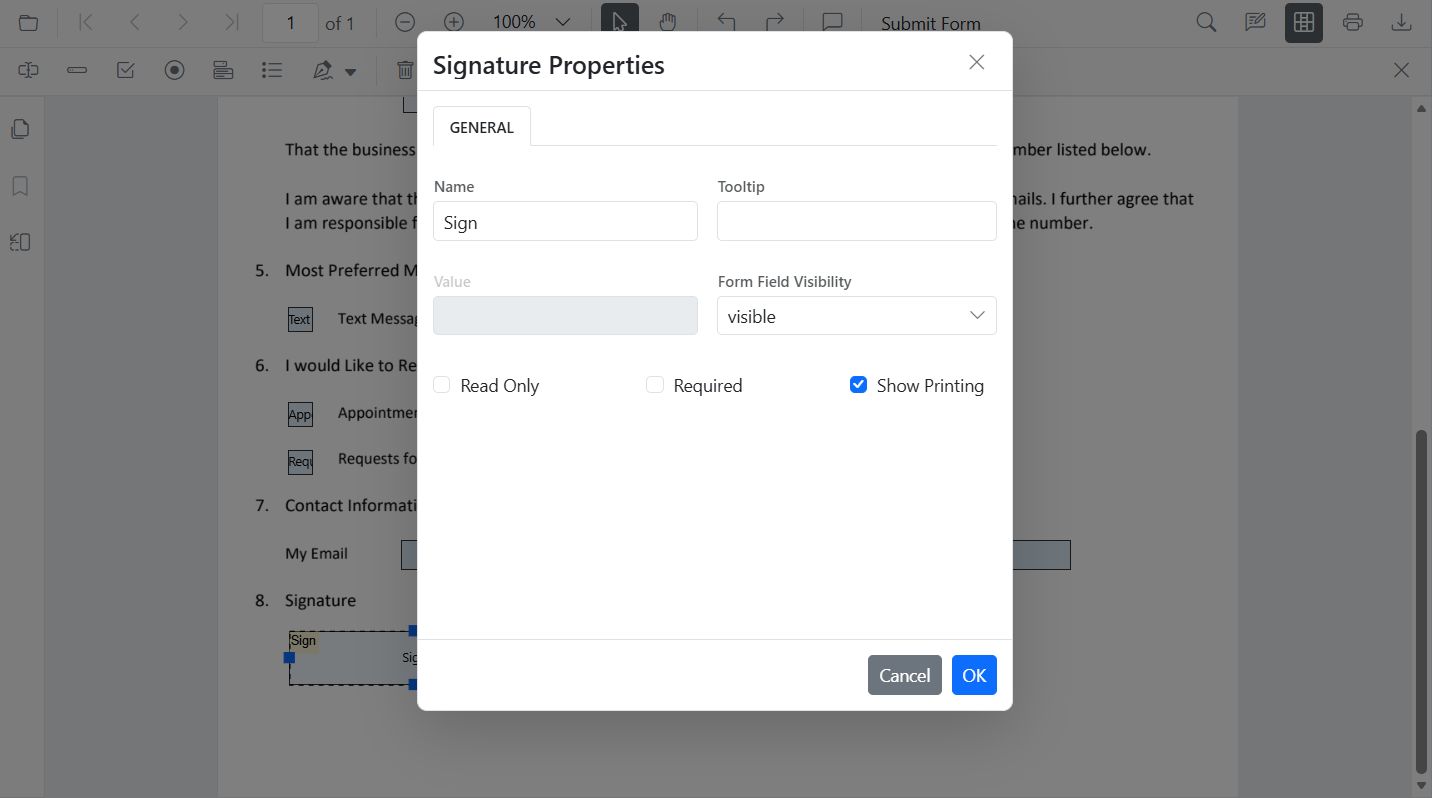
- API:
updateFormField()for tooltip, required, colors, borders.
import * as ReactDOM from 'react-dom/client';
import React, { useRef } from 'react';
import './index.css';
import { PdfViewerComponent, Toolbar, Magnification, Navigation, Annotation, LinkAnnotation, ThumbnailView, BookmarkView, TextSelection, TextSearch, FormFields, FormDesigner, Inject } from '@syncfusion/ej2-react-pdfviewer';

export function App() {
  const viewerRef = useRef(null);

  const onEditSignature = () => {
    const viewer = viewerRef.current;
    if (!viewer) return;
    const fields = viewer.retrieveFormFields();
    const sig = fields.find(f => f.name === 'Sign');
    if (sig) {
      viewer.formDesignerModule.updateFormField(sig, {
        tooltip: 'Please sign here',
        thickness: 3,
        isRequired: true,
        isPrint: true,
        backgroundColor: 'white',
        borderColor: 'black'
      });
    }
  };

  return (
    <div className='control-section'>
      <button onClick={onEditSignature}>Edit Signature</button>
      <PdfViewerComponent
        ref={viewerRef}
        id="container"
        documentPath="https://cdn.syncfusion.com/content/pdf/form-designer.pdf"
        resourceUrl="https://cdn.syncfusion.com/ej2/31.2.2/dist/ej2-pdfviewer-lib"
        style=
      >
        <Inject services={[Toolbar, Magnification, Navigation, Annotation, LinkAnnotation, ThumbnailView, BookmarkView, TextSelection, TextSearch, FormFields, FormDesigner]} />
      </PdfViewerComponent>
    </div>
  );
}

const root = ReactDOM.createRoot(document.getElementById('sample'));
root.render(<App />);
Initial Field
- UI: Tooltip, indicator text, thickness, required/visibility.
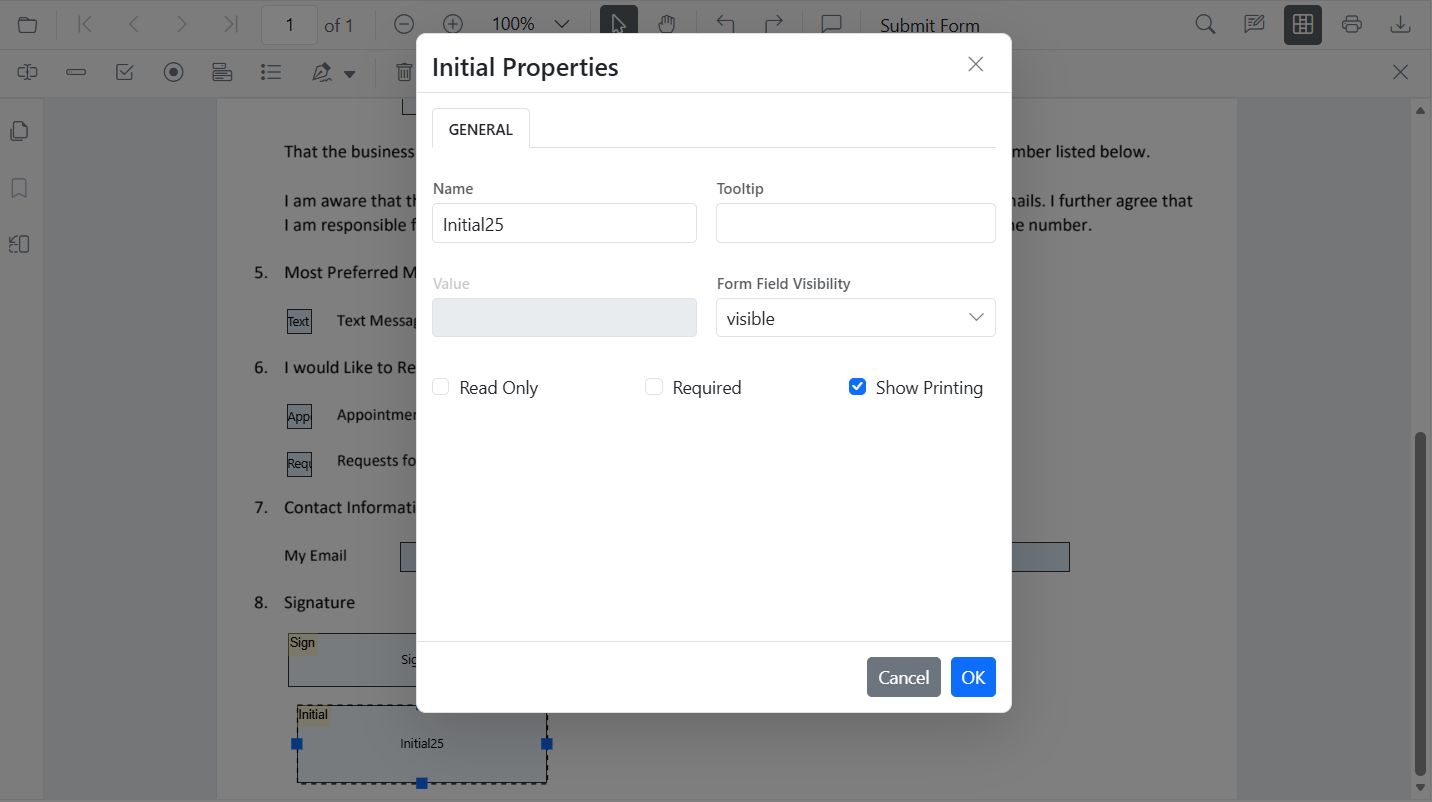
- API:
updateFormField()for tooltip, required, colors, borders.
import * as ReactDOM from 'react-dom/client';
import React, { useRef } from 'react';
import './index.css';
import { PdfViewerComponent, Toolbar, Magnification, Navigation, Annotation, LinkAnnotation, ThumbnailView, BookmarkView, TextSelection, TextSearch, FormFields, FormDesigner, Inject } from '@syncfusion/ej2-react-pdfviewer';

export function App() {
  const viewerRef = useRef(null);

  const onEditInitial = () => {
    const viewer = viewerRef.current;
    if (!viewer) return;
    const fields = viewer.retrieveFormFields();
    const init = fields.find(f => f.name === 'Initial');
    if (init) {
      viewer.formDesignerModule.updateFormField(init, {
        tooltip: 'Add your initials',
        thickness: 2,
        isRequired: true,
        isPrint: true,
        backgroundColor: 'white',
        borderColor: 'black'
      });
    }
  };

  return (
    <div className='control-section'>
      <button onClick={onEditInitial}>Edit Initial</button>
      <PdfViewerComponent
        ref={viewerRef}
        id="container"
        documentPath="https://cdn.syncfusion.com/content/pdf/form-designer.pdf"
        resourceUrl="https://cdn.syncfusion.com/ej2/31.2.2/dist/ej2-pdfviewer-lib"
        style=
      >
        <Inject services={[Toolbar, Magnification, Navigation, Annotation, LinkAnnotation, ThumbnailView, BookmarkView, TextSelection, TextSearch, FormFields, FormDesigner]} />
      </PdfViewerComponent>
    </div>
  );
}

const root = ReactDOM.createRoot(document.getElementById('sample'));
root.render(<App />);
DateTime Picker
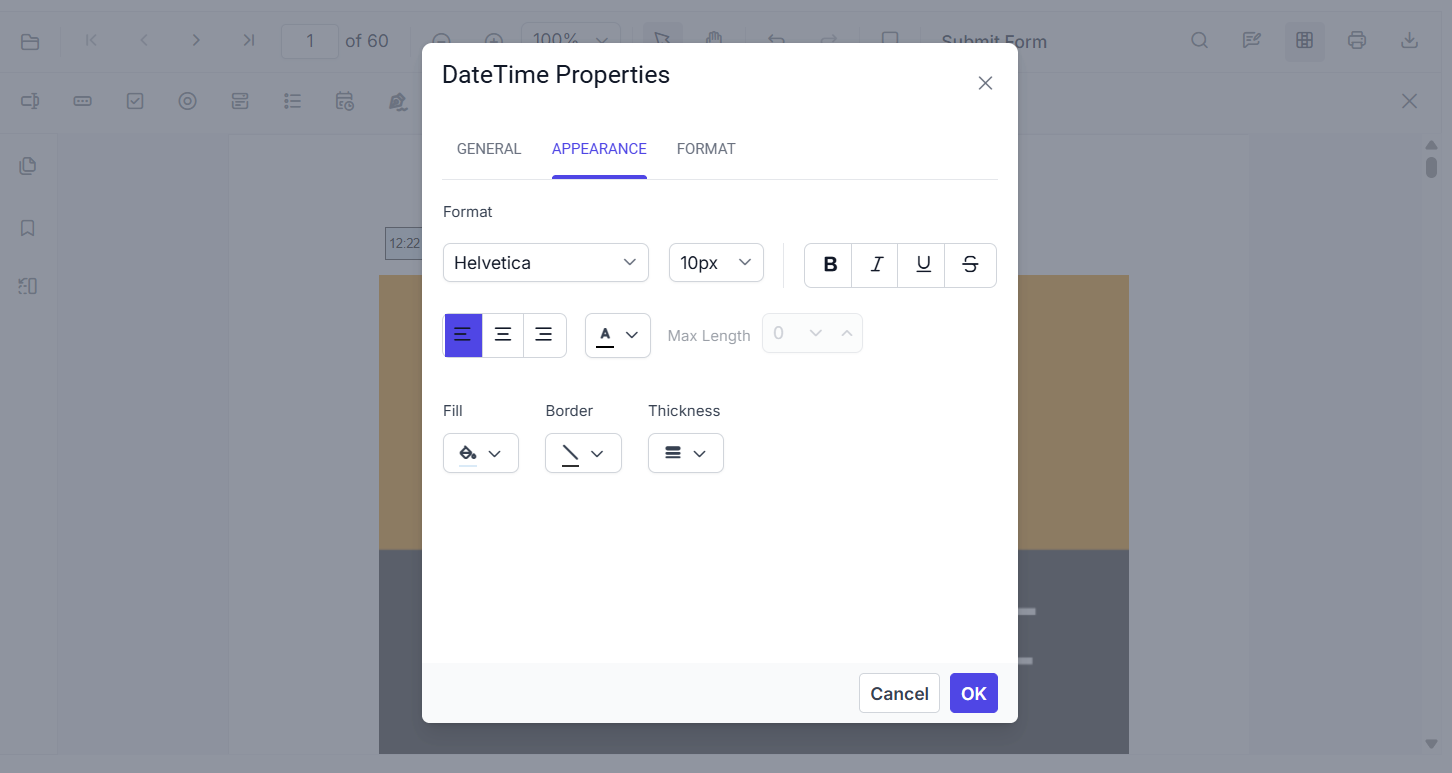
Select a DateTime Picker field in Form Designer to review or change its settings. The toolbar includes the DateTime Picker tool, and the page displays date and time fields.
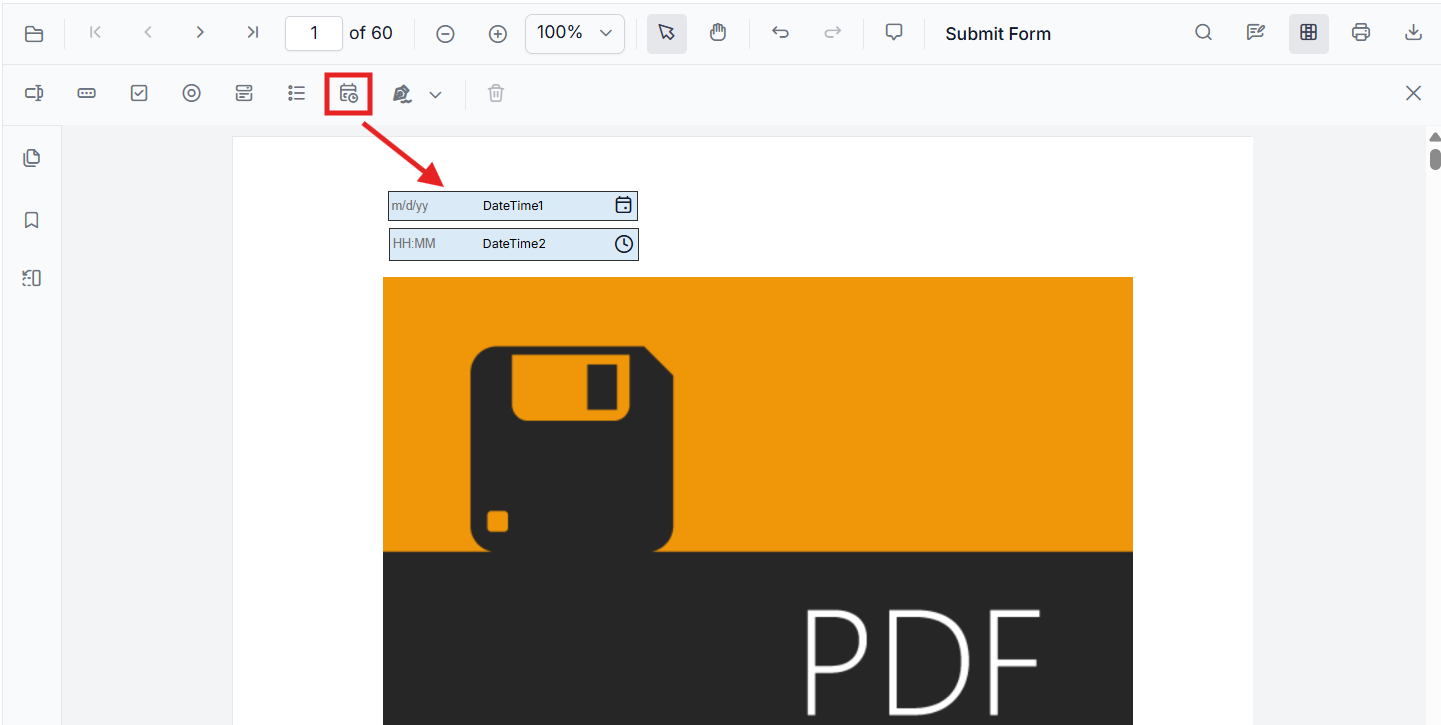
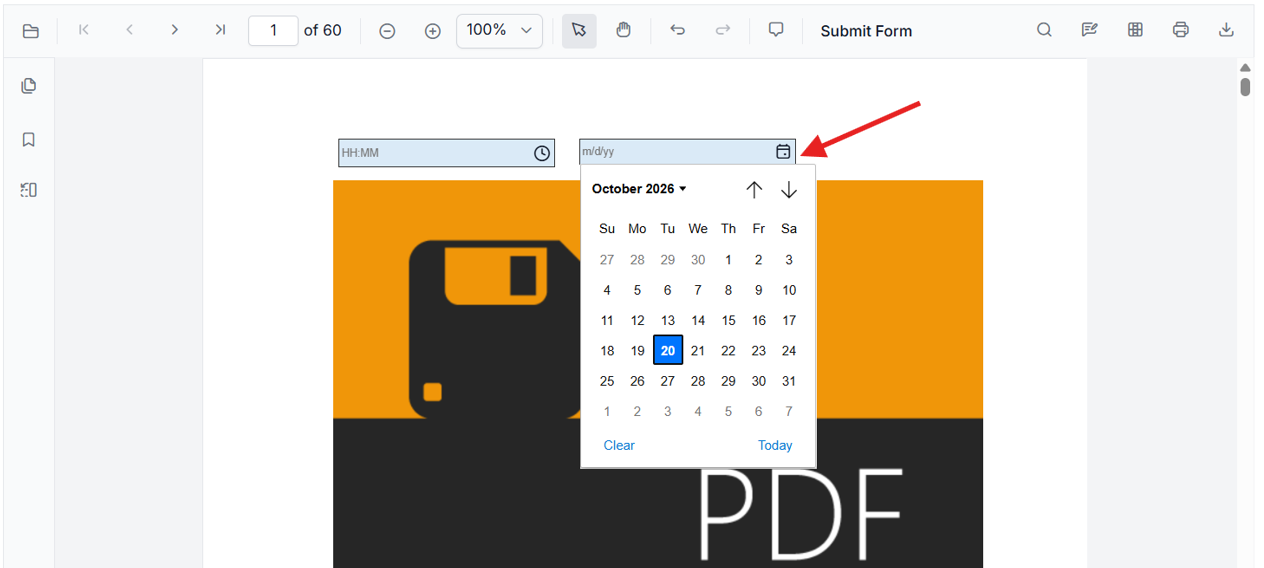
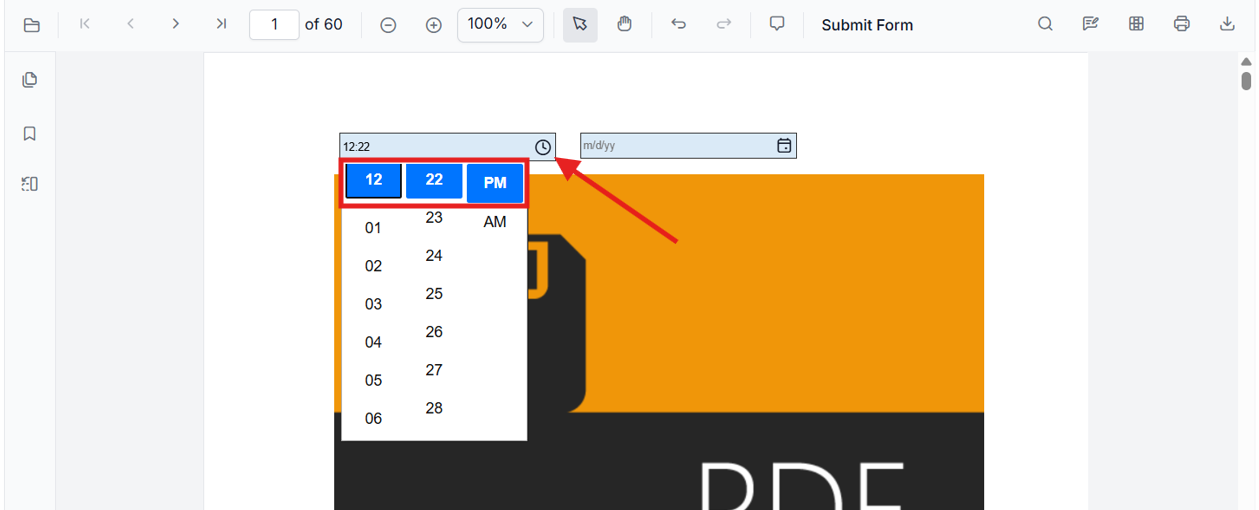
Date and time fields can also be used to enter values directly or choose a value from the picker:
-
For a date field, type a date or open the calendar picker.
-
For a time field, type a time or open the time picker.
Use the field’s General properties to review or edit its name, value, tooltip, visibility, read-only and required settings, and print visibility.
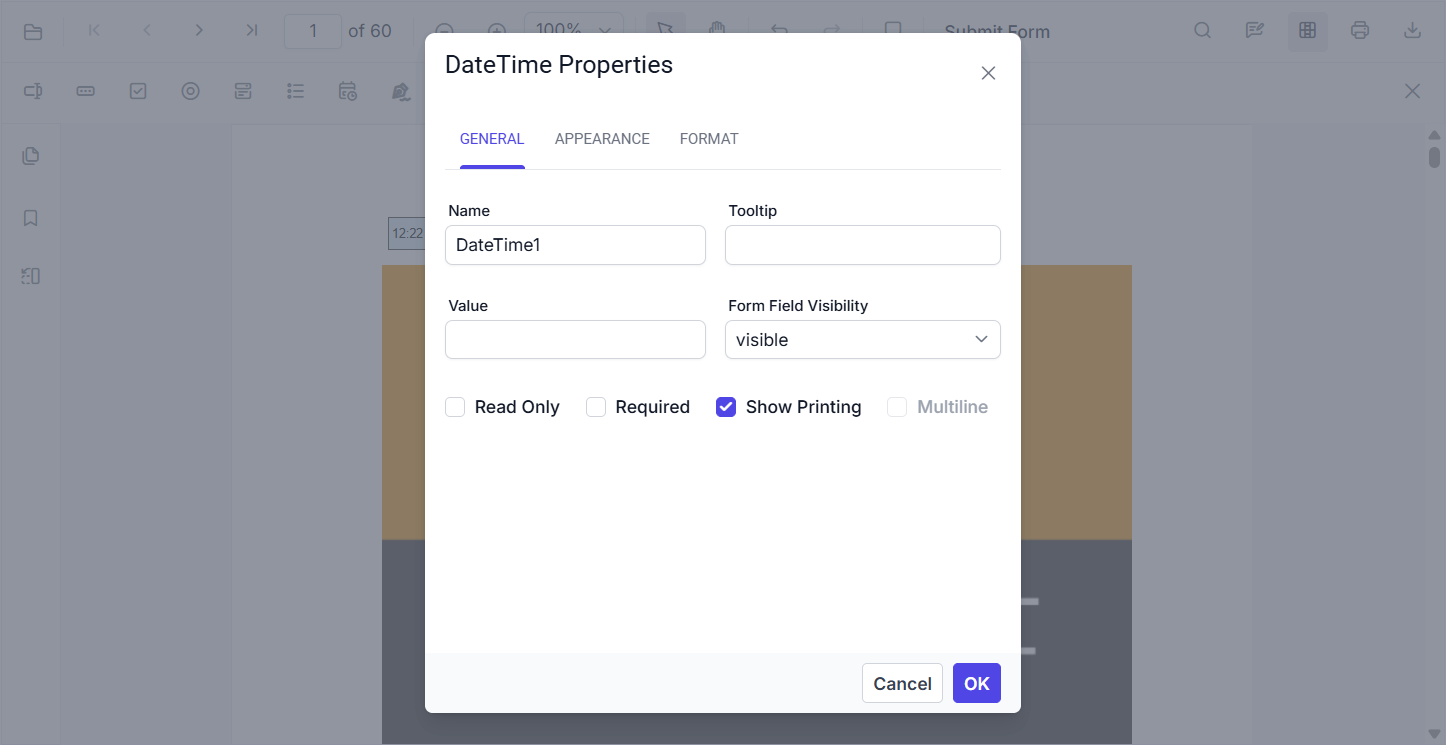
The Appearance properties include font, colors, border, and alignment.
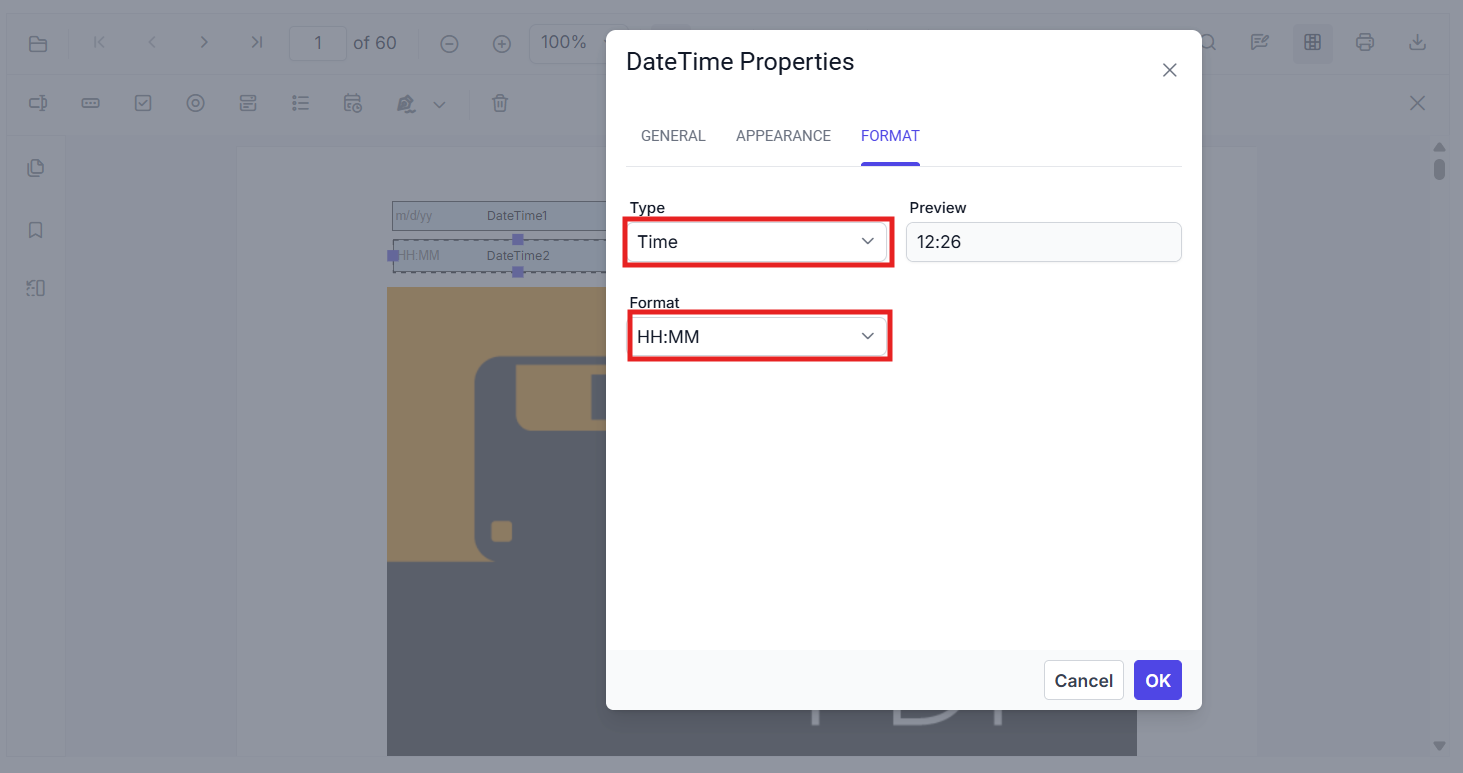
Use the Format tab to change the field type (Date or Time), select a display format, and review the preview.
- API:
updateFormField()for value, format script, typography, colors, borders.