Customize the Organize Pages Toolbar in JavaScript (ES6) PDF Viewer
14 Aug 20263 minutes to read
The redaction toolbar in the Syncfusion JavaScript (ES6) PDF Viewer can be customized by rearranging items, hiding default items, or adding custom items. Custom items can be inserted at specific index positions within the existing toolbar.
Enable the redaction toolbar
To enable the redaction toolbar, configure the toolbarSettings.toolbarItems property of the PdfViewer instance to include the RedactionEditTool.
The following example shows how to enable the redaction toolbar:
import { PdfViewer, Toolbar, Magnification, Navigation, LinkAnnotation, ThumbnailView, BookmarkView, TextSelection, TextSearch, Print, Annotation, FormFields, FormDesigner } from '@syncfusion/ej2-pdfviewer';

PdfViewer.Inject(Toolbar, Magnification, Navigation, LinkAnnotation, ThumbnailView, BookmarkView, TextSelection, TextSearch, Print, Annotation, FormFields, FormDesigner);

let viewer: PdfViewer = new PdfViewer({
    documentPath: 'https://cdn.syncfusion.com/content/pdf/pdf-succinctly.pdf',
    resourceUrl: "https://cdn.syncfusion.com/ej2/31.2.2/dist/ej2-pdfviewer-lib",
    toolbarSettings: {
        toolbarItems: [
            'OpenOption',
            'UndoRedoTool',
            'PageNavigationTool',
            'MagnificationTool',
            'PanTool',
            'SelectionTool',
            'CommentTool',
            'SubmitForm',
            'AnnotationEditTool',
            'RedactionEditTool',   // Enables Redaction toolbar
            'FormDesignerEditTool',
            'SearchOption',
            'PrintOption',
            'DownloadOption'
        ]
    }
});

viewer.appendTo('#pdfViewer');
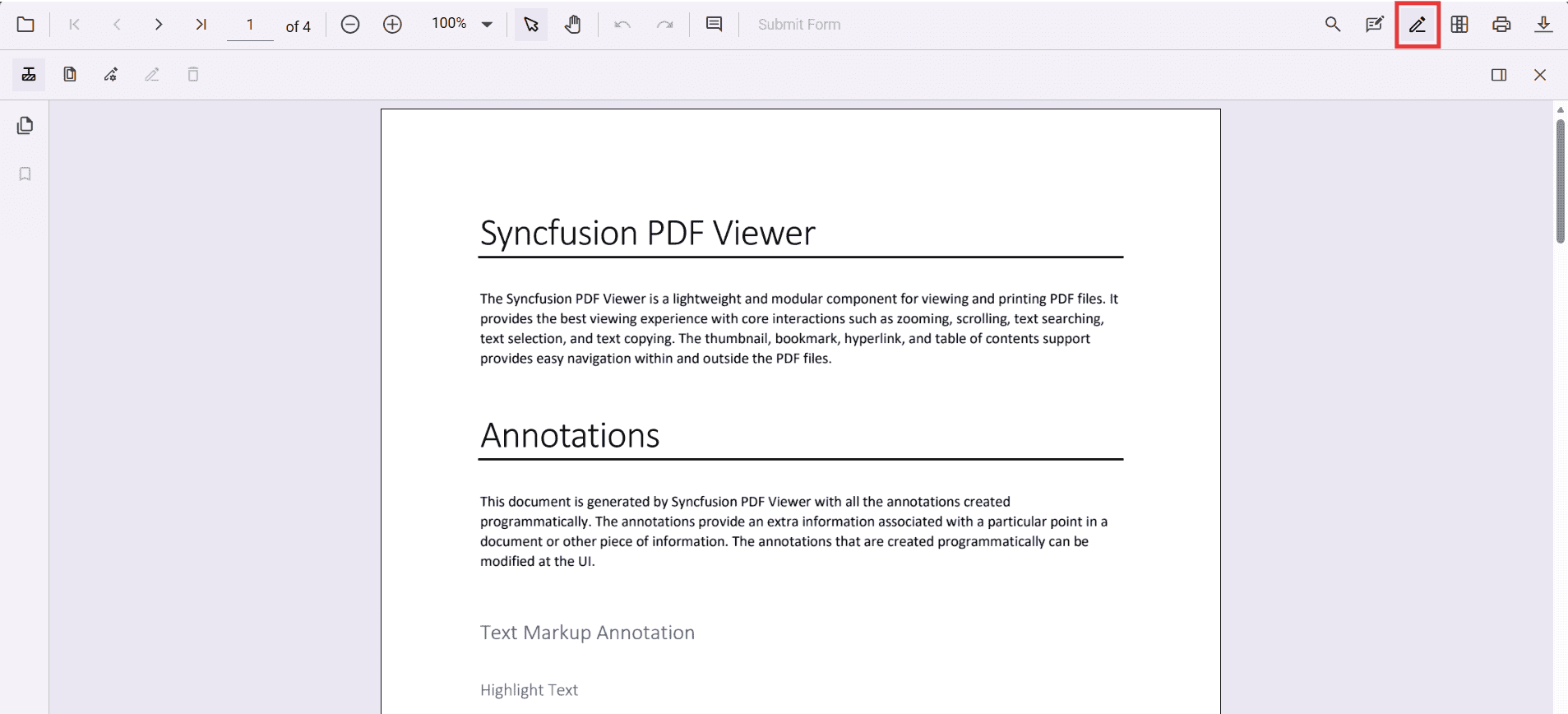
Refer to the following image for the toolbar view:
Show or hide the redaction toolbar
The redaction toolbar can be toggled using the built‑in toolbar icon or programmatically with the showRedactionToolbar method.
Display the redaction toolbar using the toolbar icon
When RedactionEditTool is included in the toolbar settings, clicking the redaction icon in the primary toolbar will show or hide the redaction toolbar.
Display the redaction toolbar programmatically
Programmatic control is available via the viewer instance. For example, call viewer.toolbar.showRedactionToolbar(true) to display the redaction toolbar, or viewer.toolbar.showRedactionToolbar(false) to hide it.
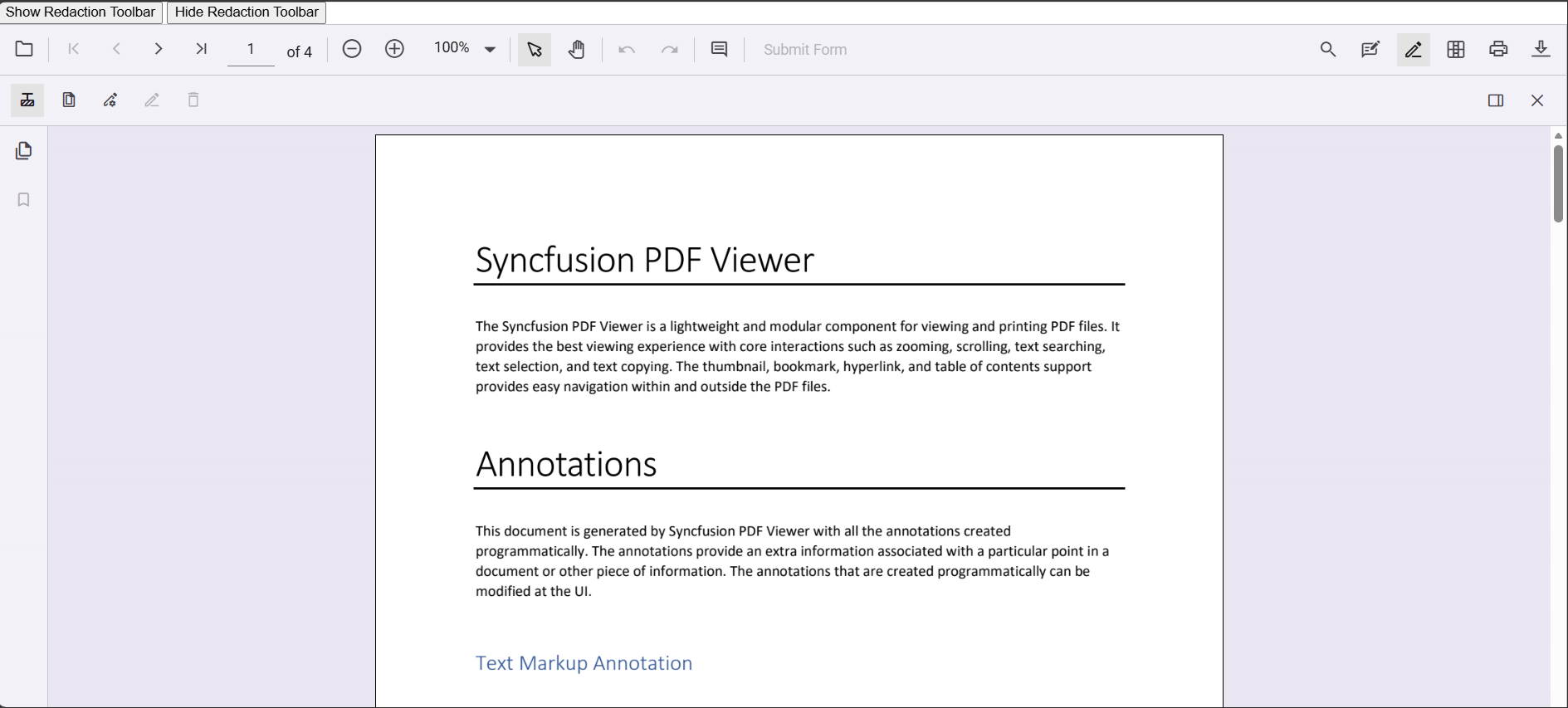
The following example demonstrates toggling the redaction toolbar programmatically:
<!--Buttons in your HTML-->
<button id="showRedactionToolbar">Show Redaction Toolbar</button>
<button id="hideRedactionToolbar">Hide Redaction Toolbar</button>document.getElementById('showRedactionToolbar').addEventListener('click', () => {
viewer.toolbar.showRedactionToolbar(true); // Show the redaction toolbar
});
document.getElementById('hideRedactionToolbar').addEventListener('click', () => {
viewer.toolbar.showRedactionToolbar(false); // Hide the redaction toolbar
});Refer to the following image for details: