Remove Annotations in JavaScript (ES6) PDF Viewer
14 Aug 20262 minutes to read
Annotations can be removed using the built-in UI or programmatically. This page shows common methods to delete annotations in the viewer.
Delete via UI
A selected annotation can be deleted in three ways:
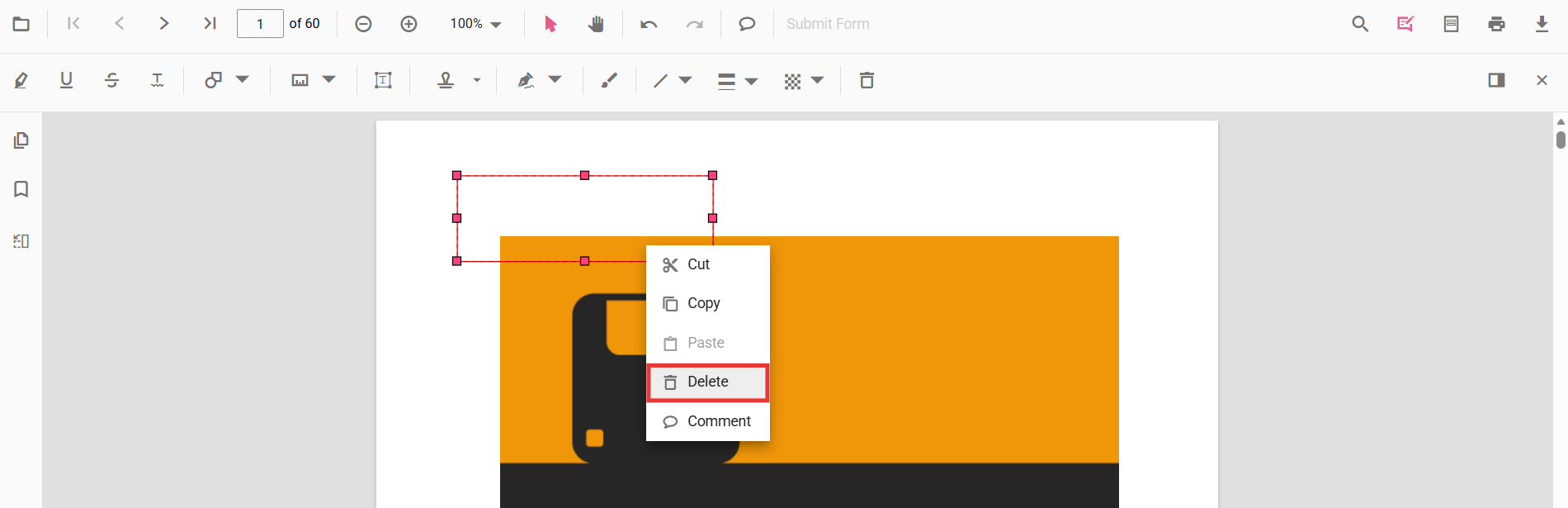
- Context menu: right-click the annotation and choose Delete.
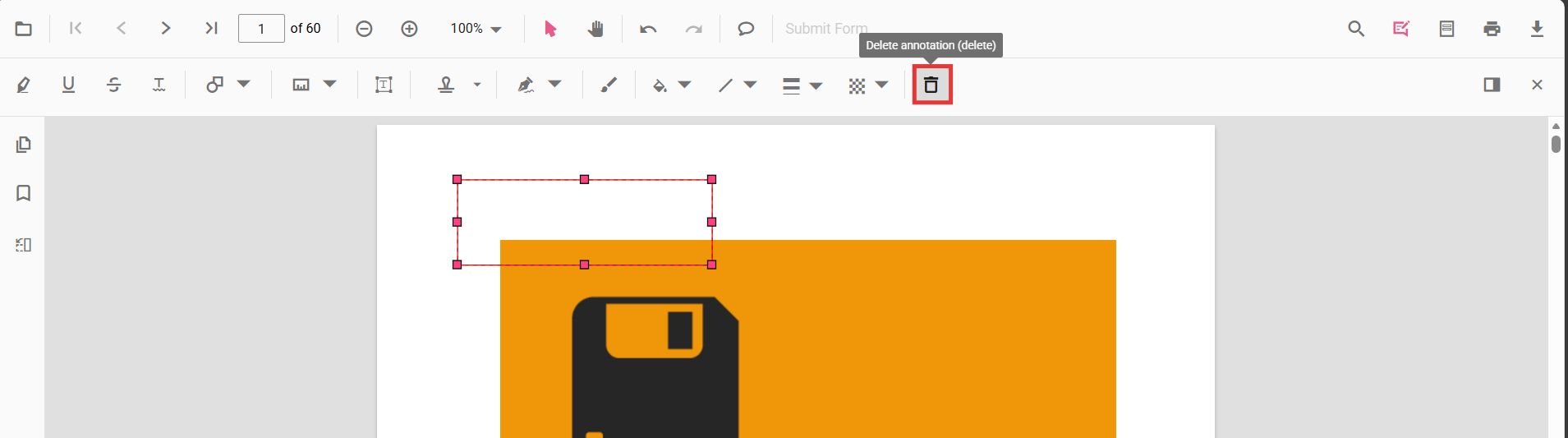
- Annotation toolbar: select the annotation and click the Delete button on the annotation toolbar.
- Keyboard: select the annotation and press the
Deletekey.
Delete programmatically
Annotations can be deleted programmatically either by removing the currently selected annotation or by specifying an annotation id.
<div class="toolbar">
  <button id="del">Delete Annotation</button>
  <button id="delbyId">Delete Annotation By ID</button>
</div>
<div id="PdfViewer" style="height: 700px; border: 1px solid #ccc;"></div>
import {
PdfViewer,
Toolbar,
Magnification,
Navigation,
LinkAnnotation,
ThumbnailView,
BookmarkView,
TextSelection,
TextSearch,
Print,
Annotation,
FormFields,
FormDesigner
} from '@syncfusion/ej2-pdfviewer';
PdfViewer.Inject(
Toolbar,
Magnification,
Navigation,
LinkAnnotation,
ThumbnailView,
BookmarkView,
TextSelection,
TextSearch,
Print,
Annotation,
FormFields,
FormDesigner
);
// Create viewer
const viewer = new PdfViewer({
documentPath: 'https://cdn.syncfusion.com/content/pdf/pdf-succinctly.pdf',
// Standalone resources
resourceUrl: 'https://cdn.syncfusion.com/ej2/31.1.23/dist/ej2-pdfviewer-lib',
});
viewer.appendTo('#PdfViewer');
document.getElementById('del')?.addEventListener('click', () => {
// Delete the selected annotation
viewer.annotation.deleteAnnotation();
});
document.getElementById('delbyId')?.addEventListener('click', () => {
// Delete the first annotation using its id from the annotation collection
if (viewer.annotationCollection.length > 0) {
viewer.annotation.deleteAnnotationById(viewer.annotationCollection[0].id);
}
});Deleting via the API requires the annotation to exist in the current document. Ensure an annotation is selected when using
deleteAnnotation(), or pass a valid id todeleteAnnotationById().