About Syncfusion JavaScript (ES5) PDF Viewer Forms
14 Aug 20262 minutes to read
The PDF Viewer delivers a complete, easy-to-use PDF forms experience. Users can read, fill, add, edit, and delete form fields directly within PDF documents via the intuitive user interface or programmatic APIs.
The viewer includes import and export support for form data, making integration straightforward. Developers benefit from extensive API control, while end users enjoy a simple interface for seamless form filling.
Filling PDF Forms
Experience effortless PDF form filling through a clean, intuitive UI or automated workflows using powerful APIs. Flexible form data import and export support ensures smooth and efficient operations when working with PDF forms.
See the Filling PDF Forms page for full details.
Use the following code-snippet to enable form-filling by injecting FormFields Module.
// Inject required modules
ej.pdfviewer.PdfViewer.Inject(
  ej.pdfviewer.FormFields,
  ej.pdfviewer.Toolbar,
  ej.pdfviewer.Magnification,
  ej.pdfviewer.Navigation,
  ej.pdfviewer.Annotation,
  ej.pdfviewer.TextSelection,
  ej.pdfviewer.TextSearch
);

// Create viewer instance
var pdfviewer = new ej.pdfviewer.PdfViewer({
  documentPath: 'https://cdn.syncfusion.com/content/pdf/form-filling-document.pdf',
  resourceUrl: 'https://cdn.syncfusion.com/ej2/31.1.23/dist/ej2-pdfviewer-lib'
});

// Render viewer
pdfviewer.appendTo('#PdfViewer');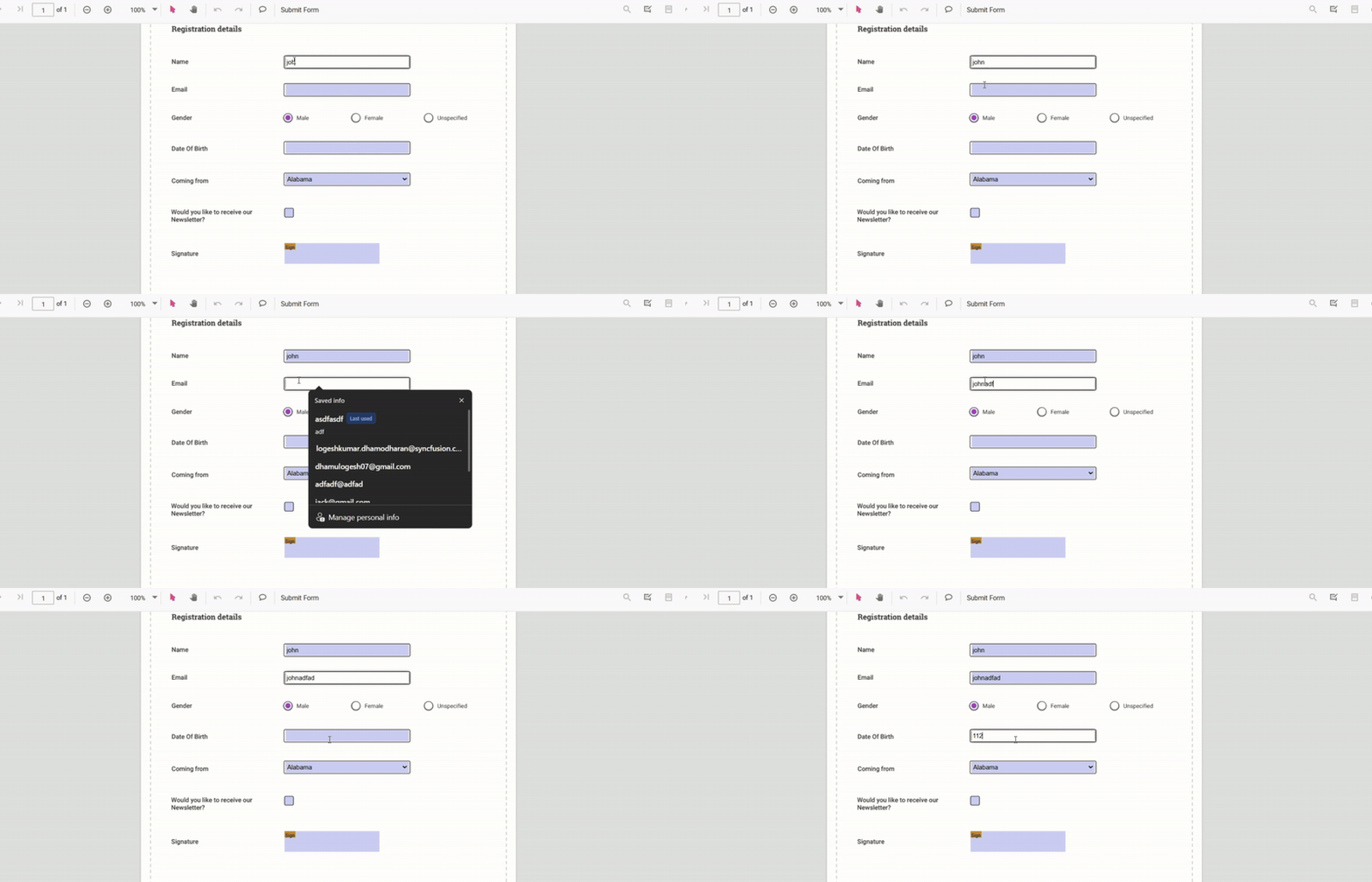
Form Designer
A built-in Form Designer lets you quickly add, edit, move, and delete form fields in PDF documents. Use the built-in Form Designer tools or build custom form designer tools to design fillable PDF forms interactively.
See the Form Designer page for full details.
Use the following Code-snippet to enable Form Designer by injecting FormDesigner Module.
// Inject required modules
ej.pdfviewer.PdfViewer.Inject(
  ej.pdfviewer.FormFields,
  ej.pdfviewer.FormDesigner,
  ej.pdfviewer.Toolbar,
  ej.pdfviewer.Magnification,
  ej.pdfviewer.Navigation,
  ej.pdfviewer.Annotation,
  ej.pdfviewer.TextSelection,
  ej.pdfviewer.TextSearch
);

// Create viewer instance
var pdfviewer = new ej.pdfviewer.PdfViewer({
  documentPath: 'https://cdn.syncfusion.com/content/pdf/form-filling-document.pdf',
  resourceUrl: 'https://cdn.syncfusion.com/ej2/31.1.23/dist/ej2-pdfviewer-lib'
});

// Render viewer
pdfviewer.appendTo('#PdfViewer');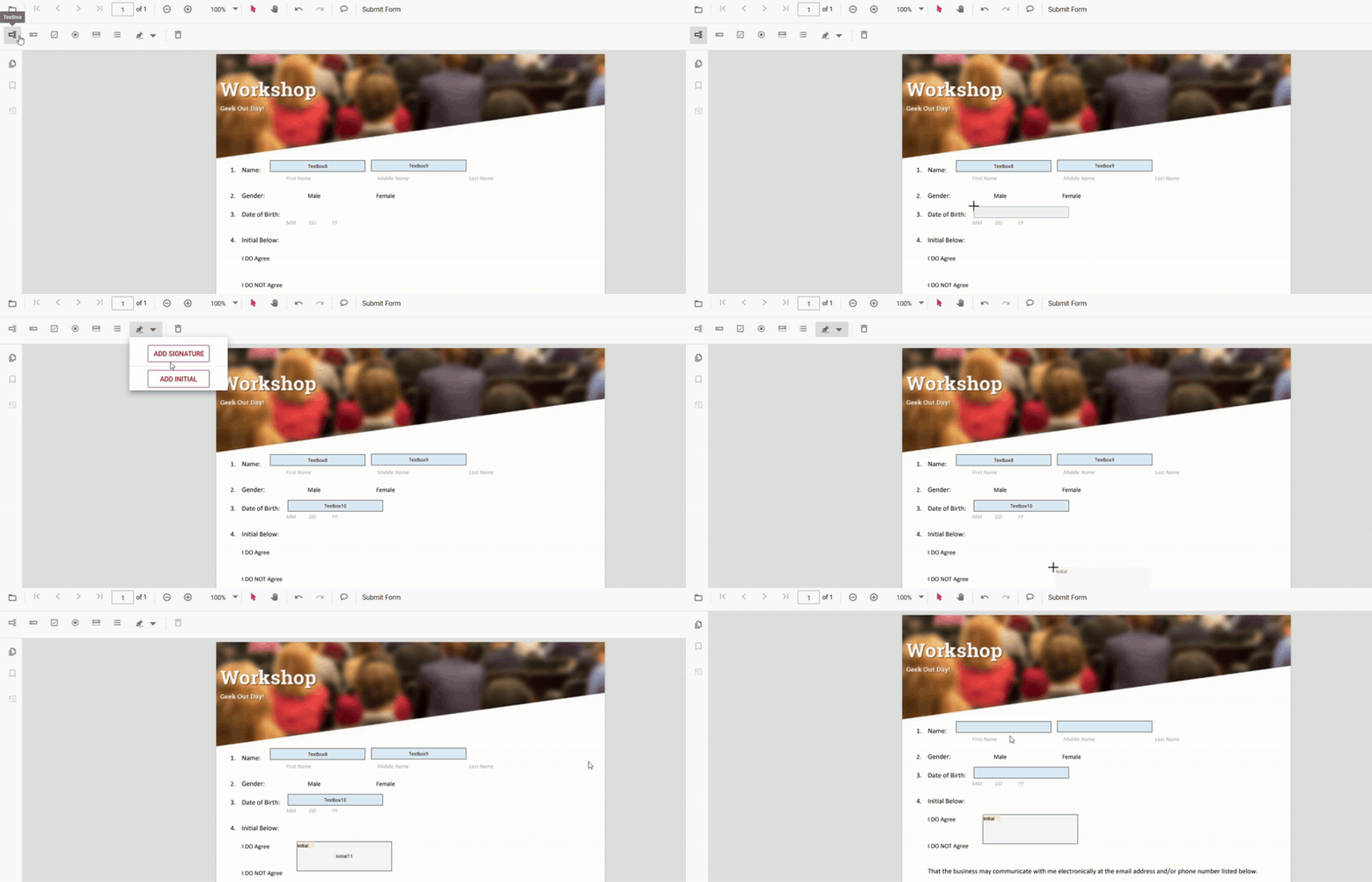
Create and customize interactive fields directly on the PDF page.
- Create, edit, or remove forms
- Add a Signature Field
- Edit Form Field
- Remove Form Field
- Form Field Constraints