Overview of Forms in JavaScript PDF Viewer
14 Jan 20263 minutes to read
Syncfusion TypeScript PDF Viewer provides a complete forms experience. Design new forms or enhance existing PDFs, fill and validate fields, import or export data, and capture signatures — all via an intuitive UI and rich APIs.
The viewer supports both runtime form filling and an interactive Form Designer to create or modify fields.
Form Fields
Work with the runtime form fields present in a PDF Form.
- Render existing fields
- Fill fields.
- Import/Export form data as JSON, XFDF, FDF, or as a plain object
- Inject FormFields to enable form-filling features.
Use the following code-snippet to enable form-filling by injecting FormFields Module.
var pdfviewer = new ej.pdfviewer.PdfViewer({
  documentPath: 'https://cdn.syncfusion.com/content/pdf/form-filling-document.pdf',
  resourceUrl: "https://cdn.syncfusion.com/ej2/31.2.2/dist/ej2-pdfviewer-lib"
});
ej.pdfviewer.PdfViewer.Inject(ej.pdfviewer.TextSelection, ej.pdfviewer.TextSearch, ej.pdfviewer.Print, ej.pdfviewer.Navigation, ej.pdfviewer.Toolbar,
  ej.pdfviewer.Magnification, ej.pdfviewer.Annotation, ej.pdfviewer.FormFields, ej.pdfviewer.PageOrganizer);
  pdfviewer.appendTo('#PdfViewer');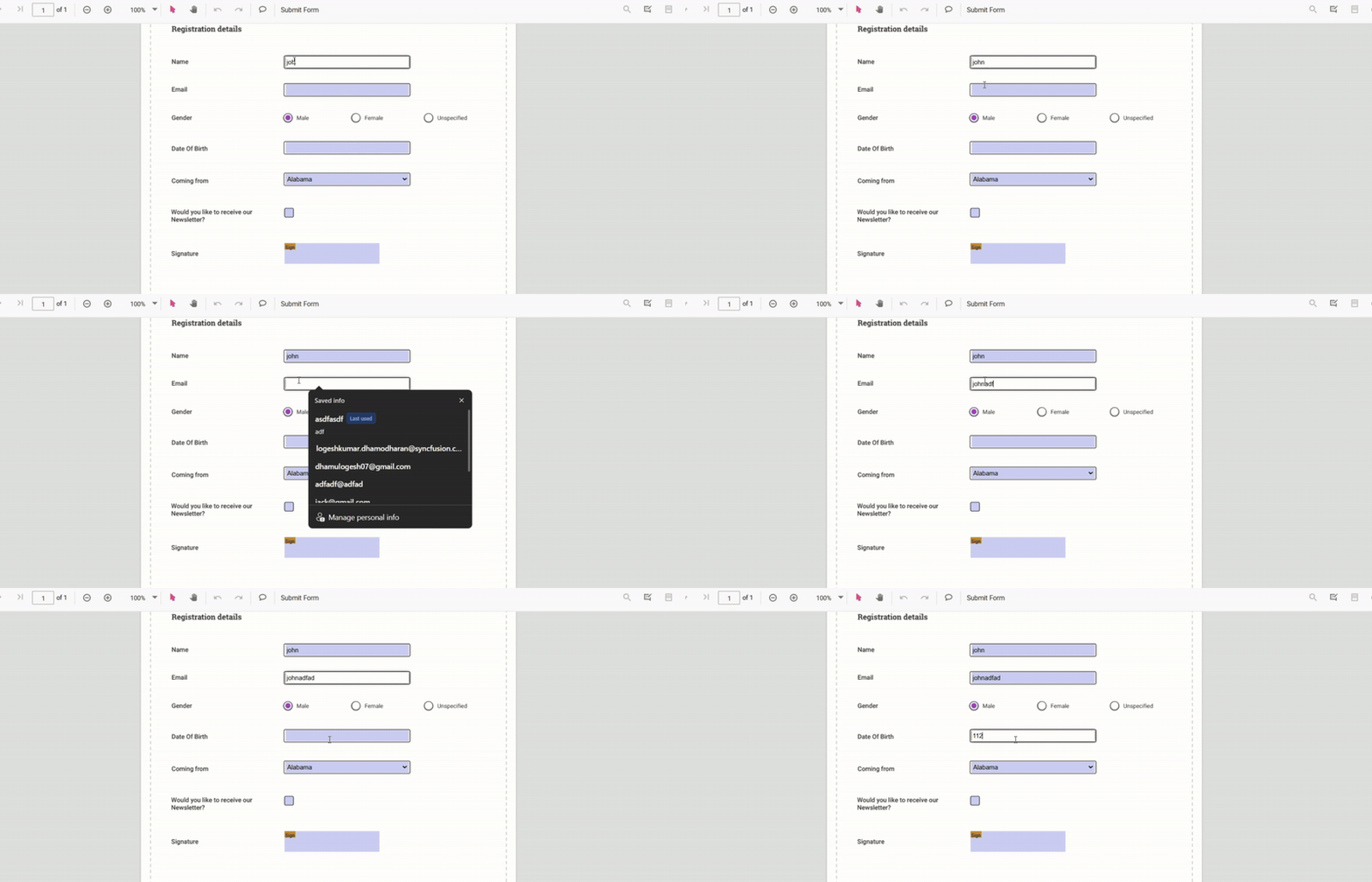
Form Designer
Create and customize interactive fields directly on the PDF page.
- Add fields: textbox, checkbox, radio button, dropdown, list box, signature, and initials
- Edit quickly: move, resize, align, distribute, copy/paste, undo/redo
- Configure properties: name, value, font, color, border, alignment, required/read-only/visibility, tab order
- Control interaction: toggle read-only, show/hide, and manage printing behavior
- Manage fields: select, group/ungroup, reorder, or delete
- Save and print: persist designed fields in the PDF and print with appearances
- Tailor the UI: show/hide or customize the Form Designer toolbar; handle events for add/edit/select/move/resize
Use the following Code-snippet to enable Form Designer by injecting FormDesigner Module.
var pdfviewer = new ej.pdfviewer.PdfViewer({
  documentPath: 'https://cdn.syncfusion.com/content/pdf/form-filling-document.pdf',
  resourceUrl: "https://cdn.syncfusion.com/ej2/31.2.2/dist/ej2-pdfviewer-lib"
});
ej.pdfviewer.PdfViewer.Inject(ej.pdfviewer.TextSelection, ej.pdfviewer.TextSearch, ej.pdfviewer.Print, ej.pdfviewer.Navigation, ej.pdfviewer.Toolbar,
  ej.pdfviewer.Magnification, ej.pdfviewer.Annotation, ej.pdfviewer.FormFields, ej.pdfviewer.FormDesigner, ej.pdfviewer.PageOrganizer);
  pdfviewer.appendTo('#PdfViewer');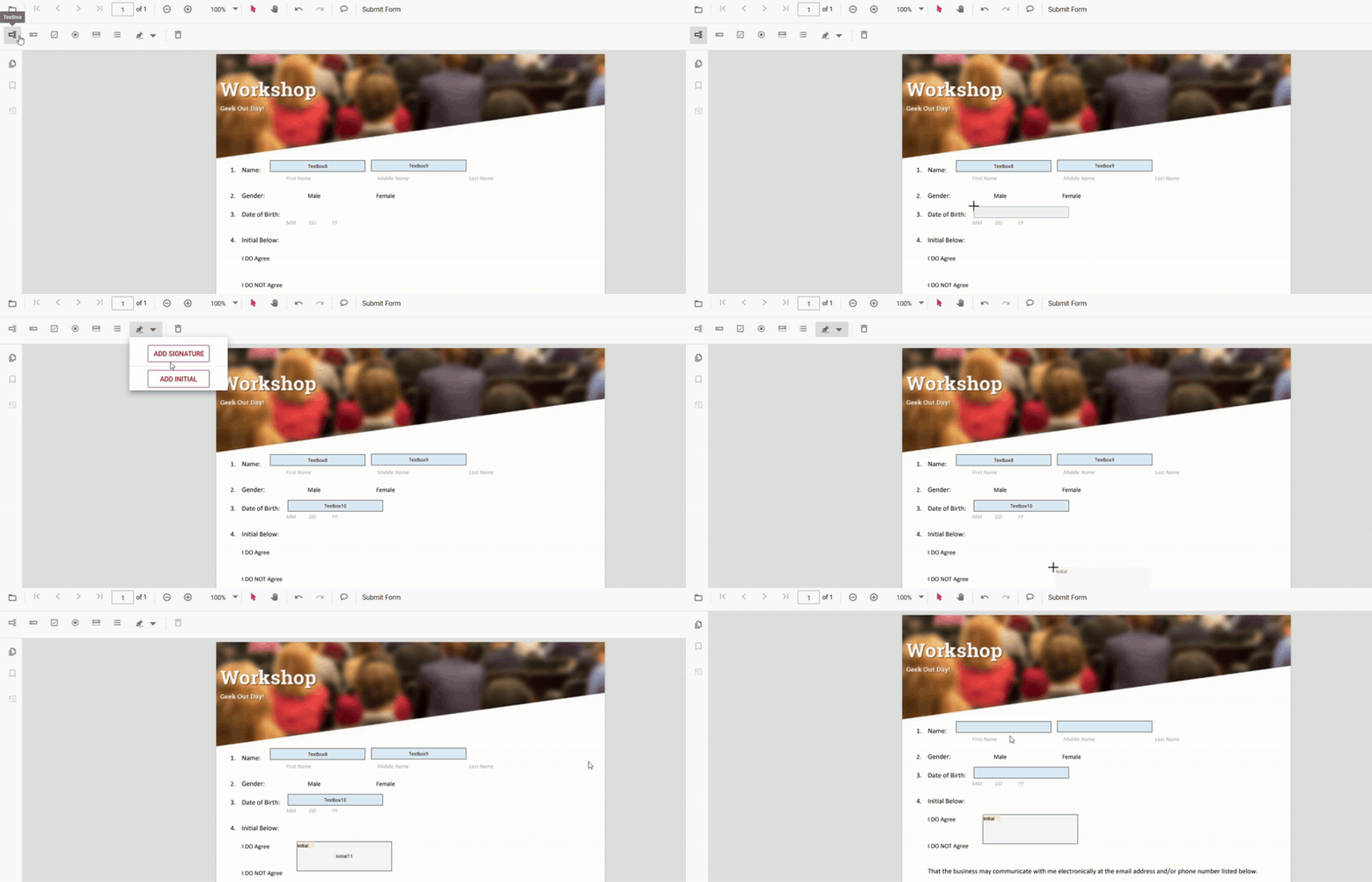
Supported form field types
Typical workflows
- Design → Save → Fill: create or modify fields, save them into the PDF, then fill and validate
- Fill → Export/Import: complete forms and export data to JSON/XFDF/FDF, or import data to fill
- Customize → Integrate: wire up events and business rules; tailor the designer toolbar for your app