Overview of .NET MAUI Diagram
The .NET MAUI Diagram control is a versatile component used to create, visualize, and interact with diagrams. It enables developers to build flowcharts, workflow designers, process diagrams, organizational charts, and other graphical applications using nodes, connectors, annotations, ports, and symbol palettes.
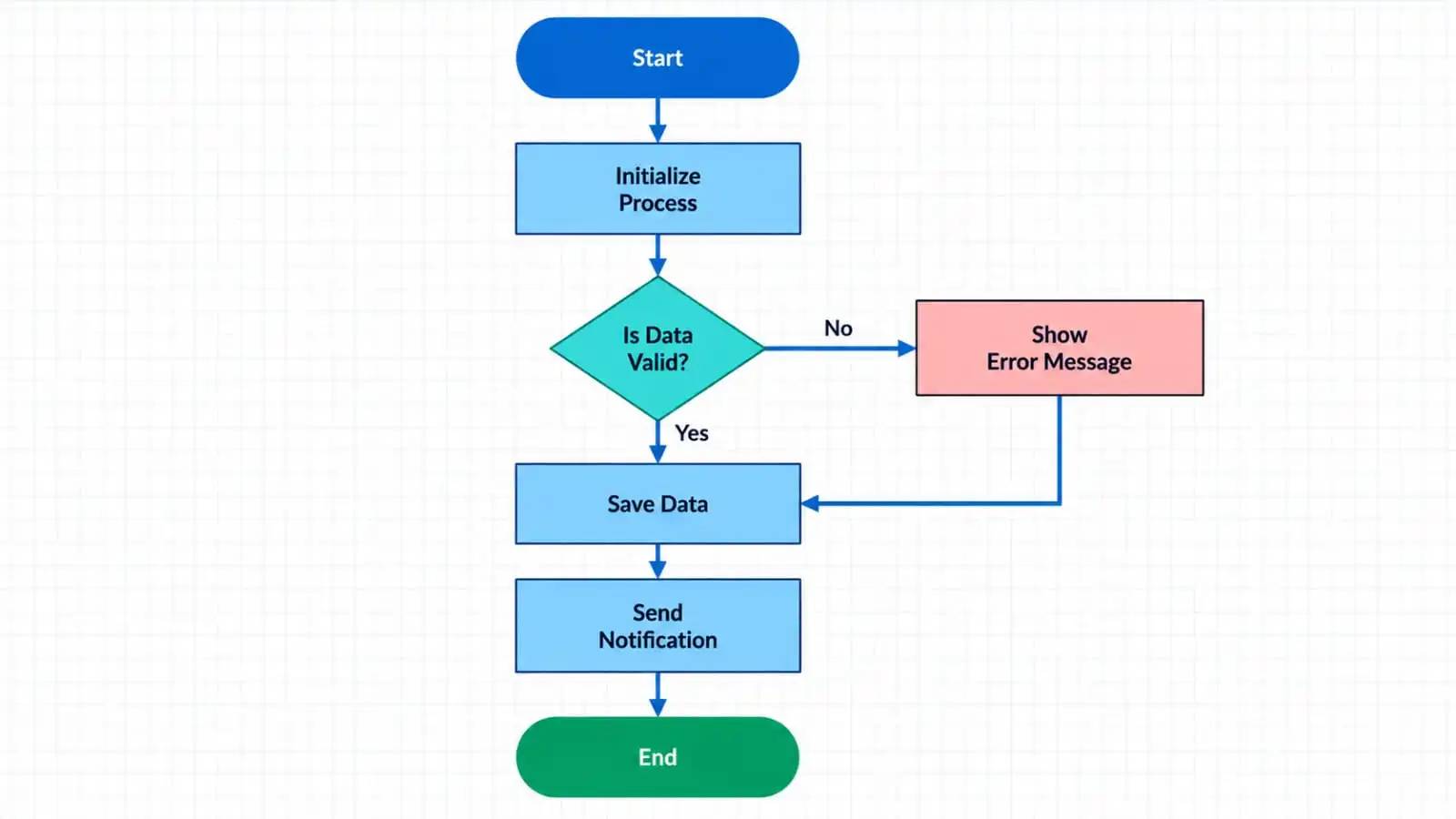
Business use cases
- Create interactive flowchart designers for business process visualization.
- Build workflow management applications with drag-and-drop diagram editing capabilities.
- Design organizational charts to represent hierarchical structures within companies.
- Develop approval process and state transition diagrams for enterprise applications
Key features
- Nodes and Shapes: Create, position, resize, rotate, and style diagram nodes using built-in basic and flowchart shapes.
- Connectors: Connect nodes using straight or orthogonal connectors with customizable appearance and decorators.
- Annotations and Labels: Add and customize text labels on nodes and connectors with flexible positioning options.
- Ports and Connection Points: Define precise connection points and create accurate workflow relationships between elements.
- Symbol Palette: Provides categorized palettes of reusable symbols with optional search support, enabling users to quickly locate and drag-and-drop symbols onto the diagram surface to create new nodes.
- Export & Print: Export diagrams to files or streams for sharing, reporting, archiving, and offline review, and print diagrams through the system printing pipeline using asynchronous APIs with optional fit-to-page support for complete diagram visibility.
Globalization
The following table summarizes the globalization support available in this control.
 Full Support
 Partial Support
 Not Applicable
| Control | Localization | RTL | Time zone | Screen reader | Keyboard navigation |
|---|---|---|---|---|---|
| Diagram | |
|
|
|
|
Related controls
- TreeView for displaying and managing hierarchical data represented in a diagram.
See Also
- Getting Started shows how to begin using the Diagram step by step.
- Nodes explains how to create and customize the nodes in Diagram.
- Connectors show how creace, connect and customize connector and represent relationship between nodes.
- UI Kit provides interactive demos and ready-made UI examples.
Resources
Feature Tour
Get a quick overview of key features and capabilities to kick start your journey.
Explore Features
</a>-->
Demos
Explore interactive demos that showcase key features and component capabilities.
Tutorial Videos
Watch step‑by‑step video guides to quickly understand concepts and implementation.
Watch now
Knowledge Base
Find practical solutions, troubleshooting tips and how‑to guides for common scenarios.
Search KB's