Starting with version 4.1.0.x, Dashboard Platform SDK has been temporarily suspended from working with dashboards that are created using web-based Dashboard Designer integrated within Dashboard Server.
Troubleshooting errors
The below troubleshooting steps will helps to resolve the respective issues.
DV001
| CODE |
DV001 |
| TEXT |
Unable to load the Dashboard since it was created in a higher version of Dashboard Designer (Version: X.X.X.X) |
| DESCRIPTION |
The dashboard should have been created in a higher version of Dashboard Designer (For example, v2.1.0.250) than that of dashboard service through which it is currently running (For example, v2.1.0.232). |
| SOLUTION |
Ensure the version of dashboard designer and that of the deployed dashboard service are same.
- If the dashboard is going to be embedded in an application, the dashboard service version will be the version of the Dashboard Platform SDK.
- If the dashboard is going to be hosted in a Dashboard Server, the dashboard service version will be the version of the Dashboard Server.
If the dashboard file belongs to the version higher than the targeted deployment environment, recreate the dashboard through the respective versioned Dashboard Designer.
|
DV002
| CODE |
DV002 |
| TEXT |
The Dashboard Service could not be contacted. There may be a temporary glitch or the server may be down. |
| DESCRIPTION |
Dashboard Service is not reachable either due to connection failure or long awaited response or it is being used by some other process. |
| SOLUTION |
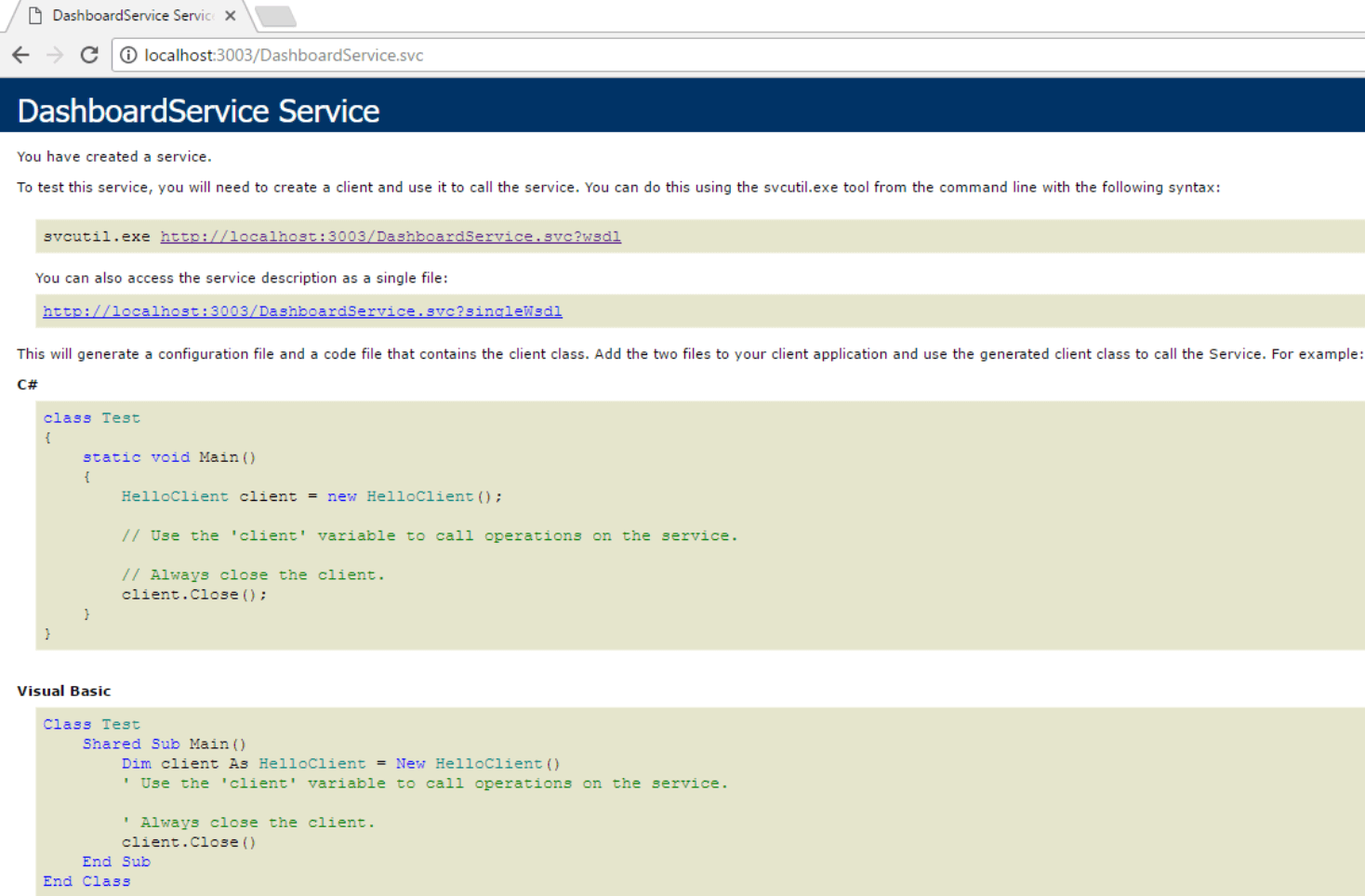
Make sure that the Dashboard Service is running in the machine where the dashboard exists. You can test the service URL in the browser of the respective machine whose format will look like below.
`http://domain:port/DashboardService.svc` (or) `https://domain:port/DashboardService.svc`
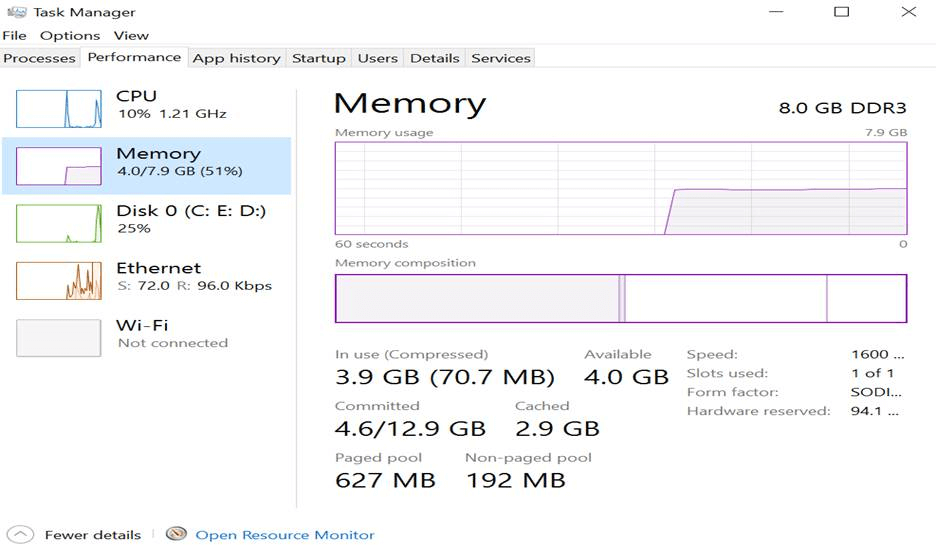
Check System Memory usage and make sure, it has at least a minimum of 5% free space for use.
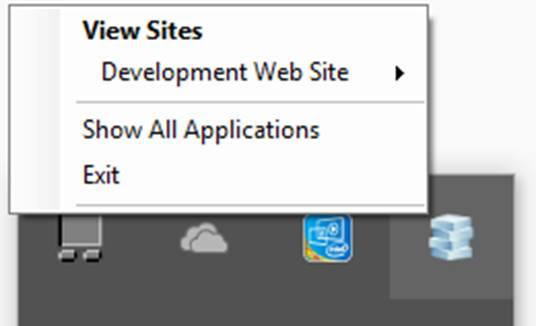
Restart the IIS or IIS Express where the dashboard service is hosted.
In case of previewing from Dashboard Designer, stop the IIS Express and click `Preview` in Designer Toolbar to preview the dashboard.
If you hosted the Dashboard Service as a sub application. Refer to the user guide
and make sure that Dashboard Service is running properly.
If you have installed Dashboard Platform SDK setup in remote machine and referred the Dashboard Service of that remote machine, then, the Dashboard Service should be accessible in your application, where the Dashboard Viewer is embedded.
If the Dashboard Service is running as a Windows Service Background Process, then this Dashboard Service can be accessible only at local machine. To access the Dashboard Service in remote machine, host the Dashboard Service in IIS. Refer here
how to host the Dashboard Service in IIS.
Follow the link
to troubleshoot this issue for the dashboard in the Dashboard Server.
Make sure you are using the Syncfusion Dashboard Platform SDK's service available in the location %localappdata%\Syncfusion\Dashboard Platform SDK\Service not the Dashboard Server's Service
|
DV003
| CODE |
DV003 |
| TEXT |
Dashboard could not be rendered since the service URL is not set. |
| DESCRIPTION |
Dashboard will not render when either the service URL is not set or the given URL is incorrect. |
| SOLUTION |
Make sure that the service URL was specified. For example,
JS
<script type="text/javascript">
    $(function (e) {
        $("#container").ejDashboardViewer({
            serviceUrl: “http://localhost:58087/DashboardService.svc”
        });
    });
    </script>
Ensure the given URL is in appropriate format.
For example,
`http://domain:port/DashboardService.svc` (or) `https://domain:port/DashboardService.svc`
|
DV004
| CODE |
DV004 |
| TEXT |
Dashboard could not be rendered since the dashboard path is not set. |
| DESCRIPTION |
Dashboard will not render when either the Dashboard path is not set or the given path is incorrect. |
| SOLUTION |
Make sure that the Dashboard path was specified.
Ensure the given path is correct. Also, the dashboard path (either local or remote file location) should be accessible from Dashboard Service.
For Example,
JS
<script type="text/javascript">
    $(function (e) {
        $("#container").ejDashboardViewer({
            dashboardPath: “D:\\Syncfusion\\Dashboard.sydx” //file path of the SYDX (or) “http://domain:port/dashboards/WorldWideCarSalesDashboard.sydx”
        });
    });
    </script>
|
DV005
DV006
| CODE |
DV006 |
| TEXT |
The requested dashboard file was not found. It may be either moved or renamed. |
| DESCRIPTION |
The loaded dashboard file may either be not available in the specified path or the file name is incorrect or the loaded file itself is invalid. |
| SOLUTION |
Ensure the dashboard file is available in the specified dashboard path.
Ensure the name of the dashboard file specified is appropriate.
Ensure the loaded file has valid file extension (*.SYDX).
If the dashboard path is the hosted URL, ensure that the URL is downloading the dashboard file by pasting it in the browser
If the dashboard file is hosted in IIS, make sure to enable the MIME type to make the file downloadable. To know how to enable the MIME type, follow the below link:
https://docs.microsoft.com/en-us/previous-versions/windows/it-pro/windows-server-2008-R2-and-2008/cc725608(v=ws.10)
|
DV007
| CODE |
DV007 |
| TEXT |
The requested file or assembly was not found. It may be either moved or renamed. |
| DESCRIPTION |
Any of the assembly related to Dashboard Service is missing at installation location. |
| SOLUTION |
If you are previewing dashboard from Dashboard Designer, check whether any assembly is missing in the installed location (%ProgramData%\Syncfusion\DashboardDesigner\DashboardDesigner_Version\IISExpress_DashboardService\bin) or reinstall the Dashboard Designer application.
If you are loading dashboard from SDK sample, check whether any assembly is missing in the installed location (%localappdata%\Syncfusion\Dashboard Platform SDK\Service\bin) or reinstall the Dashboard Platform SDK application.
If you are loading dashboard from Dashboard Server, check whether any assembly is missing in the installed location (C:\Syncfusion\Dashboard Server\DashboardServer.Web\DashboardService\bin) or reinstall the Dashboard Server application.
List of assemblies in the installed location
Kent.Boogaart.HelperTrinity.dll
Kent.Boogaart.KBCsv.dll
Kent.Boogaart.KBCsv.Extensions.Data.dll
Kent.Boogaart.KBCsv.Extensions.dll
Microsoft.AnalysisServices.AdomdClient.dll
Microsoft.AnalysisServices.dll
Microsoft.Data.Edm.dll
Microsoft.Data.OData.dll
Microsoft.WindowsAzure.Storage.dll
Microsoft.WindowsAzure.StorageClient.dll
Newtonsoft.Json.dll
Npgsql.dll
Syncfusion.Compression.Base.dll
Syncfusion.Dashboard.Base.dll
Syncfusion.Dashboard.Encryption.dll
Syncfusion.Dashboard.ExportWrapper.dll
Syncfusion.DashboardService.dll
Syncfusion.Server.Base.Encryption.dll
Syncfusion.ThriftHive.Base.dll
Syncfusion.XlsIO.Base.dll
System.Data.SQLite.dll
System.Data.SQLite.Linq.dll
System.Spatial.dll
Thrift.dll
|
DV008
| CODE |
DV008 |
| TEXT |
Dashboard could not be viewed due to an error. |
| DESCRIPTION |
An internal error occurred while processing the loaded dashboard file. |
| SOLUTION |
Check the error log file(s) generated in the below mentioned location:
Loading Dashboard from Designer:
%ProgramData%\Syncfusion\DashboardDesigner\DashboardDesigner_Version\IISExpress_DashboardService\ErrorLog
Loading Dashboard from Server:
C:\Syncfusion\Dashboard Server\DashboardServer.Web\API\ErrorLog
Loading Dashboard from SDK:
%localappdata%\Syncfusion\Dashboard Platform SDK\Service\ErrorLog
Please contact the Syncfusion Support Team with the error log. To create the support incidents please follow the link below:
https://www.syncfusion.com/support/directtrac/incidents
|
DV009
| CODE |
DV009 |
| TEXT |
The loaded file is not a valid dashboard file. |
| DESCRIPTION |
The loaded dashboard file may either be corrupted or invalid. |
| SOLUTION |
Ensure the file specified in the dashboard path is valid and has valid extension (*.SYDX)
Make sure the presence of the dashboard file on the location/folder you have specified.
Make sure that the dashboard path you have specified is under the location/domain where the hosted server pointing to.
|
DV010
| CODE |
DV010 |
| TEXT |
The dashboard could not be viewed since we were unable to validate the current user authorization. |
| DESCRIPTION |
The user is trying to access the dashboard without logging into the Dashboard Server. |
| SOLUTION |
Ensure the user logged into the Dashboard Server. |
DV011
| CODE |
DV011 |
| TEXT |
The exported image file could not be downloaded due to large file size. |
| DESCRIPTION |
The image resolution is higher than the system capacity. Large resolution leads to larger file size. |
| SOLUTION |
Recommended range for Image resolution is 96 to 300 dpi (dots per pixel).
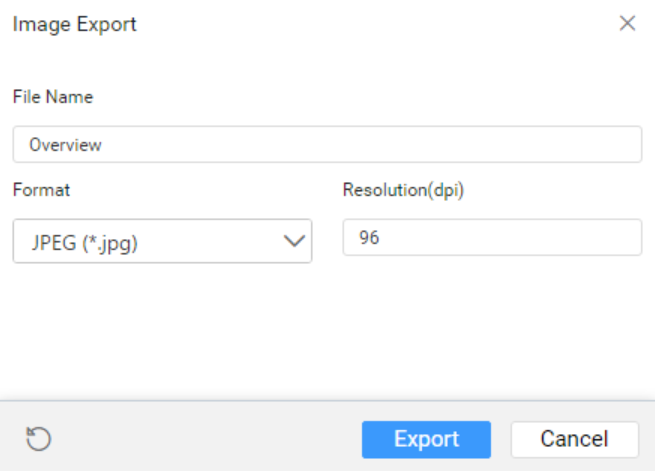
|
|
If the card widget is not rendered properly in the SDK application after updating the Dashboard Platform SDK to version 3.1, follow the given steps to resolve the issue.
Remove the old CSS file (ej.widgets.core.min.css) referred in the application
Add DOCTYPE html
html tag in the main HTML page of the SDK application
|