How to
Host Dashboard Service as WebSite in IIS
Syncfusion Dashboard Service can be hosted as a Website in IIS manually by following the below steps or by using the tool SyncfusionDashboardServiceInstaller
Prerequisites
- Refer step by step IIS installation in Windows 7+, Windows Server 2008 or 2008 R2, Windows Server 2012 or Windows Server 2012 R2
- To host the Dashboard Service in IIS requires a prerequisite called WCF should be enabled in IIS. Refer the article how to configure the WCF in IIS.
Steps
-
Open IIS Manager
-
In the Connections pane, right-click the Sites node in the tree, and then click
Add websiteas shown below.
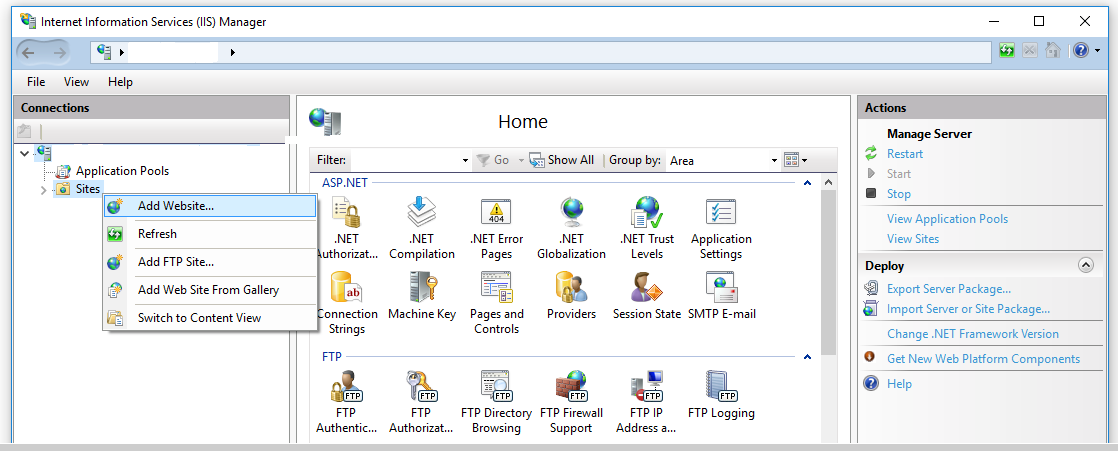
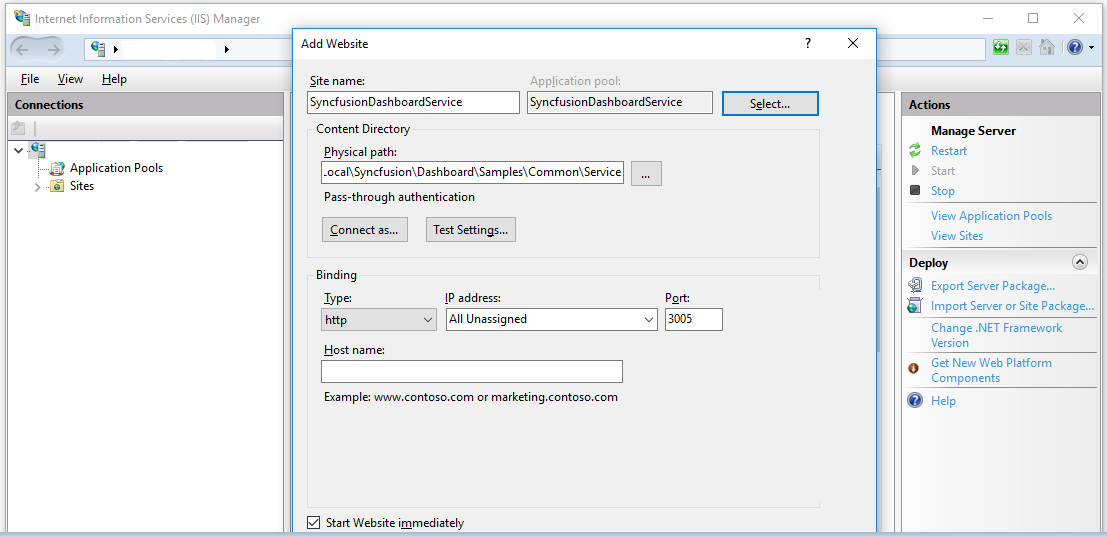
In the Add Web Site dialog box, fill the following details as follows
1.Site name
Type a name for your Web site in the Web site name box. for eg SyncfusionDashboardService
2.Physical path
In the Physical path box, type in the location of the Syncfusion Dashboard Service in the machine, or click the browse button to navigate the file system to find the location.for eg
%localappdata%\Syncfusion\Dashboard Platform SDK\Service
3.Port
Specify the port at which the SyncfusionDashboardService need to be hosted at.for eg 3005
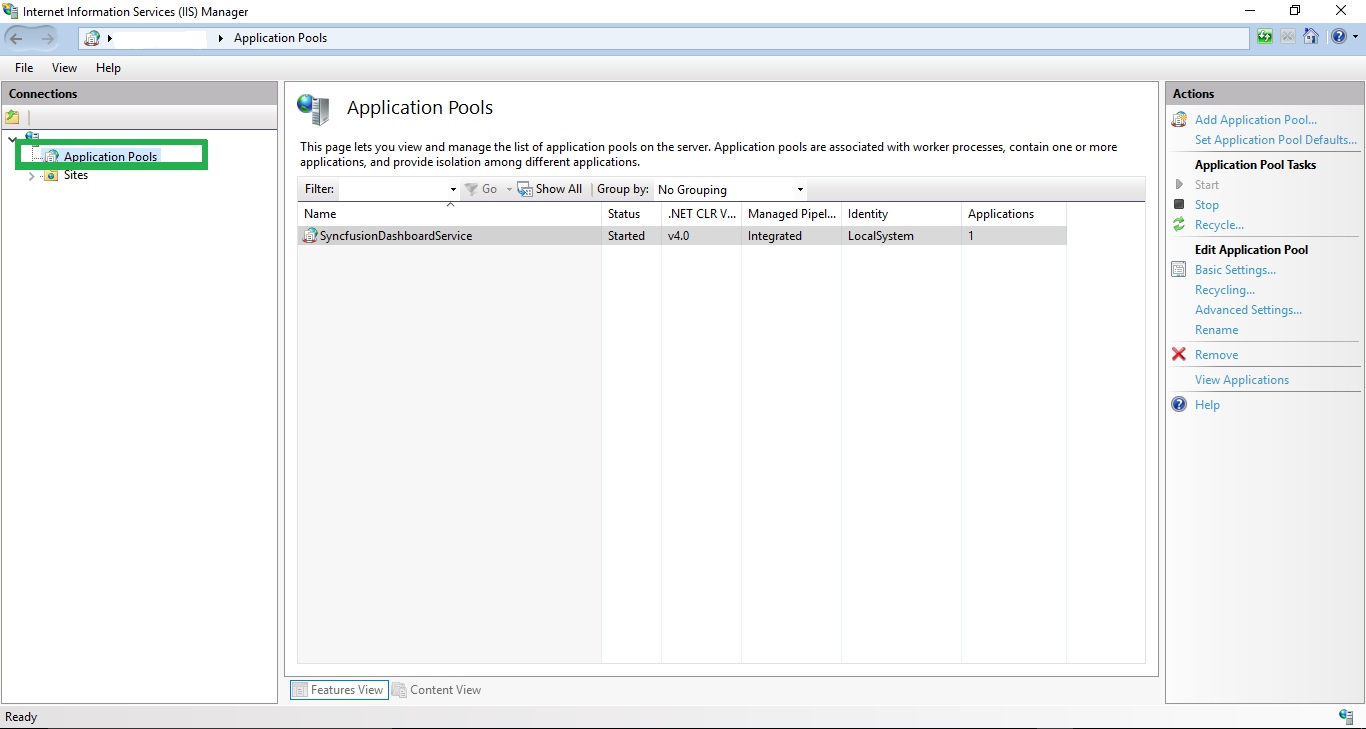
- In the Connections pane, expand the server node and click Application Pools.
- Specify the name of the application pool in the attached image.
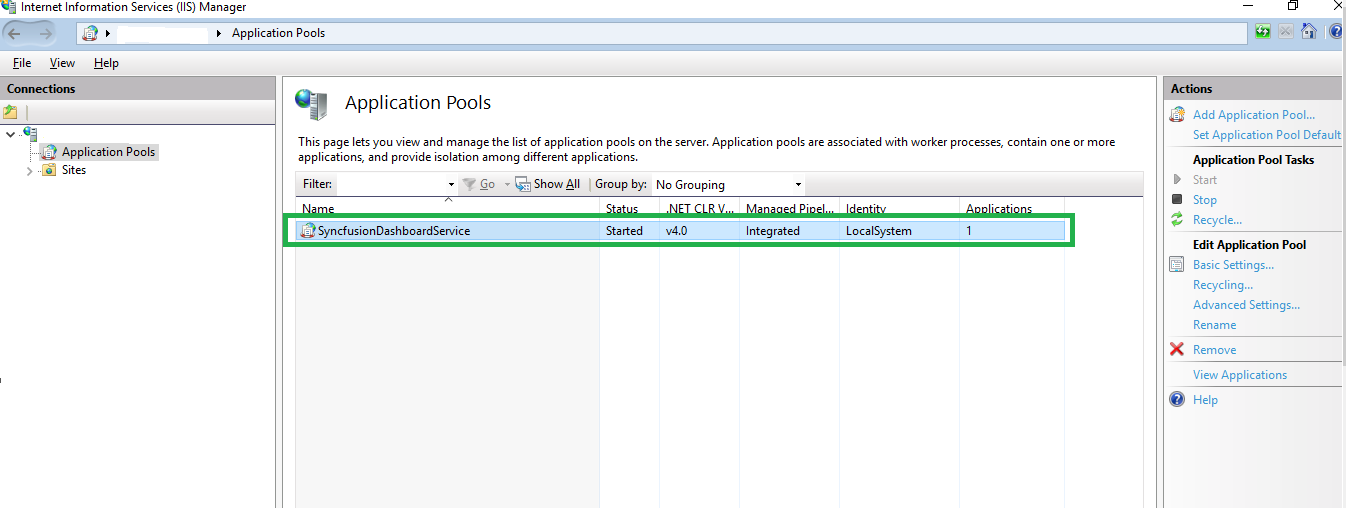
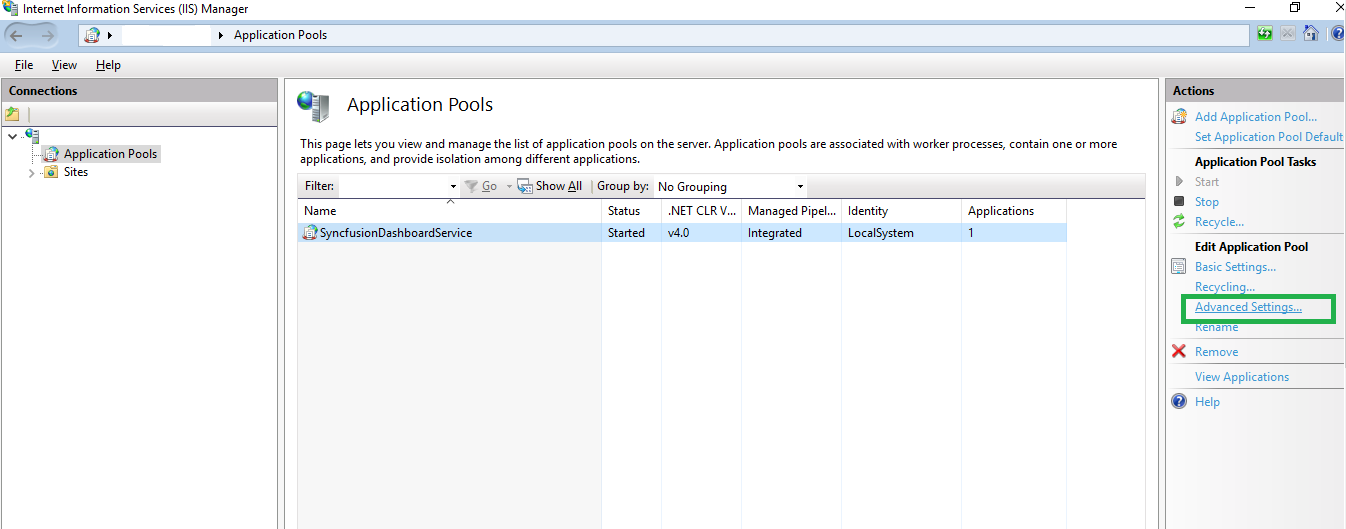
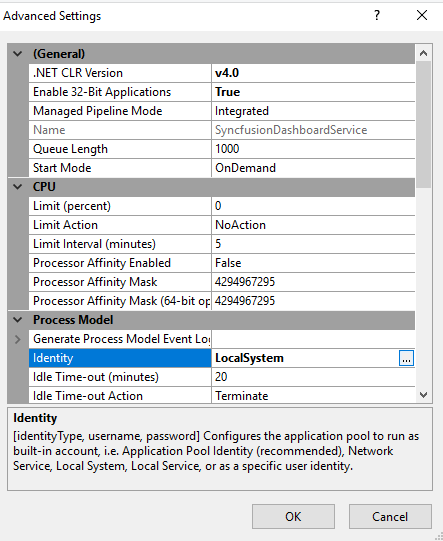
- set the Identity property as LocalSystem under the ProcessModel of Advanced Settings dialog box and then click OK.
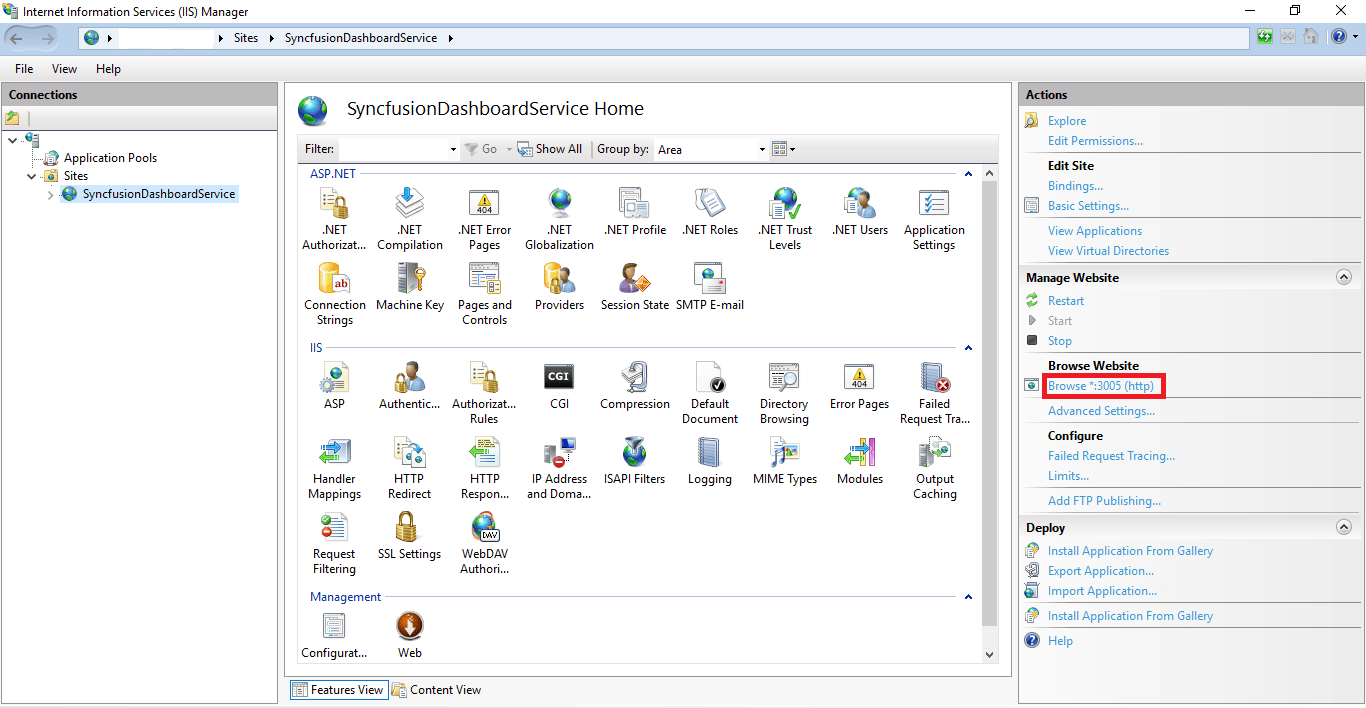
- Expand the Sites node in the Connections pane, select the Website name
SyncfusionDashboardServicethen click Browse Link under the Browse Website section of Action pane as below screenshot
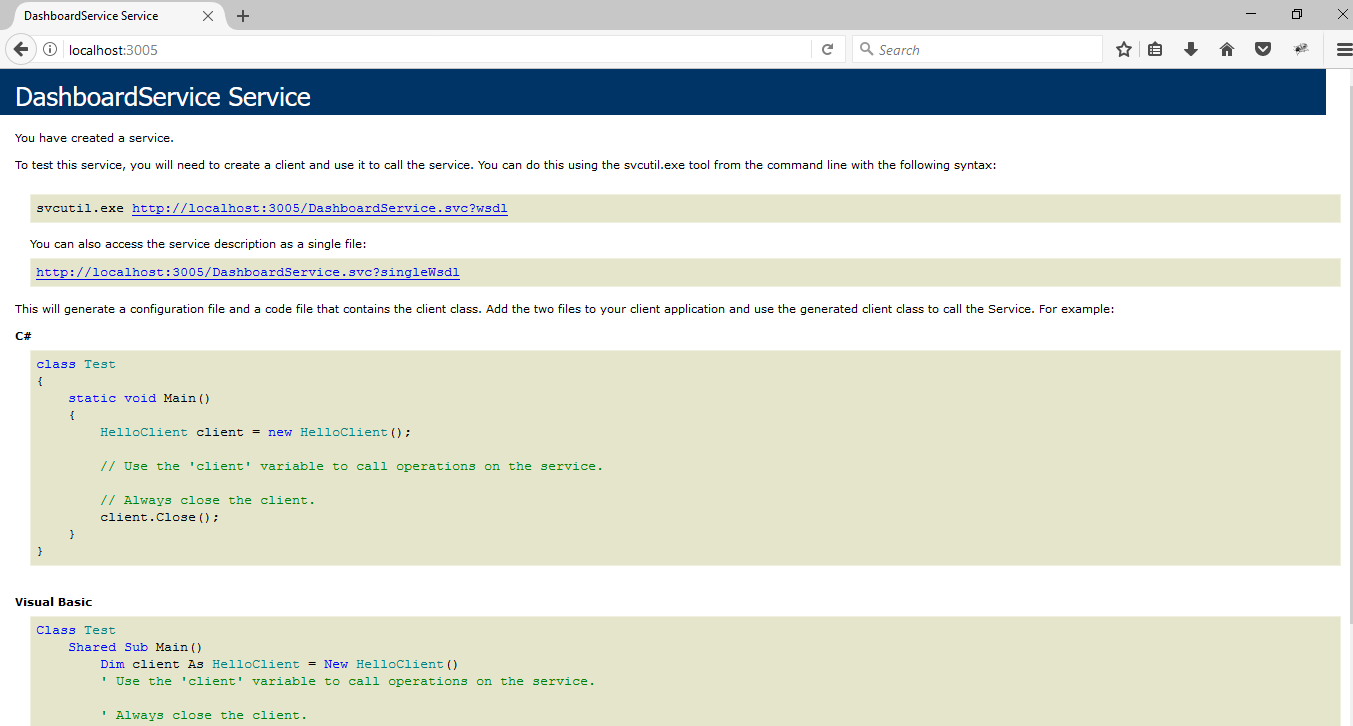
- The hosted service will be launched into the default browser as below
NOTE
Please find the troubleshooting tips here if the “HTTP ERROR 404.17-Not Found” error occurs on hosting the Dashboard Service.
SSL
To enable SSL for the Dashboard Service application, you will need a valid SSL certificate. Please check the below link on how to Obtain an SSL certificate and install it to a website in IIS.
http://www.iis.net/learn/manage/configuring-security/how-to-set-up-ssl-on-iis
Configuring SSL for Syncfusion Dashboard Service
To make the Dashboard Service run under SSL you need to enable support for SSL in the Dashboard Service using the Syncfusion Dashboard Service Configuration Manager utility. Please follow the steps in the below link to configure SSL for Dashboard Service.