IMPORTANT
Starting with version 4.1.0.x, Dashboard Platform SDK has been temporarily suspended from working with dashboards that are created using web-based Dashboard Designer integrated within Dashboard Server.
How to host Dashboard Service as Sub Application in IIS
Syncfusion Dashboard Service can be hosted as a sub application in IIS by following the below steps.
Prerequisites
- Refer step by step IIS installation in Windows 7+, Windows Server 2008 and 2008 R2, Windows Server 2012 or Windows Server 2012 R2
- To host the Dashboard Service in IIS requires a prerequisite called WCF should be enabled in IIS. Refer the article how to configure the WCF in IIS.
Adding Syncfusion Dashboard Service as a sub application
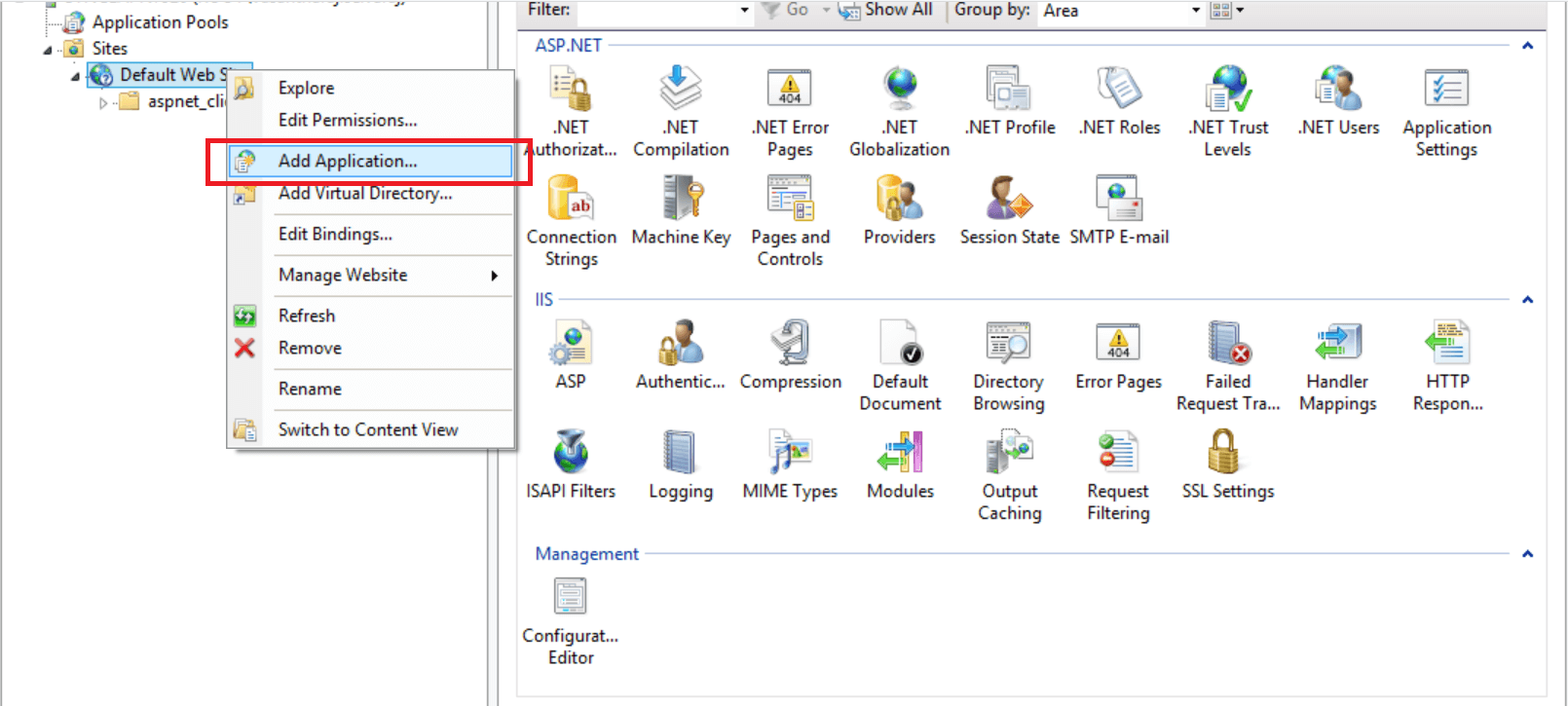
Select the Web Site under which you need to host the Syncfusion Dashboard Service as a sub application. Do a right mouse button click and then select Add Application as shown in the below image.
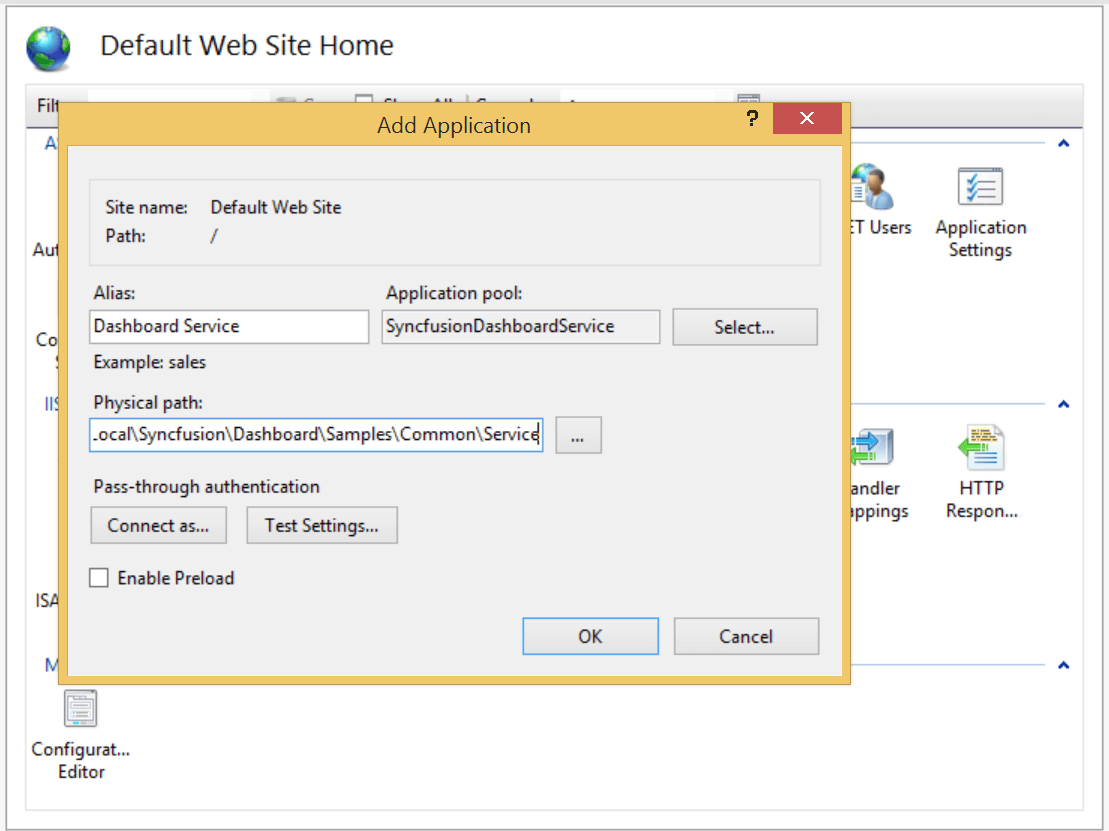
Fill in the below items in the new application dialog and click on OK
1.Alias name- Enter the name that you wish to be an alias for the domain
2.Application pool- Application Pools are logical groupings of web applications that will execute in a common process
3.Physical path- In the Physical path box, type in the location of the Syncfusion Dashboard Service in the machine, or click the browse button to navigate the file system to find the location.for eg
%localappdata%\Syncfusion\Dashboard Platform SDK\Service
SSL
To enable SSL for the Dashboard Service application, you will need a valid SSL certificate. Please check the below link on how to Obtain an SSL certificate and install it to a website in IIS.
http://www.iis.net/learn/manage/configuring-security/how-to-set-up-ssl-on-iis
Configuring SSL for Syncfusion Dashboard Service
To make the Dashboard Service run under SSL you need to enable support for SSL in the Dashboard Service using the Syncfusion Dashboard Service Configuration Manager utility. Please follow the steps in the below link to configure SSL for Dashboard Service.
Configuring SSL for Dashboard Service
Troubleshooting
HTTP 500.19
This error will be thrown when there is an error with the Service configuration. And this will commonly occur if a configuration required for the Dashboard Service is locked by the parent web site of the root configuration of the system.
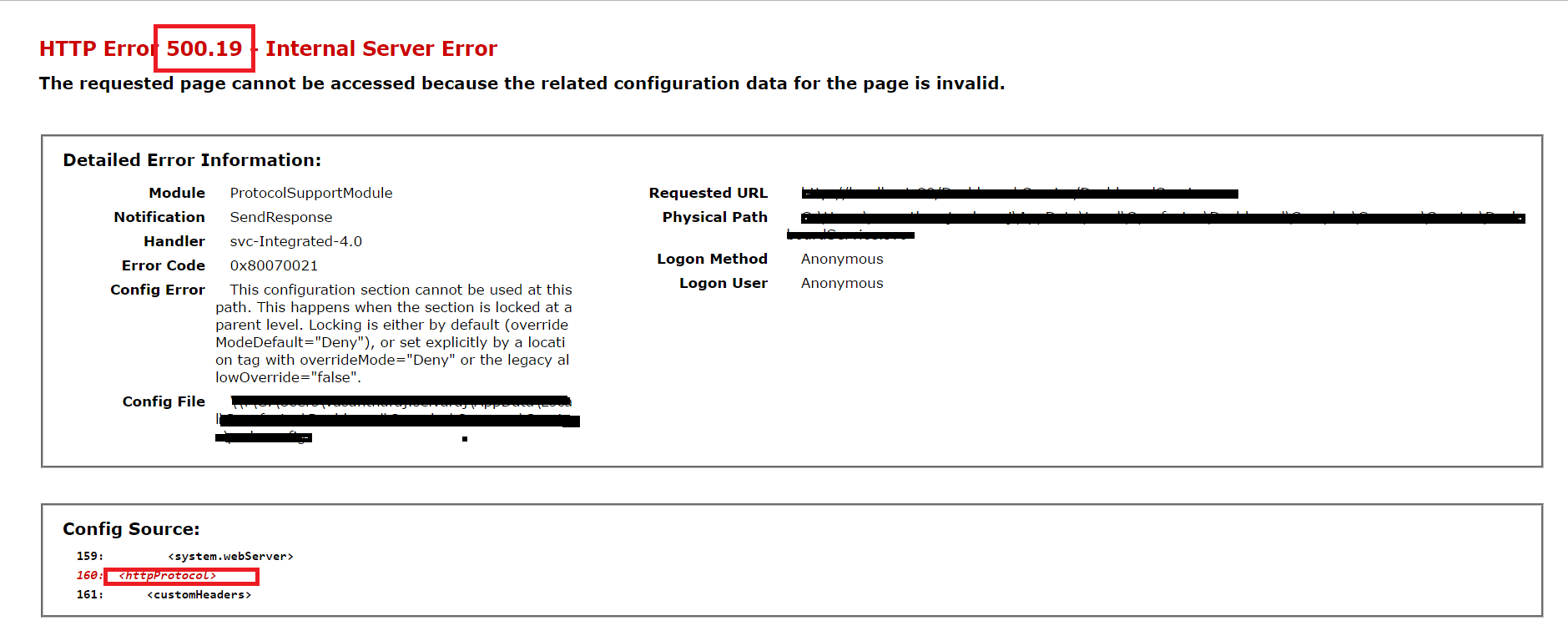
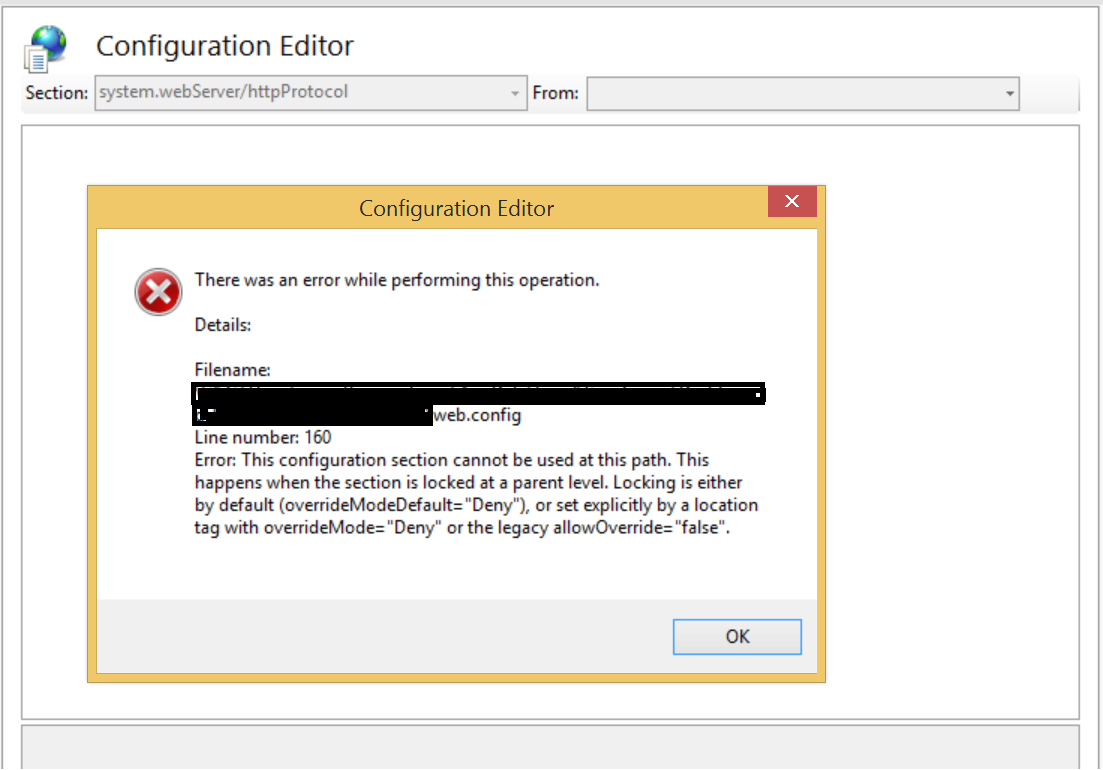
You can clear this error by unlocking the locked configuration section in the parent site by following the below steps.
In the screenshot shown above the service is not able to host since the httpProtocol section is locked at the parent website so the Dashboard Service related changes under this configuration is not applied
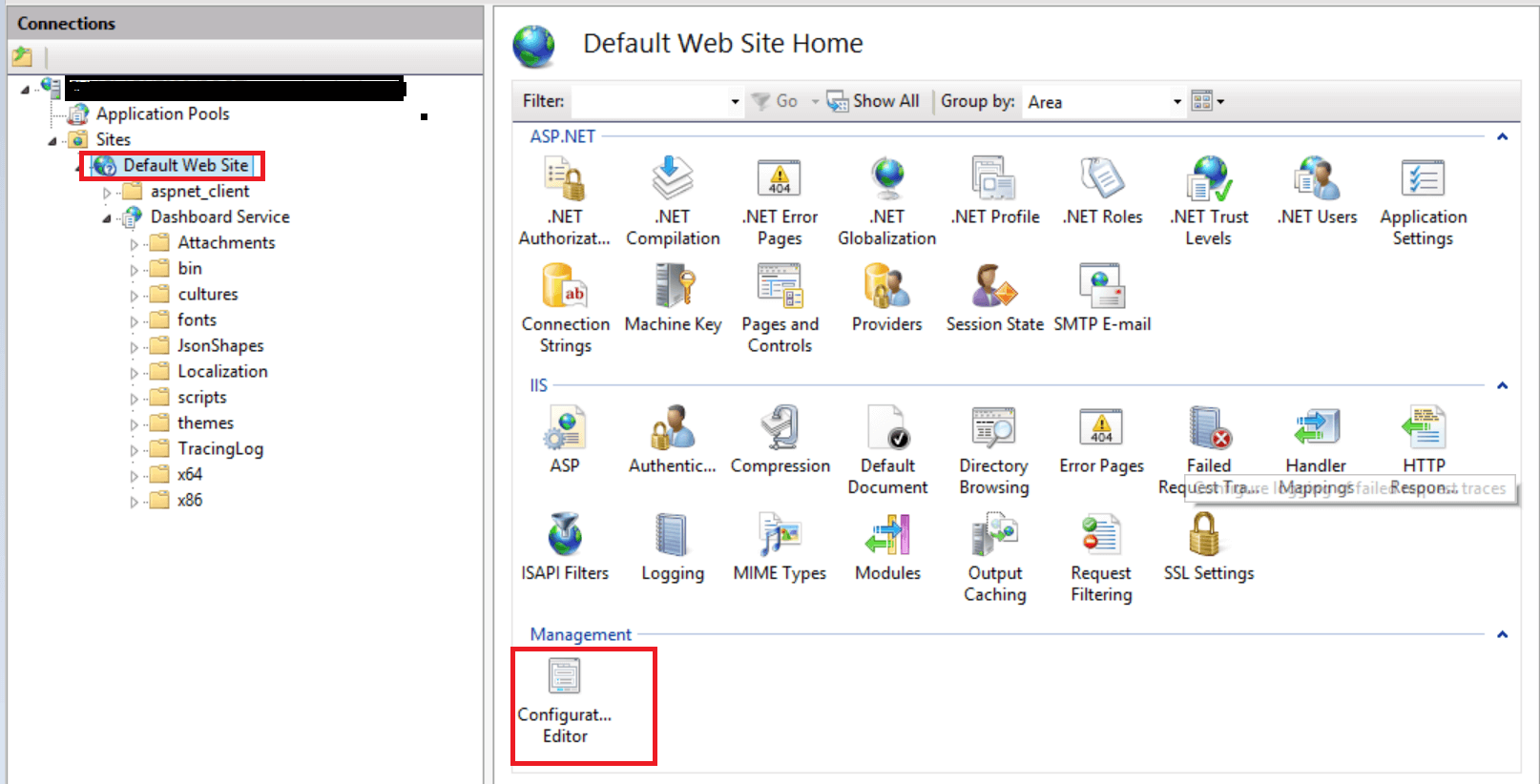
Select the Parent Website and then open the Configuration Editor by double clicking icon “Configuration Editor”
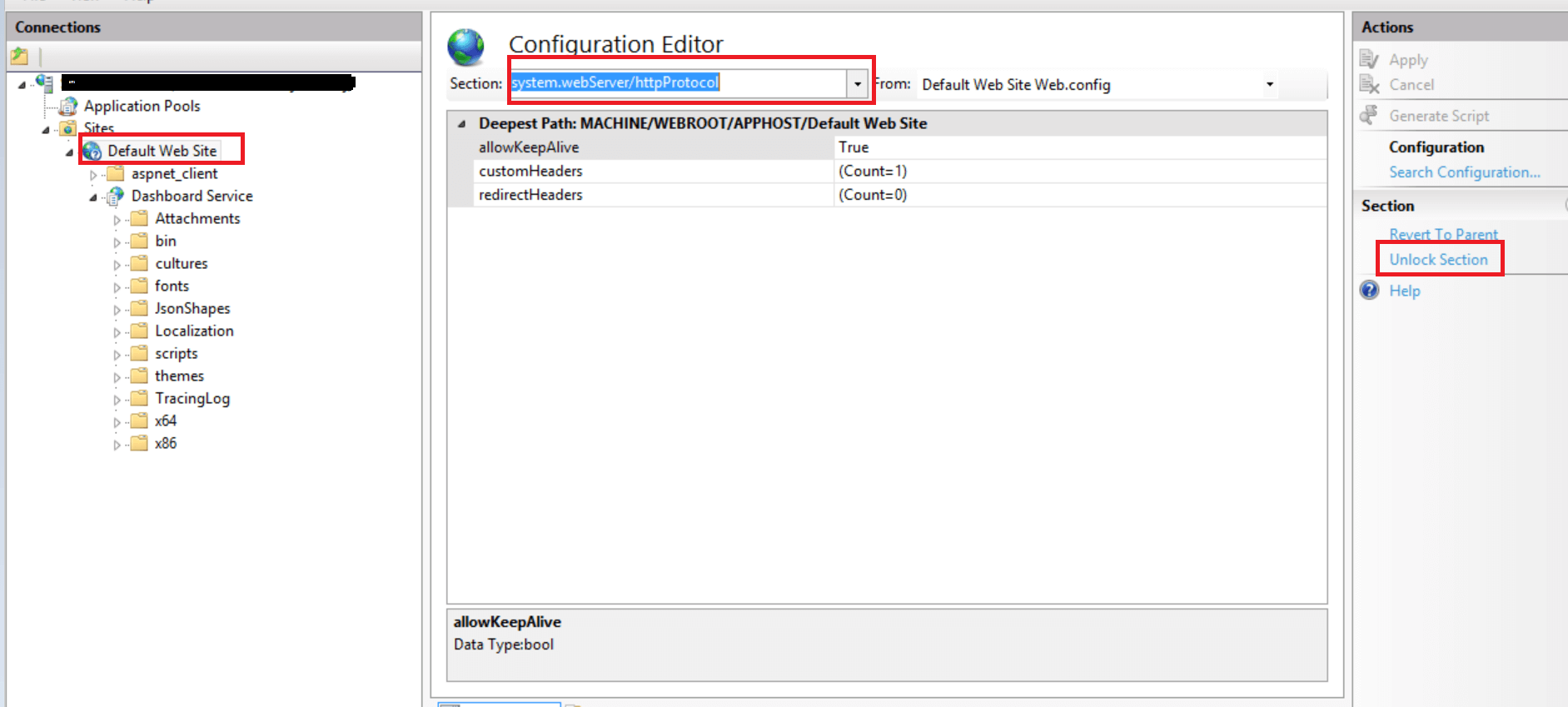
Select the httpProtocol section from the drop down and select unlock section
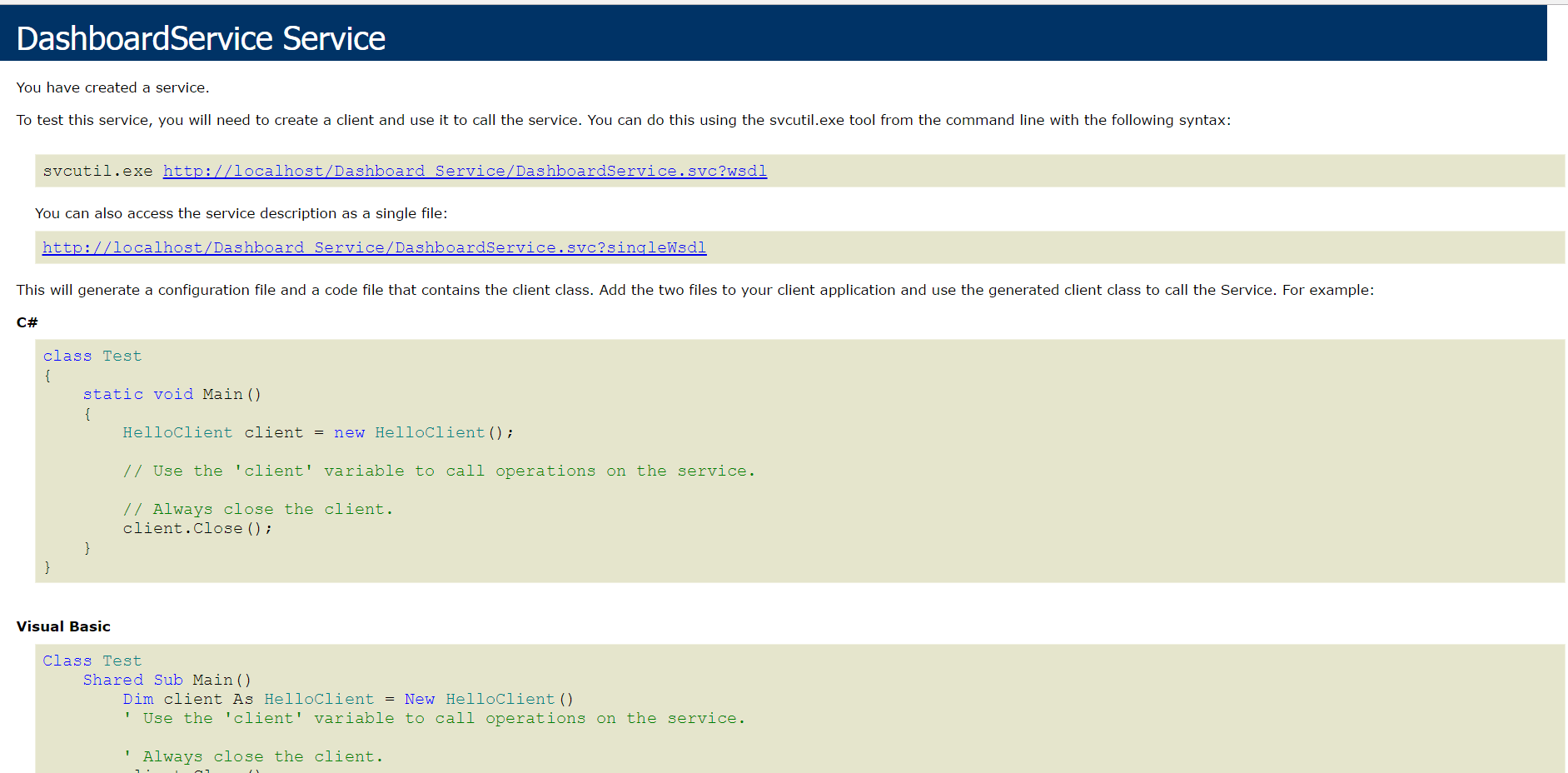
The service will be launched successfully now
Note
If you get above 500.19 error, then You can clear this error by unlocking the locked configuration section in the parent site. If still the problem exists, traverse the hierarchy tree to find where the configuration is locked and then unlock it there and save the configuration.
Dashboard Server’s service can be used only to render the Dashboard, which is available in the Syncfusion Dashboard Server. If you want to render the Dashboard file (*.SYDX) that is designed in the Syncfusion Dashboard Designer you need to use the Syncfusion Dashboard SDK’s service